Búsquedas
Nuevo en la versión 3.9.
Advanced queries using boolean operations, parentheses, or field specific lookup can be used to find the strings you want.
When no field is defined, the lookup happens on Source, Translate and Context fields.
Búsqueda sencilla
Any phrase typed into the search box is split into words. Strings containing any
of them are shown. To look for an exact phrase, put «the searchphrase» into
quotes (both single (“) and double («) quotes will work): "this is a quoted
string" or 'another quoted string'.
Campos
source:TEXTOSource string case insensitive search.
target:TEXTOTarget string case insensitive search.
context:TEXTOContext string case insensitive search.
key:TEXTOKey string case insensitive search.
note:TEXTOComment string case insensitive search.
location:TEXTOLocation string case insensitive search.
priority:NÚMEROString priority.
added:FECHA Y HORATimestamp for when the string was added to Weblate.
state:TEXTOState search (
approved,translated,needs-editing,empty,read-only), supports Operadores de campo.pending:BOOLEANOString pending for flushing to VCS.
has:TEXTOSearch for string having attributes -
plural,context,suggestion,comment,check,dismissed-check,translation,variant,screenshot,flags,explanation,glossary,note.is:TEXTOSearch for string states (
pending,translated,untranslated).language:TEXTOString target language.
component:TEXTOComponent slug or name case insensitive search, see «Slug» del componente and Nombre de componente.
project:TEXTOProject slug, see «Slug» del URL.
changed_by:TEXTOString was changed by author with given username.
changed:FECHA Y HORAString content was changed on date, supports Operadores de campo.
change_time:DATETIMEString was changed on date, supports Operadores de campo, unlike
changedthis includes event which don’t change content and you can apply custom action filtering usingchange_action.change_action:TEXTFilters on change action, useful together with
change_time. Accepts English name of the change action, either quoted and with spaces or lowercase and spaces replaced by a hyphen. See Searching for changes for examples.check:TEXTOString has failing check.
dismissed_check:TEXTOString has dismissed check.
comment:TEXTOSearch in user comments.
comment_author:TEXTOFilter by comment author.
suggestion:TEXTOSearch in suggestions.
suggestion_author:TEXTOFilter by suggestion author.
explanation:TEXTOBuscar en las explicaciones.
Operadores booleanos
You can combine lookups using AND, OR, NOT and parentheses to
form complex queries. For example: state:translated AND (source:hello OR source:bar)
Operadores de campo
You can specify operators, ranges or partial lookups for date or numeric searches:
state:>=translatedState is
translatedor better (approved).changed:2019Changed in year 2019.
changed:[2019-03-01 to 2019-04-01]Changed between two given dates.
Operadores exactos
You can do an exact match query on different string fields using = operator. For example, to
search for all source strings exactly matching hello world, use: source:="hello world".
For searching single word expressions, you can skip quotes. For example, to search for all source strings
matching hello, you can use: source:=hello.
Searching for changes
Nuevo en la versión 4.4.
Searching for history events can be done using change_action and
change_time operators.
For example, searching for strings marked for edit in 2018 can be entered as
change_time:2018 AND change_action:marked-for-edit or
change_time:2018 AND change_action:"Marked for edit".
Expresiones regulares
Anywhere text is accepted you can also specify a regular expression as r"regexp".
For example, to search for all source strings which contain any digit between 2
and 5, use source:r"[2-5]".
Consultas predefinidas
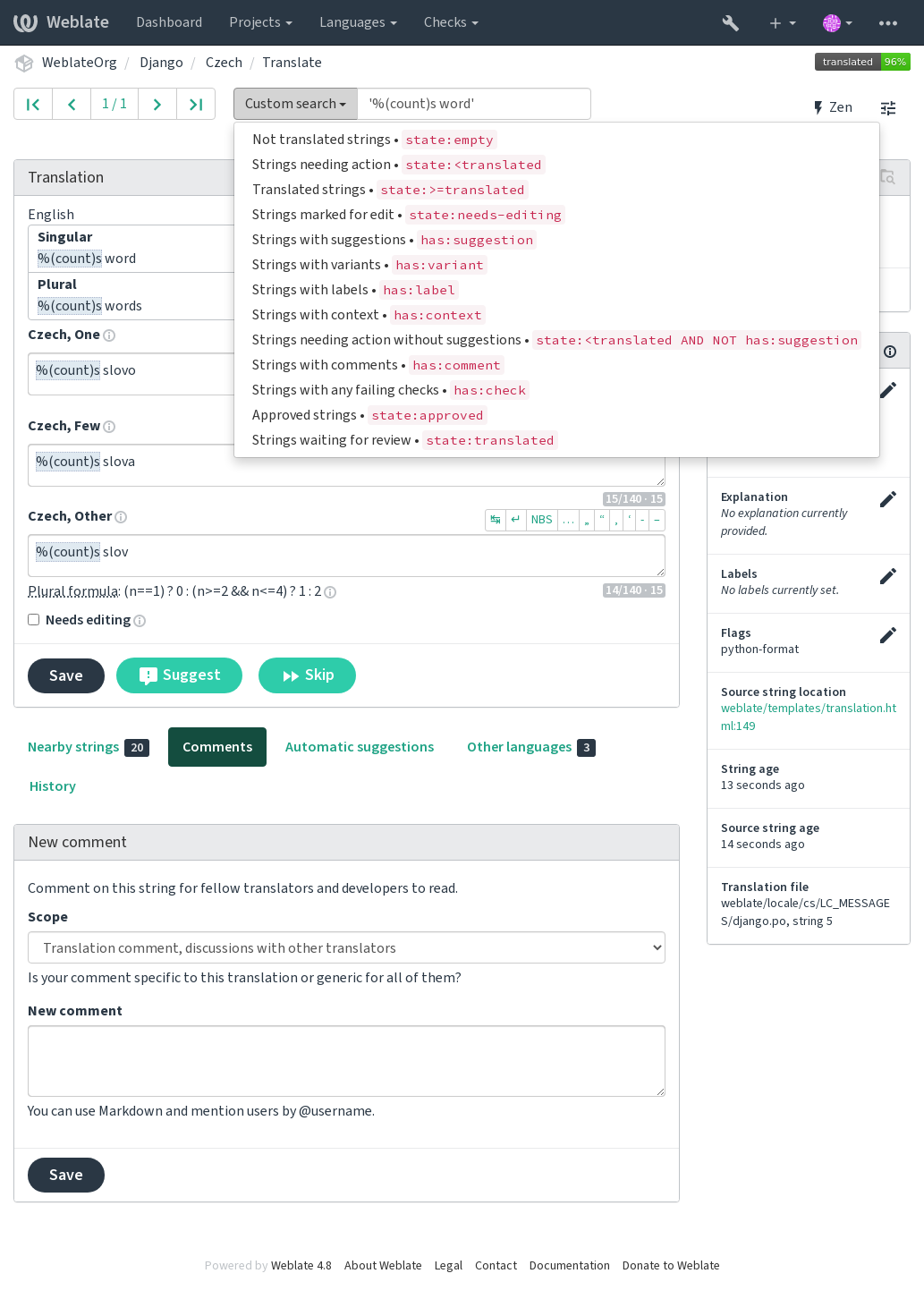
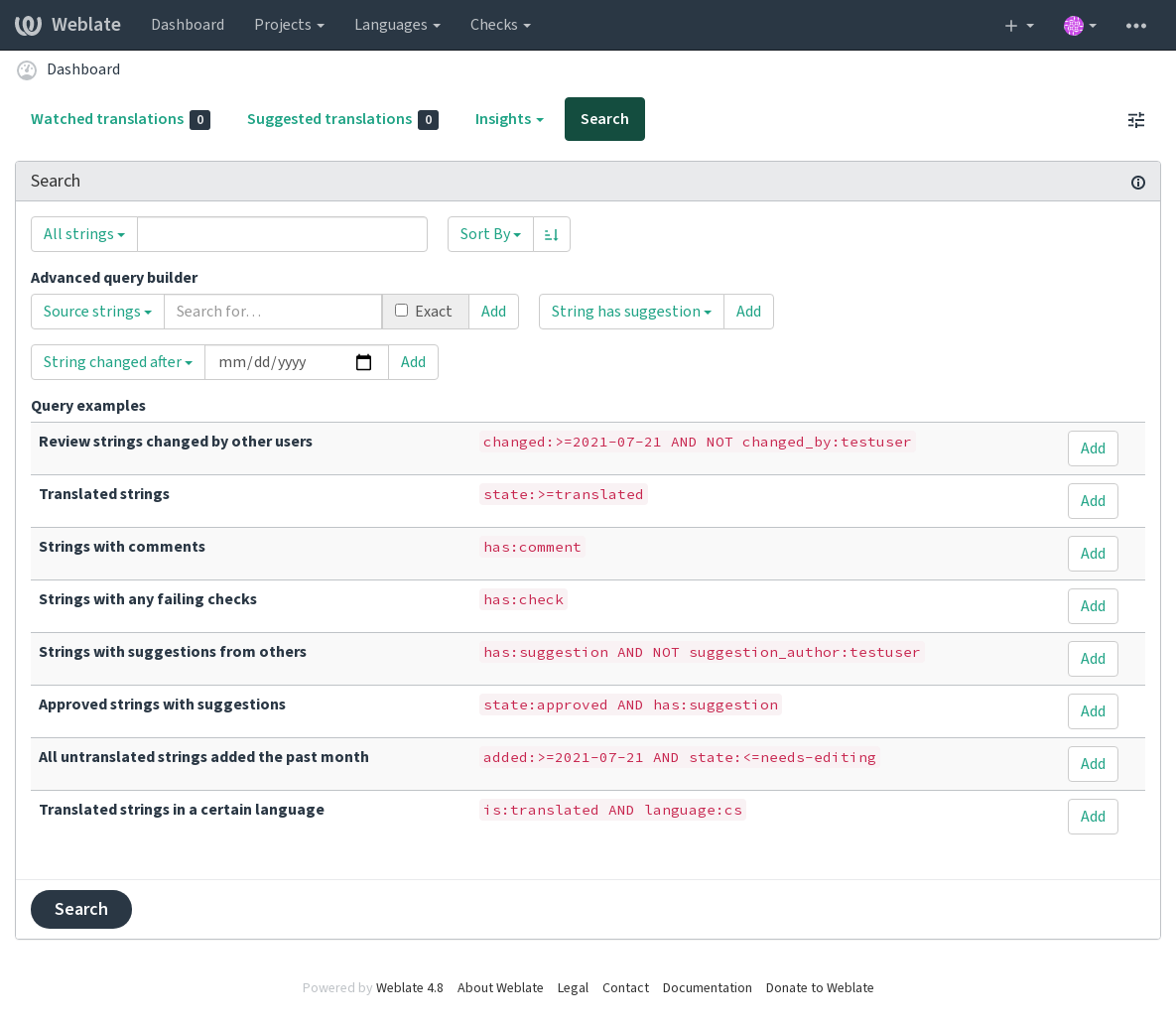
You can select out of predefined queries on the search page, this allows you to quickly access the most frequent searches: