Proceso de traducción
Votar sugerencias
De forma predeterminada, todos pueden agregar sugerencias para que las acepten los usuarios registrados. La votación de sugerencias se puede utilizar para utilizar una cadena cuando más de un usuario registrado está de acuerdo, configurando el componente :ref:` con Votación de sugerencias para activar la votación y :guilabel:` Aceptar sugerencias automáticamente` para establecer un umbral para las sugerencias aceptadas (esto incluye un voto del usuario que realiza la sugerencia, si se emite).
Nota
Una vez que se configura la aceptación automática, los usuarios normales pierden el privilegio de guardar traducciones directamente o aceptar sugerencias. Esto se puede anular con el permiso :guilabel:` Editar cadena cuando se aplican sugerencias` <privilegios>.
You can combine these with access control into one of the following setups:
Users suggest and vote for suggestions and a limited group controls what is accepted. - Turn on voting. - Turn off automatic acceptance. - Don’t let users save translations.
Users suggest and vote for suggestions with automatic acceptance once the defined number of them agree. - Turn on voting. - Set the desired number of votes for automatic acceptance.
Optional voting for suggestions. (Can optionally be used by users when they are unsure about a translation by making multiple suggestions.) - Only turn on voting.
Información adicional sobre las cadenas de origen
Enhance the translation process by adding additional info to the strings including explanations, string priorities, check flags and visual context. Some of that info may be extracted from the translation files and some may be added by editing the additional string info:
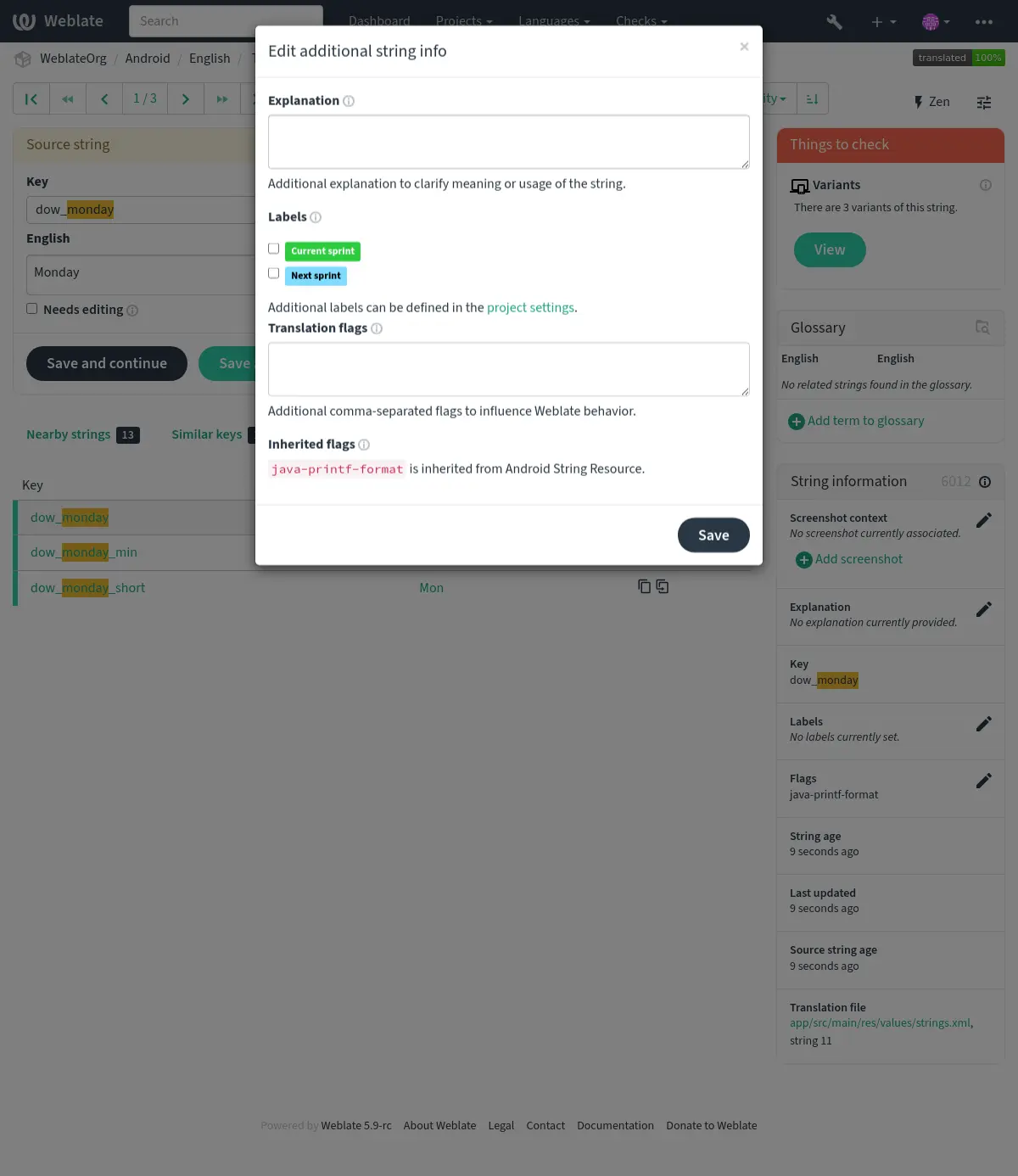
Acceda a esto directamente desde la interfaz de traducción haciendo clic en el icono «Editar» junto a Contexto de la captura de pantalla o Etiquetas.
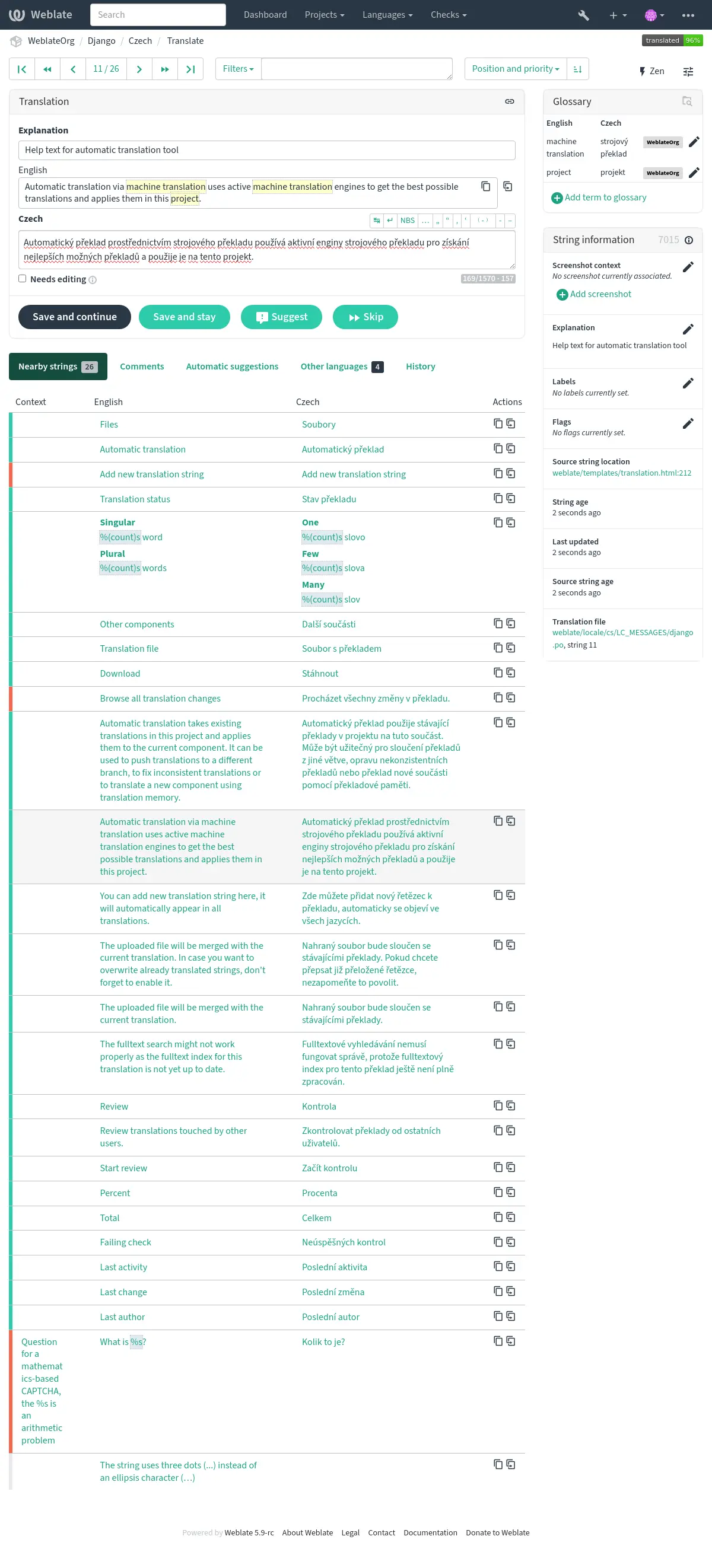
Priorización de cadenas
String priority can be changed to offer higher priority strings for translation earlier by
using the priority flag.
Consejo
This can be used to order the flow of translation in a logical manner.
Ver también
Indicadores de traducción
Customization of quality checks and other Weblate behavior, see Personalizar el comportamiento mediante indicadores.
The string flags are also inherited from the Indicadores de traducción at Configuración de componentes and flags from the translation file (see Formatos de archivo admitidos).
Explicación
Distinto en la versión 4.1: En versiones anteriores se le ha llamado Contexto adicional.
Distinto en la versión 4.18: Support for syncing explanation with a file was introduced.
Utilice la explicación para aclarar el ámbito o la utilización de la traducción. Puede utilizar Markdown para incluir enlaces y dar formato.
Some file formats support storing explanation within the file, see Explicación.
Consejo
Weblate can also display description present in the translation file for some formats, see Descripción de cadena de origen.
Contexto visual para cadenas
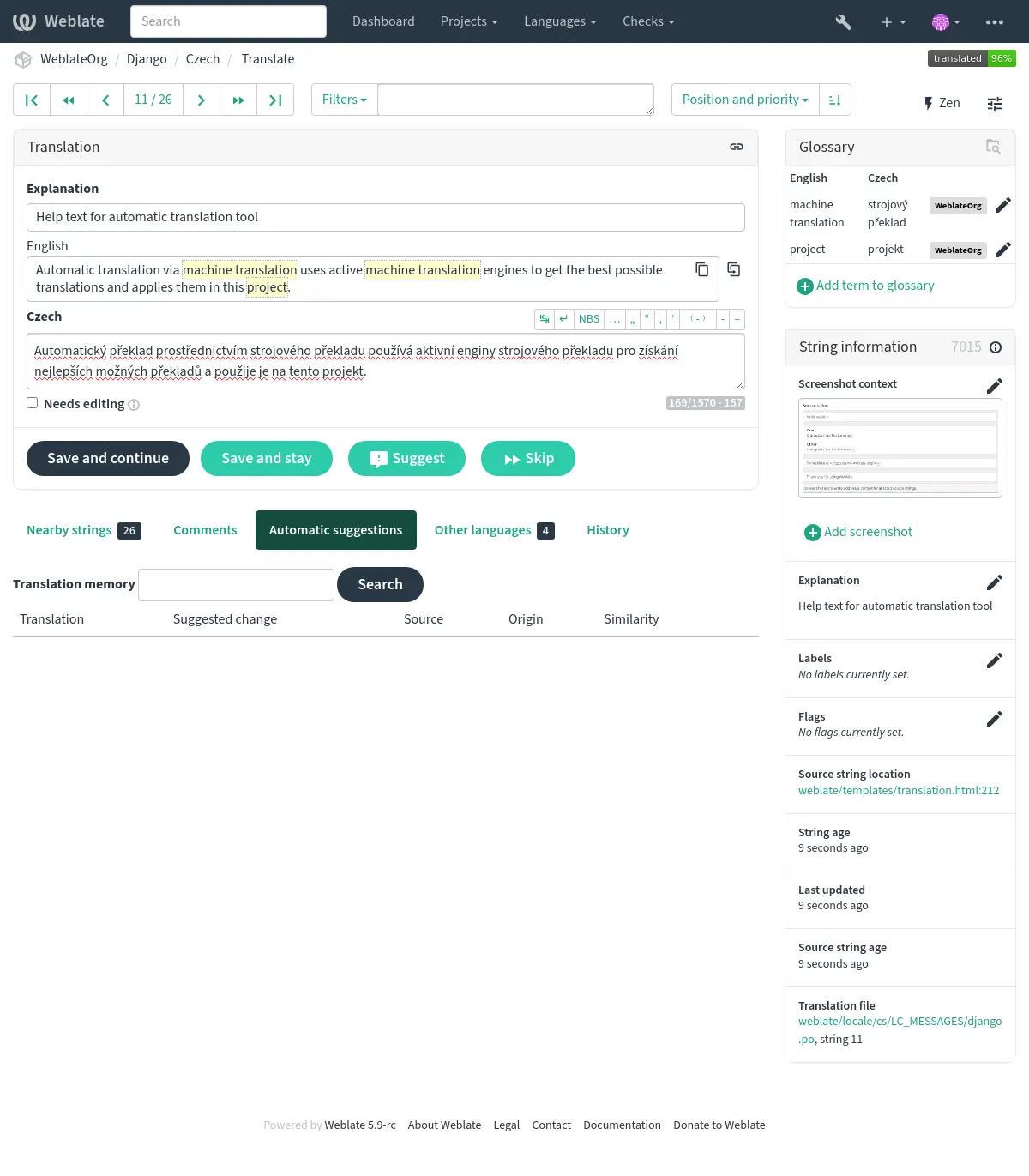
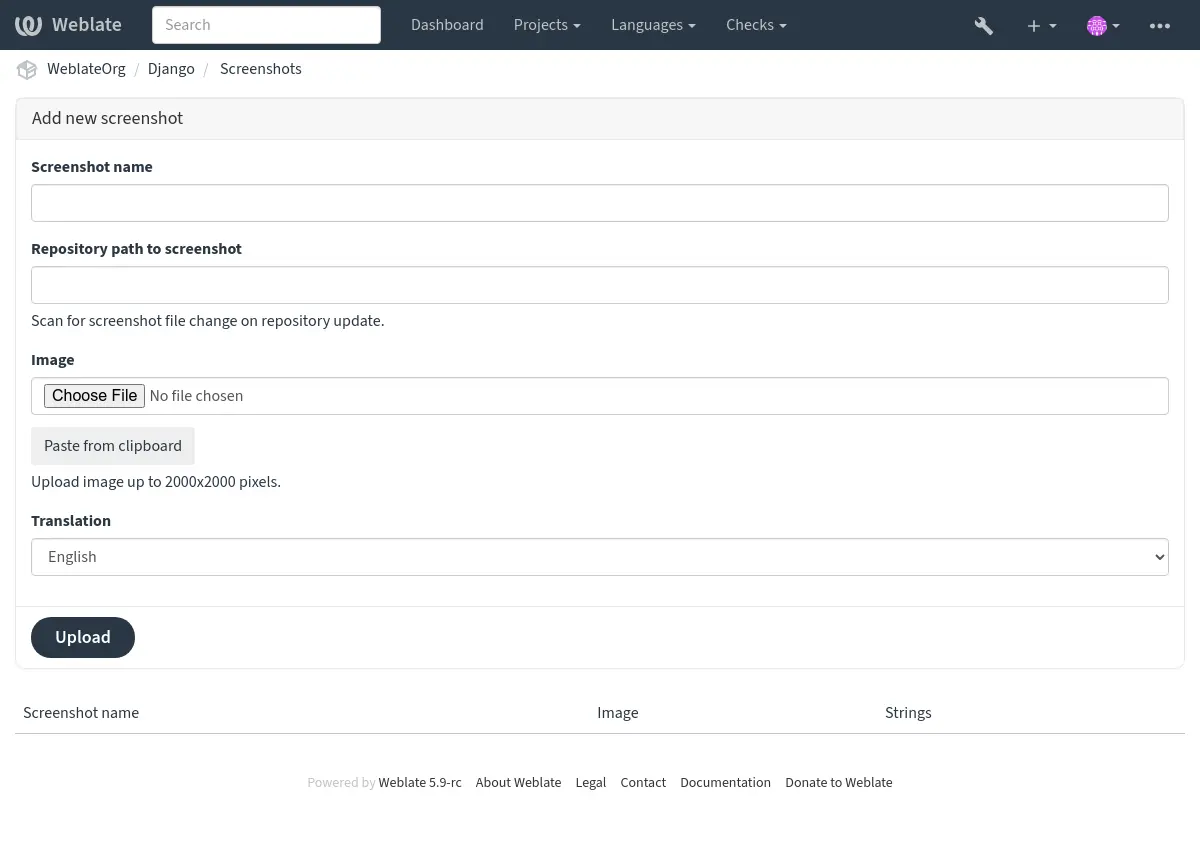
You can upload a screenshot showing a given source string in use within your program. This helps translators understand where it is used, and how it should be translated.
La captura cargada se muestra en la barra lateral de contexto de la traducción:
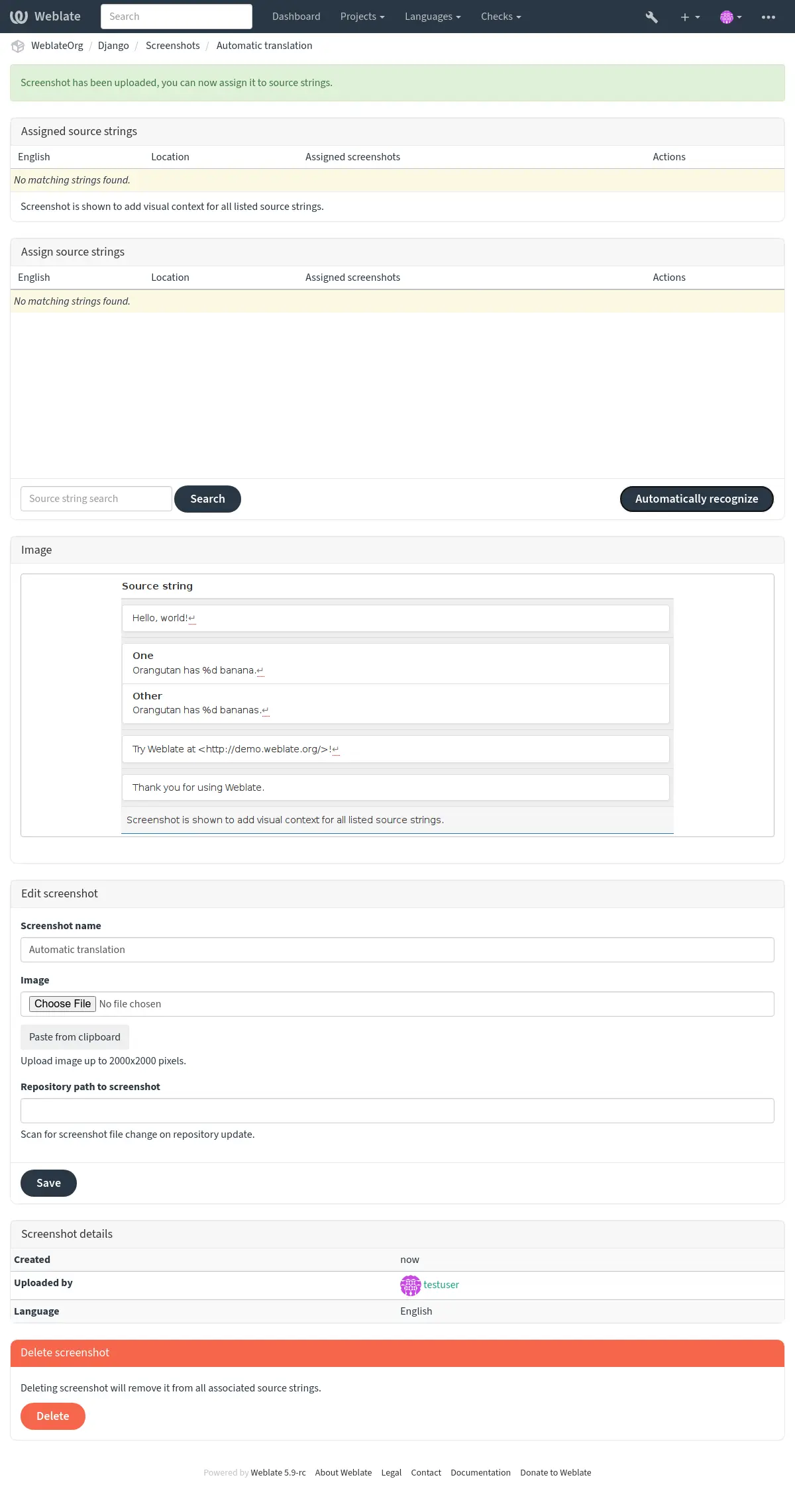
Además de Información adicional sobre las cadenas de origen, screenshots tienen una interfaz de gestión separada bajo el menú Herramientas `. Cargue capturas de pantalla, asígnelas a las cadenas de origen manualmente o utilice el reconocimiento óptico de caracteres (OCR) para hacerlo pulsando el botón :guilabel:`Reconocer automáticamente.
Once a screenshot is uploaded, this interface handles management and source string association:
You can add or update screenshots directly from your Version Control System (VCS) repository.
To enable this feature, you can either set a screenshot file mask when creating a component, which will be monitored for updates in the repository, or you can add or update screenshots when uploading them manually.
When the repository is updated, the system will automatically scan for changes. Existing screenshots in the repository will be updated, and new screenshots matching the specified screenshot file mask will be added to the component.
Ver también