Глосарій
Each project can include one or more glossaries for storing terms and their preferred translations. Glossaries help keep translations consistent by showing matching terms in the translation editor.
Glossaries are regular translation components with special behavior. The source language stores the terms Weblate searches for in source strings. Each glossary translation stores the preferred term, forbidden term, or untranslatable entry for one target language.
Terms from the glossary containing words from the currently translated source string are displayed in the sidebar of the translation editor.
Підказка
Терміни глосарія не буде використано у перевірках якості, якщо ви не увімкнете цю можливість, див. Не відповідає вимогам глосарію, щоб дізнатися більше.
How glossary matching works
When you translate a regular component, Weblate searches the source string for terms from the source language of the project glossaries. When a term matches, Weblate looks up the corresponding glossary entry for the language currently being translated and shows it in the editor.
This means glossary entries need to exist in the target glossary language to be shown while translating that target language. A source-language-only glossary can still store definitions and context, but it will not provide target-language matches for languages that do not have glossary entries.
If you want a term to be present in every glossary language, mark the source entry as Термінологія. If the term should stay unchanged in every language, use Терміни, які не слід перекладати; combine it with terminology only when you want Weblate to create and maintain entries for all glossary languages.
Керування глосаріями
Змінено в версії 4.5: У нових версіях глосарії є звичайними складниками перекладу — ви можете скористатися усіма можливостями Weblate для роботи з ними — коментування, зберігання у віддаленому сховищі або додавання пояснень.
Ви можете зробити будь-який складник глосарієм за допомогою пункту Використовувати як глосарій. У одному проєкті може бути декілька глосаріїв.
Під час створення проєкту автоматично створюється порожній глосарій. Глосарії спільні для всіх складників одного проєкту. Ви можете налаштувати систему так, щоб глосарій був спільним для кількох проєктів за допомогою Спільне використання даних у проєктах у відповідному складнику глосарія.
Складник глосарія виглядає як будь-який інший складник у Weblate, але має додаткову кольорову мітку:
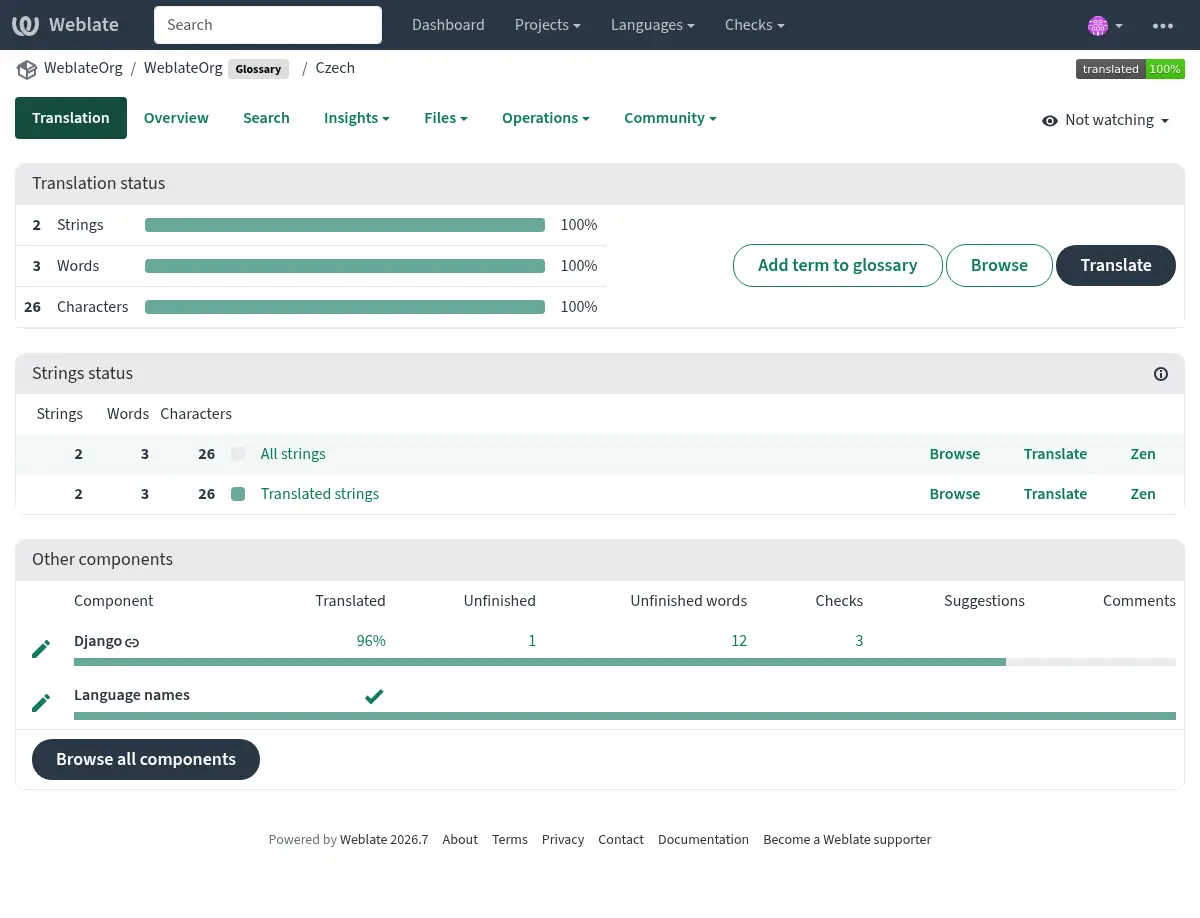
Ви можете здійснювати навігацію усіма термінами глосарія:
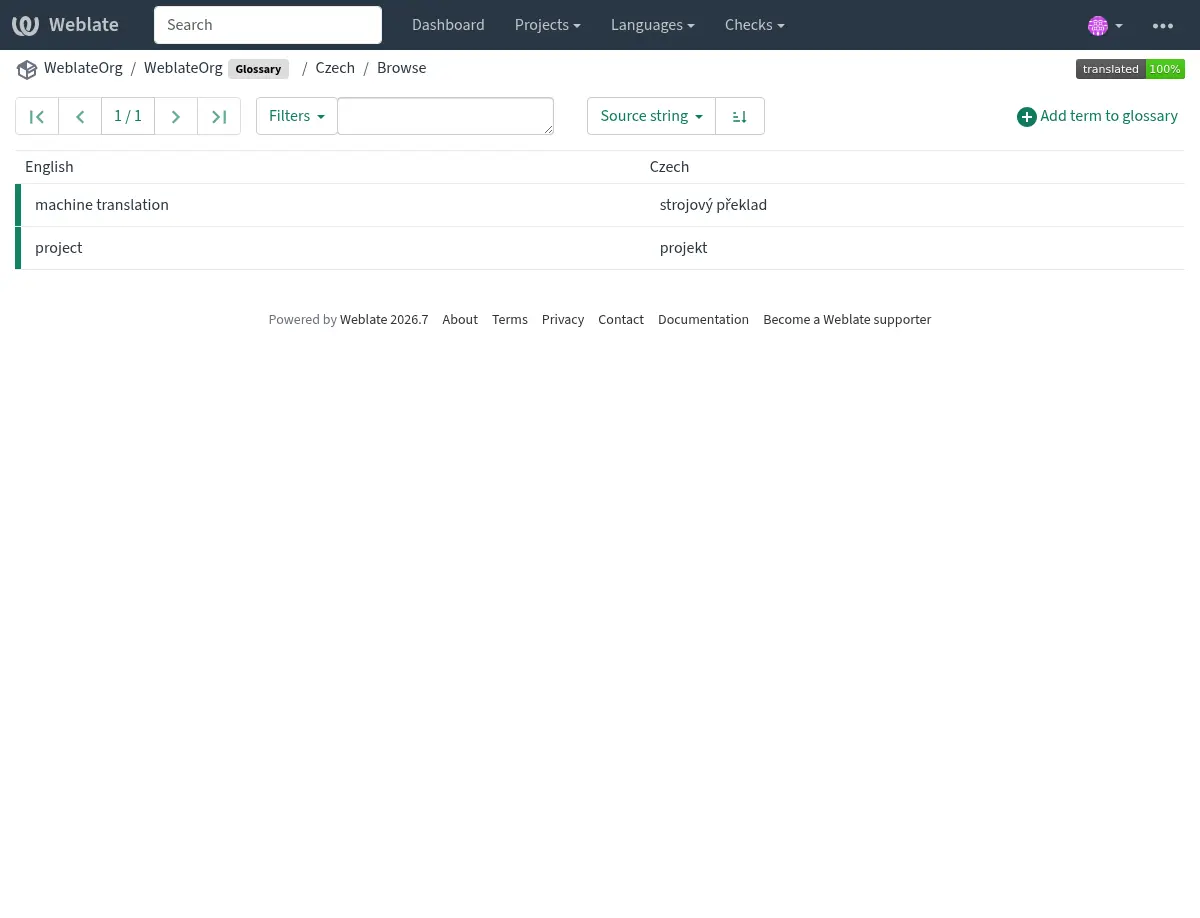
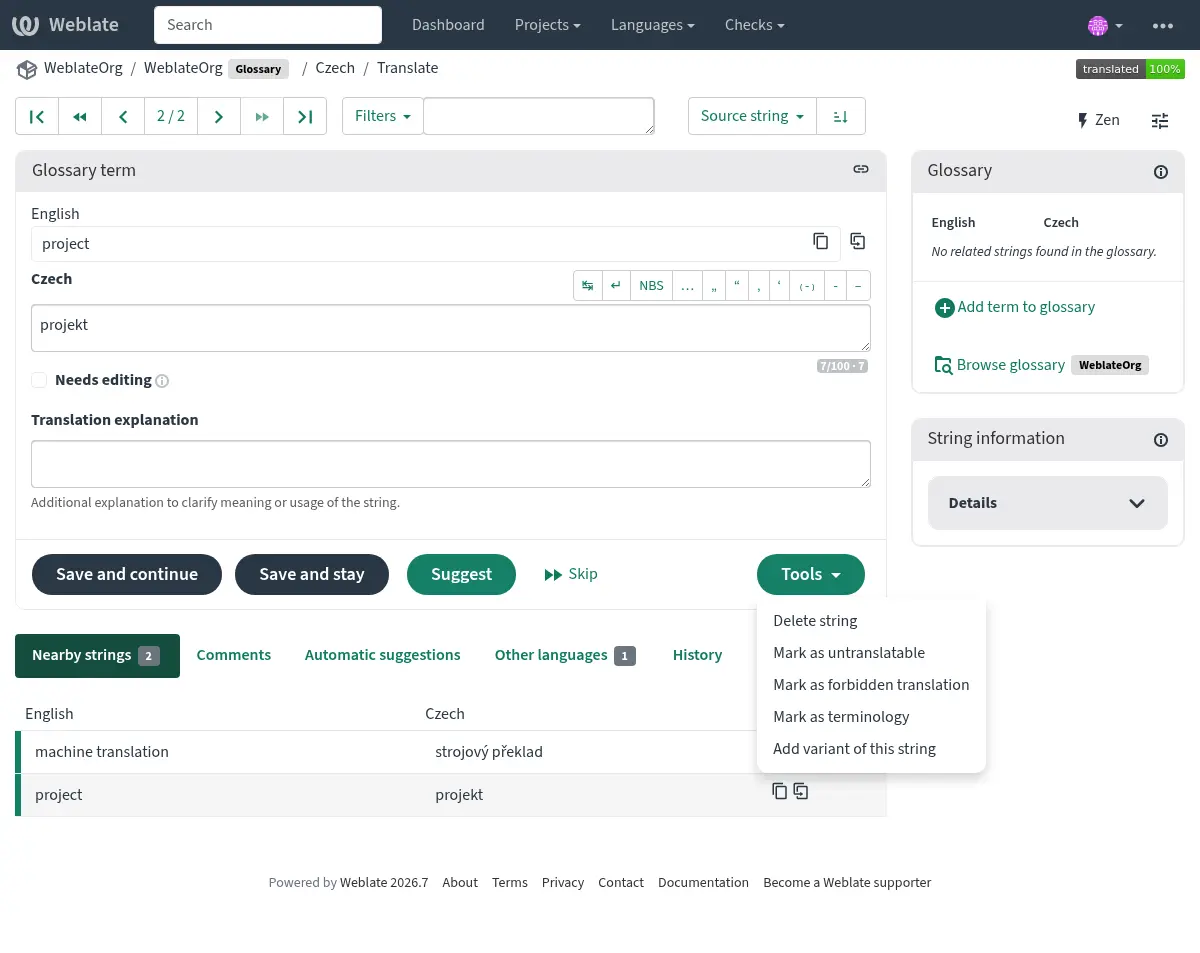
або редагувати їх як будь-які переклади.
Терміни глосарія
Терміни глосарія перекладають так само як виконують звичайні переклади. Ви можете увімкнути додаткові можливості за допомогою меню Засоби для всіх термінів.
Дивись також
Type |
Purpose |
|---|---|
Regular glossary term |
Preferred translation or explanation for a term in one or more languages. |
Source term Weblate keeps present in every glossary language so missing translations can be tracked and filled. |
|
Term that should stay unchanged or should not be translated. |
|
Translation that should not be used for the source term. |
|
Alternative wording, abbreviation, or shorter form grouped with another glossary term. |
Choosing glossary terms
Choose glossary terms for meaning and audience, not only for literal word shape. If a source term is ambiguous, add an explanation so translators know which meaning applies in the project.
Glossary entries are especially useful for brand names, acronyms, product features, technical terms, and newly coined or transliterated words. Use variants for abbreviations or shorter wording, mark important cross-language terms as Термінологія, mark terms that should stay unchanged as Терміни, які не слід перекладати, and mark misleading translations as Заборонені переклади.
Терміни, які не слід перекладати
Added in version 4.5.
Flagging certain glossary term translations read-only by bulk-editing,
typing in the flag, or by using Tools ↓
Mark as untranslatable means they can not be translated. Use this
for brand names, product names, domains, technology names, or other terms that
should not be changed in other languages. Such terms are visually highlighted
in the glossary sidebar.
The read-only flag is enough when the glossary entry already exists in the
languages where it should be shown. Add the Термінологія flag as
well only when Weblate should create and maintain the untranslatable entry in
every glossary language.
Дивись також
Заборонені переклади
Added in version 4.5.
Позначення певних перекладів термінів глосарія як заборонених пакетним редагуванням, введенням прапорця або за допомогою пункту меню Засоби ↓ Позначити як заборонений переклад, означає, що терміни не слід використовувати. Скористайтеся цим для прояснення перекладу, коли певні слова є неоднозначними або можуть мати неочікувані значення.
Use forbidden entries for translations that should be avoided. Use regular glossary entries for preferred translations.
Дивись також
Термінологія
Added in version 4.5.
Flagging certain source-language glossary terms as terminology by
bulk-editing, typing in the flag, or by using Tools ↓
Mark as terminology adds entries for them to all languages in the
glossary. Use this for important terms that should be well thought out, and
retain a consistent meaning across all languages.
The terminology flag is ongoing state, not just a one-time action. While the flag remains on the source term, Weblate treats it as terminology and keeps an entry for it in every glossary language. If a language entry is removed, the next glossary synchronization creates it again.
Вилучення прапорця термінологія зупиняє це автоматичне оновлення, але не вилучає і не скасовує записи, які вже були створені. Вони залишаються звичайними записами глосарію.
A regular glossary term can also have translations in every language. The difference is that Weblate does not recreate missing language entries for a regular term after they are removed.
Дивись також
Варіанти
Варіанти є загальним способом об’єднання груп рядків. На бічній панелі глосарія під час перекладу буде показано список усіх варіантів терміна.
Підказка
Ви можете скористатися цим для додавання скорочених варіантів або коротших виразів терміна.
Дивись також
Імпорт глосарію
Подібно до звичайних компонентів перекладу, ви можете завантажувати існуючі глосарії до Weblate. Формати, такі як Файли CSV або Формат TermBase eXchange, підтримуються та можуть бути завантажені, див. Вивантаження перекладів.
TBX files can include explanations, read-only metadata, and glossary flags; see Формат TermBase eXchange for the exact metadata mapping.
Even though TBX can contain multiple languages, Weblate still maps component files to languages using the component file mask and language settings. For a TBX glossary component, keep the component source language as the source term language and name translation files for the target language they represent. Avoid naming a translation file with the same language as the component source language, because the source language already exists in Weblate and this can lead to duplicate language detection.
Дивись також
Language files and synchronization
Glossary components follow the languages used by the regular components in the same project. When a language is added to a regular component, Weblate adds the missing glossary language as well so glossary matches can be shown for that language.
This automatic language synchronization is intentional. Filtering glossary language files with Фільтр мов can reduce the number of managed files, but it also means Weblate has no glossary entries to show for filtered-out target languages.
Terminology entries are also synchronized. When a source glossary term is marked as terminology, Weblate creates missing entries in all glossary languages and recreates them if they are removed while the flag is still set.
Weblate can clean up stale glossary translations only for Weblate-managed glossaries, only when no regular component in the project still uses that language, and only when the stale glossary translation has no translated terms. If the stale glossary language still contains terms, Weblate keeps it and reports it as an unused glossary language.
Common setup patterns
- English-only explanatory glossary
Add source-language glossary terms with explanations. This works as a maintained term list, but it will not show target-language glossary matches unless you also create entries in the target glossary languages.
- Required terminology
Add terms in the source glossary language, mark them as Термінологія, and let translators fill the created entries in each target language. Use explanations to document the intended meaning.
- Non-translatable terms
Mark terms as Терміни, які не слід перекладати when they should stay unchanged. Add Термінологія only when the term should be present in every glossary language for matching and review.
- Заборонені переклади
Add the misleading translation as a Заборонені переклади entry. Add the preferred wording as a separate regular glossary entry when translators should use a specific translation instead.
Глосарії в автоматичній пропозиції
Added in version 5.3.
Деякі служби автоматичних підказок використовують глосарії під час перекладу, будь ласка, зверніться до їхньої документації у Автоматичні пропозиції, щоб дізнатися про підтримку.
Глосарій буде оброблено до використання у службі:
Duplicate source entries are skipped for services that require unique source terms. LLM-based services can receive duplicates with explanations to disambiguate them.
Усі керівні символи і початкові і кінцеві пробіли буде вилучено.
Заборонені переклади буде пропущено.
Примітка
У багатьох службах глосарії зберігаються на серверах і є примусове обмеження на кількість збережених глосаріїв. Weblate завжди вилучає найстаріший глосарій, якщо системі не вистачає місця.