翻译流程
建议投票
每个人可以默认添加建议,由登录用户来接受。当超过一名登录用户同意时,建议投票结果可以使用字符串,通过 建议投票 设置 部件配置,来打开投票,并且通过 自动接受建议 来设置接受建议的阈值(如果投票的话,这也包括来自提出建议的用户的投票)。
备注
一旦设置了自动接受,普通用户会失去直接保存翻译或接受建议的权限。要绕过这一点,可以通过设置 当建议强制时编辑字符串 权限。
您可以将这些与 访问控制 结合起来,形成下列设置之一:
用户提出建议并对建议进行投票,由一个有限的小组控制采纳的内容。
开启投票。
关闭自动接受。
不让用户保存译文。
用户提出建议并对建议进行投票,一旦有规定数量的用户同意,就自动接受。
开启投票。
设置自动接受建议的期望票数。
对建议的可选投票。(当用户对做出的多个建议不确定时,可以由用户可选地使用。)
只打开投票。
源字符串另外的信息
通过向字符串添加额外的信息来增强翻译过程,这些信息包括解释、字符串优先级、检查标记和可视化上下文。有些信息可以从翻译文件中提取,有些可以通过编辑额外的字符串信息添加:
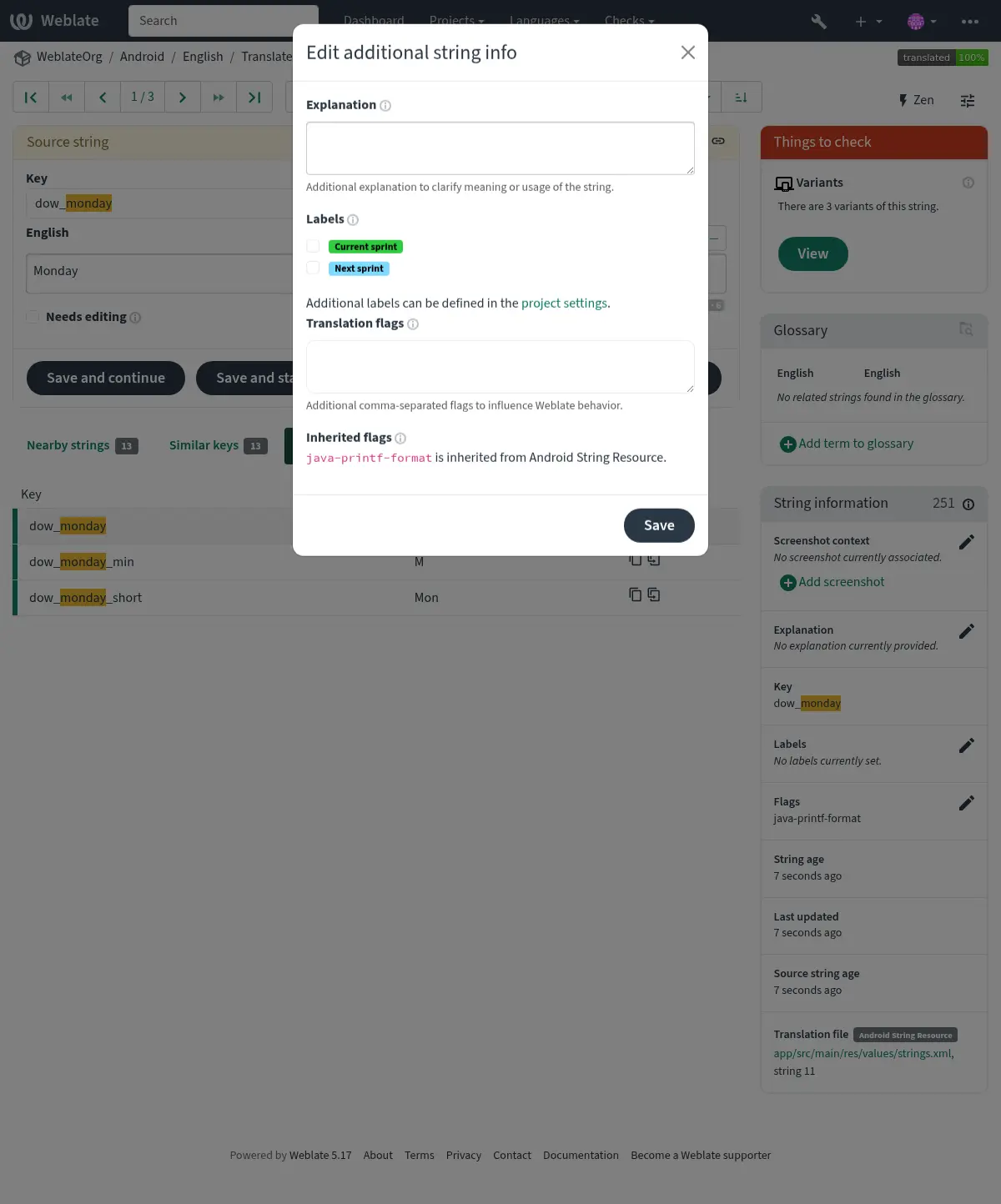
直接在翻译界面点击 截图上下文 或 标记 旁的“编辑”图标即可进入此界面。
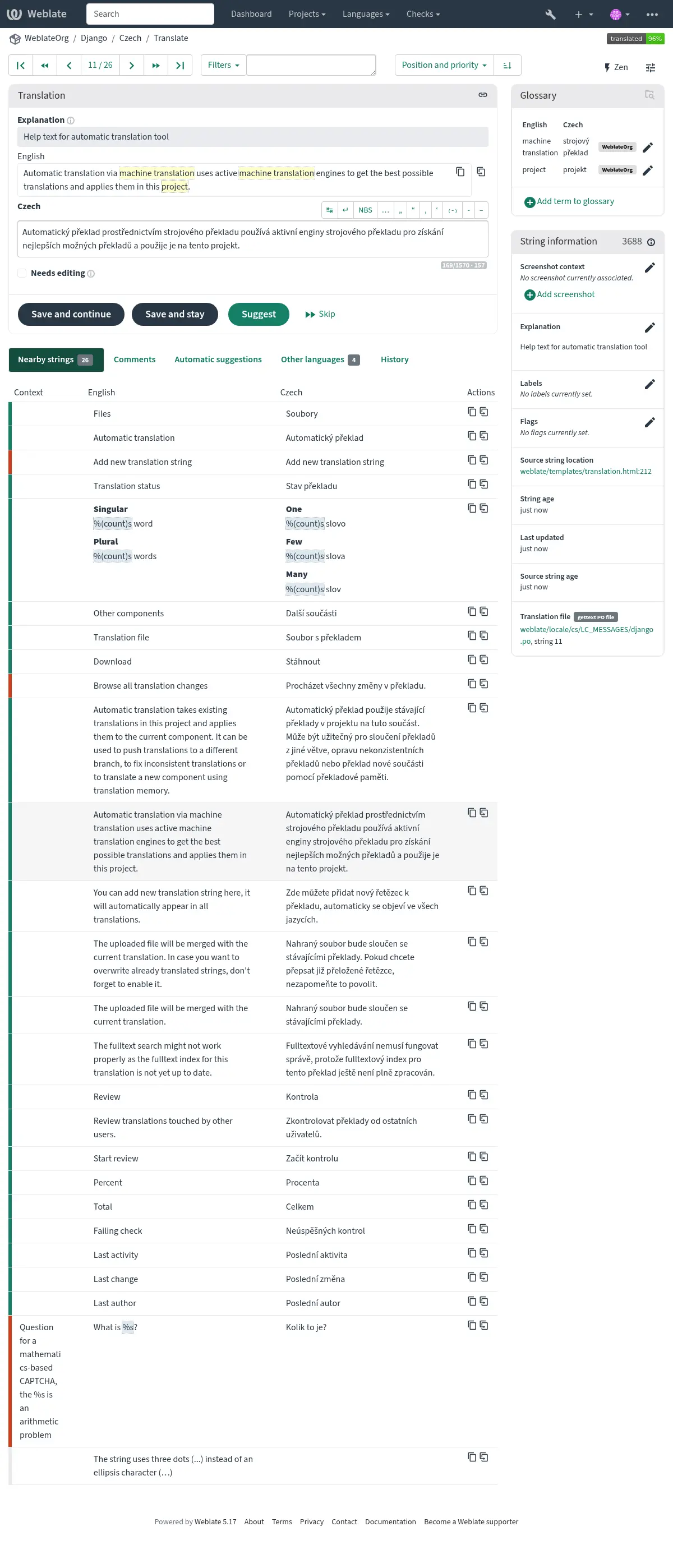
字符串优先级
使用 priority 标记可以更改字符串优先级,更高优先级的字符串会更早地被提供以进行翻译。
提示
这可以用于以合乎逻辑的方式编排翻译流程。
参见
翻译标记
质量检查和其他 Weblate 行为的定制,请参见 使用标记定制行为。
解释
在 4.1 版本发生变更: 在以前的版本中这被称为 额外上下文。
在 4.18 版本发生变更: 引入了支持使用文件来同步字符串或翻译的解释的功能。
使用解释来阐明翻译的范围或翻译的用法。您可以使用 Markdown 语法来包含链接和其他标记。
某些文件格式支持在文件内存储解释信息,见 解释。
提示
Weblate 也可以为某些格式展示存在于翻译文件中的描述信息,见 源字符串描述。
屏幕截图和可视化上下文
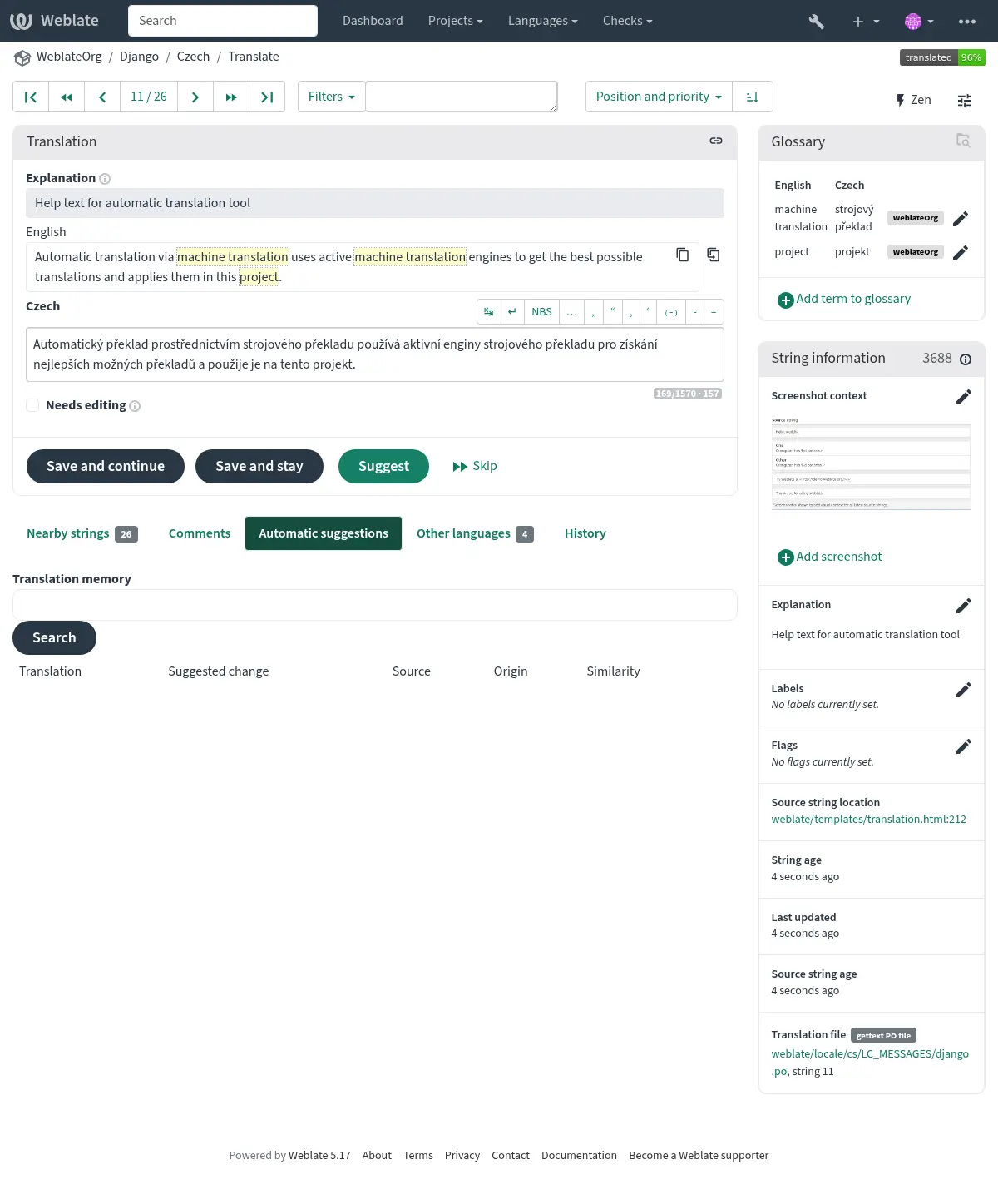
你可以将显示你程序中使用的给定源字符串的截屏上传。这帮助译者理解它用在哪里,并且应该如何翻译。
上传的截屏显示在翻译上下文侧栏中:
In addition to 源字符串另外的信息, screenshots can be managed in the Weblate UI, kept in sync from the repository, or handled through the Weblate 的 REST API.
在用户界面中管理屏幕截图
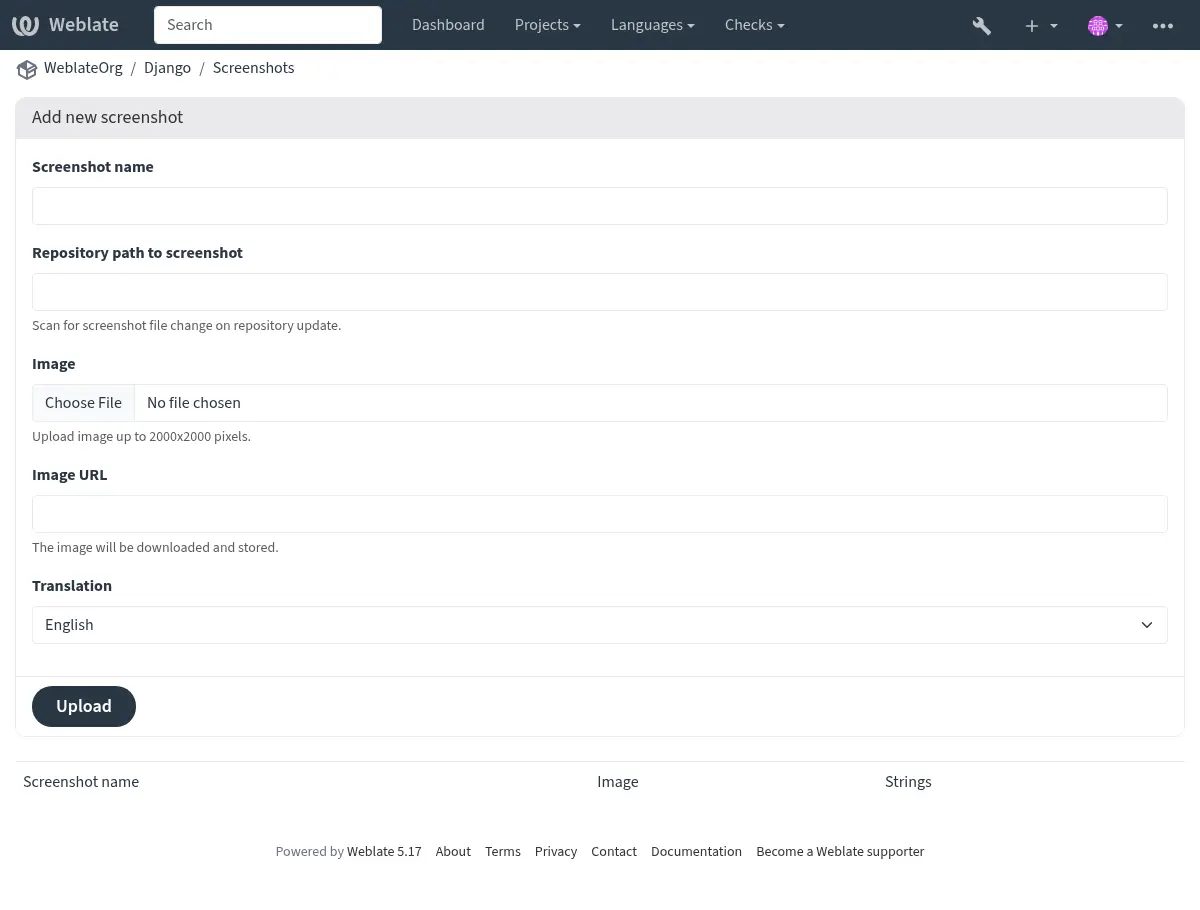
Each screenshot is stored for a specific translation language. In the translate page, screenshots attached to the source language are shown for every translation of the string, while screenshots attached to any other language are shown only for that language. You can add a screenshot directly from the translate page using Add screenshot in the Screenshot context panel, or open the separate management interface under the Operations menu. There you can upload screenshots, assign them to source strings manually, or use optical character recognition (OCR) by pressing the Automatically recognize button.
上传截图后,就可以在这个界面进行管理以及和源字符串的关联:
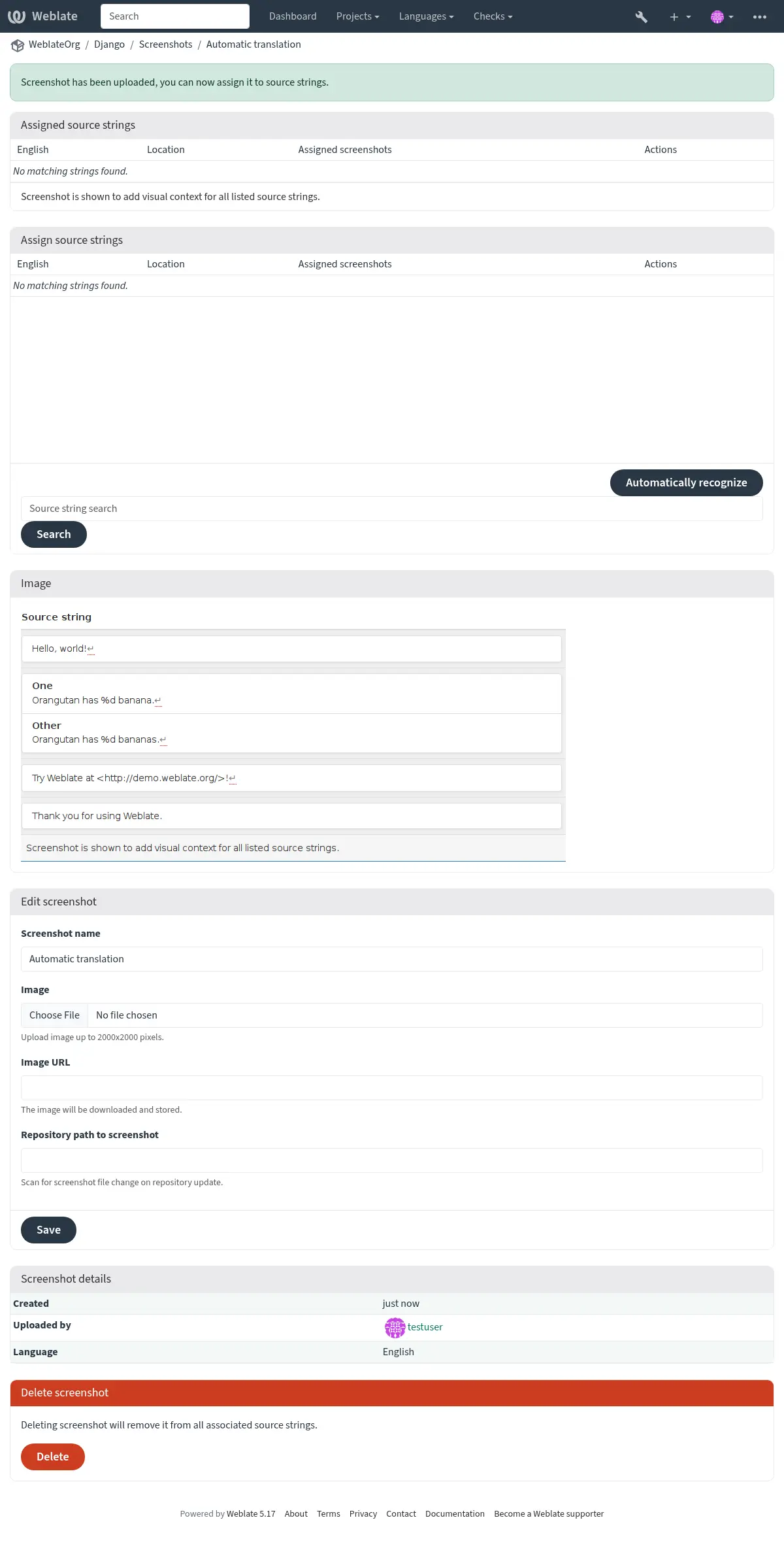
可以从本地文件上传截图,从剪贴板粘贴它,或提供从外部源下载图片的 URL。根据控制信任哪些域名下载外部资源的 ALLOWED_ASSET_DOMAINS 设置,包括获取图片时遵循的任何重定向,限制资源最大大小的 ALLOWED_ASSET_SIZE 设置,基于 URL 的上传可能受到限制。
管理来自仓库的截屏
你可以直接从你的版本控制系统仓库添加或更新截屏。
要开启此功能,你可以在创建组件时设置屏幕截图文件掩码,以便在仓库中监视该组件的更新。你也可以在手动上传截屏文件时添加或更新它们。
To connect a manually uploaded screenshot with later repository updates, fill in Repository path to screenshot with the path tracked in the repository.
更新仓库时,系统会自动扫描更改。仓库中的现有截屏会被更新,匹配指定截屏文件掩码的新截屏会被添加到部件中。
参见
通过 API 管理截图
Screenshot workflows are also available through the REST API. Use
GET /api/components/(string:project)/(string:component)/screenshots/
to list screenshots for one component, POST /api/screenshots/ to
create screenshots,
POST /api/screenshots/(int:id)/file/ to replace the image,
POST /api/screenshots/(int:id)/units/ and
DELETE /api/screenshots/(int:id)/units/(int:unit_id) to manage source
string associations, and DELETE /api/screenshots/(int:id)/ to delete
screenshots. Screenshot API objects include the related translation and the
optional repository path used for repository-based updates.