檢查和修復
自訂自動修正
還可以應用除了自動修正以外自己的自動修正,並將它們包括到 AUTOFIX_LIST。
自動修復很強大,但可能導致損壞;寫腳本的時候要小心。
例如,後面的自動修復會將每次出現的字串 foo 在翻譯中替換為 bar :
# Copyright © Michal Čihař <michal@weblate.org>
#
# SPDX-License-Identifier: GPL-3.0-or-later

from django.utils.translation import gettext_lazy as _

from weblate.trans.autofixes.base import AutoFix


class ReplaceFooWithBar(AutoFix):
    """Replace foo with bar."""

    name = _("Foobar")

    def fix_single_target(self, target, source, unit):
        if "foo" in target:
            return target.replace("foo", "bar"), True
        return target, False
為了安裝定制的檢查,在 AUTOFIX_LIST 中為 Python 類提供完全合規的路徑,請參見 自訂的質量檢查、附加元件和自動修復。
使用標誌自定義行為
You can fine-tune the Weblate behavior by using flags. This can be done on the source string level (see 源字串另外的信息), or in the 組件配置 (翻譯旗標). Some file formats also allow to specify flags directly in the format (see 支持的文件格式).
標記用逗號分隔,參數用冒號分隔。可以在字串中使用引號來包含空白字符或特定字符。例如:
placeholders:"special:value":"other value", regex:.*
單引號或是雙引號是可接受的,特殊符號就會被使用反斜線 `` 挑脫處理:
placeholders:"quoted \"string\"":'single \'quoted\''
這裡是現在能接受的標記的列表:
rst-text將文本視為 reStructuredText 文件,影響 未更動的翻譯。
dos-eol使用 DOS 的行末標記,而不是 Unix的(
\r\ninstead of\n)。read-only字串應該只讀,並且不能在 Weblate 中編輯。請參見 唯讀字串。
priority:N字串的優先級。高優先級的字串首先出現被翻譯。預設的優先級是 100,字串的優先級越高,就會越早安排翻譯。
max-length:N將字串的最大長度限制為 N 個字符,請參見 翻譯最大長度。
xml-textfont-family:NAME定義 font-family 來提供檢查,請參見 管理字型。
font-weight:WEIGHT定義 font-weight 來提供檢查,請參見 管理字型。
font-size:SIZE定義 font-size 來提供檢查,請參見 管理字型。
font-spacing:SPACING定義渲染檢查的字母間隔,請參見 管理字型。
icu-flags:FLAGSDefine flags for customizing the behavior of the ICU MessageFormat quality check.
icu-tag-prefix:PREFIXSet a required prefix for XML tags for the ICU MessageFormat quality check.
placeholders:NAME:NAME2:...翻譯中需要的佔位字串,請參見 佔位符。
replacements:FROM:TO:FROM2:TO2...當檢查結果文本參數時執行替換(例如在 翻譯的最大長度 或 翻譯最大長度 中)。這一典型應用的情況拓展了非譯元素,確保匹配那些即使使用了長值的文本,例如 placements:%s:」John Doe」``。
variants:SOURCE將此字串標記為具有匹配源的字串的變體。見 字串變量。
regex:REGEX正則表達式用來比對翻譯,參閱:正則表達式 。
forbidden表示術語表中的禁止翻譯,請參閱:ref:“詞彙表禁止”。
strict-same使用內建的單詞黑名單,來避免“沒有翻譯”的檢查提示。請參見 未更動的翻譯。
check-glossary啟用 與詞彙表不同 品質確認。
angularjs-format啟用 AngularJS 插值字串 品質確認。
c-format啟用 C 格式 品質確認。
c-sharp-format啟用 C# 格式 品質確認。
es-format啟用 ECMAScript 模板字面值 品質確認。
i18next-interpolation啟用 i18next 插補 品質確認。
icu-message-format啟用 ICU MessageFormat 品質確認。
java-printf-format啟用 Java 格式 品質確認。
java-format啟用 Java MessageFormat 品質確認。
javascript-format啟用 JavaScript 格式 品質確認。
lua-format啟用 Lua 格式 品質確認。
object-pascal-format啟用 Object Pascal 格式 品質確認。
percent-placeholders啟用 百分比佔位符 品質確認。
perl-format啟用 Perl 格式 品質確認。
php-format啟用 PHP 格式 品質確認。
python-brace-format啟用 Python 大括號格式 品質確認。
python-format啟用 Python 格式 品質確認。
qt-format啟用 Qt 格式 品質確認。
qt-plural-format啟用 Qt 複數格式 品質確認。
ruby-format啟用 Ruby 格式 品質確認。
scheme-format啟用 Scheme 格式 品質確認。
vue-format啟用 Vue I18n 格式 品質確認。
md-textTreat text as a Markdown document. Enable Markdown 連結, Markdown 參照, and Markdown 語法 quality checks.
case-insensitive調整查核為不論字母大小寫。目前只影響 佔位符 品質查核。
safe-html啟用 不安全的 HTML 品質確認。
url字串應為 URL 組成。啟用 網址 品質確認。
ignore-all-checks略過所有品質確認。
ignore-bbcode略過 BBCode 標記 品質確認。
ignore-duplicate略過 連續重複單字 品質確認。
ignore-check-glossary略過 與詞彙表不同 品質確認。
ignore-double-space略過 兩個空白 品質確認。
ignore-angularjs-format略過 AngularJS 插值字串 品質確認。
ignore-c-formatSkip the C 格式 quality check.
ignore-c-sharp-formatSkip the C# 格式 quality check.
ignore-es-formatSkip the ECMAScript 模板字面值 quality check.
ignore-i18next-interpolationSkip the i18next 插補 quality check.
ignore-icu-message-formatSkip the ICU MessageFormat quality check.
ignore-java-formatSkip the Java MessageFormat quality check.
ignore-java-printf-formatSkip the Java 格式 quality check.
ignore-javascript-formatSkip the JavaScript 格式 quality check.
ignore-lua-formatSkip the Lua 格式 quality check.
ignore-object-pascal-formatSkip the Object Pascal 格式 quality check.
ignore-percent-placeholdersSkip the 百分比佔位符 quality check.
ignore-perl-formatSkip the Perl 格式 quality check.
ignore-php-formatSkip the PHP 格式 quality check.
ignore-python-brace-formatSkip the Python 大括號格式 quality check.
ignore-python-formatSkip the Python 格式 quality check.
ignore-qt-formatSkip the Qt 格式 quality check.
ignore-qt-plural-formatSkip the Qt 複數格式 quality check.
ignore-ruby-formatSkip the Ruby 格式 quality check.
ignore-scheme-formatSkip the Scheme 格式 quality check.
ignore-vue-formatSkip the Vue I18n 格式 quality check.
ignore-translatedSkip the 已經翻譯過 quality check.
ignore-inconsistentSkip the 不一致 quality check.
ignore-kashidaSkip the 使用 Kashida letter quality check.
ignore-md-linkSkip the Markdown 連結 quality check.
ignore-md-reflinkSkip the Markdown 參照 quality check.
ignore-md-syntaxSkip the Markdown 語法 quality check.
ignore-max-lengthSkip the 翻譯最大長度 quality check.
ignore-max-sizeSkip the 翻譯的最大長度 quality check.
ignore-escaped-newlineSkip the Mismatched \n quality check.
ignore-end-colonSkip the 冒號不相符 quality check.
ignore-end-ellipsisSkip the 刪節號不相符 quality check.
ignore-end-exclamationSkip the 驚嘆號不相符 quality check.
ignore-end-stopSkip the 句號不相符 quality check.
ignore-end-question略過 問號不相符 品質確認。
ignore-end-semicolon略過 分號不相符 品質確認。
ignore-newline-countSkip the 斷列符不相配 quality check.
ignore-pluralsSkip the 缺少複數形 quality check.
ignore-placeholdersSkip the 佔位符 quality check.
ignore-punctuation-spacingSkip the 標點符號間距 quality check.
ignore-regexSkip the 正則表達式 quality check.
ignore-same-pluralsSkip the 相同複數形 quality check.
ignore-begin-newlineSkip the 開頭換列 quality check.
ignore-begin-spaceSkip the 開頭空格 quality check.
ignore-end-newlineSkip the 換列結尾 quality check.
ignore-end-spaceSkip the 空格結尾 quality check.
ignore-sameSkip the 未更動的翻譯 quality check.
ignore-safe-htmlSkip the 不安全的 HTML quality check.
ignore-urlSkip the 網址 quality check.
ignore-xml-tagsSkip the XML 標記 quality check.
ignore-xml-invalidSkip the XML 語法 quality check.
ignore-zero-width-spaceSkip the 零寬度空格 quality check.
ignore-ellipsis略過 刪節號 品質查核。
ignore-icu-message-format-syntax略過 ICU MessageFormat 語法 品質查核。
ignore-long-untranslated略過 長期未翻譯 品質查核。
ignore-multiple-failures略過 多項未通過查核 品質查核。
ignore-unnamed-format略過 多個未命名變數 品質查核。
ignore-optional-plural略過 未複數化 品質查核。
備註
通常規則是,任何檢查都使用識別文字來命名 ignore-*,所以能夠將規則應用在定制檢查中。
每個源字串的設置,在 組件配置 設置中,並且在翻譯文件自身中(例如在 GNU gettex 中),能夠理解這些標記。
強制檢查
在 3.11 版本新加入.
您可以通過設定 組件配置 中的 強制查核 ,來設定不能省略的檢查列表。列出每個檢查在使用者界面中都不能省略,並且檢查失敗的任何字串都被標記為 Needs editing (參閱 翻譯狀態 )。
管理字型
在 3.7 版本新加入.
提示
上傳到Weberate的字體純粹用於:ref:“Check-Max-Size`”檢查,它們在WebLate使用者界面中沒有效果。
用於計算呈現文本需要的尺寸的 :ref: 『 check-max-size 『檢查需要字體被加載進 Weblate 並被一個翻譯標識選中 (見 使用標誌自定義行為)。
在您的翻譯項目 Manage 菜單下 Fonts 中的 Weblate 字體管理工具提供了接口來上傳並管理字體。可以上傳 TrueType 或 OpenType 字體,設置 font-groups 並在檢查中使用它們。
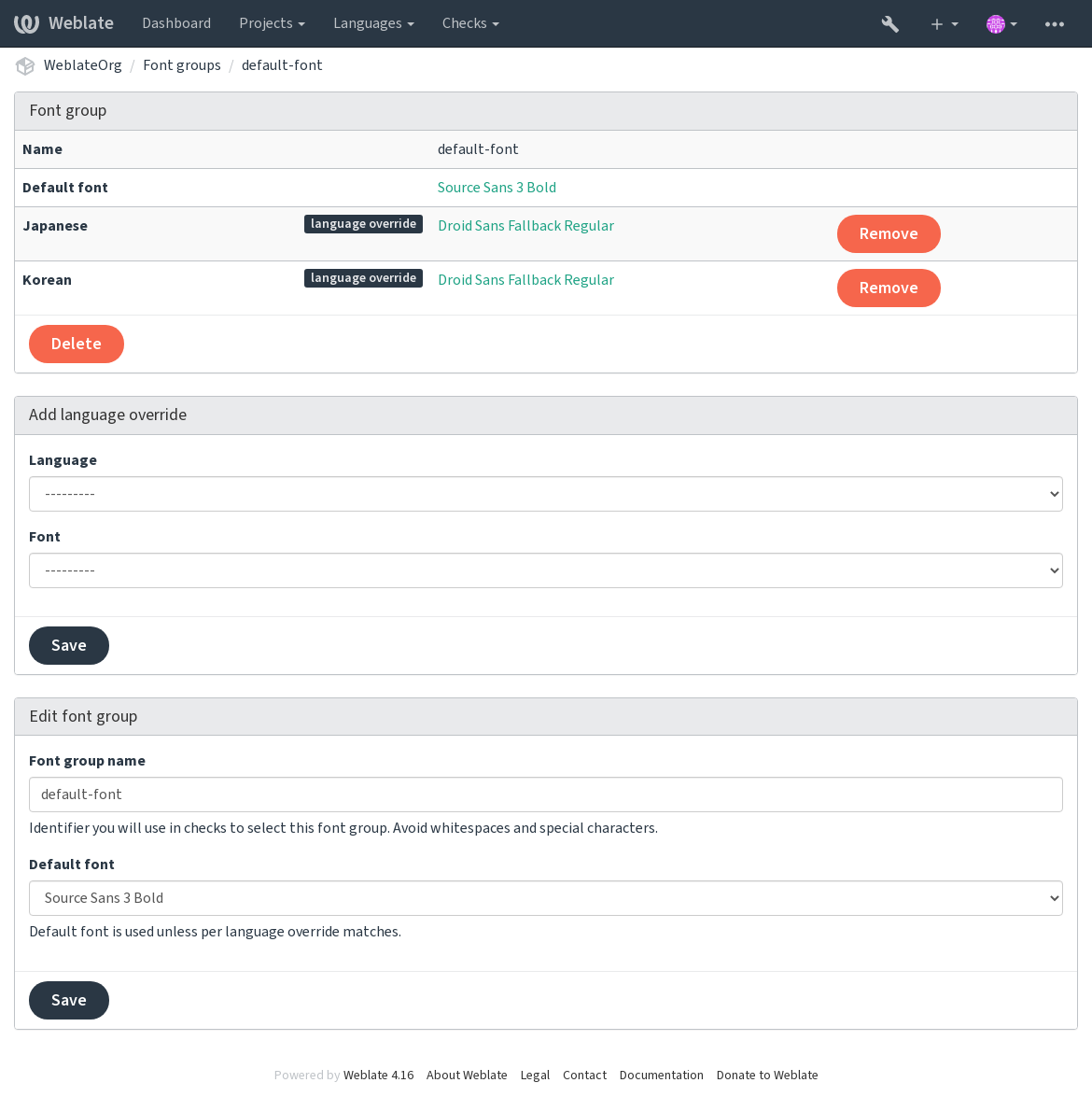
字型組允許為不同語言確定不同字型,這是非拉丁語言中典型需要的:
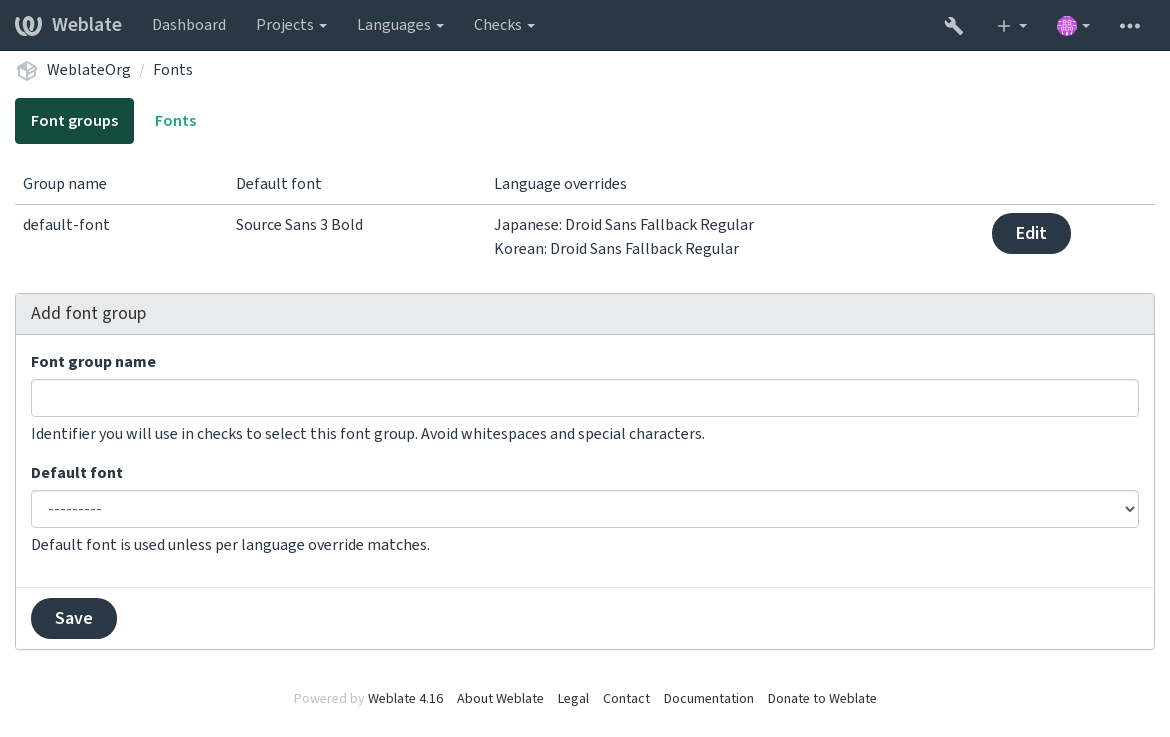
字型組通過名稱識別,名稱不能包含空白字符或特殊字符,這使它能夠容易地用在檢查定義中:
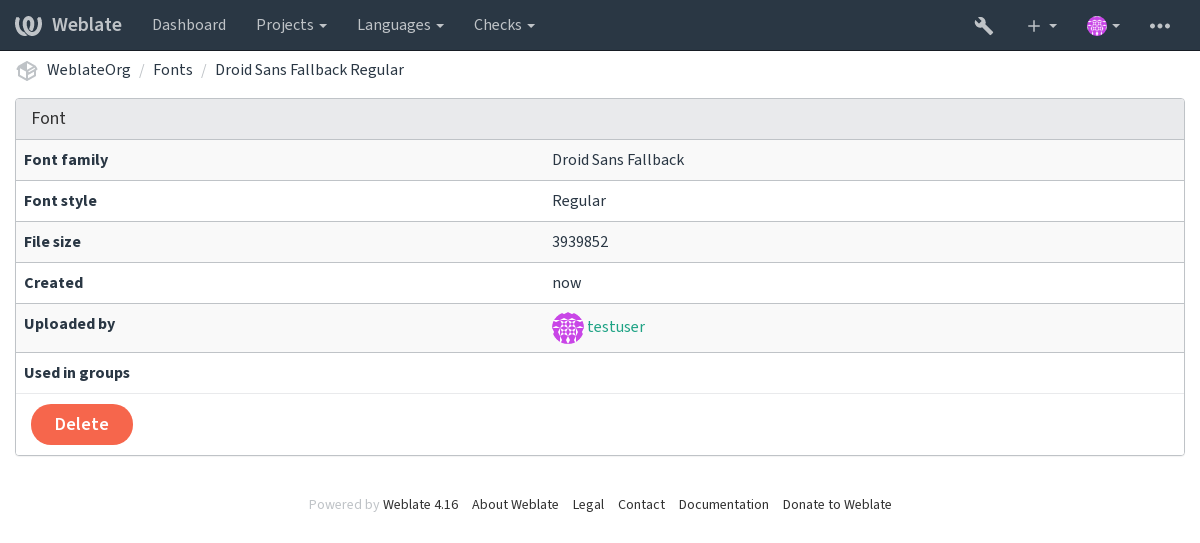
字型族和样式在上傳後自動識別:
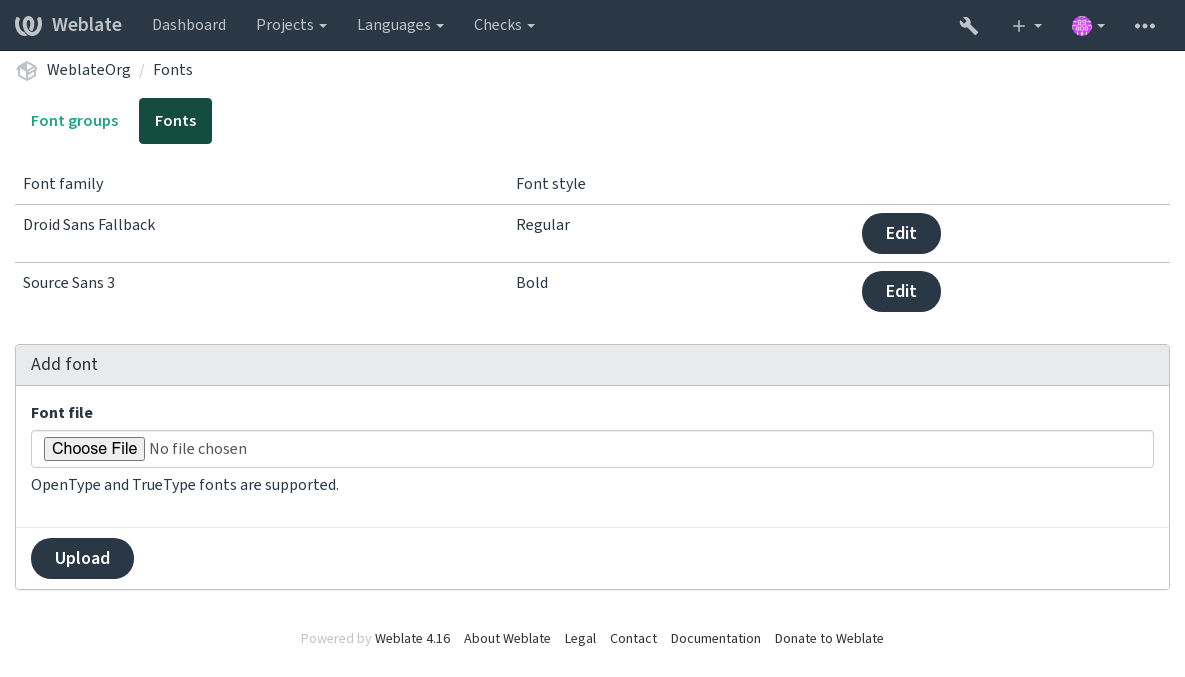
可以將幾種字型加載到 Weblate 中:
為了使用字型來檢查字串長度,將適當的標記傳遞給它 (請參見 使用標誌自定義行為)。可能會需要後面這些:
max-size:500定義寬度上限(pixels)。
font-family:ubuntu確定字型組,通過指定其識別文字來使用。
font-size:22定義字型大小(pixels)。
撰寫自定義查核
Weblate 內建了很大範圍的質量檢查,(請參見 質量檢查 ),儘管可能沒有覆蓋想要檢查的所有內容。可以使用 CHECK_LIST 來調整執行檢查的列表,也可以添加定制的檢查。
weblate.checks.Check 子類別
設置一些屬性。
應用
check(如果想要處理代碼中的複數的話)或check_single方法(它將為您完成)。
一些例子:
為了安裝定制的檢查,在 CHECK_LIST 中為 Python 類提供完全合格的路徑,請參見 自訂的質量檢查、附加元件和自動修復。
檢查翻譯文本不含有 “ foo ”
這是非常簡單的檢查,只檢查翻譯中是否丟失了字串“ foo ”。
# Copyright © Michal Čihař <michal@weblate.org>
#
# SPDX-License-Identifier: GPL-3.0-or-later

"""Simple quality check example."""

from django.utils.translation import gettext_lazy as _

from weblate.checks.base import TargetCheck


class FooCheck(TargetCheck):
    # Used as identifier for check, should be unique
    # Has to be shorter than 50 characters
    check_id = "foo"

    # Short name used to display failing check
    name = _("Foo check")

    # Description for failing check
    description = _("Your translation is foo")

    # Real check code
    def check_single(self, source, target, unit):
        return "foo" in target
檢查捷克語翻譯文本的複數差異
使用語言信息來檢查,驗證捷克語中的兩種複數形式不同。
# Copyright © Michal Čihař <michal@weblate.org>
#
# SPDX-License-Identifier: GPL-3.0-or-later

"""Quality check example for Czech plurals."""

from django.utils.translation import gettext_lazy as _

from weblate.checks.base import TargetCheck


class PluralCzechCheck(TargetCheck):
    # Used as identifier for check, should be unique
    # Has to be shorter than 50 characters
    check_id = "foo"

    # Short name used to display failing check
    name = _("Foo check")

    # Description for failing check
    description = _("Your translation is foo")

    # Real check code
    def check_target_unit(self, sources, targets, unit):
        if self.is_language(unit, ("cs",)):
            return targets[1] == targets[2]
        return False

    def check_single(self, source, target, unit):
        """We don't check target strings here."""
        return False