Håndteringsgrensesnitt
The management interface offer administration settings under the
/manage/ URL. It is available for users signed in with admin
privileges, accessible by using the wrench icon top right:
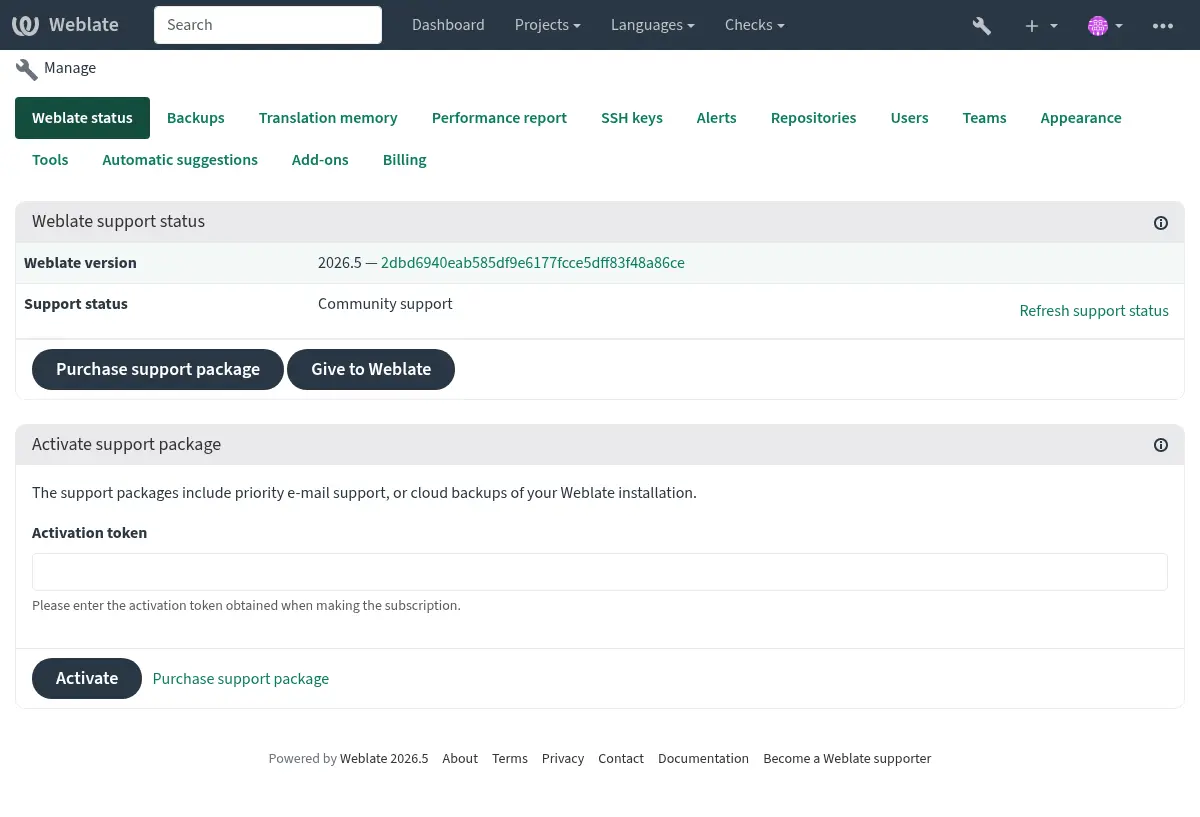
Det har en grunnleggende oversikt over din Weblate:
Support status, see Getting support for Weblate.
Backups, see Sikkerhetskopiering og flytting av Weblate.
Shared translation memory, see Oversettelsesminne.
Ytelsesrapport to review Weblate health and length of Celery queues.
SSH keys management, see SSH repositories.
Alerts overview for all components, see Translation component alerts.
Users and teams, see Site-wide access control.
Configure Automatiske forslag.
Configure site-wide addons, see Tillegg.
Ytelsesrapport
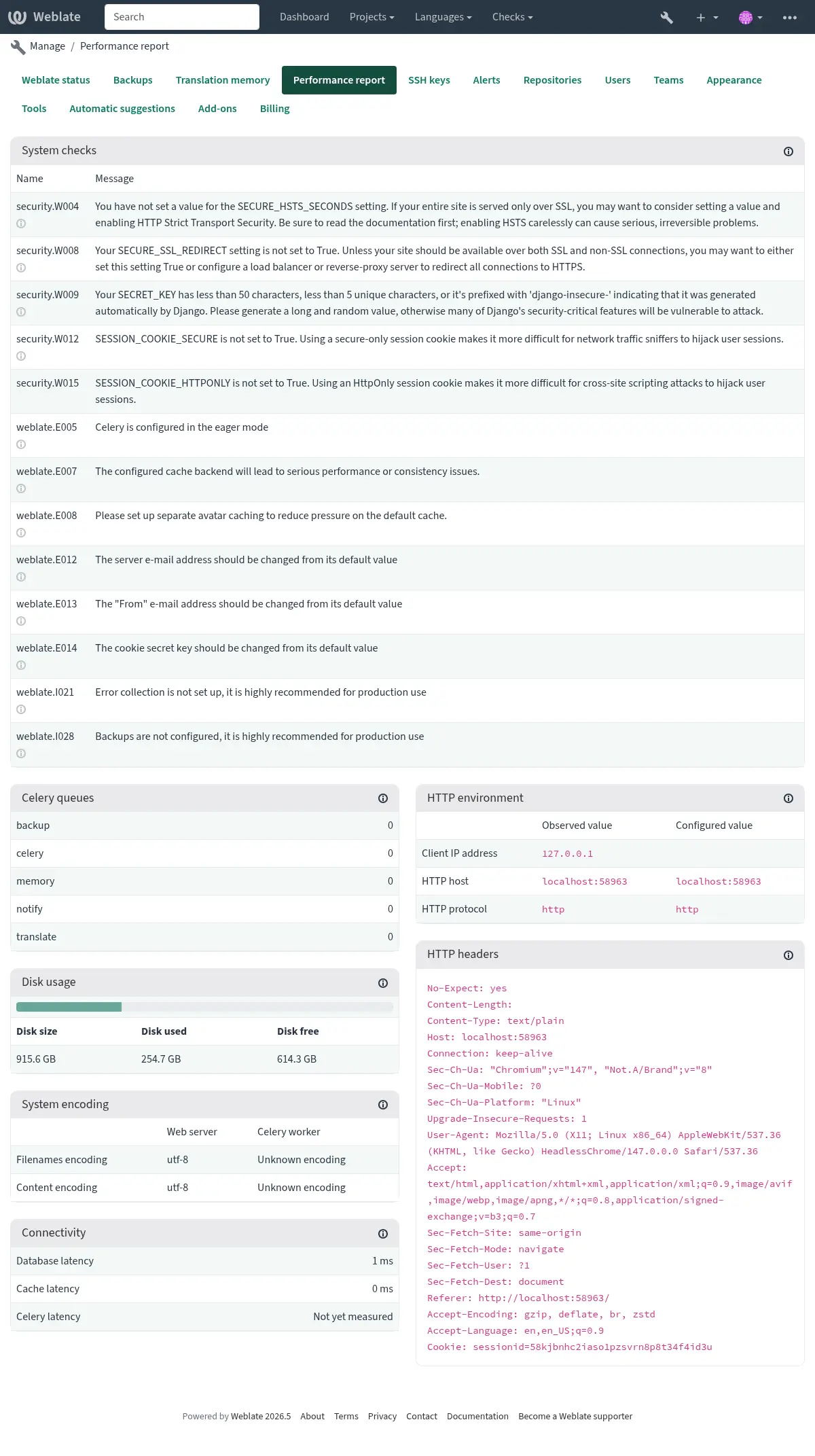
This page provides an overview of Weblate configuration and performance status.
Configuration errors indicate issues present in your environment. It covers missing optional dependencies (see Python-avhengigheter), configuration issues or delayed processing of background tasks (see Background tasks using Celery).
System checks lists possible configuration issues. These can be
silenced using SILENCED_SYSTEM_CHECKS, see also
Deployment checklist.
Celery queues provides overview of Celery queues. These typically
should be close to zero. The same can be obtained on the command line using
celery_queues.
HTTP environment allows you to see HTTP environment observed by Weblate. This is useful when debugging reverse proxy configuration, see Running behind reverse proxy. HTTP headers shows complete HTTP request headers to provide additional information.
System encoding should list UTF-8 encoding in all processes.
This needs to be configured in your system, see System locales and encoding.
Connectivity shows latencies to the database, cache, and Celery. This might be useful to diagnose connectivity issues.
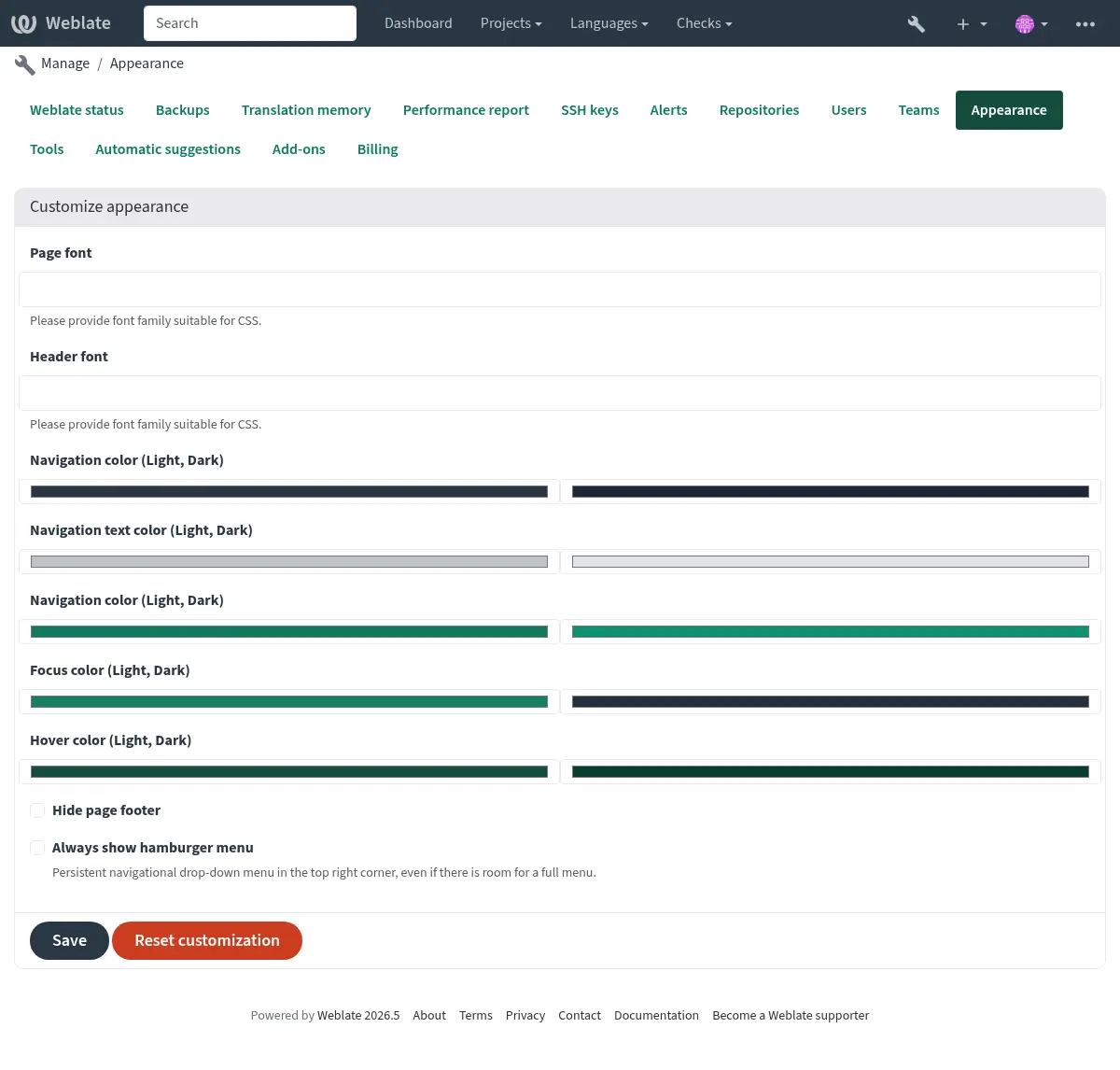
Appearance customization
Added in version 4.4.
Merknad
The colors are currently used in both dark and light theme, so be careful when choosing them.
Colors, fonts, and page appearance can be customized here.
If you are looking for more customization, see Tilpasning av Weblate.
Django-administrasjonsgrensesnittet
Advarsel
Use with caution as this is a low level interface. You should not need it in most cases as most things are comfortably approachable through Weblate UI or API.
Here you can manage objects stored in the database, such as users, translations and other settings:
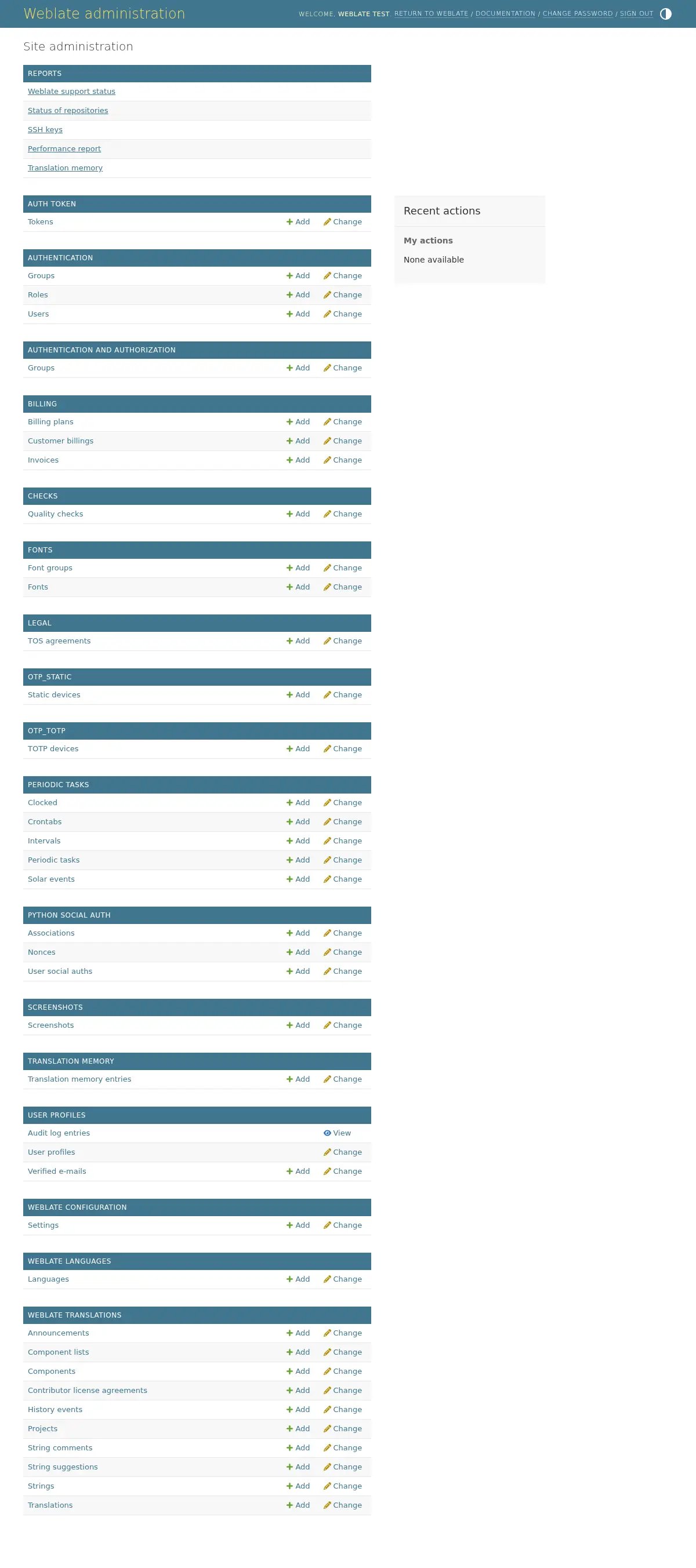
In the Reports section, you can check the status of your site, tweak it for Produksjonsoppsett, or manage SSH keys used to access Accessing repositories.
Manage database objects under any of the sections. The most interesting one is probably Weblate translations, where you can manage translatable projects, see Project configuration and Komponentoppsett.
Weblate languages holds language definitions, explained further in Language definitions.
Tillegg av prosjekt
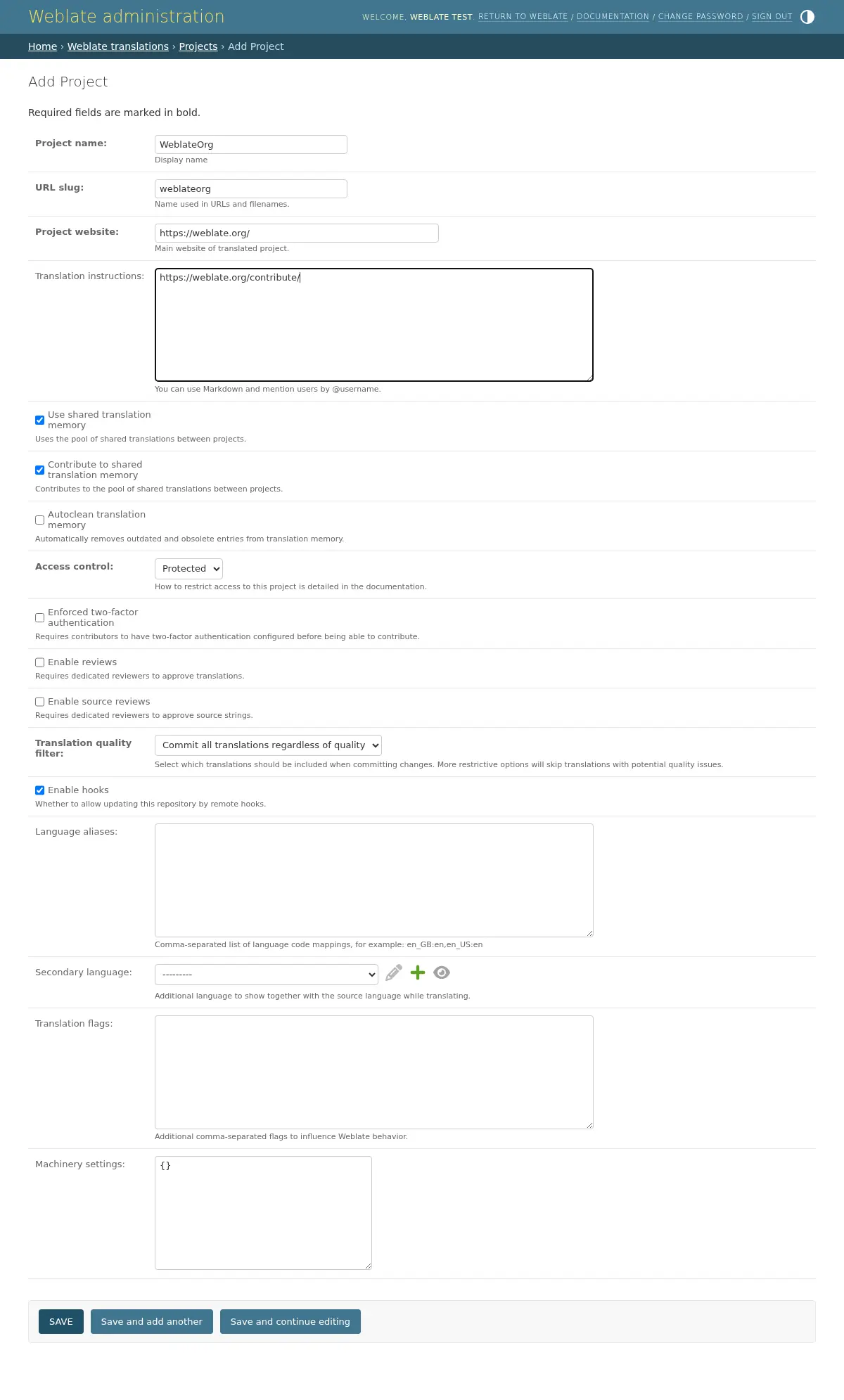
Adding a project serves as container for all components. Usually you create one project for one piece of software, or book (See Project configuration for info on individual parameters):
Se også
Bilingual components
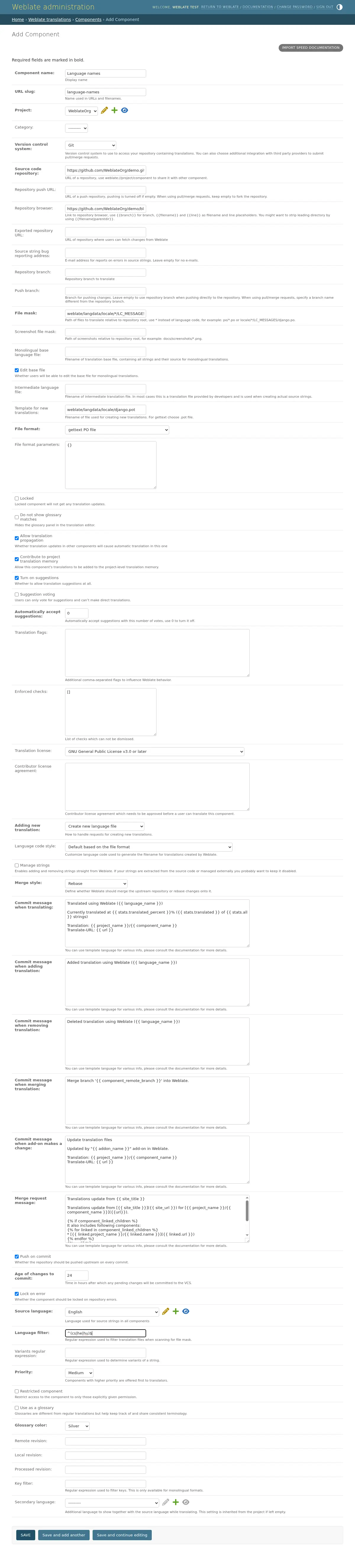
Once you have added a project, translation components can be added to it. (See Komponentoppsett for info regarding individual parameters):
Enkeltspråklige komponenter
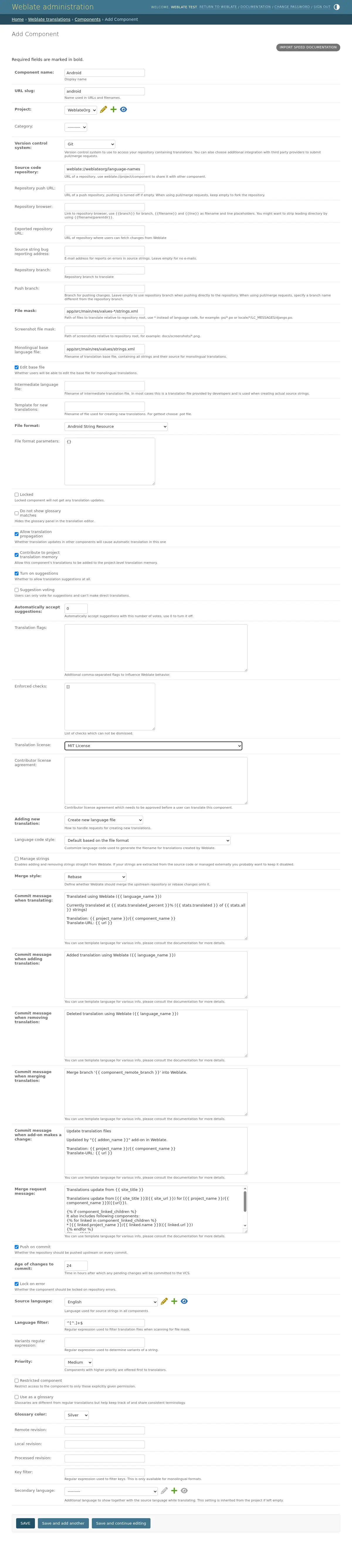
For easier translation of these, provide a template file containing the mapping of message IDs to its respective source language (usually English). (See Komponentoppsett for info regarding individual parameters):