Словарь
Each project can include one or more glossaries for storing terms and their preferred translations. Glossaries help keep translations consistent by showing matching terms in the translation editor.
Glossaries are regular translation components with special behavior. The source language stores the terms Weblate searches for in source strings. Each glossary translation stores the preferred term, forbidden term, or untranslatable entry for one target language.
Terms from the glossary containing words from the currently translated source string are displayed in the sidebar of the translation editor.
Подсказка
Термины словаря не используются при проверках качества, если вы не включите эту опцию. Дополнительную информацию см. в разделе Не соответствует словарю.
How glossary matching works
When you translate a regular component, Weblate searches the source string for terms from the source language of the project glossaries. When a term matches, Weblate looks up the corresponding glossary entry for the language currently being translated and shows it in the editor.
This means glossary entries need to exist in the target glossary language to be shown while translating that target language. A source-language-only glossary can still store definitions and context, but it will not provide target-language matches for languages that do not have glossary entries.
If you want a term to be present in every glossary language, mark the source entry as Терминология. If the term should stay unchanged in every language, use Непереводимые термины; combine it with terminology only when you want Weblate to create and maintain entries for all glossary languages.
Управление словарями
Изменено в версии 4.5: Словари теперь являются обычными компонентами перевода, так что вы можете использовать все возможности Weblate при работе с ними: комментировать, сохранять в удалённом репозитории или добавлять пояснения.
Используйте любой компонент в качестве словаря, включив Использовать в качестве словаря. Вы можете создать несколько словарей для одного проекта.
Пустой словарь для данного проекта автоматически создаётся вместе с проектом. Словари используются совместно всеми компонентами одного проекта и, при желании, с другими проектами с помощью Разделяемые компоненты из соответствующего компонента словаря.
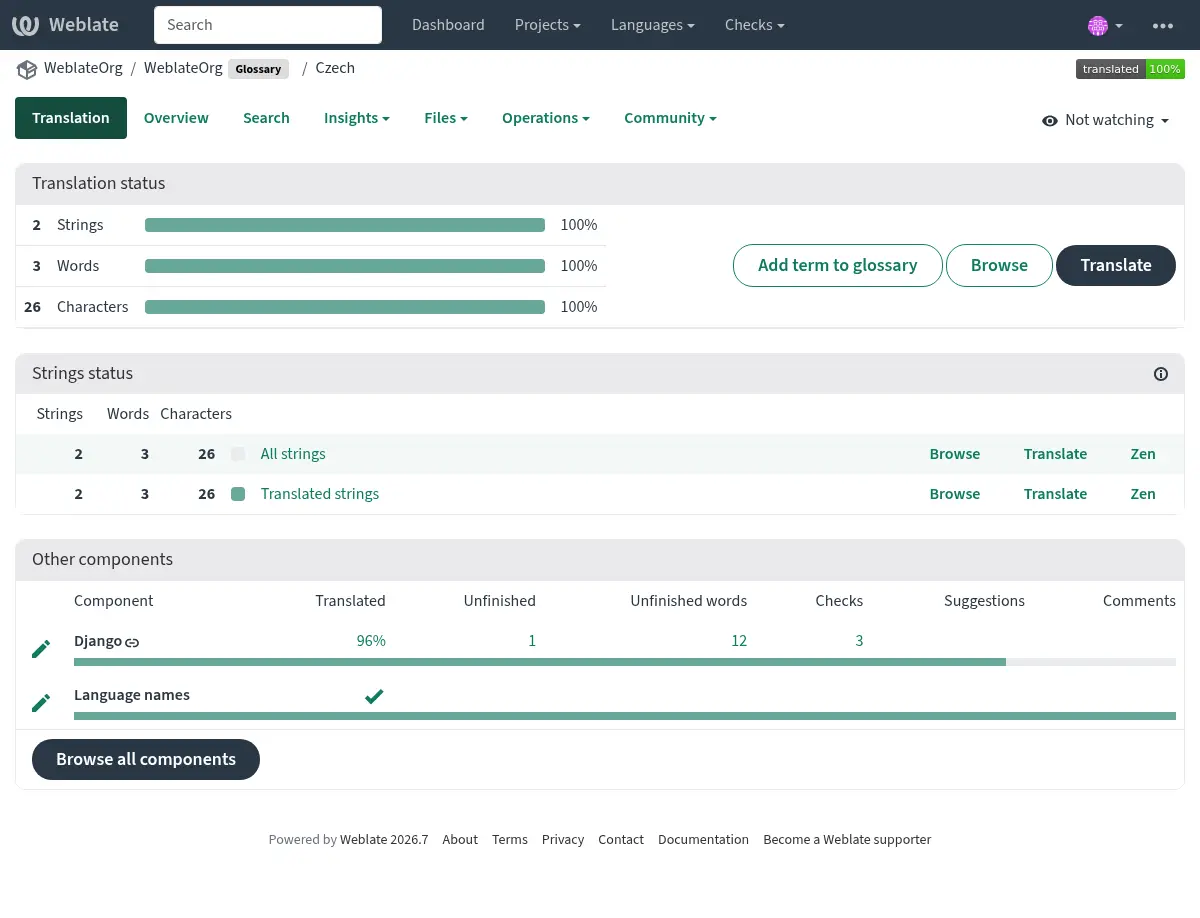
Компонент-словарь выглядит также как и любой другой компонент в Weblate с добавлением цветного ярлыка:
Также вы можете воспользоваться навигацией по всем терминам словаря:
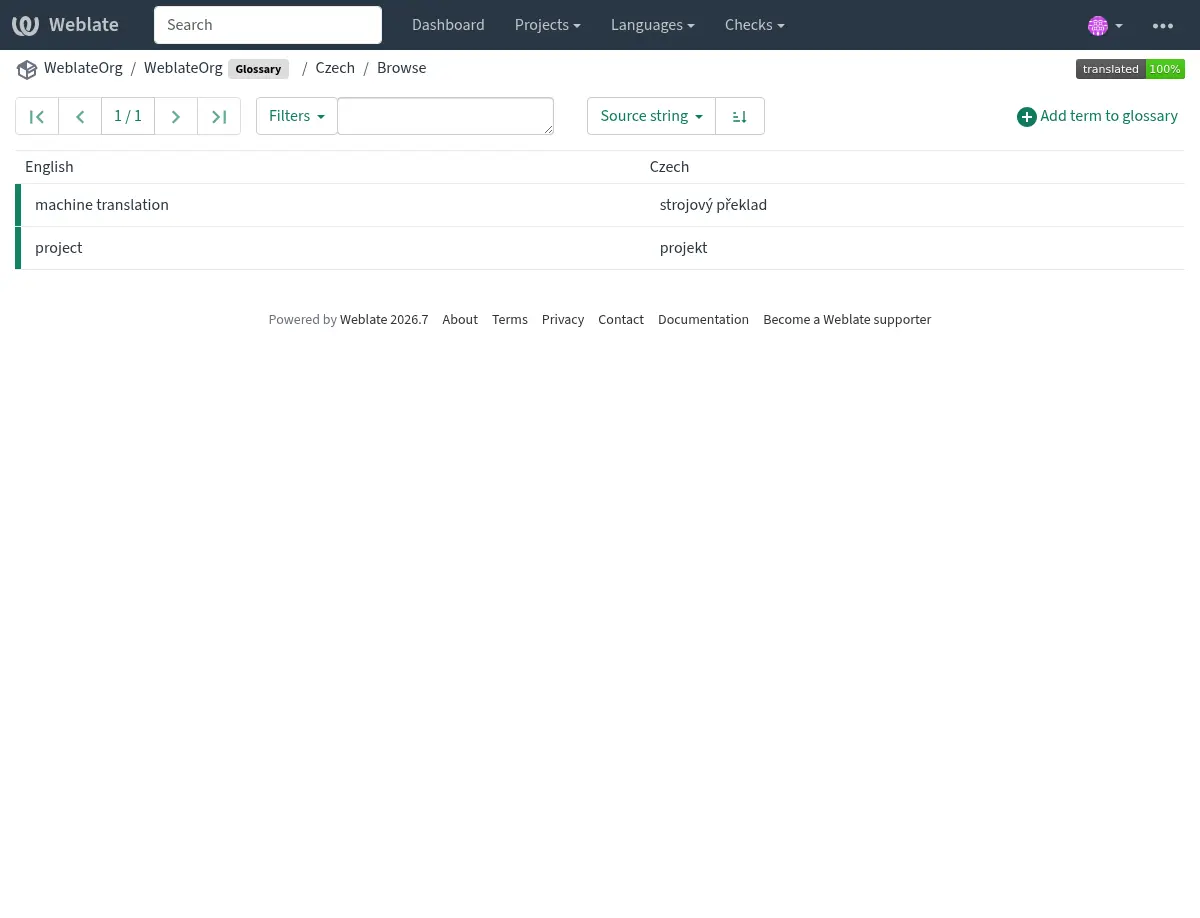
или редактировать их как любые переводы.
Термины словаря
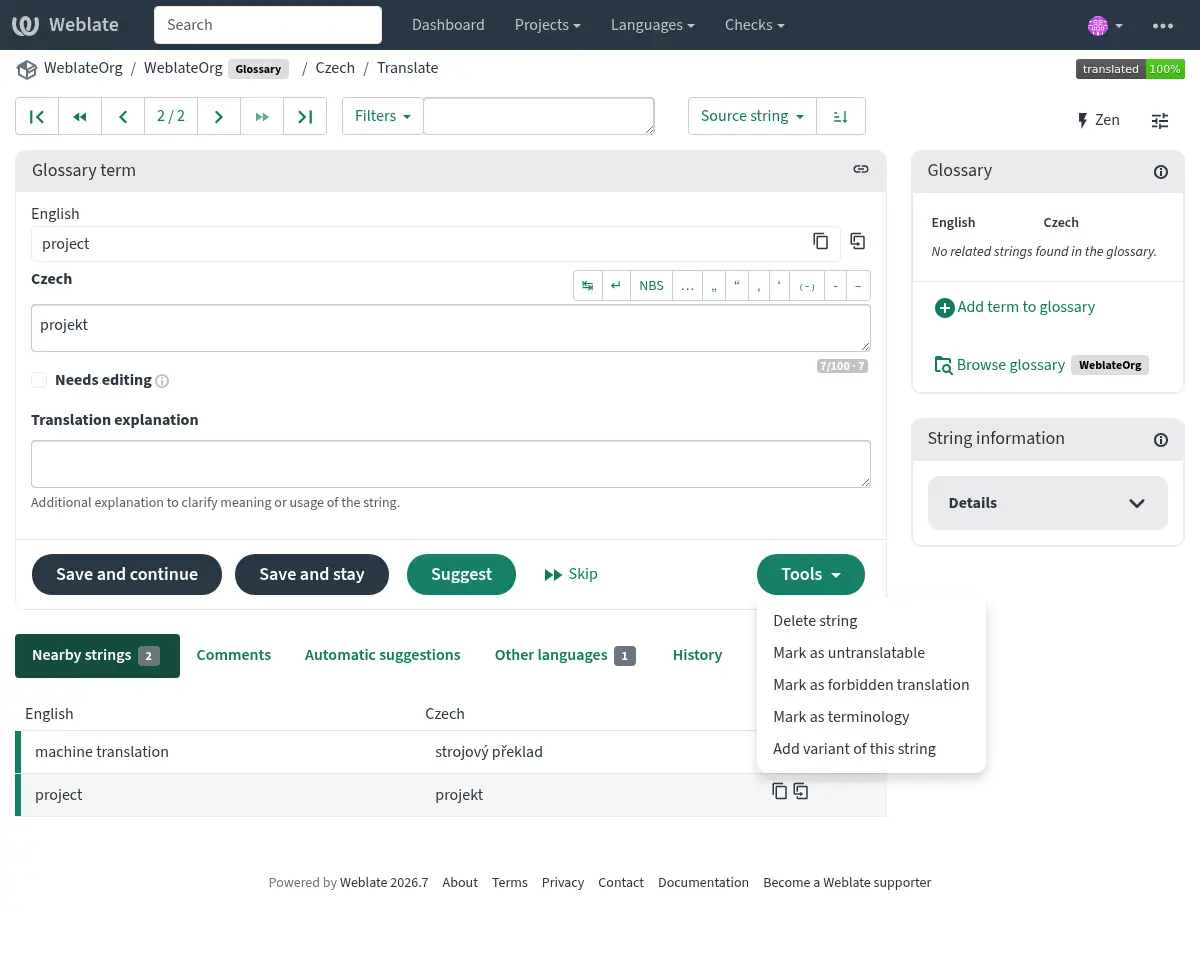
Процесс перевода терминов, добавленных в словарь, точно такой же, как и у обычных строк. Также вы можете производить некоторые дополнительные действия с отдельными терминами с помощью кнопки с меню «Инструменты».
См. также
Type |
Purpose |
|---|---|
Regular glossary term |
Preferred translation or explanation for a term in one or more languages. |
Source term Weblate keeps present in every glossary language so missing translations can be tracked and filled. |
|
Term that should stay unchanged or should not be translated. |
|
Translation that should not be used for the source term. |
|
Alternative wording, abbreviation, or shorter form grouped with another glossary term. |
Choosing glossary terms
Choose glossary terms for meaning and audience, not only for literal word shape. If a source term is ambiguous, add an explanation so translators know which meaning applies in the project.
Glossary entries are especially useful for brand names, acronyms, product features, technical terms, and newly coined or transliterated words. Use variants for abbreviations or shorter wording, mark important cross-language terms as Терминология, mark terms that should stay unchanged as Непереводимые термины, and mark misleading translations as Нежелательные переводы.
Непереводимые термины
Добавлено в версии 4.5.
Flagging certain glossary term translations read-only by bulk-editing,
typing in the flag, or by using Tools ↓
Mark as untranslatable means they can not be translated. Use this
for brand names, product names, domains, technology names, or other terms that
should not be changed in other languages. Such terms are visually highlighted
in the glossary sidebar.
The read-only flag is enough when the glossary entry already exists in the
languages where it should be shown. Add the Терминология flag as
well only when Weblate should create and maintain the untranslatable entry in
every glossary language.
См. также
Нежелательные переводы
Добавлено в версии 4.5.
Пометка определённых переводов терминов словаря как нежелательный, путём массовой правки, ввода флага через «Инструменты» ↓ «Пометить как «Нежелательный перевод»» означает, что они не должны использоваться. Используйте это для уточнения перевода, когда некоторые слова неоднозначны или могут иметь неожиданное значение.
Use forbidden entries for translations that should be avoided. Use regular glossary entries for preferred translations.
См. также
Терминология
Добавлено в версии 4.5.
Flagging certain source-language glossary terms as terminology by
bulk-editing, typing in the flag, or by using Tools ↓
Mark as terminology adds entries for them to all languages in the
glossary. Use this for important terms that should be well thought out, and
retain a consistent meaning across all languages.
The terminology flag is ongoing state, not just a one-time action. While the flag remains on the source term, Weblate treats it as terminology and keeps an entry for it in every glossary language. If a language entry is removed, the next glossary synchronization creates it again.
Удаление флага terminology останавливает это автоматическое обслуживание, но не удаляет и не отменяет уже созданные записи. Они остаются обычными записями словаря.
A regular glossary term can also have translations in every language. The difference is that Weblate does not recreate missing language entries for a regular term after they are removed.
См. также
Варианты
Варианты - это общий способ группировки строк. При переводе все варианты терминов перечисляются в боковой панели словаря.
Подсказка
Вы можете использовать это для добавления сокращений или более коротких выражений для термина.
См. также
Импорт словаря
Как и в случае с обычными компонентами перевода, вы можете отправлять существующие словари в Weblate. Поддерживаются такие форматы, как Файлы CSV или Формат TermBase eXchange, и они могут быть отправлены, см. Загрузка переводов.
TBX files can include explanations, read-only metadata, and glossary flags; see Формат TermBase eXchange for the exact metadata mapping.
Even though TBX can contain multiple languages, Weblate still maps component files to languages using the component file mask and language settings. For a TBX glossary component, keep the component source language as the source term language and name translation files for the target language they represent. Avoid naming a translation file with the same language as the component source language, because the source language already exists in Weblate and this can lead to duplicate language detection.
См. также
Language files and synchronization
Glossary components follow the languages used by the regular components in the same project. When a language is added to a regular component, Weblate adds the missing glossary language as well so glossary matches can be shown for that language.
This automatic language synchronization is intentional. Filtering glossary language files with Языковой фильтр can reduce the number of managed files, but it also means Weblate has no glossary entries to show for filtered-out target languages.
Terminology entries are also synchronized. When a source glossary term is marked as terminology, Weblate creates missing entries in all glossary languages and recreates them if they are removed while the flag is still set.
Weblate can clean up stale glossary translations only for Weblate-managed glossaries, only when no regular component in the project still uses that language, and only when the stale glossary translation has no translated terms. If the stale glossary language still contains terms, Weblate keeps it and reports it as an unused glossary language.
Common setup patterns
- English-only explanatory glossary
Add source-language glossary terms with explanations. This works as a maintained term list, but it will not show target-language glossary matches unless you also create entries in the target glossary languages.
- Required terminology
Add terms in the source glossary language, mark them as Терминология, and let translators fill the created entries in each target language. Use explanations to document the intended meaning.
- Non-translatable terms
Mark terms as Непереводимые термины when they should stay unchanged. Add Терминология only when the term should be present in every glossary language for matching and review.
- Нежелательные переводы
Add the misleading translation as a Нежелательные переводы entry. Add the preferred wording as a separate regular glossary entry when translators should use a specific translation instead.
Словари в автоматических предложениях
Добавлено в версии 5.3.
Некоторые службы автоматических предложений используют словари во время перевода; пожалуйста, обратитесь к их документации в Автоматические советы, чтобы узнать о поддержке.
Словарь обрабатывается перед предоставлением службе:
Дублирующиеся исходные записи пропускаются для служб, которые требуют уникальных исходных терминов. Службы на основе LLM могут получать дубликаты с пояснениями для устранения неоднозначности.
Любые управляющие символы, а также начальные и конечные пробелы удаляются.
Нежелательные переводы пропускаются.
Примечание
Многие службы хранят словари на стороне сервера и устанавливают ограничение на количество сохранённых словарей. Weblate всегда удаляет самый старый словарь, если заканчивается место.