Instructions de configuration
Installer Weblate
Depending on your setup and experience, choose an appropriate installation method for you:
Installation via Docker, recommandé pour les configurations de production.
Virtualenv installation, recommended for production setups:
Installation en cours à partir des sources., recommandé pour le développement.
Architecture overview
- Serveur Web
Handling incoming HTTP requests, Distribution des fichiers statiques.
- Celery workers
Tâches en arrière-plan utilisant Celery are executed here.
Depending on your workload, you might want to customize the number of workers.
Use dedicated node when scaling Weblate horizontally.
- WSGI server
A WSGI server serving web pages to users.
Use dedicated node when scaling Weblate horizontally.
- Base de données
PostgreSQL database server for storing all the content, see Configuration de la base de données pour Weblate.
Use dedicated database node for sites with hundreds of millions of hosted words.
- Datastore
Key/value datastore such as Valkey or Redis server for cache and tasks queue, see Tâches en arrière-plan utilisant Celery.
Use dedicated node when scaling Weblate horizontally.
- File system
File system storage for storing VCS repositories and uploaded user data. This is shared by all the processes.
Use networked storage when scaling Weblate horizontally.
- E-mail server
SMTP server for outgoing e-mail, see Configuration des e-mails sortants. It can be provided externally.
Indication
Installation via Docker includes PostgreSQL and Valkey, making the installation easier.
Exigences logicielles
Système d’exploitation
Weblate est connu pour fonctionner sous Linux, FreeBSD et macOS. D’autres systèmes de type Unix fonctionneront très probablement aussi.
Weblate n’est pas supporté par Windows. Mais cela peut tout de même fonctionner et les patches sont acceptés avec joie.
Voir aussi
Architecture overview describes overall Weblate architecture and required services.
Dépendances python
Weblate is written in Python and supports Python
3.12 or newer. You can install dependencies using pip or from your
distribution packages, full list is available in requirements.txt.
Dépendances les plus notables :
- Django
- Celery
- Translate Toolkit
- translation-finder
- Python Social Auth
- Django REST Framework
Optional dependency specifier |
Python packages |
Weblate feature |
|---|---|---|
|
||
|
||
|
||
|
Google Cloud Translation Advanced with glossary support |
|
|
||
|
||
|
PostgreSQL, see Configuration de la base de données pour Weblate |
|
|
||
|
||
|
Integrating SAML 2 IDP into Weblate |
|
|
Needed for Mise à jour du fichier POT (Sphinx) |
|
|
Hosted Weblate integration |
|
|
wsgi server for Weblate |
|
|
When installing using pip, you can directly specify desired features when installing:
uv pip install "weblate[Postgres,Amazon,SAML]"
Or you can install Weblate with all optional features:
uv pip install "weblate[all]"
Or you can install Weblate without any optional features:
uv pip install weblate
Troubleshooting pip install
ERROR: Dependency 'gobject-introspection-2.0' is required but not found.The installed
PyGobjectpackage cannot find a matching GObject Introspection library -gobject-introspection-2.0.Older versions are no longer supported by Weblate.
ffi_prep_closure(): bad user_data (it seems that the version of the libffi library seen at runtime is different from the 'ffi.h' file seen at compile-time)This is caused by incompatibility of binary packages distributed via PyPI with the distribution. To address this, you need to rebuild the package on your system:
uv pip install --force-reinstall --no-binary :all: cffi
error: ‘xmlSecKeyDataFormatEngine’ undeclared (first use in this function); did you mean ‘xmlSecKeyDataFormat’?This is a known issue of the xmlsec package, please see https://github.com/xmlsec/python-xmlsec/issues/314.
lxml & xmlsec libxml2 library version mismatchThe
lxmlandxmlsecpackages have to be built against onelibxml2. You should build them locally to avoid this issue:uv pip install --force-reinstall --no-binary xmlsec --no-binary lxml lxml xmlsec
Autres exigences système requises
Les dépendances suivantes doivent être installées sur le système :
Git- Pango, Cairo and related header files and GObject introspection data
https://cairographics.org/, https://www.gtk.org/docs/architecture/pango, see Pango et Cairo
git-review(facultatif pour la prise en charge de Gerrit)git-svn(facultatif pour la prise en charge de Subversion)tesseract(needed only if tesserocr binary wheels are not available for your system)
Build-time dependencies
To build some of the Dépendances python you might need to install their
dependencies. This depends on how you install them, so please consult
individual packages for documentation. You won’t need those if using prebuilt
Wheels while installing using pip or when you use distribution packages.
Pango et Cairo
Weblate uses Pango and Cairo for rendering bitmap widgets (see Building the translation community) and rendering checks (see Gestion des polices). To properly install Python bindings for those you need to install system libraries first - you need both Cairo and Pango, which in turn need GLib. All those should be installed with development files and GObject introspection data.
Exigences matérielles
Weblate devrait fonctionner sur n’importe quel matériel moderne sans problème, ce qui suit est la configuration minimale requise pour faire fonctionner Weblate sur un seul hôte (Weblate, base de données et serveur Web) :
3 Go de RAM
processeur à deux coeurs
1 Go d’espace de stockage
Note
Les exigences réelles pour votre installation de Weblate varient fortement en fonction de la taille des traductions qui y seront gérées.
Utilisation de la mémoire
The more memory the better - it is used for caching on all levels (file system, database and Weblate). For hundreds of translation components, at least 4 GB of RAM is recommended.
Indication
For systems with less memory than recommended, Single-process Celery setup is recommended.
Utilisation du processeur
Beaucoup d’utilisateurs concurrents augmentent le nombre nécessaire de coeurs du processeur.
Utilisation du stockage
The typical database storage usage is around 300 MB per 1 million hosted words.
Storage space needed for cloned repositories varies, but Weblate tries to keep their size minimal by doing shallow clones.
Noeuds
For small and medium-sized sites (millions of hosted words), all Weblate components (see Architecture overview) can be run on a single node.
When you grow to hundreds of millions of hosted words, it is recommended to have a dedicated node for database (see Configuration de la base de données pour Weblate).
Vérification des signatures des versions
Weblate release are cryptographically signed using Sigstore signatures. The signatures are attached to the GitHub release.
The verification can be performed using sigstore package. The following example verifies signature of the 5.4 release:
sigstore verify github \
   --cert-identity https://github.com/WeblateOrg/weblate/.github/workflows/setup.yml@refs/tags/weblate-5.4 \
   --bundle Weblate-5.4-py3-none-any.whl.sigstore \
   Weblate-5.4-py3-none-any.whl
Permissions du système de fichiers
The Weblate process needs to be able to read and write to the directory where
it keeps data - DATA_DIR. All files within this directory should be
owned and writable by the user running all Weblate processes (typically WSGI and Celery, see Exécuter un serveur and Tâches en arrière-plan utilisant Celery).
La configuration par défaut les place dans le même arbre que les sources Weblate, cependant vous pouvez préférer les déplacer vers un emplacement plus approprié, tel que : /var/lib/weblate.
Weblate tente de créer ces répertoires automatiquement, mais cela échouera s’il ne dispose pas des autorisations nécessaires.
The configured CACHE_DIR also has to be writable by the Weblate
process and has to allow executing generated helper files. Do not mount
CACHE_DIR with the noexec option.
Il convient également d’être prudent lors de l’exécution de Commandes de gestion, car ces commandes doivent être exécutées sous le même utilisateur que celui qui exécute Weblate lui-même, sinon les permissions sur certains fichiers pourraient être incorrectes.
In the Docker container, all files in the /app/data volume have to be
owned by the weblate user inside the container (UID 1000).
Voir aussi
Configuration de la base de données pour Weblate
Il est recommandé d’exécuter Weblate avec un serveur de base de données PostgreSQL.
PostgreSQL 13 and higher is supported. PostgreSQL 15 or newer is recommended.
Voir aussi
Connexions de la base de données
In the default configuration, each Weblate process keeps a persistent
connection to the database. Persistent connections improve Weblate
responsiveness, but might require more resources for the database server.
Please consult CONN_MAX_AGE and
Connexions persistantes for more info.
Weblate nécessite au moins le nombre suivant de connexions :
\((4 \times \mathit{nCPUs}) + 2\) for Celery processes
\(\mathit{nCPUs} + 1\) for WSGI workers
This applies to Docker container defaults and example configurations provided in this documentation, but the numbers will change once you customize the amount of WSGI workers or adjust parallelism of Celery.
The actual limit for the number of database connections needs to be higher to account following situations:
Commandes de gestion need their connection as well.
If case process is killed (for example by OOM killer), it might block the existing connection until timeout.
PostgreSQL
PostgreSQL is usually the best choice for Django-based sites. It’s the reference database used for implementing Django database layer.
Note
Weblate uses trigram extension which has to be installed separately in some
cases. Look for postgresql-contrib or a similarly named package.
Voir aussi
Créer une base de données dans PostgreSQL
Il est généralement conseillé d’exécuter Weblate dans une base de données distincte et sur un compte utilisateur séparé :
# If PostgreSQL was not installed before, set the main password
sudo -u postgres psql postgres -c "\password postgres"

# Create a database user called "weblate"
sudo -u postgres createuser --superuser --pwprompt weblate

# Create the database "weblate" owned by "weblate"
sudo -u postgres createdb -E UTF8 -O weblate weblate
Indication
If you don’t want to make the Weblate user a superuser in PostgreSQL, you can omit that. In that case you will have to perform some of the migration steps manually as a PostgreSQL superuser in schema Weblate will use:
CREATE EXTENSION IF NOT EXISTS pg_trgm;
CREATE EXTENSION IF NOT EXISTS btree_gin;
Configurer Weblate pour utiliser PostgreSQL
L’extrait du fichier settings.py pour PostgreSQL :
DATABASES = {
    "default": {
        # Database engine
        "ENGINE": "django.db.backends.postgresql",
        # Database name
        "NAME": "weblate",
        # Database user
        "USER": "weblate",
        # Configures name of the PostgreSQL role to alter during the database migration
        # "ALTER_ROLE": "weblate",
        # Database password
        "PASSWORD": "password",
        # Set to empty string for localhost
        "HOST": "database.example.com",
        # Set to empty string for default
        "PORT": "",
        # Persistent connections
        "CONN_MAX_AGE": None,
        "CONN_HEALTH_CHECKS": True,
    }
}
The database migration performs ALTER ROLE on the database role used
by Weblate. In most cases, the name of the role matches the username. In more
complex setups the role name is different from the username, and you will get an error
about non-existing role during the database migration
(psycopg2.errors.UndefinedObject: role "weblate@hostname" does not exist).
This is known to happen with Azure Database for PostgreSQL, but it’s not
limited to this environment. Please set ALTER_ROLE to change the name of the
role Weblate should alter during the database migration.
Voir aussi
Autres configurations
Configuration des e-mails sortants
Weblate envoie des courriels à diverses occasions : pour l’activation de compte et pour diverses notifications configurées par les utilisateurs. Pour cela, il a besoin d’accéder à un serveur SMTP.
The mail server setup is configured using these settings:
EMAIL_HOST, EMAIL_HOST_PASSWORD,
EMAIL_USE_TLS, EMAIL_USE_SSL,
EMAIL_HOST_USER and EMAIL_PORT. Their
names are quite self-explanatory, but you can find more info in the
Django documentation.
Indication
In case you get error about not supported authentication (for example
SMTP AUTH extension not supported by server), it is most likely caused
by using insecure connection and server refuses to authenticate this way.
Try enabling EMAIL_USE_TLS in such case.
Fonctionnement derrière un proxy inverse
Several features in Weblate rely on correct HTTP headers being passed to Weblate. When using reverse proxy, please make sure that the needed information is correctly passed.
To debug this configuration, you can look at HTTP environment in Rapport de performance.
- Adresse IP cliente
This is needed for Limite de requêtes or Journal d’audit.
Weblate parses IP address from the
REMOTE_ADDR, which is set by the WSGI handler. This might be empty (when using socket for WSGI) or contain a reverse proxy address, so Weblate needs an additional HTTP header with a client IP address.Enabling
IP_BEHIND_REVERSE_PROXYshould be sufficient for the most usual setups, but you might need to adjustIP_PROXY_HEADERandIP_PROXY_OFFSETas well (useWEBLATE_IP_PROXY_HEADERandWEBLATE_IP_PROXY_OFFSETin the Docker container).Indication
This configuration cannot be turned on by default, because it would allow IP address spoofing on installations that don’t have a properly configured reverse proxy.
- Server host name
The Host header should match to whatever is configured as
SITE_DOMAIN. Additional configuration might be needed in your reverse proxy (for example useProxyPreserveHost Onfor Apache orproxy_set_header Host $host;with nginx).Indication
CSRF verification failed errors are often caused by a mismatch between the Host header and configured
SITE_DOMAIN.- Client protocol
Not passing correct protocol may cause Weblate to end up in redirection loop trying to upgrade client to HTTPS. Make sure it is correctly exposed by the reverse proxy as X-Forwarded-Proto.
This header then needs to be configured in
SECURE_PROXY_SSL_HEADER(settings.py) orWEBLATE_SECURE_PROXY_SSL_HEADER(Docker environment).Important
The header value is case-sensitive in the configuration, so
WEBLATE_SECURE_PROXY_SSL_HEADER=HTTP_X_FORWARDED_PROTO,httpsandWEBLATE_SECURE_PROXY_SSL_HEADER=HTTP_X_FORWARDED_PROTO,HTTPSare not interchangeable.Indication
If you are getting a « Too many redirects » error from the browser, this is most likely caused by mismatch between the actual protocol (HTTPS) and what is observed by Weblate.
Modifié dans la version 5.13: The protocol proxy headers are automatically handled by gunicorn in the default configuration, but other WSGI servers have more secure configuration and require explicit setting of this.
Since Weblate 5.13 the Docker container is using granian and it now requires the explicit configuration of
WEBLATE_SECURE_PROXY_SSL_HEADER.
Voir aussi
Proxy HTTP
Weblate exécute des commandes VCS qui acceptent la configuration du proxy depuis l’environnement. L’approche recommandée consiste à définir les paramètres du proxy dans settings.py :
import os

os.environ["http_proxy"] = "http://proxy.example.com:8080"
os.environ["HTTPS_PROXY"] = "http://proxy.example.com:8080"
Voir aussi
Ajuster la configuration
Voir aussi
Copiez le fichier weblate/settings_example.py vers weblate/settings.py et adaptez-le à votre configuration. Vous devrez probablement ajuster les options suivantes :
ADMINS
Liste des administrateurs du site qui recevront des notifications en cas de problème, par exemple des notifications concernant des échecs de fusion ou des erreurs Django.
Contact form sends e-mail on these as well unless
ADMINS_CONTACTis configured.
ALLOWED_HOSTS
Vous devez configurer ce paramètre pour lister les hôtes que votre site est censé desservir. Par exemple :
ALLOWED_HOSTS = ["demo.weblate.org"]Vous pouvez également inclure un caractère générique :
ALLOWED_HOSTS = ["*"]
SESSION_ENGINE
Configurez le mode de stockage de vos sessions. Si vous conservez le moteur de base de données par défaut, planifiez l’exécution de la commande weblate clearsessions pour supprimer les données de session obsolètes.
If you are using Valkey or Redis as cache (see Configure cache) it is recommended to use it for sessions as well:
SESSION_ENGINE = "django.contrib.sessions.backends.cache"
DATABASES
Pour plus de détails sur la connexion au serveur de base de données, veuillez consulter la documentation de Django.
DEBUG
Désactivez cette option pour tout serveur de production. En mode débogage, Django affichera les traces d’exécution en cas d’erreur aux utilisateurs ; en le désactivant, les erreurs seront envoyées par e-mail aux
ADMINS(voir ci-dessus).Le mode débogage ralentit également Weblate, car Django stocke beaucoup plus d’informations en interne dans ce cas.
Voir aussi
DEFAULT_FROM_EMAIL
E-mail sender address for outgoing e-mail, for example registration e-mails.
Voir aussi
SECRET_KEY
Clé utilisée par Django pour signer certaines informations dans les cookies, voir Clé secrète de Django pour plus d’informations.
Voir aussi
SERVER_EMAIL
E-mail used as sender address for sending e-mails to the administrator, for example notifications on failed merges.
Voir aussi
Remplissage de la base de données
After your configuration is ready, you can run
migrate to create the database structure. Now you should be
able to create translation projects using the admin interface.
Une fois que vous avez terminé, vous devriez également consulter le Rapport de performance dans l’interface d’administration, qui vous donnera des indications sur une configuration potentiellement non optimale de votre site.
Voir aussi
Configuration de production
Pour une configuration de production, vous devez effectuer les réglages décrits dans les sections suivantes. Les paramètres les plus critiques déclencheront un avertissement, indiqué par un point d’exclamation dans la barre supérieure si vous êtes connecté en tant que super utilisateur :
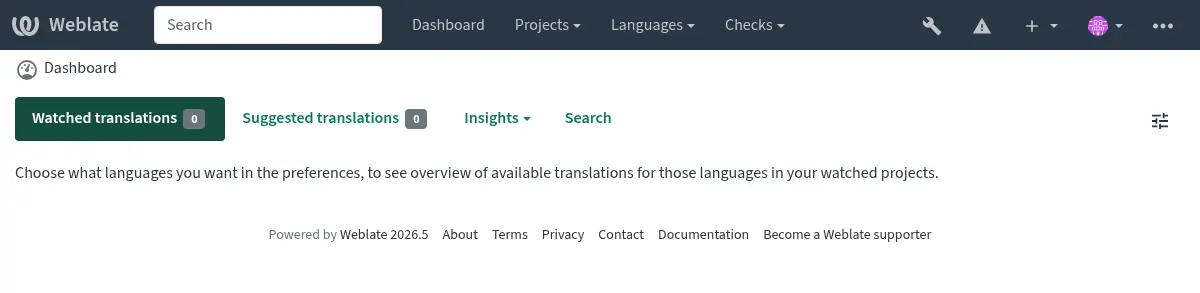
Il est également recommandé d’inspecter les contrôles déclenchés par Django (même si vous n’aurez peut-être pas besoin de tous les corriger) :
weblate check --deploy
You can also review the very same checklist at Rapport de performance in the Interface de gestion.
Voir aussi
Désactiver le mode débogage
Désactiver le mode débogage de Django (DEBUG) en :
DEBUG = False
Lorsque le mode débogage est activé, Django enregistre toutes les requêtes exécutées et affiche aux utilisateurs les traces d’erreurs, ce qui n’est pas souhaitable dans un environnement de production.
Voir aussi
Configurer correctement les administrateurs
Configurez les adresses d’administrateur correctes dans le paramètre ADMINS pour définir qui recevra les e-mails en cas de problème sur le serveur, par exemple :
ADMINS = ("Your Name <your_email@example.com>",)
Voir aussi
Indiquez le bon domaine du site
Adjust site name and domain in the admin interface, otherwise links in RSS or
registration e-mails will not work. This is configured using
SITE_DOMAIN which should contain site domain name.
Modifié dans la version 4.2: Prior to the 4.2 release the Django sites framework was used instead, please see L’infrastructure des « sites ».
Configurer correctement HTTPS
Il est fortement recommandé d’exécuter Weblate en utilisant le protocole HTTPS chiffré. Après l’avoir activé, vous devez définir ENABLE_HTTPS dans les paramètres :
ENABLE_HTTPS = True
Indication
Vous pourriez également envisager de configurer HSTS ; consultez SSL/HTTPS pour plus de détails.
Configurez correctement SECURE_HSTS_SECONDS
If your site is served over SSL, you have to consider setting a value for SECURE_HSTS_SECONDS
in the settings.py to enable HTTP Strict Transport Security.
By default it’s set to 0 as shown below.
SECURE_HSTS_SECONDS = 0
Si cette valeur est définie sur un entier non nul, la classe django.middleware.security.SecurityMiddleware définit l’en-tête Sécurité de transport HTTP stricte (HSTS) sur toutes les réponses qui ne le possèdent pas déjà.
Avertissement
Une configuration incorrecte peut rendre votre site inutilisable de manière irréversible (pendant un certain temps). Consultez d’abord la documentation de Sécurité de transport HTTP stricte (HSTS).
Utilisez un moteur de base de données puissant
Veuillez utiliser PostgreSQL pour un environnement de production, consultez Configuration de la base de données pour Weblate pour plus d’informations.
Use adjacent location for running the database server, otherwise the networking performance or reliability might ruin your Weblate experience.
Check the database server performance or tweak its configuration, for example using PGTune.
Configure cache
If possible, use Valkey or Redis from Django by adjusting the CACHES
configuration variable, for example:
CACHES = {
    "default": {
        "BACKEND": "django_redis.cache.RedisCache",
        "LOCATION": "redis://127.0.0.1:6379/0",
        # If redis is running on same host as Weblate, you might
        # want to use unix sockets instead:
        # 'LOCATION': 'unix:///var/run/redis/redis.sock?db=0',
        "OPTIONS": {
            "CLIENT_CLASS": "django_redis.client.DefaultClient",
            "PARSER_CLASS": "redis.connection.HiredisParser",
        },
    }
}
Indication
In case you change settings for the cache, you might need to adjust them for Celery as well, see Tâches en arrière-plan utilisant Celery.
Cache Avatar
Outre la mise en cache de Django, Weblate met également en cache les avatars. Il est recommandé d’utiliser un cache séparé, basé sur des fichiers, à cet effet :
CACHES = {
    "default": {
        # Default caching backend setup, see above
        "BACKEND": "django_redis.cache.RedisCache",
        "LOCATION": "unix:///var/run/redis/redis.sock?db=0",
        "OPTIONS": {
            "CLIENT_CLASS": "django_redis.client.DefaultClient",
            "PARSER_CLASS": "redis.connection.HiredisParser",
        },
    },
    "avatar": {
        "BACKEND": "django.core.cache.backends.filebased.FileBasedCache",
        "LOCATION": os.path.join(DATA_DIR, "avatar-cache"),
        "TIMEOUT": 604800,
        "OPTIONS": {
            "MAX_ENTRIES": 1000,
        },
    },
}
Configurer l’envoi d’e-mails
Weblate doit envoyer des e-mails à plusieurs reprises, et ces e-mails doivent avoir une adresse d’expéditeur correcte. Veuillez configurer SERVER_EMAIL et DEFAULT_FROM_EMAIL pour qu’ils correspondent à votre environnement, par exemple :
SERVER_EMAIL = "admin@example.org"
DEFAULT_FROM_EMAIL = "weblate@example.org"
Note
Pour désactiver l’envoi d’e-mails par Weblate, définissez EMAIL_BACKEND sur django.core.mail.backends.dummy.EmailBackend.
This will disable all e-mail delivery including registration or password reset e-mails.
Configuration des hôtes autorisés
Django exige que le paramètre ALLOWED_HOSTS contienne une liste de noms de domaine que votre site est autorisé à servir ; le laisser vide bloquera toutes les requêtes.
Si cette configuration ne correspond pas à celle de votre serveur HTTP, vous obtiendrez des erreurs du type Invalid HTTP_HOST header: '1.1.1.1'. You may need to add '1.1.1.1' to ALLOWED_HOSTS.
Indication
Sur un conteneur Docker, cette variable est disponible sous le nom WEBLATE_ALLOWED_HOSTS.
Clé secrète de Django
Le paramètre SECRET_KEY est utilisé par Django pour signer les cookies, et vous devriez générer votre propre valeur plutôt que d’utiliser celle de l’exemple de configuration.
You can generate a new key using weblate-generate-secret-key shipped with Weblate.
Voir aussi
Exécution des tâches de maintenance
For optimal performance, it is good idea to run some maintenance tasks in the background. This is automatically done by Tâches en arrière-plan utilisant Celery and covers following tasks:
Contrôle de l’état de la configuration (toutes les heures).
Committing pending changes (hourly), see Archivages lazy and
commit_pending.Mise à jour des alertes des composants (quotidienne).
Mise à jour des branches distantes (nuit), voir
AUTO_UPDATE.Translation memory backup to JSON (daily), see
dump_memory.Fulltext and database maintenance tasks (daily and weekly tasks), see
cleanuptrans.
Paramètres régionaux et encodage du système
Les paramètres régionaux du système doivent être configurés pour prendre en charge l’encodage UTF-8. Sur la plupart des distributions Linux, il s’agit du paramètre par défaut. Si ce n’est pas le cas sur votre système, veuillez modifier les paramètres régionaux pour utiliser la variante UTF-8.
For example by editing /etc/default/locale and setting there
LANG="C.UTF-8".
In some cases the individual services have separate configuration for locales. This varies between distribution and web servers, so check documentation of your web server packages for that.
Apache on Ubuntu uses /etc/apache2/envvars:
export LANG='en_US.UTF-8'
export LC_ALL='en_US.UTF-8'
Apache on CentOS uses /etc/sysconfig/httpd (or
/opt/rh/httpd24/root/etc/sysconfig/httpd):
LANG='en_US.UTF-8'
Compression des assets clients
Weblate inclut de nombreux fichiers JavaScript et CSS. Pour des raisons de performance, il est conseillé de les compresser avant de les envoyer au client. Par défaut, cette compression est effectuée automatiquement, ce qui engendre une surcharge minime. Pour les installations importantes, il est recommandé d’activer le mode de compression hors ligne. Cette option doit être configurée et la compression doit être déclenchée à chaque mise à jour de Weblate.
La modification de la configuration est simple : il suffit d’activer django.conf.settings.COMPRESS_OFFLINE et de configurer django.conf.settings.COMPRESS_OFFLINE_CONTEXT (ce dernier est déjà inclus dans l’exemple de configuration) :
COMPRESS_OFFLINE = True
À chaque déploiement, vous devez compresser les fichiers pour qu’ils correspondent à la version actuelle :
weblate compress
Indication
L’image Docker officielle intègre déjà cette fonctionnalité.
Exécuter un serveur
Indication
In case you are not experienced with services described below, you might want to try Installation via Docker.
Plusieurs services sont nécessaires au fonctionnement de Weblate. La configuration recommandée comprend :
Serveur de base de données (voir Configuration de la base de données pour Weblate)
Serveur de cache (voir Configure cache)
Serveur web frontal pour les fichiers statiques et la terminaison SSL (voir Distribution des fichiers statiques)
WSGI server for dynamic content (see Exemple de configuration pour NGINX et uWSGI)
Celery pour l’exécution de tâches en arrière-plan (voir Tâches en arrière-plan utilisant Celery)
Note
Il existe certaines dépendances entre les services ; par exemple, le cache et la base de données doivent être en cours d’exécution lors du démarrage des processus Celery ou uWSGI.
Dans la plupart des cas, tous les services s’exécuteront sur un seul serveur (virtuel). Toutefois, si votre installation est fortement sollicitée, vous pouvez répartir les services. La seule limitation est que les serveurs Celery et Wsgi nécessitent l’accès au paramètre DATA_DIR.
Note
The WSGI process has to be executed under the same user the Celery
process, otherwise files in the DATA_DIR will be stored with
mixed ownership, leading to runtime issues.
Voir aussi Permissions du système de fichiers et Tâches en arrière-plan utilisant Celery.
Serveur web en cours d’exécution
Running Weblate is not different from running any other Django based program. Django is usually executed as WSGI or fcgi (see examples for different webservers below).
Note
The sample configuration files shown below are maintained in the Weblate
source tree under weblate/examples/. They are included in source
distributions and in this documentation, but Python wheels only install
runtime files. When installing Weblate from PyPI, get the matching source
distribution or source checkout before copying these examples.
Pour effectuer des tests, vous pouvez utiliser le serveur web intégré de Django :
weblate runserver
Avertissement
N’UTILISEZ PAS CE SERVEUR EN PRODUCTION. Il n’a fait l’objet d’aucun audit de sécurité ni de test de performance. Consultez également la documentation Django relative à runserver.
Indication
The Django built-in server serves static files only with DEBUG
enabled as it is intended for development only. For production use, please
see WSGI setups:
Distribution des fichiers statiques
Modifié dans la version 5.15.2: /media/ is no longer used for serving screenshots.
Django needs to collect its static files in a single directory. To do so,
execute weblate collectstatic --noinput. This will copy the static
files into a directory specified by the STATIC_ROOT setting (this defaults to
a static directory inside CACHE_DIR).
Il est recommandé de servir les fichiers statiques directement depuis votre serveur web ; vous devriez utiliser cette méthode pour les chemins suivants :
/static/Serves static files for Weblate and the admin interface (from defined by
STATIC_ROOT)./favicon.icoShould be rewritten to rewrite a rule to serve
/static/favicon.ico.
Voir aussi
Politique de sécurité du contenu
The default Weblate configuration enables weblate.middleware.SecurityMiddleware
middleware which sets security related HTTP headers like Content-Security-Policy
or X-XSS-Protection. These are by default set up to work with Weblate and its
configuration, but this might need customization for your environment.
Sample configuration for NGINX and Granian
The following configuration runs Weblate using Granian the NGINX webserver:
#
# nginx configuration for Weblate
#
# You will want to change:
#
# - server_name
# - change /home/weblate/weblate-env to location where Weblate Python environment is placed
# - change /home/weblate/data to match your DATA_DIR
# - change /home/weblate/data/cache to match your CACHE_DIR
# - change python3.12 to match your Python version
# - change weblate user to match your Weblate user
#
server {
    listen 80;
    server_name weblate;
    # Not used
    root /var/www/html;

    location ~ ^/favicon.ico$ {
        # CACHE_DIR/static/favicon.ico
        alias /home/weblate/data/cache/static/favicon.ico;
        expires 30d;
    }

    location /static/ {
        # CACHE_DIR/static/
        alias /home/weblate/data/cache/static/;
        expires 30d;
    }

    location / {
        proxy_set_header X-Forwarded-For $proxy_add_x_forwarded_for;
        proxy_set_header X-Forwarded-Proto $scheme;
        proxy_set_header Host $http_host;
        proxy_pass http://127.0.0.1:8888;
        proxy_read_timeout 3600;
    }
}
Sample configuration for NGINX and Gunicorn
The following configuration runs Weblate using Gunicorn under the NGINX webserver
(weblate/examples/weblate.nginx.gunicorn.conf in the source tree):
#
# nginx configuration for Weblate
#
# You will want to change:
#
# - server_name
# - change /home/weblate/weblate-env to location where Weblate Python environment is placed
# - change /home/weblate/data to match your DATA_DIR
# - change /home/weblate/data/cache to match your CACHE_DIR
# - change python3.12 to match your Python version
# - change weblate user to match your Weblate user
#
server {
    listen 80;
    server_name weblate;
    # Not used
    root /var/www/html;

    location ~ ^/favicon.ico$ {
        # CACHE_DIR/static/favicon.ico
        alias /home/weblate/data/cache/static/favicon.ico;
        expires 30d;
    }

    location /static/ {
        # CACHE_DIR/static/
        alias /home/weblate/data/cache/static/;
        expires 30d;
    }

    location / {
        proxy_set_header X-Forwarded-For $proxy_add_x_forwarded_for;
        proxy_set_header X-Forwarded-Proto $scheme;
        proxy_set_header Host $http_host;
        proxy_pass http://unix:/run/gunicorn.sock;
        proxy_read_timeout 3600;
    }
}
Exemple de configuration pour NGINX et uWSGI
To run production webserver, use the WSGI wrapper installed with Weblate (when
using a Python environment it is installed as
~/weblate-env/lib/python3.14/site-packages/weblate/wsgi.py). Don’t
forget to set the Python search path to your Python environment as well (for
example using virtualenv = /home/user/weblate-env in uWSGI).
La configuration suivante exécute Weblate en tant que uWSGI sous le serveur web NGINX.
Configuration for NGINX (weblate/examples/weblate.nginx.conf in the source tree):
#
# nginx configuration for Weblate
#
# You will want to change:
#
# - server_name
# - change /home/weblate/weblate-env to location where Weblate Python environment is placed
# - change /home/weblate/data to match your DATA_DIR
# - change /home/weblate/data/cache to match your CACHE_DIR
# - change python3.12 to match your Python version
# - change weblate user to match your Weblate user
#
server {
    listen 80;
    server_name weblate;
    # Not used
    root /var/www/html;

    location ~ ^/favicon.ico$ {
        # CACHE_DIR/static/favicon.ico
        alias /home/weblate/data/cache/static/favicon.ico;
        expires 30d;
    }

    location /static/ {
        # CACHE_DIR/static/
        alias /home/weblate/data/cache/static/;
        expires 30d;
    }

    location / {
        include uwsgi_params;
        # Needed for long running operations in admin interface
        uwsgi_read_timeout 3600;
        # Adjust based to uwsgi configuration:
        uwsgi_pass unix:///run/uwsgi/app/weblate/socket;
        # uwsgi_pass 127.0.0.1:8080;
    }
}
Configuration for uWSGI (weblate/examples/weblate.uwsgi.ini in the source tree):
#
# uWSGI configuration for Weblate
#
# You will want to change:
#
# - change /home/weblate/weblate-env to location where Weblate Python environment is placed
# - change /home/weblate/data to match your DATA_DIR
# - change python3.12 to match your Python version
# - change weblate user to match your Weblate user
#
[uwsgi]
plugins       = python3
master        = true
protocol      = uwsgi
socket        = 127.0.0.1:8080
wsgi-file     = /home/weblate/weblate-env/lib/python3.12/site-packages/weblate/wsgi.py

# Add path to Weblate checkout if you did not install
# Weblate by pip
# python-path   = /path/to/weblate

# Path to the Python environment
virtualenv = /home/weblate/weblate-env

# Needed for OAuth/OpenID
buffer-size   = 8192

# Reload when consuming too much of memory
reload-on-rss = 250

# Increase number of workers for heavily loaded sites
workers       = 8

# Enable threads for Sentry error submission
enable-threads = true

# Child processes do not need file descriptors
close-on-exec = true

# Avoid default 0000 umask
umask = 0022

# Run as weblate user
uid = weblate
gid = weblate

# Enable harakiri mode (kill requests after some time)
# harakiri = 3600
# harakiri-verbose = true

# Enable uWSGI stats server
# stats = :1717
# stats-http = true

# Do not log some errors caused by client disconnects
ignore-sigpipe = true
ignore-write-errors = true
disable-write-exception = true
Voir aussi
Exemple de configuration pour Apache
It is recommended to use prefork MPM when using WSGI with Weblate.
The following configuration runs Weblate as WSGI, you need to have enabled
mod_wsgi (weblate/examples/apache.conf in the source tree):
#
# VirtualHost for Weblate
#
# You will want to change:
#
# - ServerAdmin and ServerName
# - change /home/weblate/weblate-env to location where Weblate Python environment is placed
# - change /home/weblate/data to match your DATA_DIR
# - change /home/weblate/data/cache to match your CACHE_DIR
# - change python3.12 to match Python version mod-wsgi is compiled for
# - change weblate user to match your Weblate user
#
<VirtualHost *:80>
    ServerAdmin admin@weblate.example.org
    ServerName weblate.example.org

    # CACHE_DIR/static/favicon.ico
    Alias /favicon.ico /home/weblate/data/cache/static/favicon.ico

    # CACHE_DIR/static/
    Alias /static/ /home/weblate/data/cache/static/
    <Directory /home/weblate/data/cache/static/>
        Require all granted
    </Directory>

    # Path to your Weblate Python environment
    WSGIDaemonProcess weblate python-home=/home/weblate/weblate-env user=weblate request-timeout=600
    WSGIProcessGroup weblate
    WSGIApplicationGroup %{GLOBAL}

    WSGIScriptAlias / /home/weblate/weblate-env/lib/python3.12/site-packages/weblate/wsgi.py process-group=weblate
    WSGIPassAuthorization On

    <Directory /home/weblate/weblate-env/lib/python3.12/site-packages/weblate/>
        <Files wsgi.py>
        Require all granted
        </Files>
    </Directory>

</VirtualHost>
Note
Weblate requires Python 3, so please ensure you are running Python 3
variant of the modwsgi. Usually it is available as a separate package, for
example libapache2-mod-wsgi-py3.
Utiliser la version Python correspondante pour installer Weblate.
Exemple de configuration pour Apache et Gunicorn
The following configuration runs Weblate in Gunicorn and Apache 2.4
(weblate/examples/apache.gunicorn.conf in the source tree):
#
# VirtualHost for Weblate using gunicorn on localhost:8000
#
# You will want to change:
#
# - ServerAdmin and ServerName
# - change /home/weblate/weblate-env to location where Weblate Python environment is placed
# - change /home/weblate/data to match your DATA_DIR
# - change /home/weblate/data/cache to match your CACHE_DIR
# - change weblate user to match your Weblate user
#
<VirtualHost *:443>
    ServerAdmin admin@weblate.example.org
    ServerName weblate.example.org

    # CACHE_DIR/static/favicon.ico
    Alias /favicon.ico /home/weblate/data/cache/static/favicon.ico

    # CACHE_DIR/static/
    Alias /static/ /home/weblate/data/cache/static/
    <Directory /home/weblate/data/cache/static/>
        Require all granted
    </Directory>

    SSLEngine on
    SSLCertificateFile /etc/apache2/ssl/https_cert.cert
    SSLCertificateKeyFile /etc/apache2/ssl/https_key.pem
    SSLProxyEngine On

    ProxyPass /favicon.ico !
    ProxyPass /static/ !

    ProxyPass / http://localhost:8000/
    ProxyPassReverse / http://localhost:8000/
    ProxyPreserveHost On
</VirtualHost>
Sample configuration to start Granian
Weblate has wsgi optional dependency (see Dépendances python) that will install everything you need to run Granian. When installing Weblate you can specify it as:
uv pip install Weblate[all,wsgi]
Once you have Granian installed, you can run it. This is usually done at the system level. The following examples show starting via systemd:
[Unit]
Description=granian daemon
After=network.target

[Service]
User=weblate
Group=weblate
WorkingDirectory=/home/weblate/weblate-env/
Environment="DJANGO_SETTINGS_MODULE=weblate.settings"
RuntimeDirectory=granian
ExecStart=/home/weblate/weblate-env/bin/granian \
    --no-ws \
    --workers-max-rss 350 \
    --interface wsgi \
    --workers 2 \
    --backpressure 16 \
    --runtime-threads 8 \
    --runtime-mode mt \
    --port 8888 \
    weblate.wsgi:application

[Install]
WantedBy=multi-user.target
~
Sample configuration to start Gunicorn
Gunicorn has to be installed separately:
uv pip install gunicorn
Once you have Gunicorn installed, you can run it. This is usually done at the system level. The following examples show starting via systemd:
[Unit]
Description=gunicorn socket

[Socket]
ListenStream=/run/gunicorn.sock

[Install]
WantedBy=sockets.target
[Unit]
Description=gunicorn daemon
Requires=gunicorn.socket
After=network.target

[Service]
User=weblate
Group=weblate
WorkingDirectory=/home/weblate/weblate-env/
Environment="DJANGO_SETTINGS_MODULE=weblate.settings"
ExecStart=/home/weblate/weblate-env/bin/gunicorn \
    --preload \
    --timeout 3600 \
    --graceful-timeout 3600 \
    --worker-class=gthread \
    --workers=2 \
    --threads=16 \
    --bind unix:/run/gunicorn.sock \
    weblate.wsgi:application

[Install]
WantedBy=multi-user.target
Voir aussi
Exécution de Weblate sous le chemin
It is recommended to use prefork MPM when using WSGI with Weblate.
A sample Apache configuration to serve Weblate under /weblate. Again using
mod_wsgi (weblate/examples/apache-path.conf in the source tree):
#
# VirtualHost for Weblate, running under /weblate path
#
# You will want to change:
#
# - ServerAdmin and ServerName
# - change /home/weblate/weblate-env to location where Weblate Python environment is placed
# - change /home/weblate/data to match your DATA_DIR
# - change /home/weblate/data/cache to match your CACHE_DIR
# - change python3.12 to match Python version mod-wsgi is compiled for
# - change weblate user to match your Weblate user
#
<VirtualHost *:80>
    ServerAdmin admin@weblate.example.org
    ServerName weblate.example.org

    # CACHE_DIR/static/favicon.ico
    Alias /weblate/favicon.ico /home/weblate/data/cache/static/favicon.ico

    # CACHE_DIR/static/
    Alias /weblate/static/ /home/weblate/data/cache/static/
    <Directory /home/weblate/data/cache/static/>
        Require all granted
    </Directory>

    # Path to your Weblate Python environment
    WSGIDaemonProcess weblate python-home=/home/weblate/weblate-env user=weblate request-timeout=600
    WSGIProcessGroup weblate
    WSGIApplicationGroup %{GLOBAL}

    WSGIScriptAlias /weblate /home/weblate/weblate-env/lib/python3.12/site-packages/weblate/wsgi.py process-group=weblate
    WSGIPassAuthorization On

    <Directory /home/weblate/weblate-env/lib/python3.12/site-packages/weblate/>
        <Files wsgi.py>
        Require all granted
        </Files>
    </Directory>

</VirtualHost>
De plus, vous devrez ajuster le fichier weblate/settings.py :
URL_PREFIX = "/weblate"
Tâches en arrière-plan utilisant Celery
Weblate uses Celery to execute regular and background tasks. You are supposed to run a Celery service that will execute these. For example, it is responsible for handling following operations (this list is not complete):
Receiving webhooks from external services (see Déclencheurs de notification).
Running regular maintenance tasks such as backups, cleanups, daily add-ons, or updates (see Sauvegarder et déplacer Weblate,
BACKGROUND_TASKS, Extensions).Exécution de Traduction automatique.
Envoi de notifications condensées.
Offloading expensive operations from the WSGI process.
Validation des modifications en attente (voir Archivages lazy).
A typical setup using Valkey or Redis as a backend looks like this:
CELERY_TASK_ALWAYS_EAGER = False
CELERY_BROKER_URL = "redis://localhost:6379"
CELERY_RESULT_BACKEND = CELERY_BROKER_URL
Voir aussi
You should also start the Celery worker to process the tasks and start scheduled tasks. For debugging or development, this can be done directly on the command-line:
celery --app=weblate.utils worker --beat --queues=celery,notify,memory,translate,backup
Note
The Celery process has to be executed under the same user as the WSGI
process, otherwise files in the DATA_DIR will be stored with
mixed ownership, leading to runtime issues.
Voir aussi Permissions du système de fichiers et Exécuter un serveur.
Executing Celery tasks in the WSGI using eager mode
Note
This will have severe performance impact on the web interface, and will break features depending on regular trigger (for example committing pending changes, digest notifications, or backups).
For development, you might want to use eager configuration, which does process all tasks in place:
CELERY_TASK_ALWAYS_EAGER = True
CELERY_BROKER_URL = "memory://"
CELERY_TASK_EAGER_PROPAGATES = True
Exécution de Celery en tant que service système
Most likely you will want to run Celery as a daemon and that is covered by
Daemonization. For the most common Linux setup using
systemd, adapt the example files listed below. These examples are maintained in
the Weblate source tree under weblate/examples/; Python wheels do not
install these deployment samples.
Unité Systemd à placer sous /etc/systemd/system/celery-weblate.service :
[Unit]
Description=Celery Service (Weblate)
After=network.target

[Service]
Type=forking
User=weblate
Group=weblate
EnvironmentFile=/etc/default/celery-weblate
WorkingDirectory=/home/weblate
RuntimeDirectory=celery
RuntimeDirectoryPreserve=restart
LogsDirectory=celery
ExecStart=/bin/sh -c '${CELERY_BIN} multi start ${CELERYD_NODES} \
  -A ${CELERY_APP} --pidfile=${CELERYD_PID_FILE} \
  --logfile=${CELERYD_LOG_FILE} --loglevel=${CELERYD_LOG_LEVEL} ${CELERYD_OPTS}'
ExecStop=/bin/sh -c '${CELERY_BIN} multi stopwait ${CELERYD_NODES} \
  --pidfile=${CELERYD_PID_FILE}'
ExecReload=/bin/sh -c '${CELERY_BIN} multi restart ${CELERYD_NODES} \
  -A ${CELERY_APP} --pidfile=${CELERYD_PID_FILE} \
  --logfile=${CELERYD_LOG_FILE} --loglevel=${CELERYD_LOG_LEVEL} ${CELERYD_OPTS}'

[Install]
WantedBy=multi-user.target
Configuration de l’environnement à placer comme /etc/default/celery-weblate :
# Name of nodes to start
CELERYD_NODES="celery notify memory backup translate"

# Absolute or relative path to the 'celery' command:
CELERY_BIN="/home/weblate/weblate-env/bin/celery"

# App instance to use
# comment out this line if you don't use an app
CELERY_APP="weblate.utils"

# Extra command-line arguments to the worker. You might need to customize
# concurrency depending on the available resources and Weblate usage. Increase
# the concurrency if you get weblate.E019 error, decrease it if you are on a
# low-resource system.
CELERYD_OPTS="--beat:celery --queues:celery=celery --concurrency:celery=2 --prefetch-multiplier:celery=4 \
    --queues:notify=notify --concurrency:notify=2 --prefetch-multiplier:notify=10 \
    --queues:memory=memory --concurrency:memory=2 --prefetch-multiplier:memory=10 \
    --queues:translate=translate --concurrency:translate=4 --prefetch-multiplier:translate=4 \
    --queues:backup=backup  --concurrency:backup=1 --prefetch-multiplier:backup=2"

# Logging configuration
# - %n will be replaced with the first part of the nodename.
# - %I will be replaced with the current child process index
#   and is important when using the prefork pool to avoid race conditions.
CELERYD_PID_FILE="/run/celery/weblate-%n.pid"
CELERYD_LOG_FILE="/var/log/celery/weblate-%n%I.log"
CELERYD_LOG_LEVEL="INFO"
Additional configuration to rotate Celery logs using logrotate to be
placed as /etc/logrotate.d/celery:
/var/log/celery/*.log {
        weekly
        missingok
        rotate 12
        compress
        notifempty
}
Tâches périodiques utilisant Celery Beat
Weblate comes with built-in setup for scheduled tasks. The task schedule is stored in the database and tasks are executed by the Celery beat daemon.
Indication
You can define additional tasks in settings.py, for example see
Archivages lazy.
Suivi des statuts de Celery
You can find current length of the Celery task queues in the
Interface de gestion or you can use celery_queues on the
command-line. In case the queue will get too long, you will also get
configuration error in the admin interface.
Avertissement
Par défaut, les erreurs de Celery sont uniquement consignées dans le journal de Celery et ne sont pas visibles par l’utilisateur. Pour obtenir une vue d’ensemble de ces erreurs, il est recommandé de configurer Collecting error reports and monitoring performance.
Single-process Celery setup
In case you have very limited memory, you might want to reduce number of Weblate processes. All Celery tasks can be executed in a single process using:
celery --app=weblate.utils worker --beat --queues=celery,notify,memory,translate,backup --pool=solo
An installation using Docker can be configured to use a single-process Celery setup by setting CELERY_SINGLE_PROCESS.
Avertissement
This will have a noticeable performance impact on Weblate.
Surveiller Weblate
Weblate provides the /healthz/ URL to be used in simple health checks, for example
using Kubernetes. The Docker container has built-in health check using this URL.
For monitoring metrics of Weblate you can use GET /api/metrics/ API endpoint.
Collecting error reports and monitoring performance
Comme tout logiciel, Weblate peut rencontrer des défaillances. Afin de recueillir des informations utiles sur ces défaillances, nous vous recommandons d’utiliser des services tiers. Ceci est particulièrement utile en cas d’échec de tâches Celery, qui, sans cela, se contenteraient de consigner l’erreur dans les journaux sans que vous en soyez informé. Weblate prend en charge les services suivants :
Adresse courriel
The default Weblate configuration instruments Django to send e-mails upon
server errors via django.utils.log.AdminEmailHandler. This
is the least effort setup, but you should consider other options for privacy
reasons, as the error e-mails might include sensitive data. You can read more on
that in Implications quant à la sécurité.
To disable this behavior, remove mail_admins from the
LOGGING in Weblate settings, or disable
WEBLATE_ADMIN_NOTIFY_ERROR in the Docker environment.
Sentry
Weblate has built-in support for Sentry. To use
it, it’s enough to set SENTRY_DSN in the settings.py:
SENTRY_DSN = "https://id@your.sentry.example.com/"
Sentry can be also used to monitor performance of Weblate by collecting traces
and profiles for defined percentage of operations. This can be configured using
SENTRY_TRACES_SAMPLE_RATE and SENTRY_PROFILES_SAMPLE_RATE.
Voir aussi
Rollbar
Weblate intègre la prise en charge de Rollbar. Pour l’utiliser, il suffit de suivre les instructions de Rollbar notifier for Python.
En bref, vous devez ajuster settings.py :
# Add rollbar as last middleware:
MIDDLEWARE = [
    # … other middleware classes …
    "rollbar.contrib.django.middleware.RollbarNotifierMiddleware",
]

# Configure client access
ROLLBAR = {
    "access_token": "POST_SERVER_ITEM_ACCESS_TOKEN",
    "environment": "development" if DEBUG else "production",
    "branch": "main",
    "root": "/absolute/path/to/code/root",
}
Tout le reste est intégré automatiquement ; vous collecterez désormais les erreurs côté serveur et côté client.
Note
Error logging also includes exceptions that were gracefully handled, but might indicate a problem - such as failed parsing of an uploaded file.
Graylog log management
Ajouté dans la version 5.9.
Weblate can be configured to log using the GELF TCP protocol. This was developed for Graylog integration, but can be used with any compliant logging platform.
The configuration boilerplate is included in Configuration d’exemple, for
Docker this can be configured using WEBLATE_LOG_GELF_HOST.
Migration de Weblate vers un autre serveur
Migrer Weblate vers un autre serveur devrait être relativement simple, mais les données sont stockées à plusieurs emplacements ; il convient donc de procéder à la migration avec précaution. La meilleure solution consiste à arrêter Weblate pendant la migration.
Migrer la base de données
The most straightforward approach is to use database native tools, as they are usually the most effective (e.g. pg_dump). Alternatively you can use replication if your database supports it.
Voir aussi
Migrating between databases described in Migrating from other databases to PostgreSQL.
Migration des référentiels VCS
Les dépôts VCS stockés sous DATA_DIR doivent également être migrés. Vous pouvez simplement les copier ou utiliser rsync pour effectuer la migration plus efficacement.
Autres notes
Don’t forget to move other services Weblate might have been using like Valkey, Redis, Cron jobs or custom authentication backends.