Mémoire de traduction
Weblate comes with a built-in translation memory consisting of:
Manually imported translation memory (see Interface utilisateur).
Automatically stored translations performed in Weblate (depending on Translation-memory scopes).
Automatically imported past translations.
Content in the translation memory can be applied to strings in several ways:
User can accept suggestions from the Suggestions automatiques tab while editing the string.
The selected strings can be processed using Traduction automatique from the Operations menu.
Traduction automatique add-on can automatically apply changes to new and existing strings.
For installation tips, see Mémoire de traduction Weblate, which is turned on by default.
Translation-memory scopes
The translation-memory scopes ensure privacy for different projects and users. Sharing of translations is also available.
Imported translation memory
Importing arbitrary translation memory data using the import_memory
command makes memory content available to all users and projects.
Per-user translation memory
Stores all user translations automatically in the personal translation memory of each respective user.
The default value for new users is automatically adjusted based on the Auto-nettoyage du mémoire de traduction configuration. If automatic cleanup is enabled, this is disabled by default to prevent reintroducing inconsistent translations.
Per-project translation memory
All translations within a project are automatically stored in a project translation memory only available for this project.
État du mémoire de traduction
Ajouté dans la version 5.13.
Translation memory entries can have two different statuses: active and pending. Pending entries are included in suggestions, but with a quality penalty applied. If Auto-nettoyage du mémoire de traduction is enabled, matching pending entries are removed when a translation becomes active.
Auto-nettoyage du mémoire de traduction
Ajouté dans la version 5.13.
When enabled for a project, Weblate replaces older automatically created translation memory entries when a translation becomes active:
With Activer les révisions enabled, cleanup happens when the translation is approved.
Without review, cleanup happens as soon as the translation reaches the translated state.
For the same source string, component, context, and source/target language pair, Weblate removes matching non-file entries from translation memory, including entries with a different target text. This applies across personal, project, and shared translation memory scopes. The current translation is then stored again as an active entry in the scopes that are enabled for that change.
Entries imported from external translation memory files are not cleaned up automatically. Entries with a different context are kept.
In the Docker container this can be configured using WEBLATE_DEFAULT_AUTOCLEAN_TM.
Note
Enabling automatic cleanup also changes the default for new user profiles to not contribute to personal translation memory. This prevents reintroducing inconsistent translations that were supposed to be cleaned up.
Voir aussi
Managing the Translation Memory
Interface utilisateur
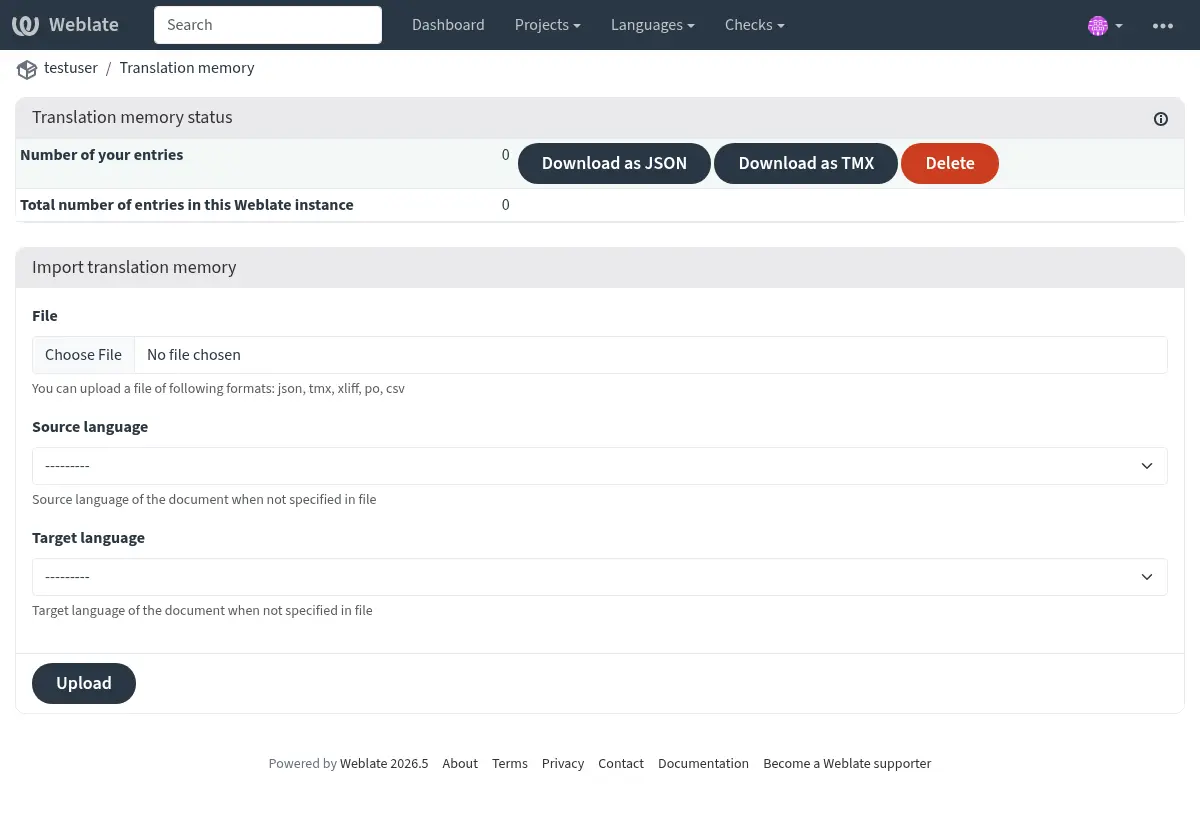
Translation memory can be managed from several places in the Weblate UI:
Open the user menu and choose Translation memory to manage your personal translation memory.
Open a project and choose Translation memory from the project menu to manage translation memory for that project.
Open Administration and choose Translation memory to manage uploaded translation memory for the whole Weblate instance.
The translation memory page shows entry counts for the selected scope. Depending on the scope, it also lists entries by origin, component, or language pair. The listed entries can be downloaded as JSON or TMX. Users with the required permissions can delete entries, and the project view can rebuild translation memory for the whole project or for individual components from the current translations.
The project view also shows whether shared translation memory and autoclean translation memory are enabled for the project, with a link to the project workflow settings when the user can edit the project.
Translation memory files can be imported on the same page. Uploaded files are stored in the selected scope:
Personal uploads are available in your personal translation memory.
Project uploads are available in the selected project’s translation memory.
Administration uploads are available as uploaded shared entries for the whole Weblate instance.
Indication
Translation memories in various formats can be imported into Weblate. The TMX format is provided for interoperability with other tools. All supported formats are TMX, JSON, XLIFF, PO, and CSV.
Source and target languages must be selected when uploading XLIFF, PO, or CSV files if the language information is not provided by the file itself.
Voir aussi
You can search translation memory while editing strings from the Suggestions automatiques tab.
Admin interface
Administrative users have additional translation memory management controls. In Administration > Translation memory, the page lists uploaded shared entries, shared entries, and total entries for the Weblate instance. Depending on permissions, it can import uploaded shared memory, delete uploaded entries, and download uploaded, shared, or all entries as JSON or TMX.
Ajouté dans la version 4.12.
The project translation memory view also allows rebuilding parts of or the entire project translation memory. Existing entries for the selected component or project are deleted, and the memory is populated again from the current translations in the background.
Interface de gestion
Several management commands can manipulate translation memory content. These operate on the translation memory as a whole, unfiltered by scopes (unless requested by parameters):
dump_memoryExporte la mémoire en JSON
import_memoryImporte les fichiers TMX ou JSON dans le mémoire de traduction
cleanup_memoryRemoves all entries with pending status from the translation memory
Ajouté dans la version 4.14.
The Weblate API covers the translation memory. This allows automated manipulation for different purposes, or based on events in the translation cycle.