从 Weblate 获取支持
Weblate 是受社区支持的 copyleft 的自由软件。托管订阅者无需支付额外费用便可以获得优先支持;所有人都可以购买预付支持服务包,包括自托管用户。您可以在 <https://weblate.org/support/ 找到更多关于当前支持服务的信息。
集成支持
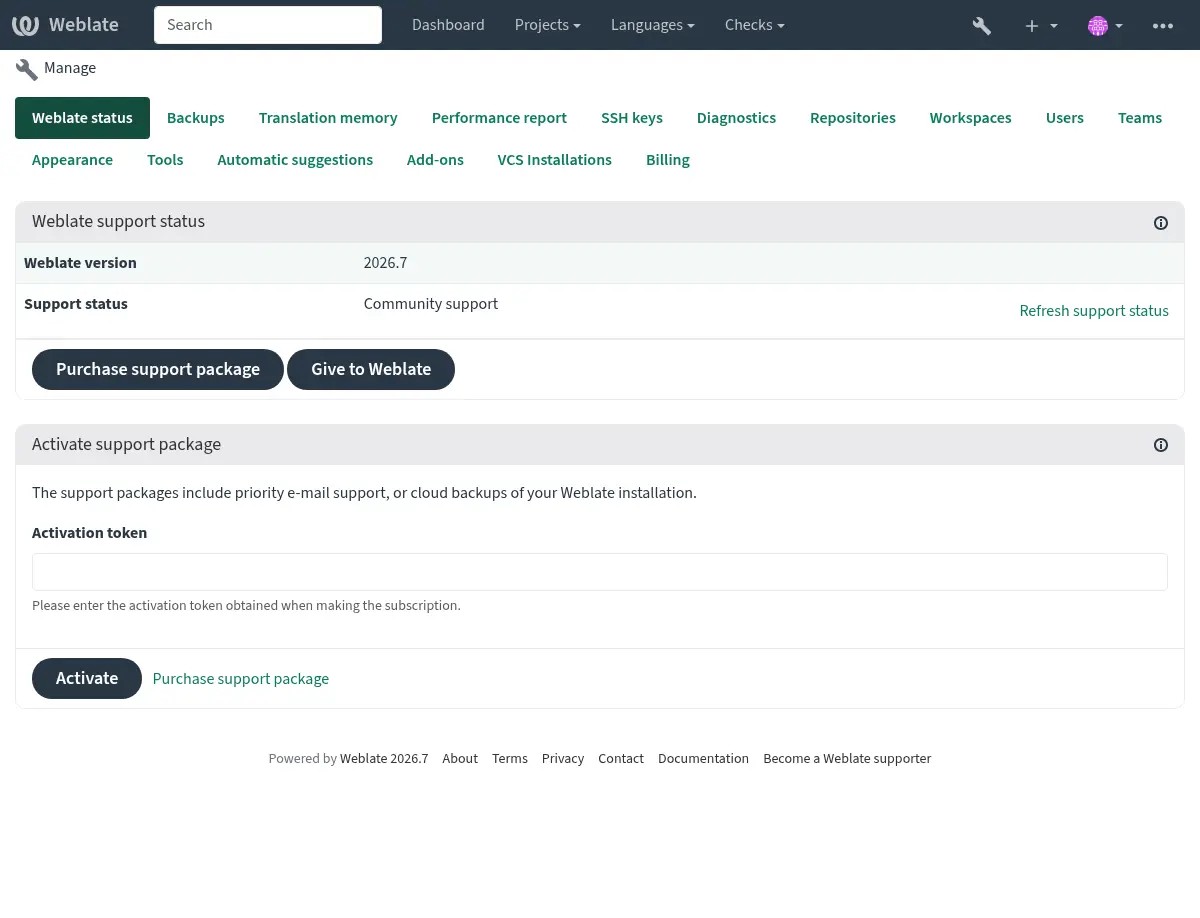
你可以视需要将购买的支持包集成进 Weblate 订阅管理 界面,您可以在那里找到所购支持包的链接。关于安装的基本实例细节也会以这种方式报告给 Weblate。
发送至 Weblate 的信息
您的 Weblate 实例地址
网站标题
您当前运行的版本
项目、部件、语言、源字符串和用户数目
您实例的 SSH 公钥
此外,当 发现 Weblate 开启时:
List of public and protected projects (name, URL, and website).
提示
在 发现 Weblate 描述中检查 Discover 公开显示的内容。
没有提交其他数据。
集成服务
查看您的支持包是否合法
提示
购买的支持包在购买时已经激活,不必集成它们就可以使用。
联系客服
提示
如果还没有支持包,请参考 在 Weblate 中汇报问题 部分获取可用的社区资源。
订阅者可通过下列渠道直接联系到 Weblate Care:
电子邮件支持地址 care@weblate.org。
激活 集成支持 后可在 Weblate 管理界面中看到支持表单。
订阅确保设置、维护和故障排除方面及时且可靠的帮助。
备注
发送加密内容
如果想发送加密内容,请使用 care@weblate.org 的公钥,ID 为 0961 62CE 141D 7FE4 B15D A9FA 73D9 298A CB26 03F0.
最常使用的 key 服务器上有这枚公钥,使用 WKD 或 直接从 weblate.org.
发现 Weblate
Added in version 4.5.2.
发现 默认关闭,该服务让译者可以更轻松地找到其他 Weblate 实例和社区。用户可以在 https://weblate.org/discover/ 浏览已注册的站点并寻找作贡献的项目。
列入
在 2026.7.1 版本发生变更: Discover Weblate registration can be started directly from the management interface without manually copying the activation token.
备注
Make sure you are OK with publishing your instance name, URL, tally of projects, components, and users, together with names of public and protected projects for use on Discover.
Use the Discover Weblate panel in the management interface to manage the listing. If you have an activated support package, list your server by clicking Enable discovery. If the instance is not connected to weblate.org yet, start the registration by clicking Enable Discover Weblate:
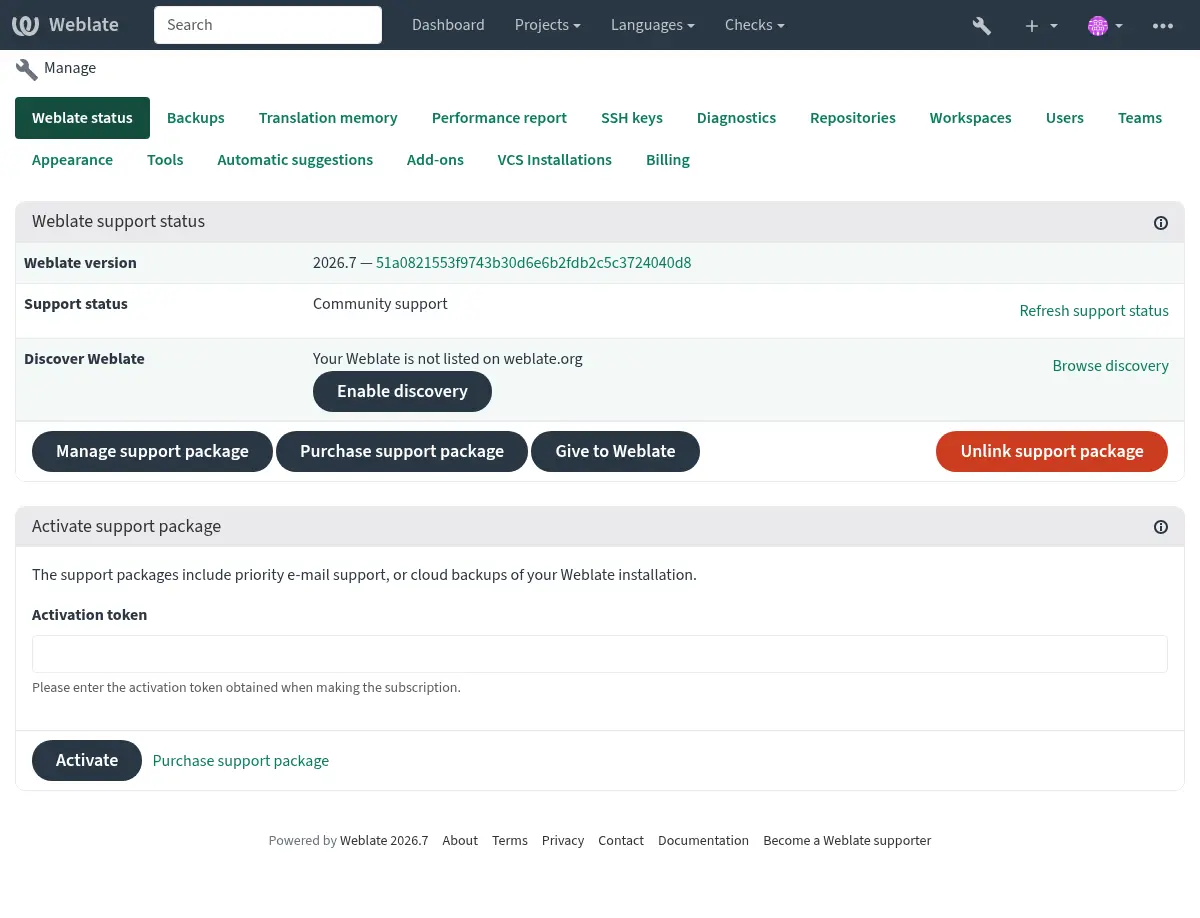
This opens the registration form on weblate.org and returns to your Weblate management interface to complete activation with discovery already enabled. The registration flow can be used from an account that has a support subscription, but it registers the Discover Weblate listing; activating a purchased support package is handled by 集成支持. Unlinking the support package disables the Discover Weblate listing.
All steps for listing a server manually, for example from older Weblate versions:
注册 Weblate,注册地址 https://weblate.org/user/
注册你的 Weblate 站点,注册地址 https://weblate.org/subscription/discovery/
Copy the activation token into your Weblate management interface.
Confirm you want your Weblate listed by clicking Enable discovery from the Discover Weblate panel:
自定义列举
我们鼓励你在 https://weblate.org/user/ 提供你 Weblate 站点的图片(570 x 260 像素) 和描述。这会让你的实例在列表中更容易被发现。