Glossário
Each project can include one or more glossaries for storing terms and their preferred translations. Glossaries help keep translations consistent by showing matching terms in the translation editor.
Glossaries are regular translation components with special behavior. The source language stores the terms Weblate searches for in source strings. Each glossary translation stores the preferred term, forbidden term, or untranslatable entry for one target language.
Terms from the glossary containing words from the currently translated source string are displayed in the sidebar of the translation editor.
Dica
Os termos do glossário não são usados em verificações de qualidade, a menos que o ative. Consulte Não segue o glossário para obter mais informações.
How glossary matching works
When you translate a regular component, Weblate searches the source string for terms from the source language of the project glossaries. When a term matches, Weblate looks up the corresponding glossary entry for the language currently being translated and shows it in the editor.
This means glossary entries need to exist in the target glossary language to be shown while translating that target language. A source-language-only glossary can still store definitions and context, but it will not provide target-language matches for languages that do not have glossary entries.
If you want a term to be present in every glossary language, mark the source entry as Terminologia. If the term should stay unchanged in every language, use Termos não traduzíveis; combine it with terminology only when you want Weblate to create and maintain entries for all glossary languages.
Gestão de glossários
Alterado na versão 4.5: Glossários são agora componentes de tradução comuns e pode usar todos os recursos da Weblate neles — a comentar, a armazenar num repositório remoto ou a adicionar explicações.
Use qualquer componente como um glossário a ligar Usar como um glossário. Pode criar vários glossários para um projeto.
Um glossário vazio para um determinado projeto é criado automaticamente com o projeto. Os glossários são compartilhados entre todos os componentes de um mesmo projeto e opcionalmente com outros projetos a utilizar Compartilhar em projetos do respectivo componente do glossário.
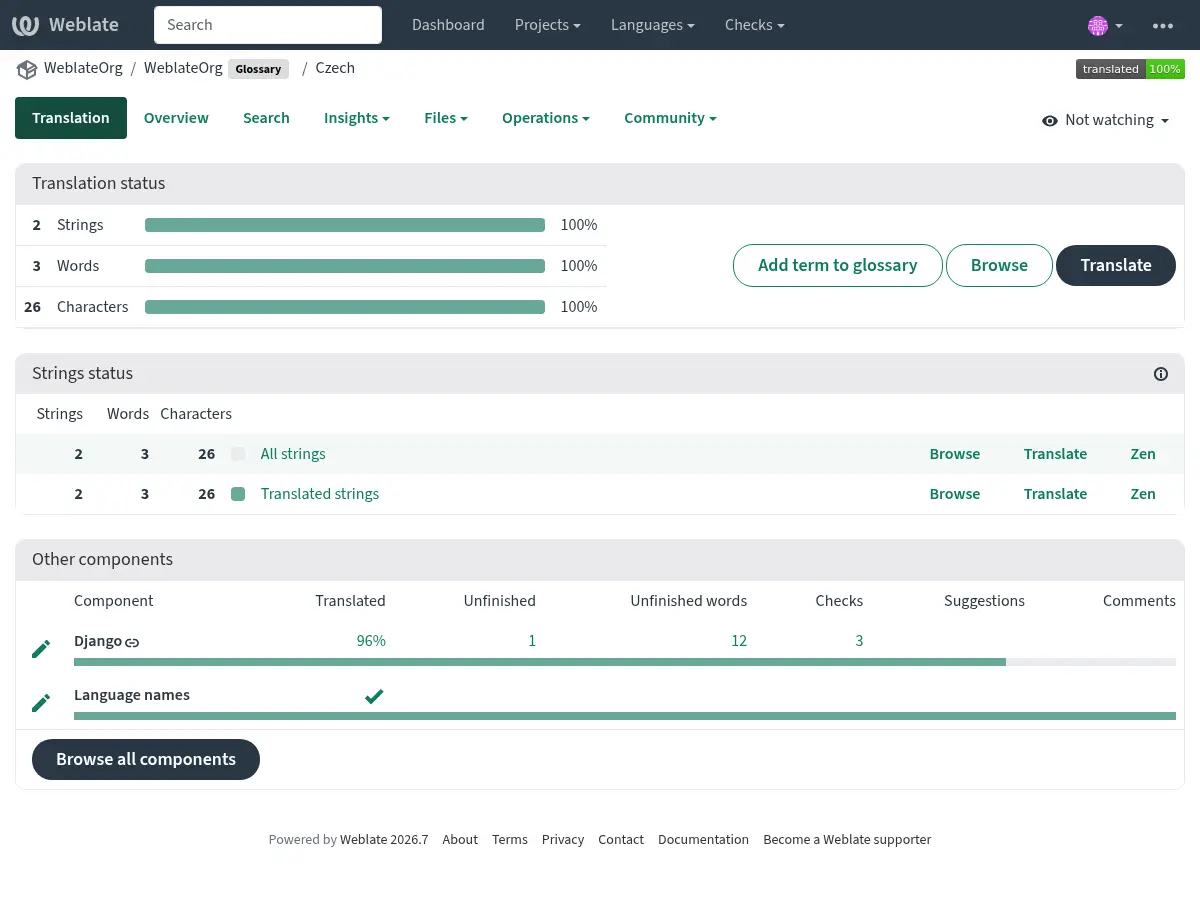
O componente do glossário se parece com qualquer outro componente da Weblate com etiqueta colorida adicionada:
Pode navegar por todos os termos do glossário:
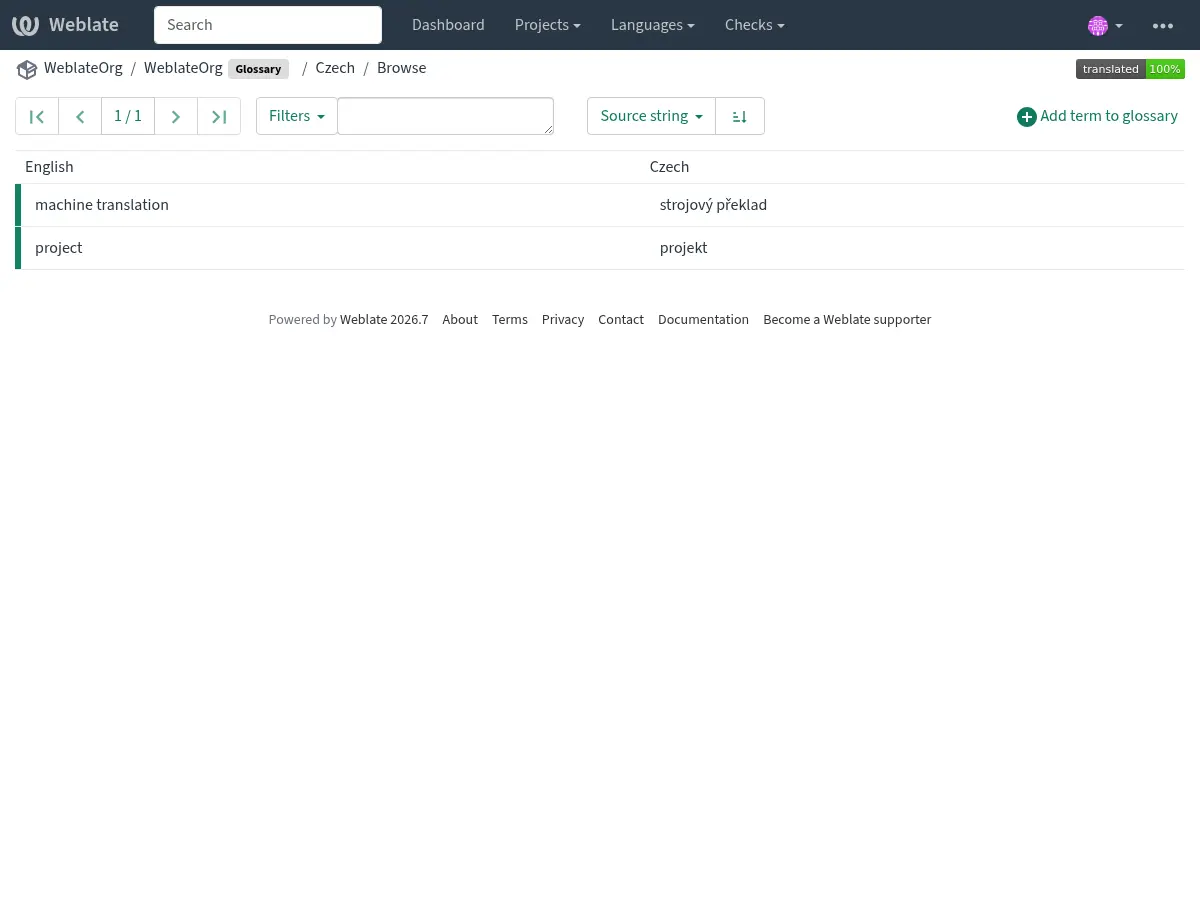
ou edite-os como qualquer tradução.
Termos de glossário
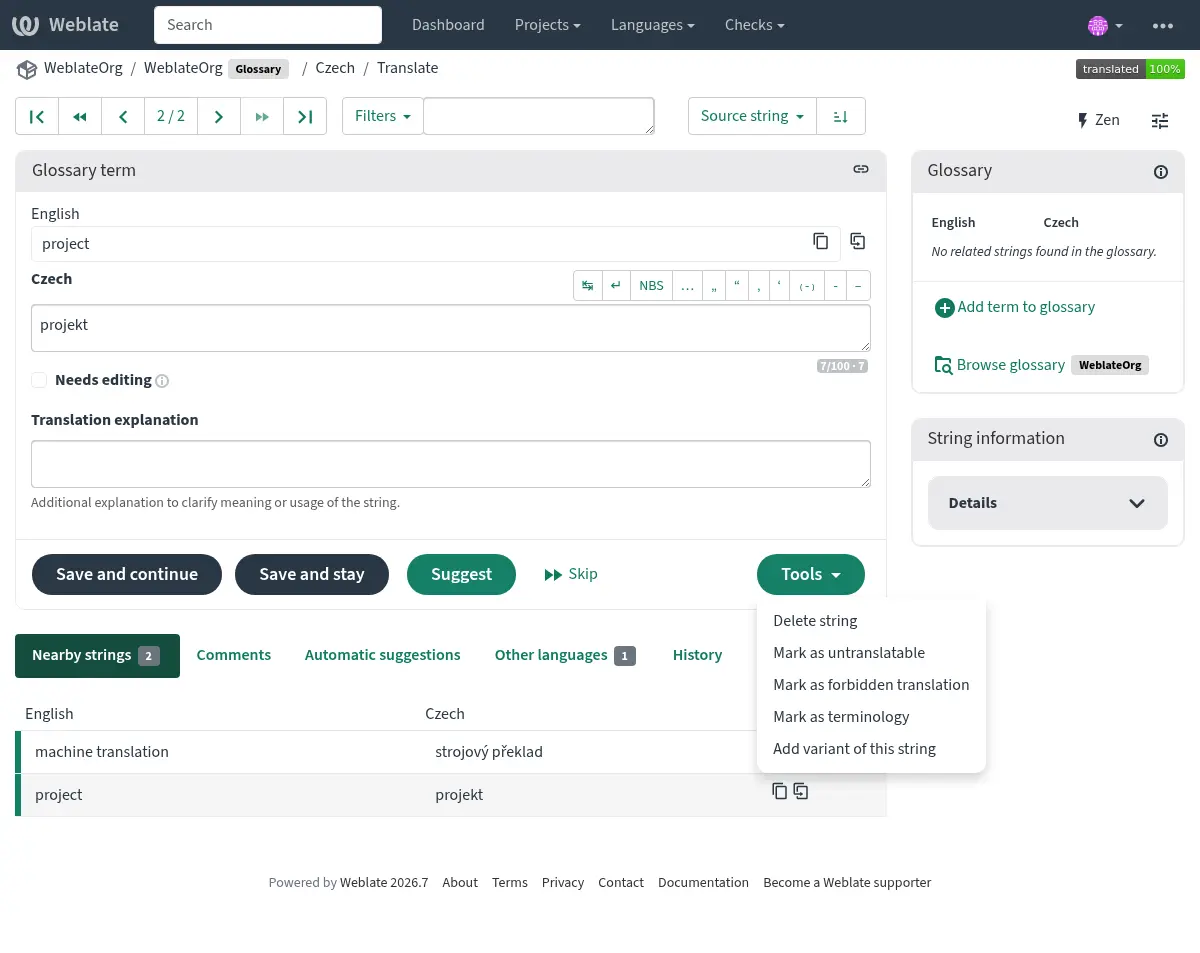
Os termos de glossário são traduzidos da mesma forma que as cadeias comuns. Pode alternar recursos adicionais a utilizar o menu Ferramenta para cada termo.
Veja também
Type |
Purpose |
|---|---|
Regular glossary term |
Preferred translation or explanation for a term in one or more languages. |
Source term Weblate keeps present in every glossary language so missing translations can be tracked and filled. |
|
Term that should stay unchanged or should not be translated. |
|
Translation that should not be used for the source term. |
|
Alternative wording, abbreviation, or shorter form grouped with another glossary term. |
Choosing glossary terms
Choose glossary terms for meaning and audience, not only for literal word shape. If a source term is ambiguous, add an explanation so translators know which meaning applies in the project.
Glossary entries are especially useful for brand names, acronyms, product features, technical terms, and newly coined or transliterated words. Use variants for abbreviations or shorter wording, mark important cross-language terms as Terminologia, mark terms that should stay unchanged as Termos não traduzíveis, and mark misleading translations as Traduções proibidas.
Termos não traduzíveis
Added in version 4.5.
Marcar certas traduções de termos do glossário como read-only por meio de edição massa, digitação do marcador ou uso de Ferramentas ↓ Marcar como intraduzível significa que não podem ser traduzidas. Use-o para nomes de marcas, nomes de produtos, domínios, ou nomes de tecnologias, ou outros termos que não devem ser alterados em outros idiomas. Esses termos são destacados visualmente na barra lateral do glossário.
The read-only flag is enough when the glossary entry already exists in the
languages where it should be shown. Add the Terminologia flag as
well only when Weblate should create and maintain the untranslatable entry in
every glossary language.
Veja também
Traduções proibidas
Added in version 4.5.
Marcar certas traduções de termos do glossário como forbidden, editando em massa, digitando o marcador, ou usando Ferramentas ↓ Marcar como tradução proibida significa que não devem ser usado. Use isto para esclarecer a tradução quando algumas palavras são ambíguas ou podem ter significados inesperados.
Use forbidden entries for translations that should be avoided. Use regular glossary entries for preferred translations.
Veja também
Terminologia
Added in version 4.5.
Flagging certain source-language glossary terms as terminology by
bulk-editing, typing in the flag, or by using Tools ↓
Mark as terminology adds entries for them to all languages in the
glossary. Use this for important terms that should be well thought out, and
retain a consistent meaning across all languages.
The terminology flag is ongoing state, not just a one-time action. While the flag remains on the source term, Weblate treats it as terminology and keeps an entry for it in every glossary language. If a language entry is removed, the next glossary synchronization creates it again.
Removing the terminology flag stops this automatic maintenance, but it does
not remove or otherwise revert entries that were already created. They remain
regular glossary entries.
A regular glossary term can also have translations in every language. The difference is that Weblate does not recreate missing language entries for a regular term after they are removed.
Veja também
Variantes
As variantes são uma forma genérica para agrupar cadeias de carateres. Todas as variantes do termo são listadas na barra lateral do glossário quando traduzir.
Dica
Pode usar isso para adicionar abreviações ou expressões mais curtas para um termo.
Veja também
Glossary import
Similar to regular translation components, you can upload existing glossaries to Weblate. Formats like Ficheiros CSV or Formato TermBase eXchange are supported and can be uploaded, see Enviar traduções.
TBX files can include explanations, read-only metadata, and glossary flags; see Formato TermBase eXchange for the exact metadata mapping.
Ainda que o TBX contenha múltiplos idiomas, o Weblate mesmo assim mapeia ficheiros de componentes para idiomas usando a máscara de ficheiro de componente e definições de idioma. Para um componente de glossário TBX, mantenha o idioma fonte enquanto o idioma fonte de termos e nome de ficheiros de tradução para o mesmo idioma alvo que representam. Evite nomear um ficheiro de tradução com o mesmo idioma que o idioma de origem do componente, porque o idioma fonte já existe no Weblate e isto pode levar a deteção de duplicação de idioma.
Veja também
Language files and synchronization
Glossary components follow the languages used by the regular components in the same project. When a language is added to a regular component, Weblate adds the missing glossary language as well so glossary matches can be shown for that language.
This automatic language synchronization is intentional. Filtering glossary language files with Filtro de idioma can reduce the number of managed files, but it also means Weblate has no glossary entries to show for filtered-out target languages.
Terminology entries are also synchronized. When a source glossary term is marked as terminology, Weblate creates missing entries in all glossary languages and recreates them if they are removed while the flag is still set.
Weblate can clean up stale glossary translations only for Weblate-managed glossaries, only when no regular component in the project still uses that language, and only when the stale glossary translation has no translated terms. If the stale glossary language still contains terms, Weblate keeps it and reports it as an unused glossary language.
Common setup patterns
- English-only explanatory glossary
Add source-language glossary terms with explanations. This works as a maintained term list, but it will not show target-language glossary matches unless you also create entries in the target glossary languages.
- Required terminology
Add terms in the source glossary language, mark them as Terminologia, and let translators fill the created entries in each target language. Use explanations to document the intended meaning.
- Non-translatable terms
Mark terms as Termos não traduzíveis when they should stay unchanged. Add Terminologia only when the term should be present in every glossary language for matching and review.
- Traduções proibidas
Add the misleading translation as a Traduções proibidas entry. Add the preferred wording as a separate regular glossary entry when translators should use a specific translation instead.
Glossários na sugestão automática
Added in version 5.3.
Alguns serviços de sugestão automática utilizam glossários durante a tradução. Consulte a documentação em Sugestões automáticas para verificar o apoio.
O glossário é processado antes de ser exposto ao serviço:
Duplicate source entries are skipped for services that require unique source terms. LLM-based services can receive duplicates with explanations to disambiguate them.
Todos os caracteres de controle e espaços em branco iniciais e finais são removidos.
Traduções proibidas são ignoradas.
Nota
Muitos serviços armazenam glossários no lado do servidor e impõem um limite na quantidade de glossários gravados. O Weblate sempre apaga o glossário mais antigo se ficar sem espaço.