Weblate によるサポートを受ける方法
Weblate は、コピーレフトな Libre ソフトウェア(自由ソフトウェア)でありコミュニティによるサポートが用意されています。ホスティングの加入者は、追加料金なしで優先的なサポートを受けられます。プリペイドのサポート パッケージは、自己ホスティング ユーザーを含むすべての人が、サポートが必要となった時点でも申し込めます。現在提供されているサポートの詳細については、https://weblate.org/support を確認してください。
サポートの統合
購入したサポート パッケージは、オプションとして Weblate サブスクリプションの管理 画面にあるリンクを使用して連携できます。インストールした基本インスタンスの詳細も、この方法で Weblate へ報告が送信されます。
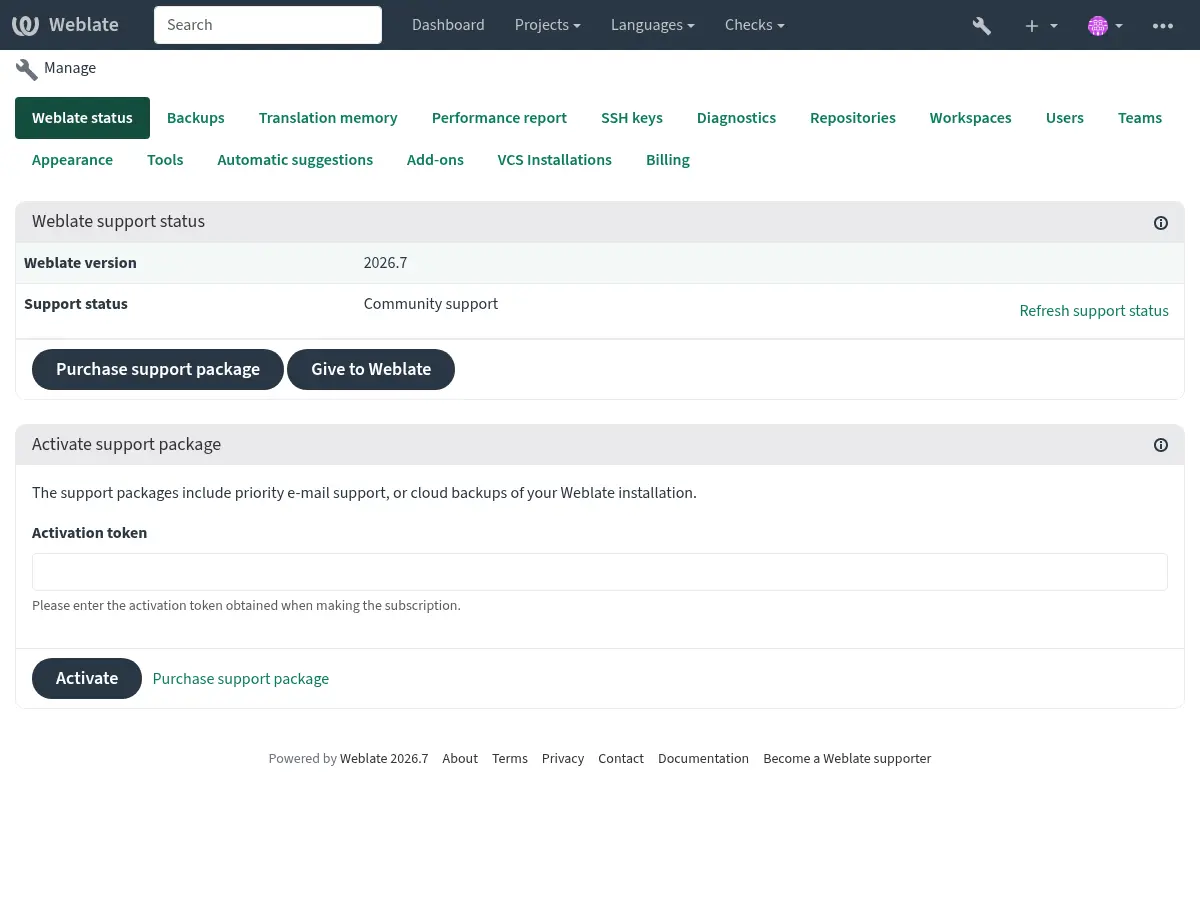
Weblate に送信された情報
Weblate インスタンス URL
サイトのタイトル
実行中のバージョン
プロジェクト、コンポーネント、言語、原文、ユーザーの集計
インスタンスの SSH 公開鍵
さらに、Weblate プロジェクトの探索 を有効した場合:
List of public and protected projects (name, URL, and website).
ヒント
Weblate プロジェクトの探索 の説明で Discover が公開している内容を確認してください。
他のデータは送信されません。
連携サービス
サポート パッケージが、現在有効かどうかの確認
ヒント
購入したサポート パッケージは、購入時にすでに有効になっているので、連携しなくてもご利用いただけます。
カスタマーサポートに問い合わせる
ヒント
サポートパッケージをまだお持ちでない場合は、利用可能なコミュニティリソースについて Weblate の問題の報告 セクションを参照してください。
サブスクライバーの方は、以下のチャネルを通じて Weblate Care へ直接問い合わせることができます:
care@weblate.org へメールでサポートを依頼する。
サポートフォームは、サポートの統合 を有効化した後、Weblate の管理画面から使用可能です。
サブスクリプションは、セットアップ、メンテナンス、およびトラブルシューティングに関する、タイムリーで信頼できるサポートを確実にします。
注釈
暗号化されたコンテンツの送信
暗号化されたコンテンツを送信したい場合は、ID 0961 62CE 141D 7FE4 B15D A9FA 73D9 298A CB26 03F0 の care@weblate.org 用の公開鍵を使用してください。
この公開鍵は、WKD を使用して最も一般的に使用されている鍵サーバー上で、あるいは weblate.org から直接 入手可能です。
Weblate プロジェクトの探索
Added in version 4.5.2.
Discover は、翻訳者が他の Weblate インスタンスやコミュニティを見つけやすくするためのオプション機能です。ユーザーは、https://weblate.org/discover/ で登録されたサイトを閲覧し、貢献できるプロジェクトを見つけることができます。
リストに掲載する
バージョン 2026.7.1 で変更: Discover Weblate registration can be started directly from the management interface without manually copying the activation token.
注釈
Make sure you are OK with publishing your instance name, URL, tally of projects, components, and users, together with names of public and protected projects for use on Discover.
Use the Discover Weblate panel in the management interface to manage the listing. If you have an activated support package, list your server by clicking Enable discovery. If the instance is not connected to weblate.org yet, start the registration by clicking Enable Discover Weblate:
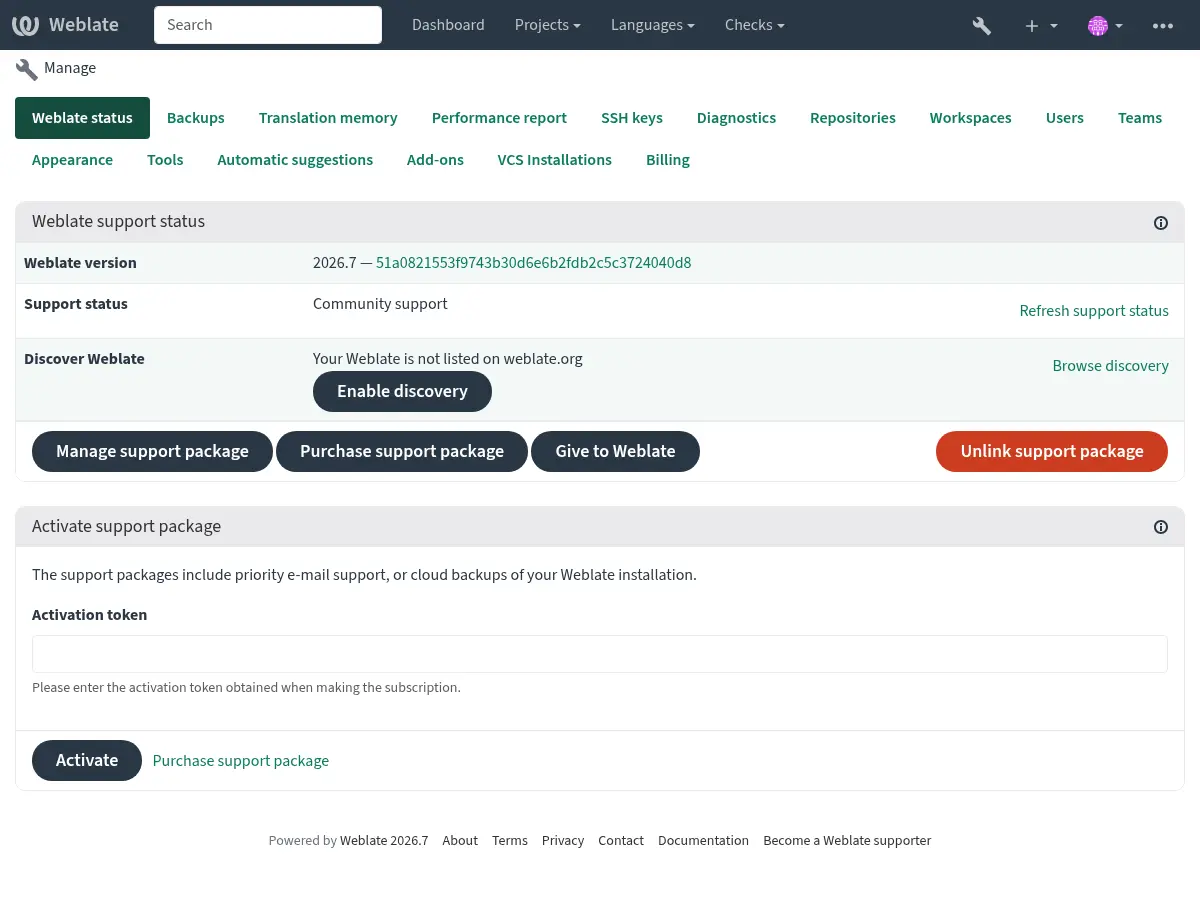
This opens the registration form on weblate.org and returns to your Weblate management interface to complete activation with discovery already enabled. The registration flow can be used from an account that has a support subscription, but it registers the Discover Weblate listing; activating a purchased support package is handled by サポートの統合. Unlinking the support package disables the Discover Weblate listing.
All steps for listing a server manually, for example from older Weblate versions:
お客様自身で、https://weblate.org/user/ から登録する
Weblate サイトを、https://weblate.org/subscription/discovery/ に登録する
Copy the activation token into your Weblate management interface.
Confirm you want your Weblate listed by clicking Enable discovery from the Discover Weblate panel:
リストのカスタマイズ
https://weblate.org/user/ に、Weblate サイトの画像(570 x 260 ピクセル)と説明を追加することを推奨します。 これにより、Weblate インスタンスのリスト内で理解してもらえやすくなります。