Proces traducere
Votare sugestie
Everyone can add suggestions by default, to be accepted by signed in users. Suggestion voting can be used to make use of a string when more than one signed-in user agrees, by setting up the Configurația componentei with Suggestion voting to turn on voting, and Automatically accept suggestions to set a threshold for accepted suggestions (this includes a vote from the user making the suggestion if it is cast).
Notă
Odată configurată acceptarea automată, utilizatorii normali își pierd privilegiul de a salva direct traducerile sau de a accepta sugestii. Acest lucru poate fi anulat cu Edit string when suggestions are enforced permission.
Puteți să le combinați cu access control în una dintre următoarele configurații:
Users suggest and vote for suggestions and a limited group controls what is accepted.
Turn on voting.
Turn off automatic acceptance.
Don’t let users save translations.
Users suggest and vote for suggestions with automatic acceptance once the defined number of them agree.
Turn on voting.
Set the desired number of votes for automatic acceptance.
Optional voting for suggestions. (Can optionally be used by users when they are unsure about a translation by making multiple suggestions.)
Only turn on voting.
Informații suplimentare despre șirurile sursă
Îmbunătățiți procesul de traducere prin adăugarea de informații suplimentare la șiruri, inclusiv explicații, priorități ale șirurilor, indicatori de verificare și context vizual. Unele dintre aceste informații pot fi extrase din fișierele de traducere, iar altele pot fi adăugate prin editarea informațiilor suplimentare despre șiruri:
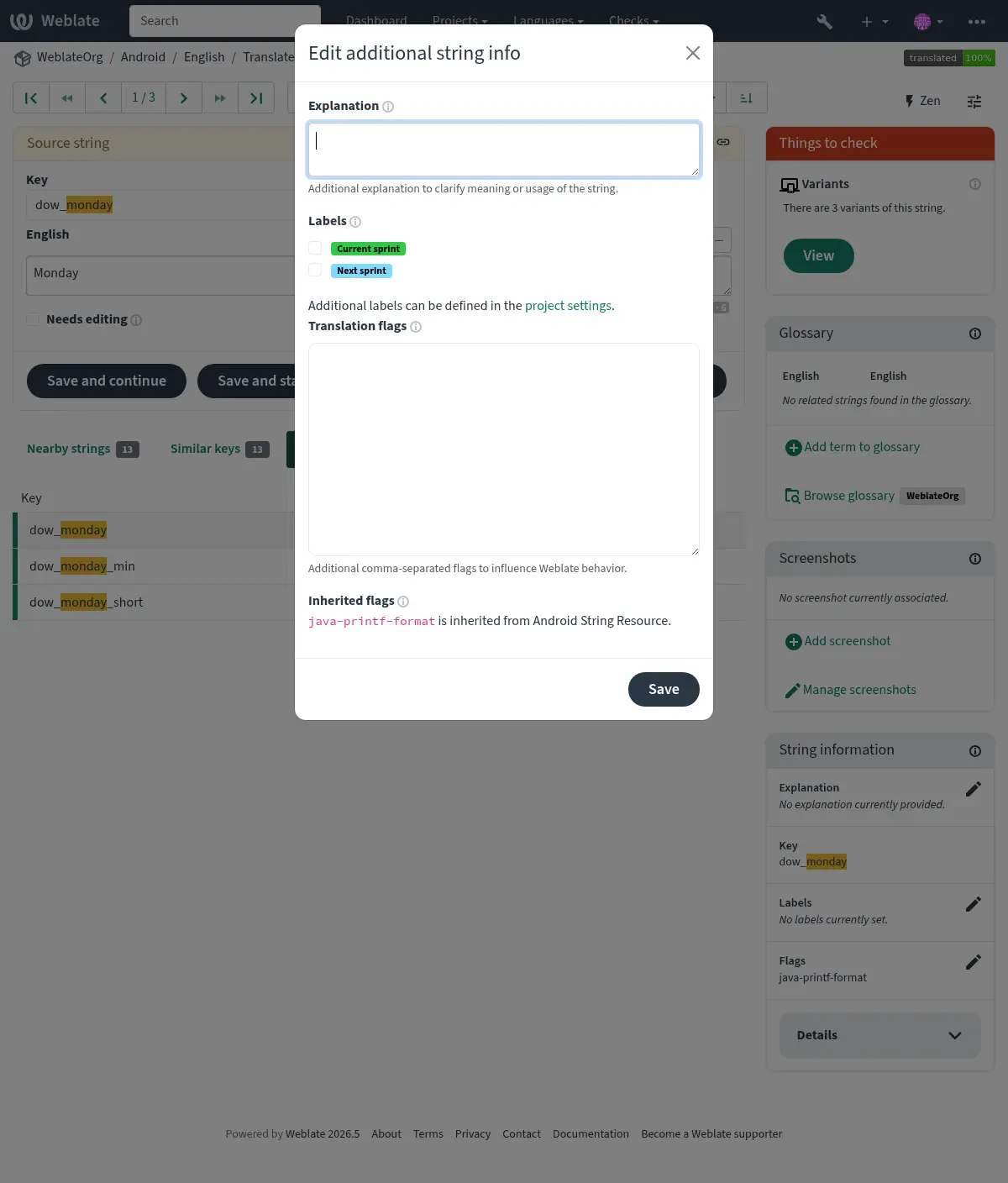
Accesați acest lucru direct din interfața de traducere, făcând clic pe pictograma „Editare” de lângă Context captură de ecran sau Flags.
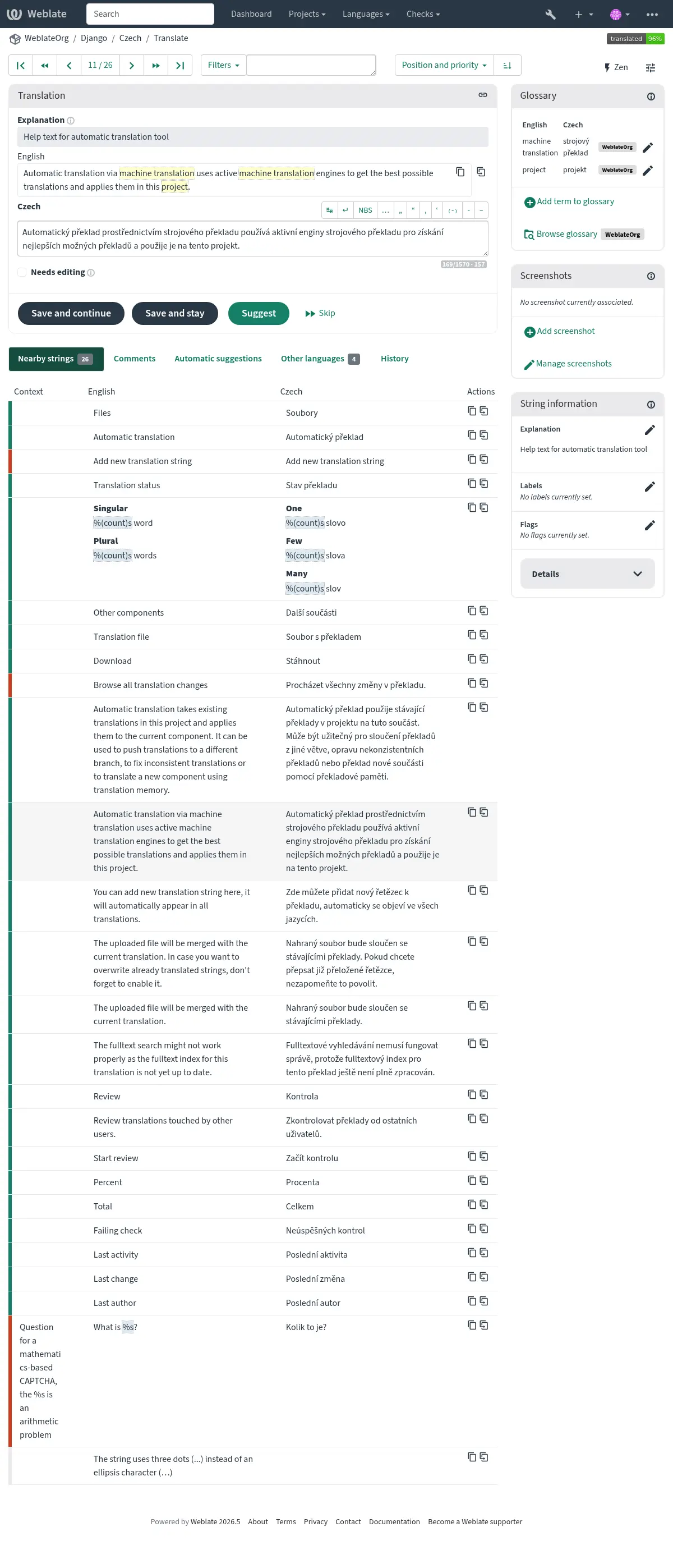
Prioritatea șirurilor
Prioritatea șirurilor poate fi modificată pentru a oferi mai devreme șiruri cu prioritate mai mare pentru traducere, utilizând indicatorul priority.
Sugestie
Aceasta poate fi utilizată pentru a ordona fluxul de traducere într-un mod logic.
Vezi și
Indicarori traducere
Personalizarea controalelor de calitate și a altor comportamente Weblate, vezi Personalizarea comportamentului cu ajutorul stegulețelor.
Stegulețele pentru șiruri de caractere sunt, de asemenea, moștenite de la Indicarori traducere de la Configurația componentei și de la stegulețele din fișierul de traducere (a se vedea Localization file formats).
Explicație
Schimbat în versiunea 4.1: În versiunile anterioare, aceasta se numea Extra context.
Schimbat în versiunea 4.18: Support for syncing explanation with a file was introduced.
Folosiți explicația pentru a clarifica domeniul de aplicare sau utilizarea traducerii. Puteți utiliza Markdown pentru a include linkuri și alte marcaje.
Some file formats support storing explanation within the file, see Explicație.
Sugestie
Weblate can also display description present in the translation file for some formats, see Descriere șir sursă.
Screenshots and visual context
Puteți încărca o captură de ecran care să arate un anumit șir de caractere sursă utilizat în cadrul programului dumneavoastră. Acest lucru îi ajută pe traducători să înțeleagă unde este folosit și cum ar trebui tradus.
Captura de ecran încărcată este afișată în bara laterală a contextului de traducere:
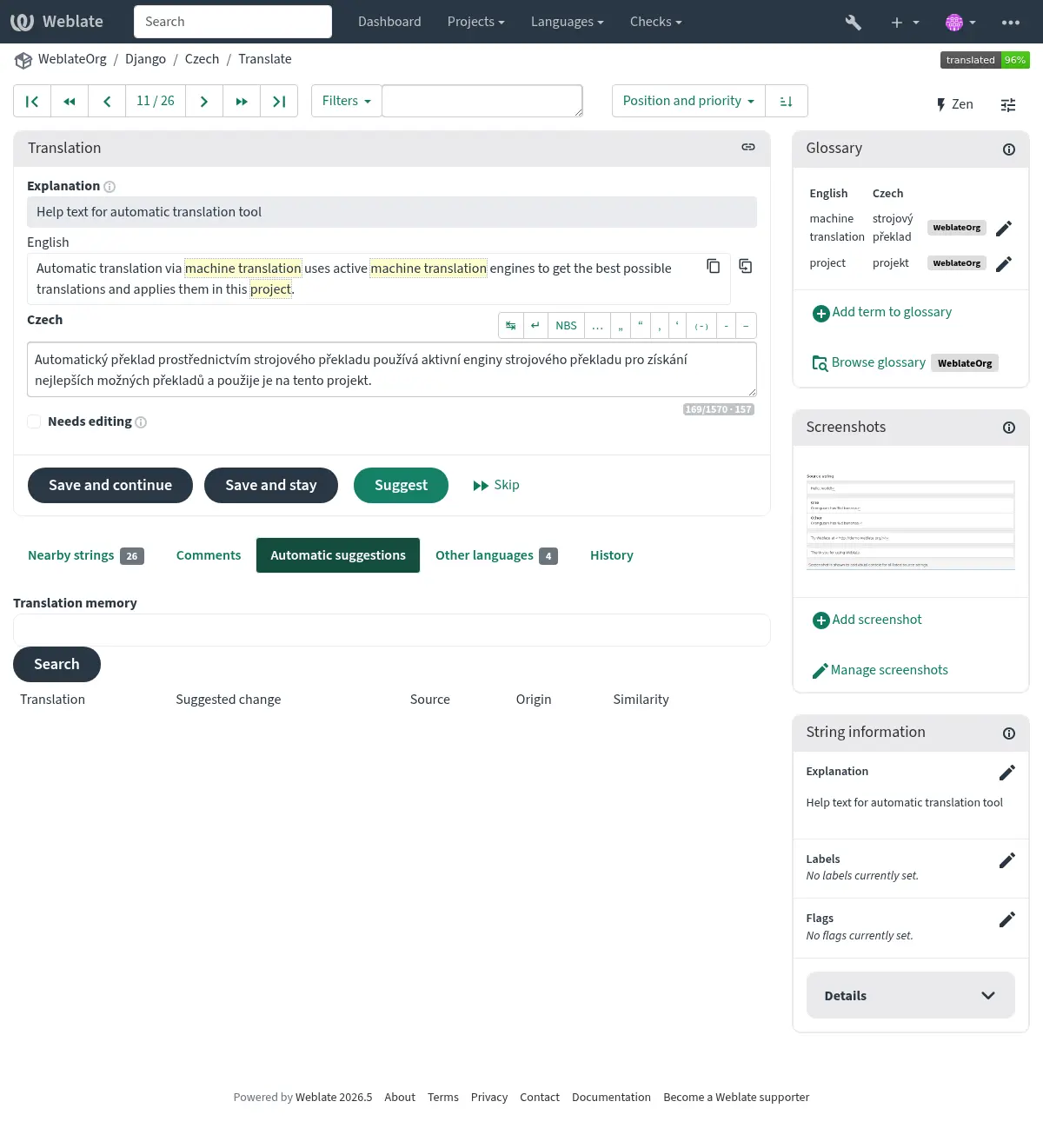
In addition to Informații suplimentare despre șirurile sursă, screenshots can be managed in the Weblate UI, kept in sync from the repository, or handled through the Weblate’s REST API.
Managing screenshots in the UI
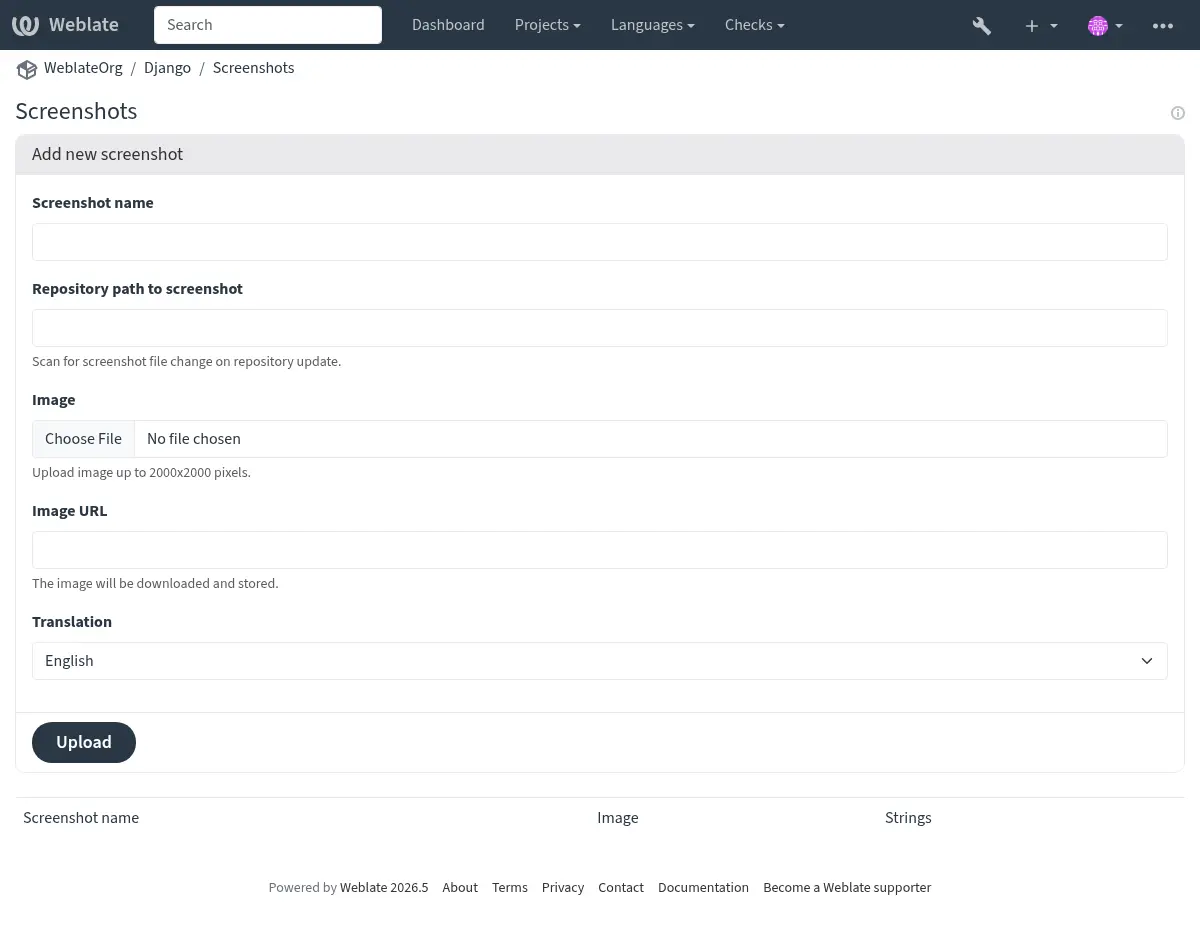
Each screenshot is stored for a specific translation language. In the translate page, screenshots attached to the source language are shown for every translation of the string, while screenshots attached to any other language are shown only for that language. You can add a screenshot directly from the translate page using Add screenshot in the Screenshot context panel, or open the separate management interface under the Operations menu. There you can upload screenshots, assign them to source strings manually, or use optical character recognition (OCR) by pressing the Automatically recognize button.
Odată ce o captură de ecran este încărcată, această interfață se ocupă de gestionare și de asocierea șirului sursă:
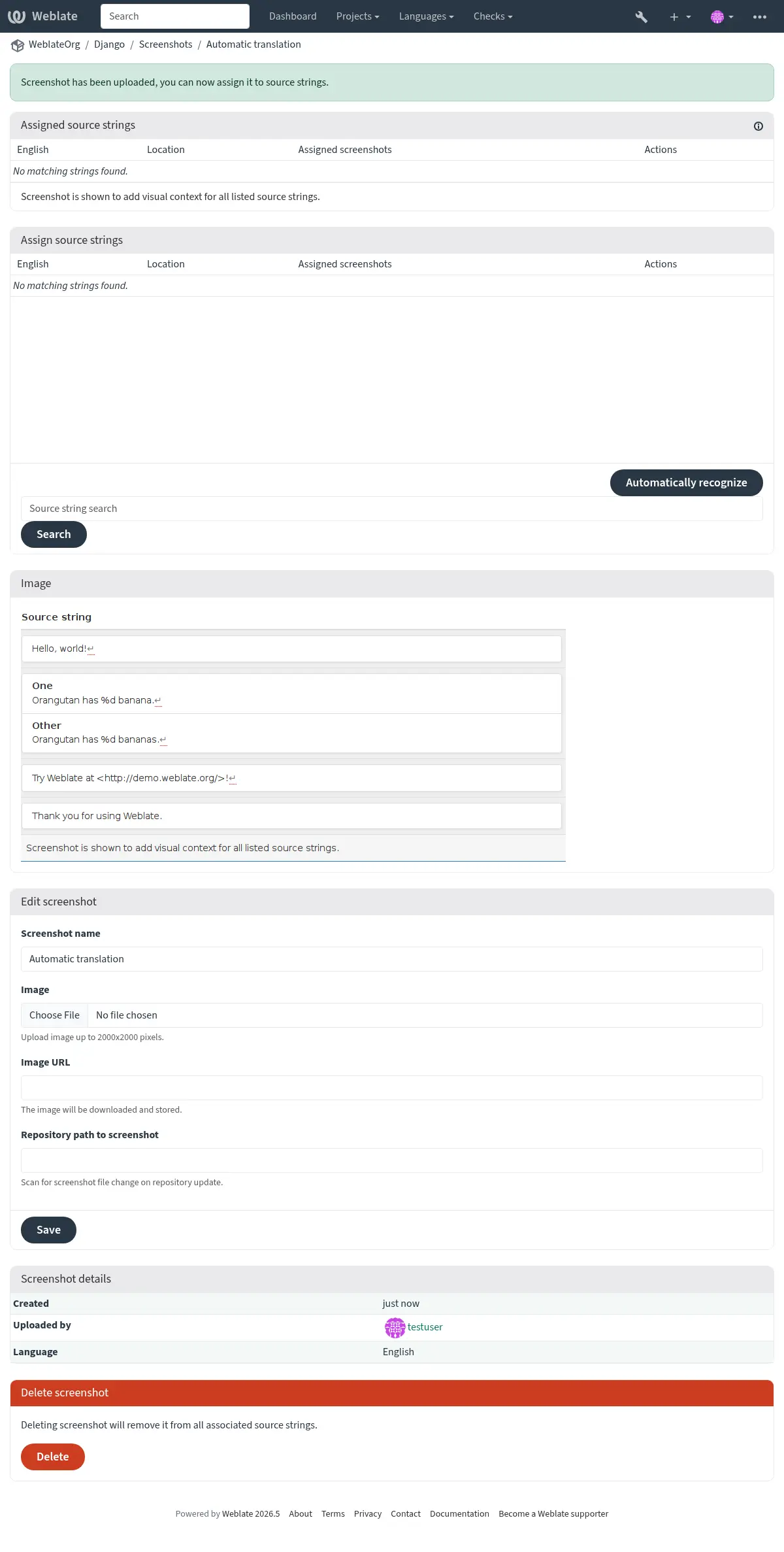
You can upload a screenshot from a local file, paste it from the clipboard, or
provide a URL to download an image from an external source. URL-based uploads
may be restricted based on the ALLOWED_ASSET_DOMAINS setting, which
controls which domains are trusted for downloading external assets, including
any redirects followed while fetching the image, and
ASSET_RESTRICT_PRIVATE, which rejects internal or non-public targets
unless they are included in ASSET_PRIVATE_ALLOWLIST. The
ALLOWED_ASSET_SIZE setting limits maximal size for the asset.
Managing screenshots from the repository
You can add or update screenshots directly from your Version Control System (VCS) repository.
To enable this feature, you can either set a screenshot file mask when creating a component, which will be monitored for updates in the repository, or you can add or update screenshots when uploading them manually.
To connect a manually uploaded screenshot with later repository updates, fill in Repository path to screenshot with the path tracked in the repository.
When the repository is updated, the system will automatically scan for changes. Existing screenshots in the repository will be updated, and new screenshots matching the specified screenshot file mask will be added to the component.
Managing screenshots through the API
Screenshot workflows are also available through the REST API. Use
GET /api/components/(string:project)/(string:component)/screenshots/
to list screenshots for one component, POST /api/screenshots/ to
create screenshots,
POST /api/screenshots/(int:id)/file/ to replace the image,
POST /api/screenshots/(int:id)/units/ and
DELETE /api/screenshots/(int:id)/units/(int:unit_id) to manage source
string associations, and DELETE /api/screenshots/(int:id)/ to delete
screenshots. Screenshot API objects include the related translation and the
optional repository path used for repository-based updates.