管理介面
管理介面在 /manage/ 下面提供管理設定。它對於具有管理特權的登入使用者是可用的,透過使用右上角的扳手圖示來存取:
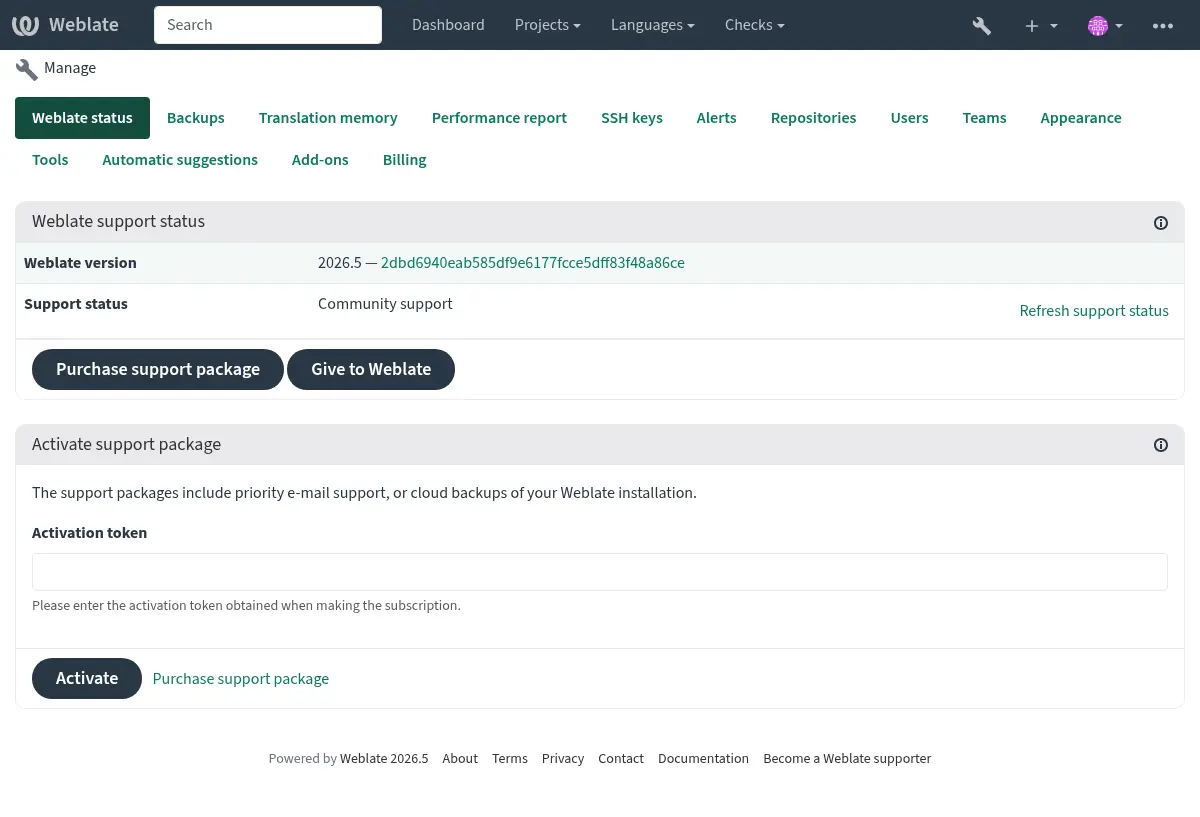
它包括您 Weblate 的基本概覽:
支援狀態,請參閱 從 Weblate 獲得支援。
備份,請參閱 備份和移動 Weblate。
共享的翻譯記憶,請參閱 翻譯記憶。
效能報告 to review Weblate health and length of Celery queues.
SSH 金鑰管理,請參閱 SSH 儲存庫。
所有組件的警報概覽,請參閱 翻譯組件警告。
使用者與團隊,請參閱 站點範圍存取控制。
外觀自訂。
配置 自動建議。
Configure site-wide addons, see 附加元件.
效能報告
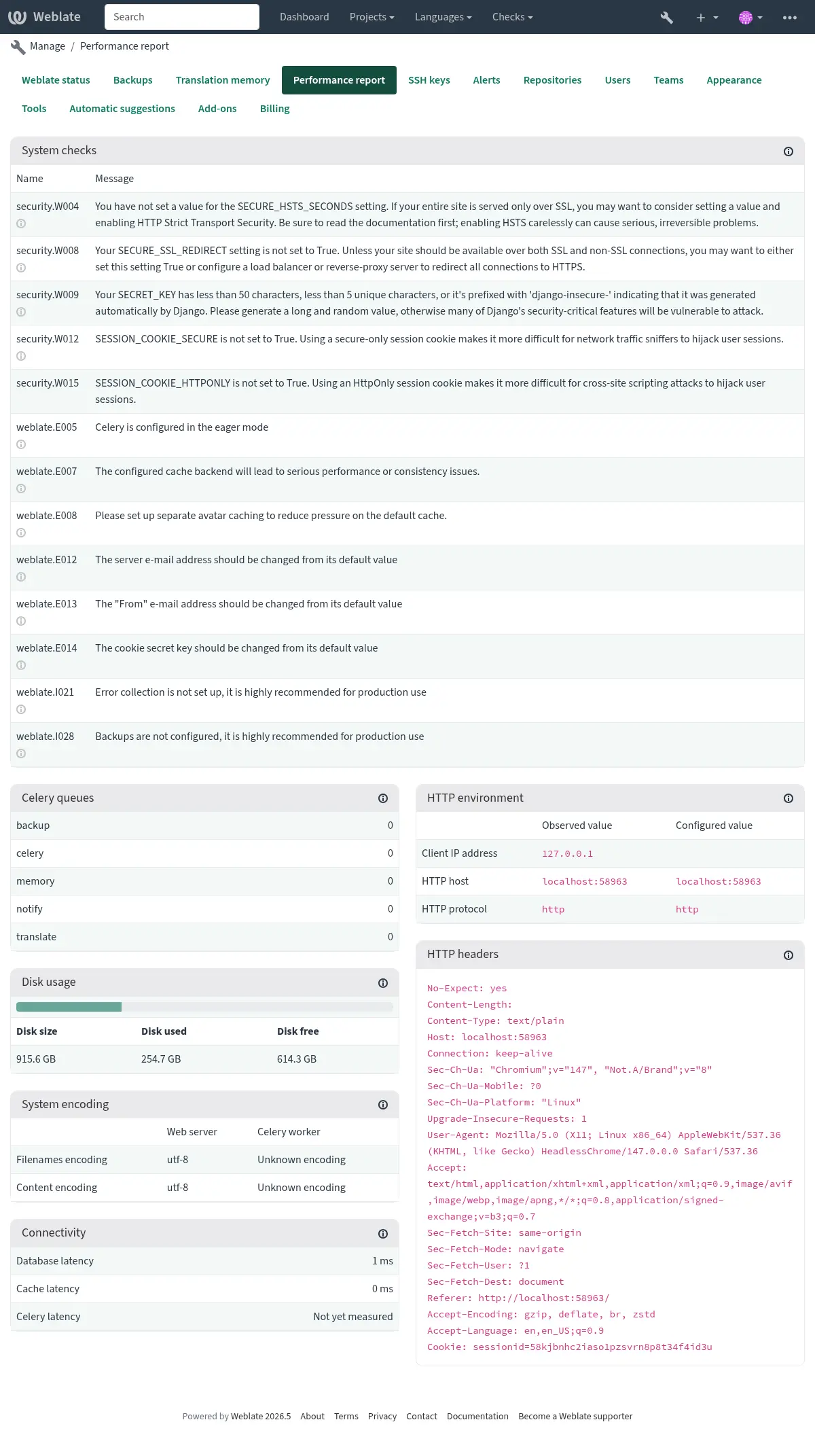
This page provides an overview of Weblate configuration and performance status.
Configuration errors indicate issues present in your environment. It covers missing optional dependencies (see Python 依賴項), configuration issues or delayed processing of background tasks (see 使用 Celery 的背景工作).
System checks lists possible configuration issues. These can be
silenced using SILENCED_SYSTEM_CHECKS, see also
Deployment checklist.
Celery queues provides overview of Celery queues. These typically
should be close to zero. The same can be obtained on the command line using
celery_queues.
HTTP environment allows you to see HTTP environment observed by Weblate. This is useful when debugging reverse proxy configuration, see 在反向代理後面執行. HTTP headers shows complete HTTP request headers to provide additional information.
System encoding should list UTF-8 encoding in all processes.
This needs to be configured in your system, see 系統的地區與編碼.
Connectivity shows latencies to the database, cache, and Celery. This might be useful to diagnose connectivity issues.
外觀自訂
在 4.4 版被加入.
備註
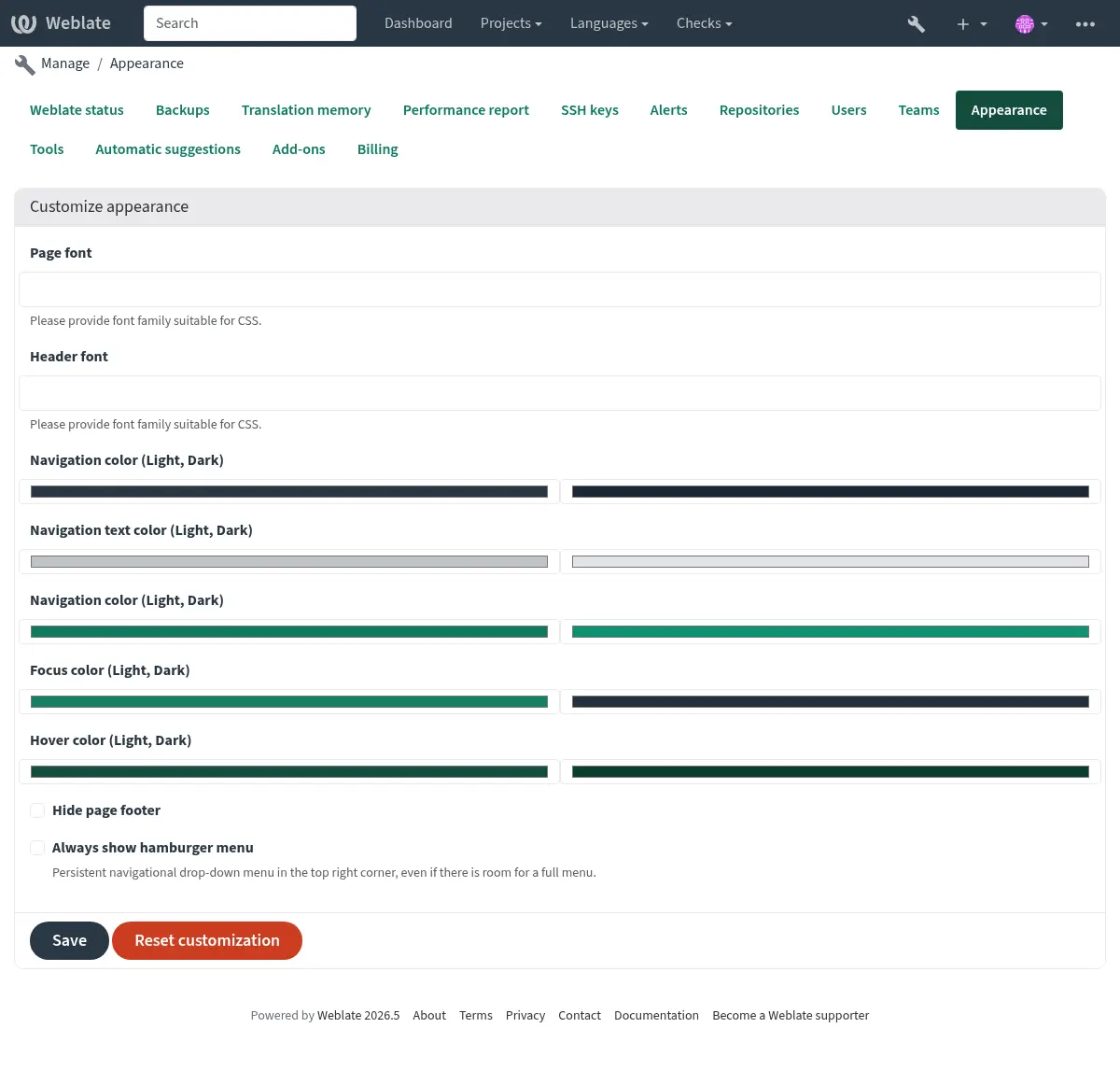
The colors are currently used in both dark and light theme, so be careful when choosing them.
可以在此處自訂色彩、字型及頁面外觀。
If you are looking for more customization, see 客製 Weblate.
Django 管理介面
警告
Use with caution as this is a low level interface. You should not need it in most cases as most things are comfortably approachable through Weblate UI or API.
可以在這裡管理資料庫中儲存的物件,如使用者、翻譯和其他設定:
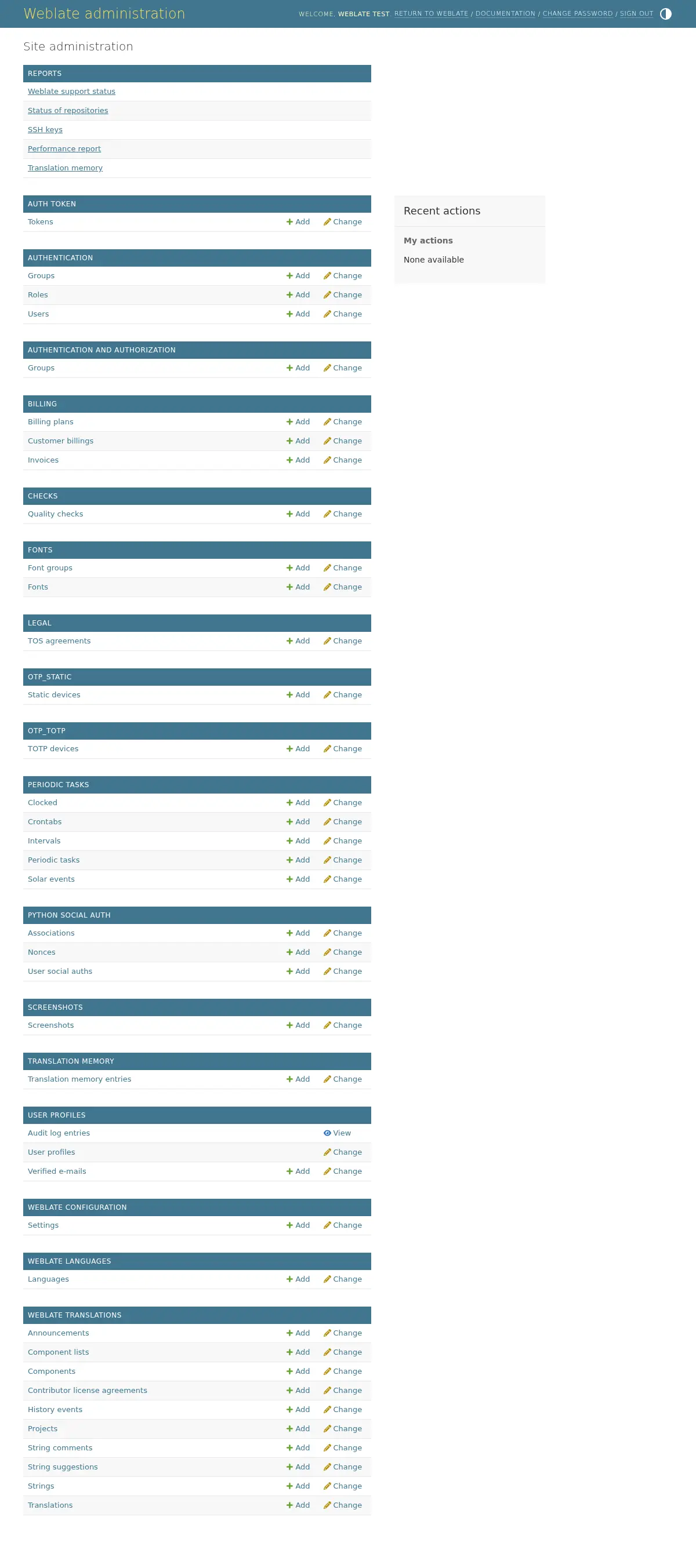
在 Reports 部分,可以檢查網站的狀態,為 生產設定 進行調整,或者管理用於存取的 SSH 金鑰 存取儲存庫。
管理任意部分下的資料庫物件。最有趣的也許是 Weblate translations,您可以在這裡管理可翻譯的專案,請參閱 專案配置 和 組件配置。
Weblate languages 保持語言定義,在 語言定義 中進一步解釋。
加入一個專案
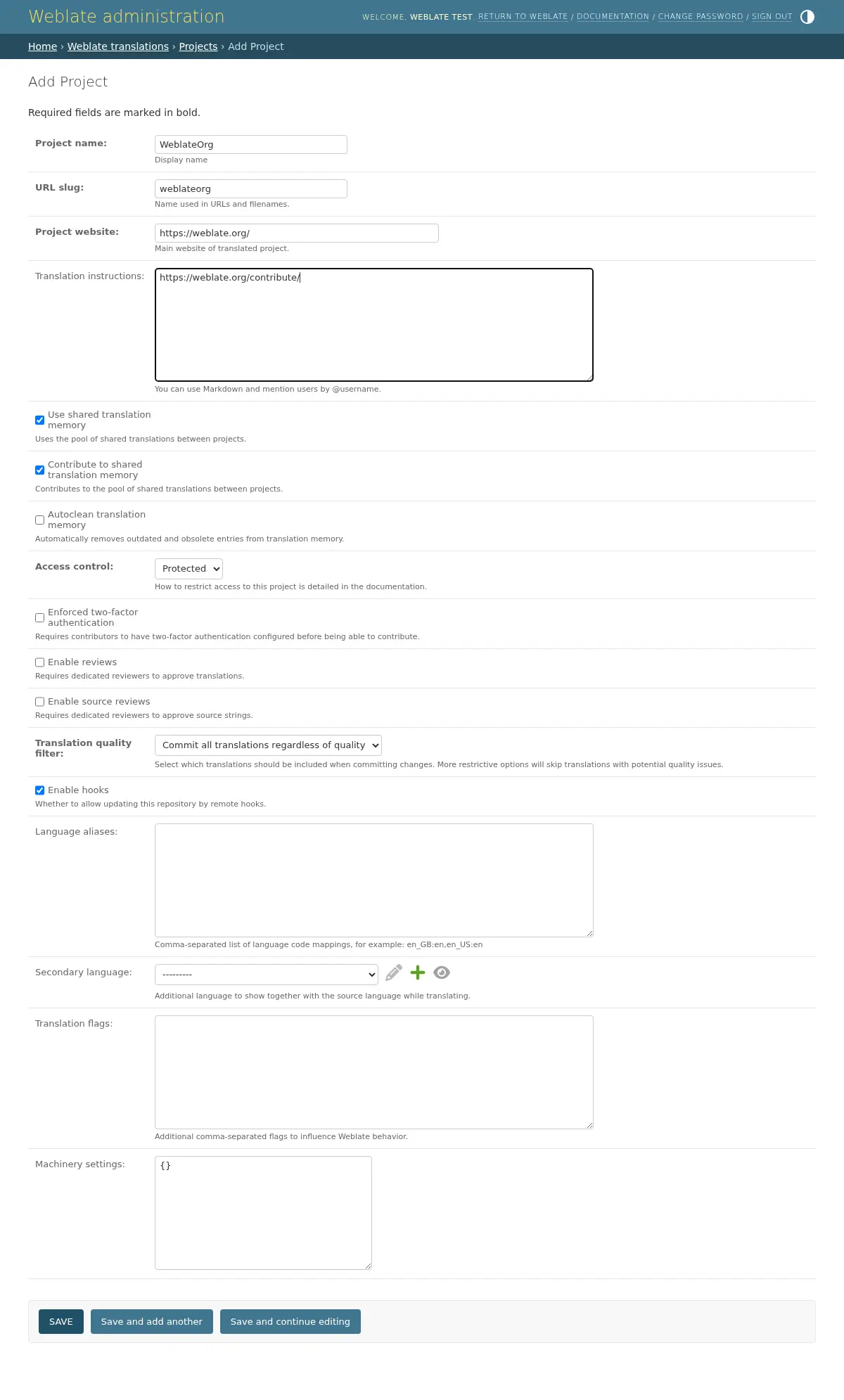
新增專案作為所有組件的容器。通常可以為一部分軟體或圖書(各自參數的資訊請參閱 專案配置 )來建立一個專案:
也參考
雙語言組件
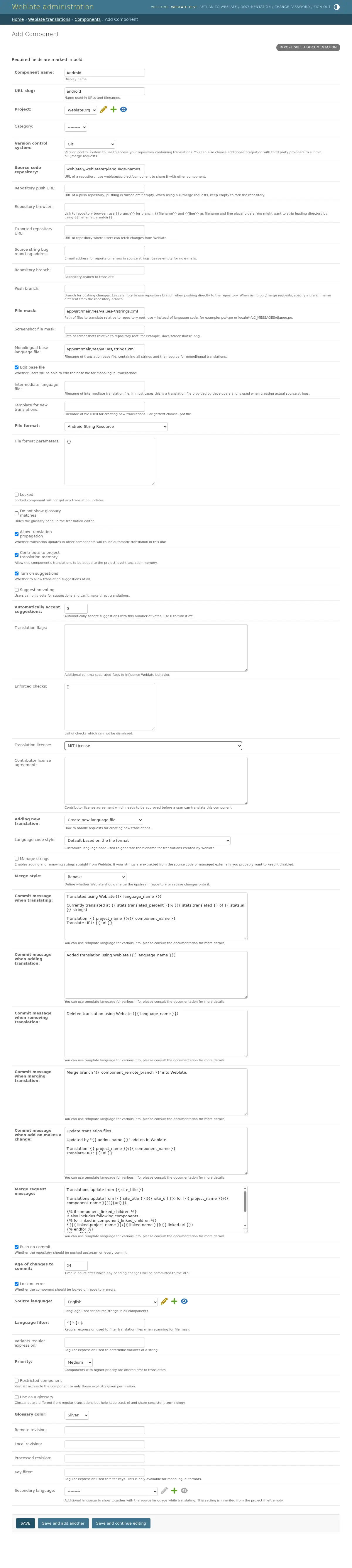
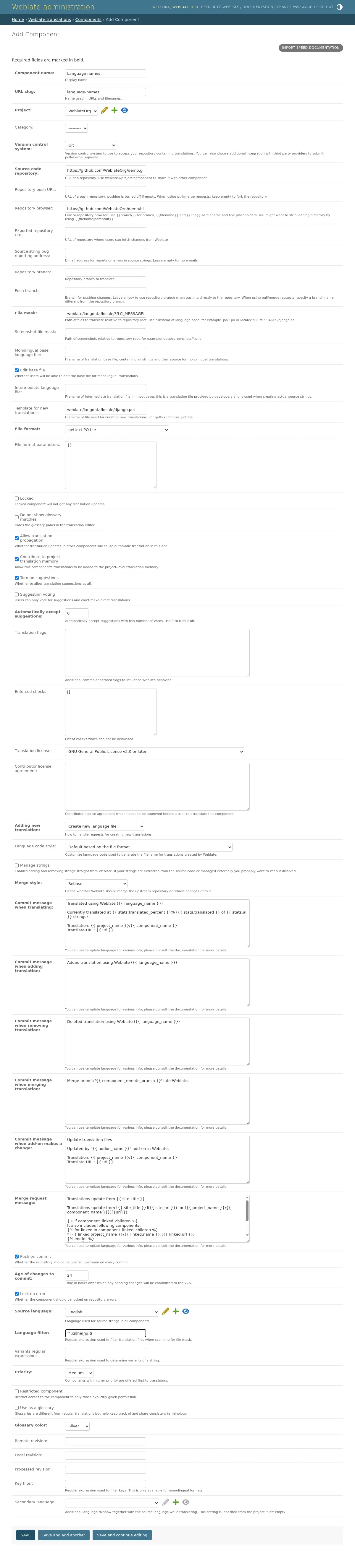
一旦新增了一個專案,就可以新增翻譯組件了。 (關於各自參數的資訊,請參閱 組件配置 ):
單語言組件
為了使這些翻譯更容易,提供了範本檔案,包含了各自來源語言的對應資訊 ID (通常為英語)。 (對於各自參數的資訊,請參閱 組件配置 ):