翻譯組件警告
為任何給定的翻譯組件在 Weblate 配置或翻譯專案中顯示錯誤。還提供瞭如何將找到的問題定位的指南。
目前覆寫後面的內容:
翻譯文件中複製的來源字串
翻譯中複製的語言
Merge, update, or push failures in the repository
解析翻譯文件中的錯誤
Billing limits (see 帳單)
Repository containing too many outgoing or missing commits
缺少授權條款
Errors when running add-on (see 附加元件)
單語翻譯設定錯誤。
損壞的 組件配置
損壞的 URL
未使用的螢幕擷圖
模稜兩可的語言代碼
在組件設定中未使用的新基礎
複製連結組件使用的檔案遮罩
Conflicting merge request repository setup
Component seems unused (configurable by
UNUSED_ALERT_DAYS)
The alerts are updated daily, or on related change (for example when 組件配置 is changed or when repository is updated).
Project website availability checks can be disabled using
WEBSITE_ALERTS_ENABLED, in which case Weblate will no longer
generate alerts for unreachable project websites.
警告在每個各自組件頁面上列為 Alerts。如果遺失的話,組件會清除所有目前的檢查。警告不能被忽略,但一旦潛在的問題被修復就會消失。
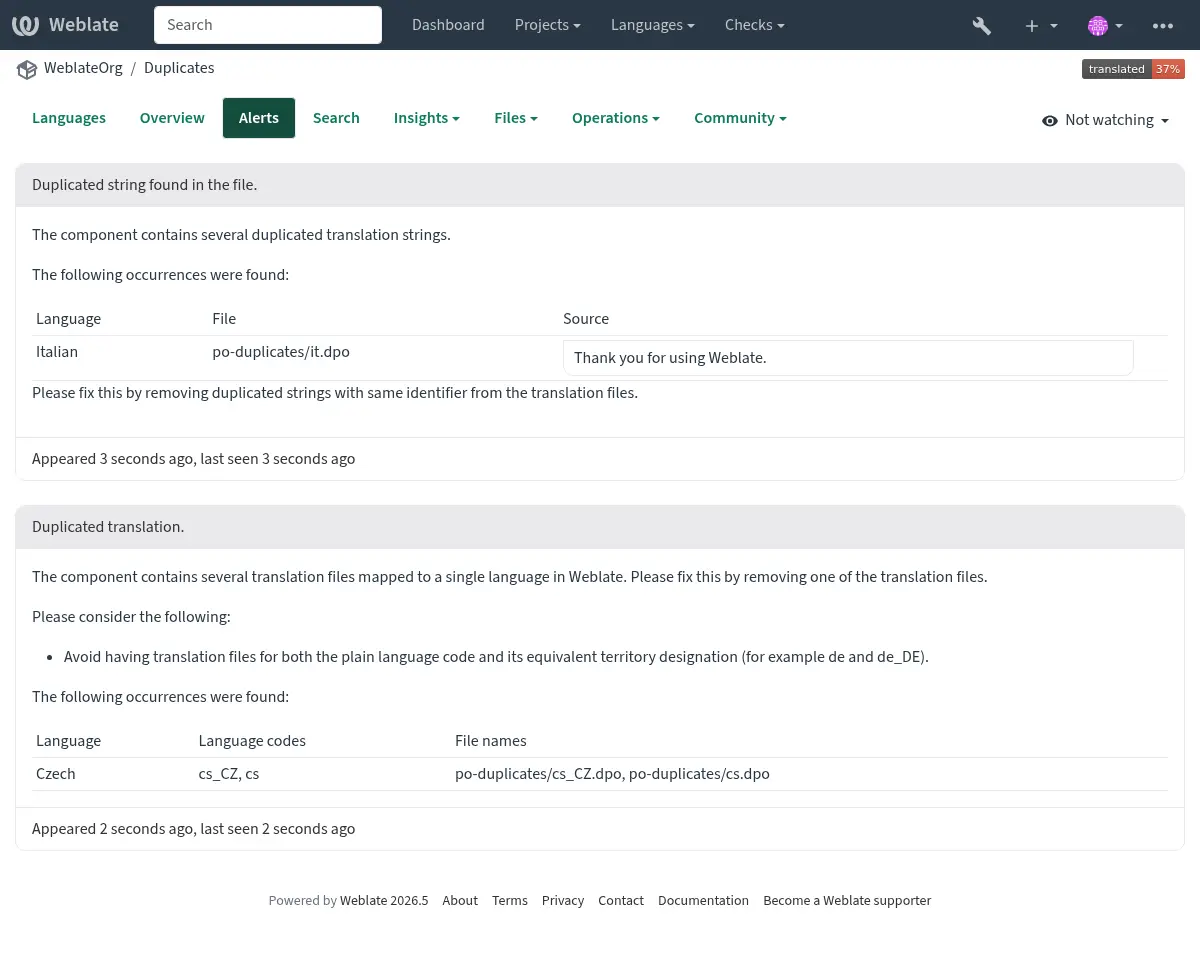
帶有複製的字串和語言的組件看起來像這樣:
Conflicting repository setup
This alert is shown when multiple Git components are configured to push to the same repository and push branch. This includes pull or merge request workflows, and direct pushes to Git repositories. Such a setup can overwrite the shared branch.
To resolve this, either configure a different Push branch for each
component or share the repository between components using a
weblate://project/component repository URL.
也參考