詞彙表
Each project can include one or more glossaries as a shorthand for storing terminology. Glossaries help to maintain consistency of the translation.
可以自己管理每種語言的詞彙表,但它們作為一個單個組件一起儲存,可幫助專案管理員和多語言翻譯人員來維持一些跨語言一致性。從包含目前翻譯的字串的詞彙表中的詞彙表中的術語顯示在翻譯編輯器的側欄中。
提示
The glossary terms are not used in quality checks unless you enable that, see 與詞彙表不同 for more information.
管理詞彙表
在 4.5 版的變更: 詞彙表現在是常規的翻譯組件,您可以使用它們上的所有 Weblate 功能 - 評論,儲存在遠端儲存庫中,或新增說明。
使用任何組件作為詞彙表,方法是開啟 當作詞彙表。您可以為一個專案建立多個詞彙表。
An empty glossary for a given project is automatically created with the project. Glossaries are shared among all components of the same project, and optionally with other projects using 分享專案 from the respective glossary component.
詞彙表組件看起來像Weblate中的任何其他組件,其中新增彩色標籤:
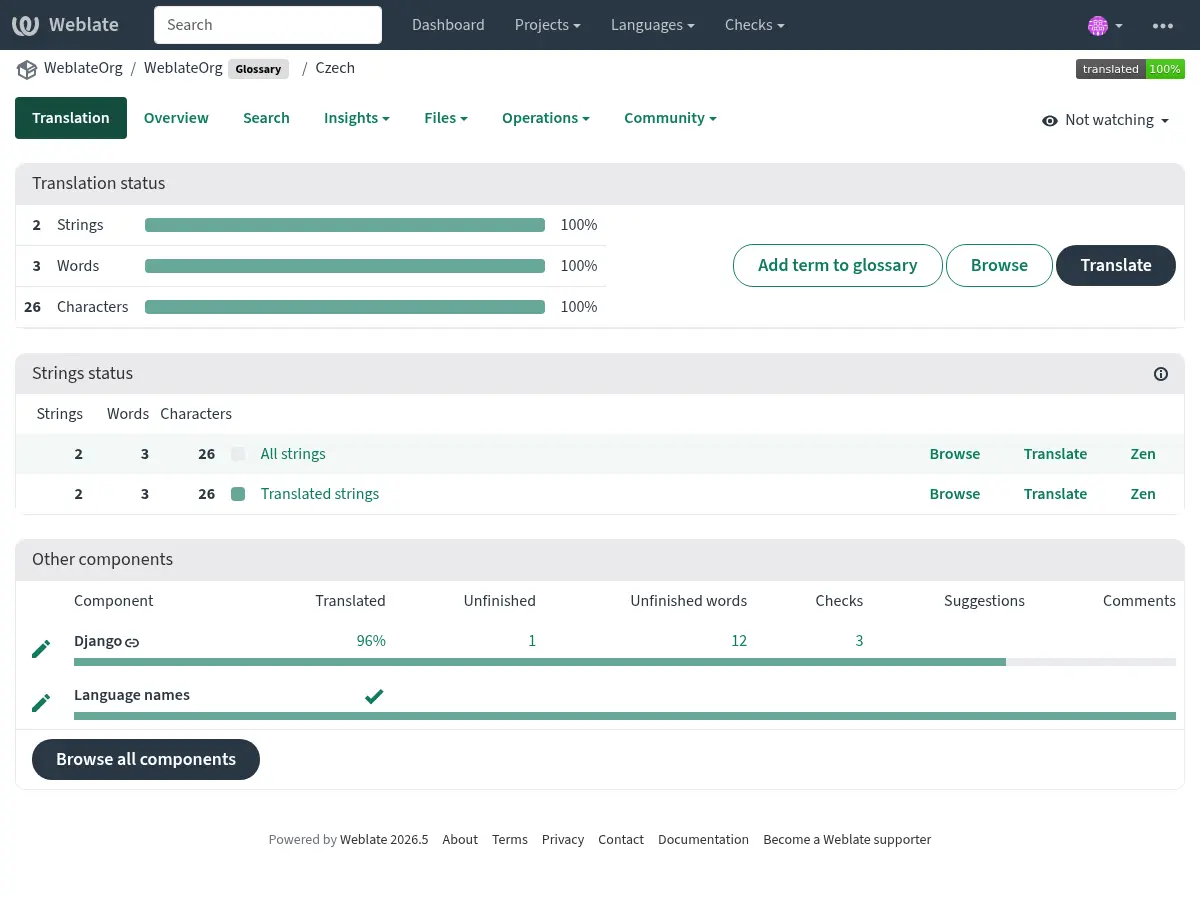
您可以瀏覽所有詞彙表術語:
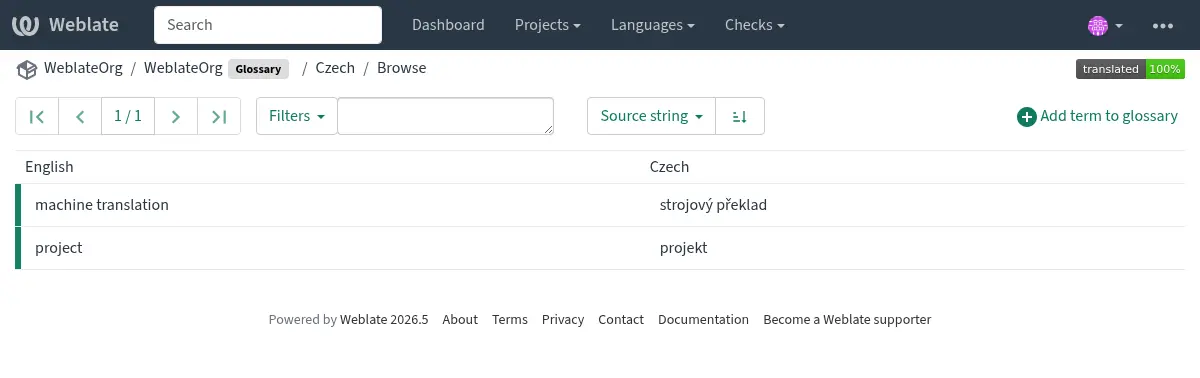
或將它們編輯為任何翻譯。
詞彙表術語
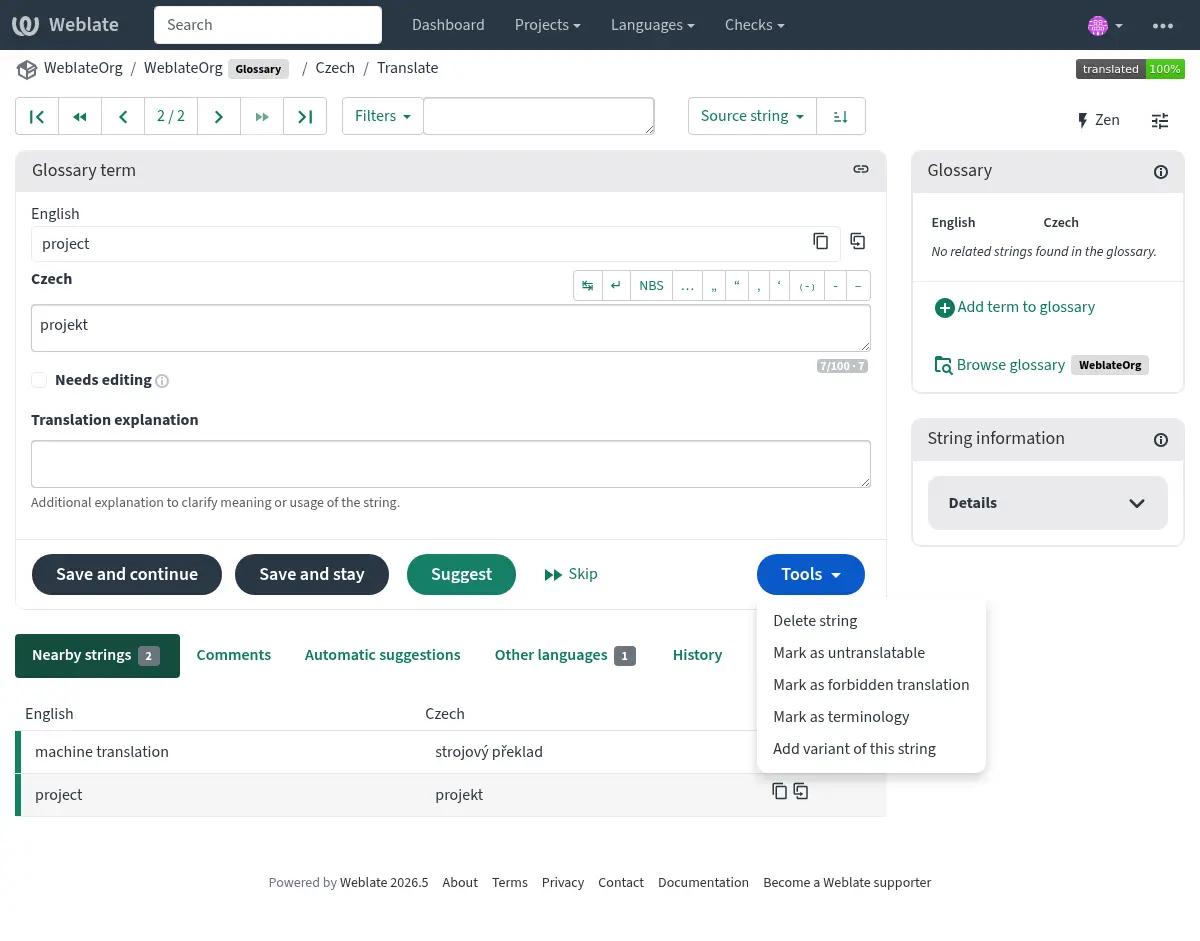
詞彙表術語翻譯相同的常規字串。您可以使用以下內容切換其他功能工具選單,每個術語。
也參考
不可翻譯的術語
在 4.5 版被加入.
標記某些詞彙表術語翻譯 唯讀的 by 批量編輯,鍵入旗標,或使用 Tools ↓ 標註為唯讀意味著它們無法翻譯。使用此用於品牌名稱或其他不應以其他語言變更的術語。這些術語在詞彙表側邊條中標明。
也參考
禁止的翻譯
在 4.5 版被加入.
Flagging certain glossary term translations as forbidden by bulk-editing,
typing in the flag, or by using Tools ↓ Mark as forbidden translation
means they are not to be used. Use this to clarify translation when some words are
ambiguous or could have unexpected meanings.
也參考
專有名詞
在 4.5 版被加入.
Flagging certain glossary terms as terminology by bulk-editing, typing in the flag,
or by using Tools ↓ Mark as terminology adds entries for them
to all languages in the glossary. Use this for important terms that should
be well thought out, and retain a consistent meaning across all languages.
While the flag remains on the term, Weblate treats it as terminology and keeps an entry for it in every glossary language. If a language entry is removed, the next glossary synchronization creates it again.
Removing the terminology flag stops this automatic maintenance, but it does
not remove or otherwise revert entries that were already created. They remain
regular glossary entries.
也參考
變體
變體是將字串組合在一起的通用方式。在翻譯時,所有術語變體都列在詞彙表側邊條中。
提示
您可以使用它來新增縮寫或縮短表達式。
也參考
詞彙表匯入
Similar to regular translation components, you can upload existing glossaries to Weblate. Formats like CSV 檔案 or TermBase eXchange 格式 are supported and can be uploaded, see 上傳翻譯.
Glossaries in automatic suggestion
在 5.3 版被加入.
Some automatic suggestion services utilize glossaries during the translation, please consult their documentation in 自動建議 to see the support.
The glossary is processed before exposed to the service:
Duplicate source entries are not allowed, any additional entries with the same source are skipped.
Any control characters and leading and trailing whitespace are stripped.
禁止的翻譯 are skipped.
備註
Many services store glossaries server-side and enforce limit on the number of saved glossaries. Weblate always deletes the oldest glossary if it runs out of space.