註冊和使用者資料
註冊
預設情況下,每個人都可以瀏覽專案,查看翻譯或建議翻譯。只允許註冊使用者實際儲存變更,並為每種翻譯歸功於所做的。
您可以透過以下幾個簡單的步驟註冊:
使用憑證填寫註冊表格。
透過您收到的電子郵件中的連結啟用註冊。
(可選)調整您的個人資料以選擇您知道的語言。
儀表板
登入時,您將看到專案和組件的概覽,以及各自的翻譯進度。
預設顯示您正在關注的專案組件,並通過您的首選語言交叉引用。
提示
您可以使用導覽列中的分頁切換到不同的檢視方式。
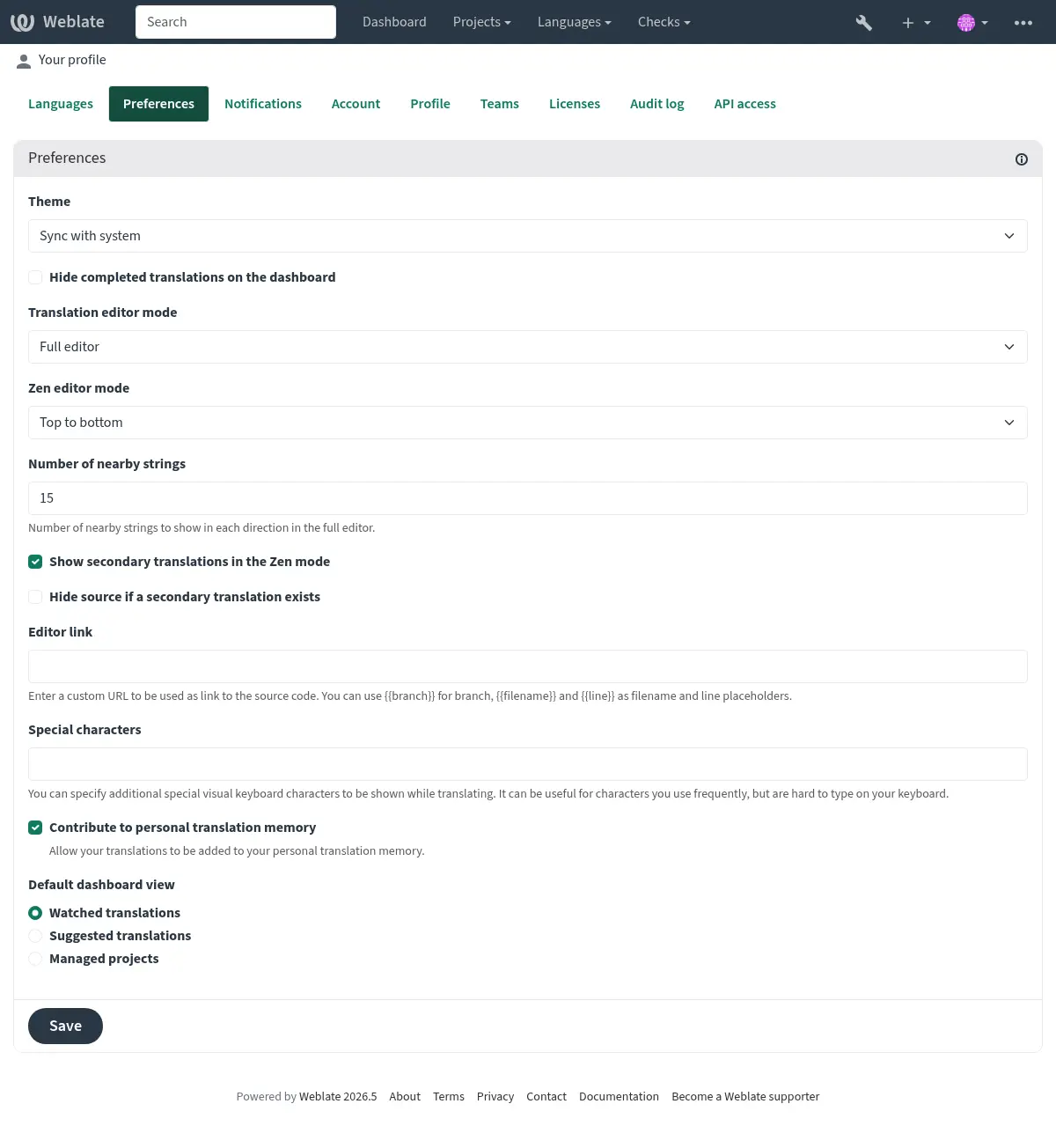
選單有這些選項:
專案 > 瀏覽所有專案主選單中顯示了 Weblate 實例上的每個專案的翻譯狀態。
在主選單中選取一種語言 語言 (語言)將顯示所有專案的翻譯狀態,由您的主要語言之一篩選。
監看翻譯儀表板中的翻譯將顯示只有您正在監看的專案的翻譯狀態,由您的主要語言篩選。
In addition, the drop-down can also show any number of component lists, sets of project components preconfigured by the Weblate administrator, see 組件清單.
You can configure your personal default dashboard view in the Preferences section of your user profile settings.
備註
當使用以下專案配置 Weblate 時 SINGLE_PROJECT 在 settings.py 檔案(請參閱 配置),儀表板將不會顯示,當使用者將被重新導向到單個專案或組件。
使用者個人檔案
單擊頂部選單的右上角的使用者圖示可以存取使用者個人檔案,然後單擊設定選單。
The user profile contains your preferences. Name and e-mail address are used in VCS commits, so keep this info accurate.
備註
所有語言選取僅提供目前翻譯的語言。
提示
請求或新增要通過單擊按鈕來翻譯的其他語言,以使其成為可用。
語言
介面語言
選擇您想要顯示使用者介面的語言。
想翻譯成哪些語言
Choose which languages you prefer to translate, and they will be offered on the main page of watched projects, so that you have easier access to all these translations in each of those languages.
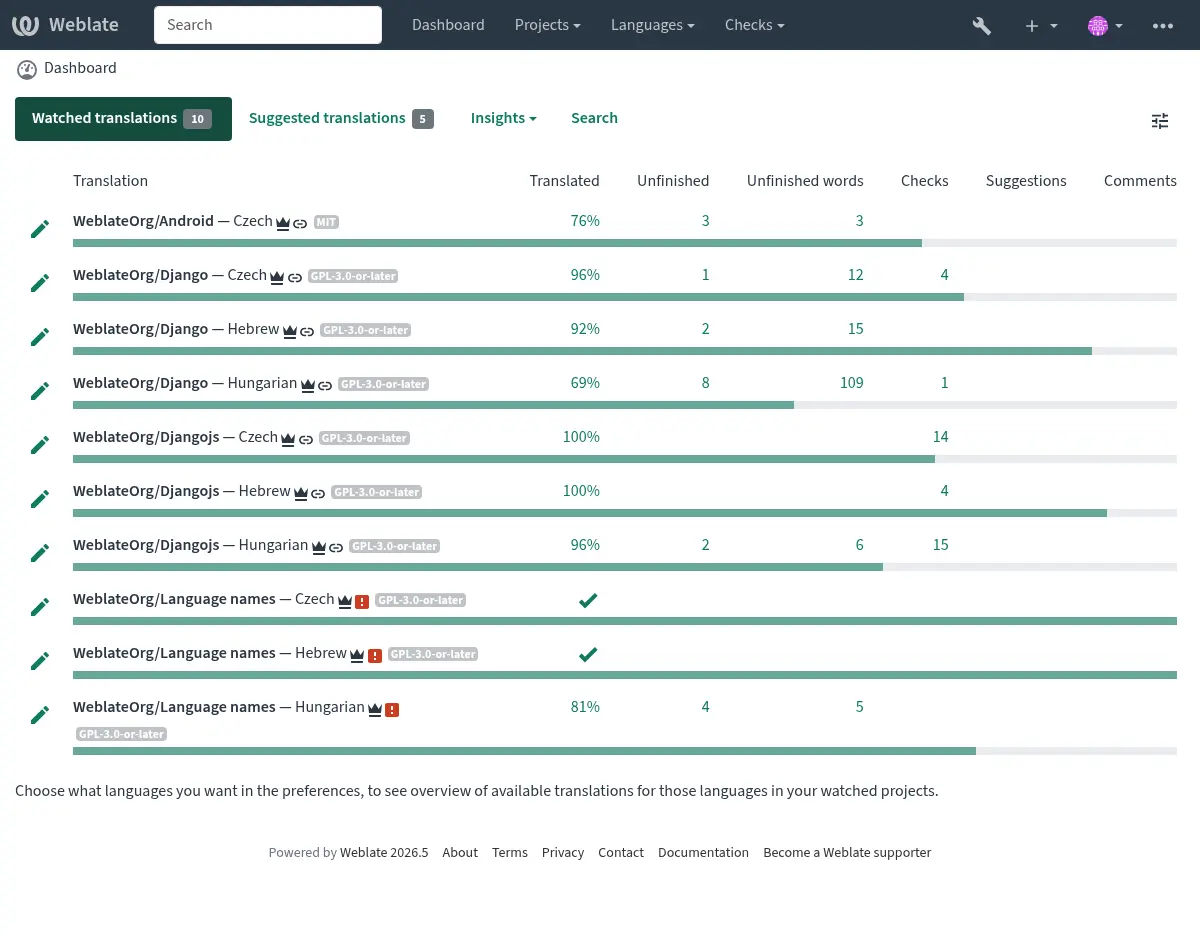
第二語言
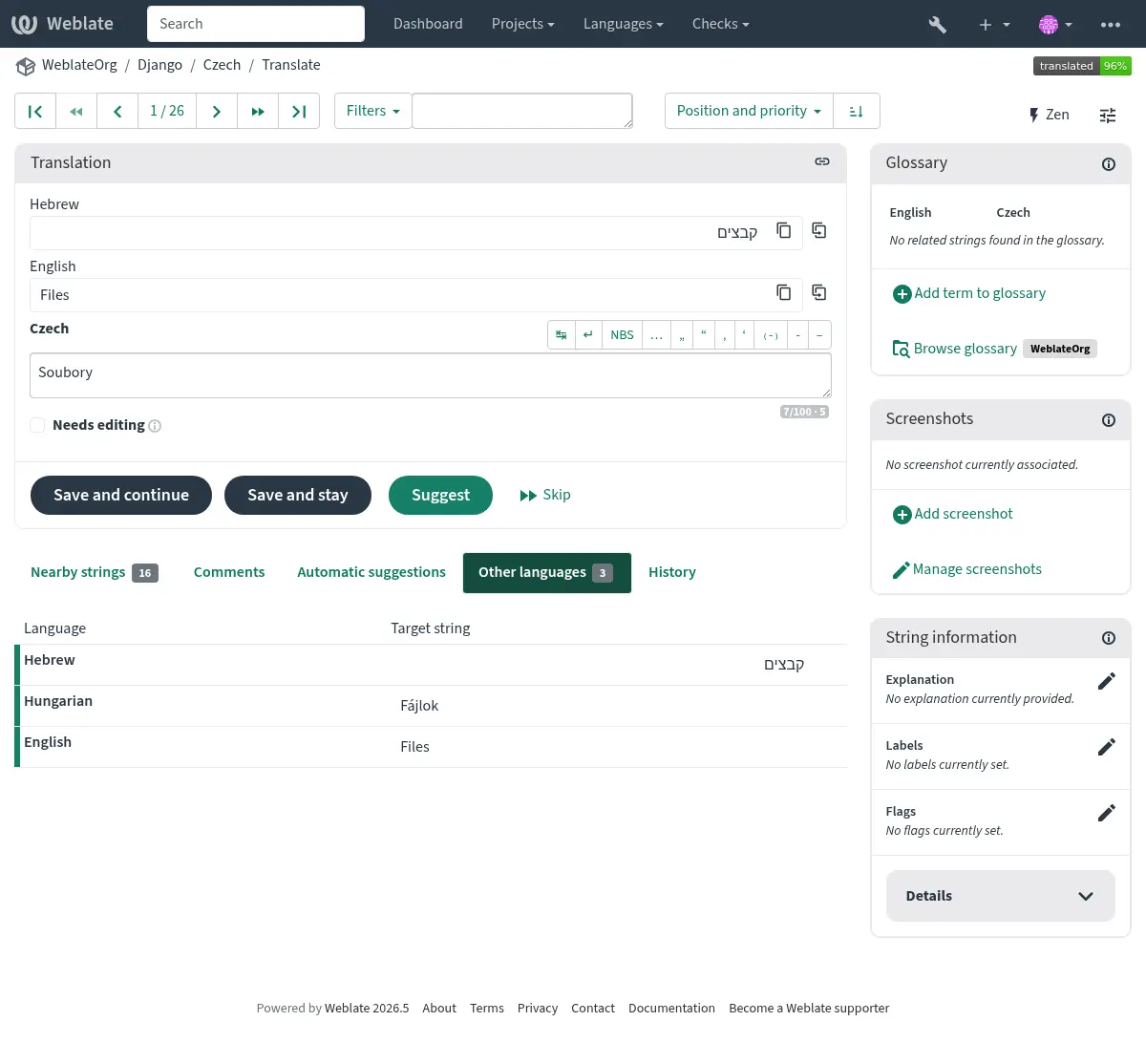
您可以在翻譯時將哪些輔助語言作為指南顯示為指南。在以下圖像中可以看到一個範例,其中希伯來語如下所示:
提示
This can be also configured in the project (第二語言) or component (第二語言). In that case it can be used for String consolidation using secondary language.
偏好設定
主題
Choose whether Weblate follows system settings for dark or light theme, or choose one of them manually.
預設儀表板檢視
在偏好設定分頁,您可以預設選擇要呈現的可用儀表板檢視。如果選擇組件清單,則必須從以下內容中選取哪些組件清單預設組件清單下拉選單。
也參考
編輯器連結
在預設情況下,原始碼連結會顯示在 組件配置 中配置的 Web 瀏覽器中。
提示
通過設定 編輯器連結,您可以使用本地編輯器開啟翻譯字串的 VCS 原始碼檔案。您可以使用 範本標記。
Usually something like editor://open/?file={{filename}}&line={{line}} is a good option.
也參考
您可以在 Nette 文件 中找到更多關於註冊編輯器自訂 URL 協定的資訊。
特殊字元
要包含在 模擬鍵盤 的額外特殊字元。
通知
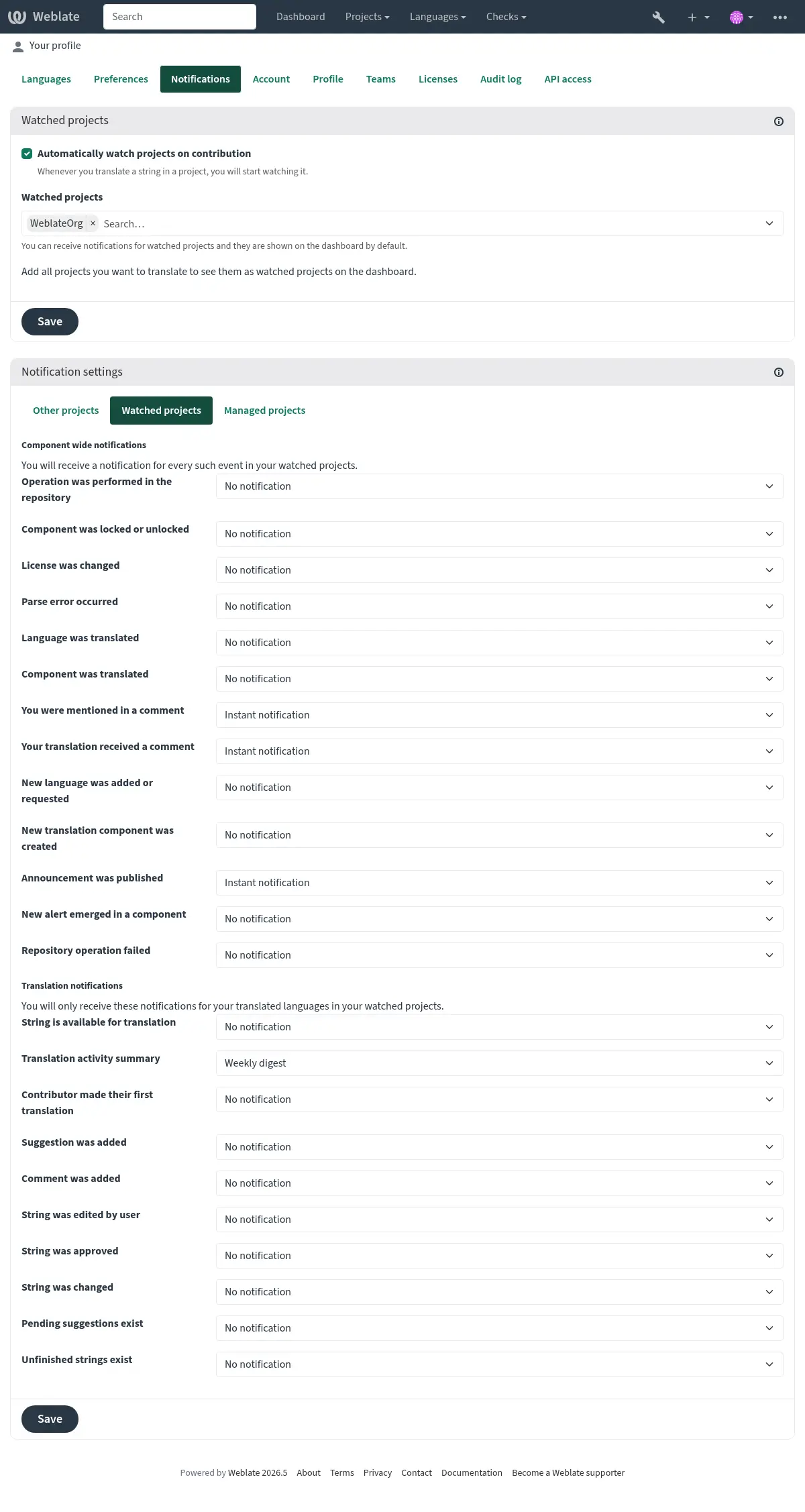
訂閱來自通知選項卡的各種通知。觀看或管理專案的所選事件的通知將每次發送電子郵件發送給您。
其中一些通知僅用於語言中的事件(例如,關於要轉換的新字串),而組件級別的某些觸發(例如合併錯誤)。這兩種通知在設定中可視化。
The Translation activity summary notification is digest-only and summarizes added, updated, translated, approved, needs editing, and unfinished strings.
您可以切換監視專案和管理專案的通知,每個專案和組件都可以進一步調整(或靜音)。存取「組件概覽」頁面,然後選取以下選項 觀看 選單。
In case Automatically watch projects on contribution is enabled you
will automatically start watching projects upon translating a string. The
default value depends on DEFAULT_AUTO_WATCH.
備註
您將不會收到自身動作的通知。
提示
Sending out notifications is limited, you will not receive more than 1000 e-mails per day. Any further notifications for you will be discarded.
帳號
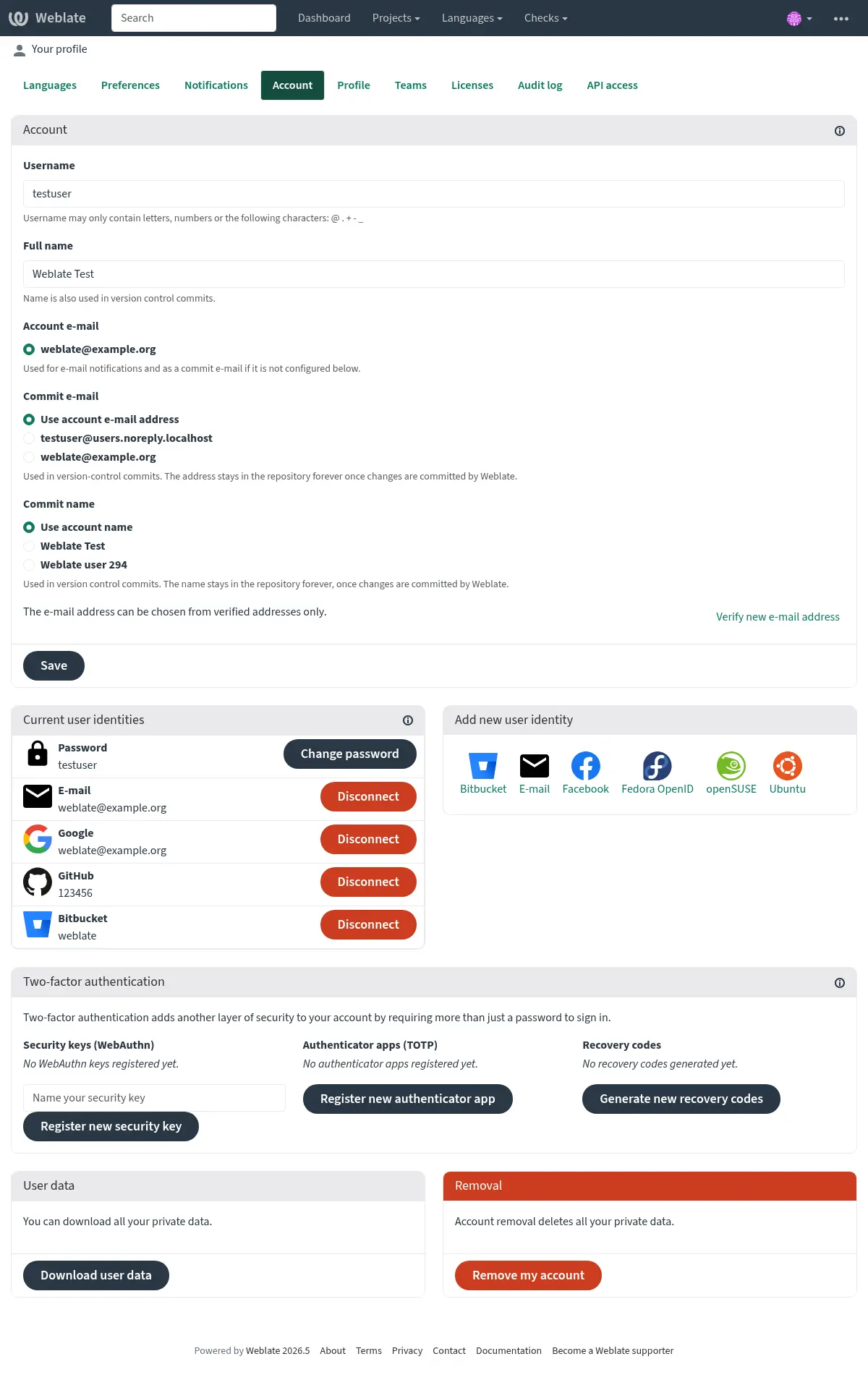
帳號 分頁讓您設定基本帳號資訊、連線其他登入服務並可透過它們來登入 Weblate、完整移除您的帳號或下載您的使用者資料(請參閱 Weblate user data export)。
The private commit e-mail will be used instead of your account e-mail in version
control commits. Use this to avoid leaking your real e-mail there. Be aware
that using different e-mail can disconnect your contributions on other servers
(for example your contributions will no longer link to your profile on GitHub).
The private e-mail can be turned on site-wide using
PRIVATE_COMMIT_EMAIL_OPT_IN.
備註
服務清單取決於您的 Weblate 配置,但可以包括 Gitlab、Github、Google、Facebook 或 Bitbucket 或其他 OAuth 2.0 提供者等流行網站。
個人檔案
此頁面上的所有欄位皆為選填,且可隨時刪除。一旦填入這些資訊,即表示您同意我們在您的個人檔案出現時分享這些資料。
Public profile URLs, such as Website URL, Contact URL, Fediverse URL, and Code site URL, should point to a website, contact, or profile page. Obvious direct file download links can be rejected, and public profile links show a warning before leaving Weblate where possible.
The Code site URL should use common code hosting profile paths,
such as /username or /~username; existing repository-style links such
as /username/project or /group/subgroup/project are also accepted. The
Fediverse URL
should use common profile paths, such as /username, /@username,
/web/@username, /users/username, /accounts/username,
/channel/username, /profile/username, /u/username, or
/people/identifier.
可以為每個使用者顯示頭像(取決於 ENABLE_AVATARS)。這些圖像是使用 https://gravatar.com/ 獲得的。
授權方式
API 存取
您可以在此處取得或重設 API 存取權杖。
稽核紀錄
稽核紀錄會追蹤您的帳號執行的操作。它會針對您的帳號的每個重要操作記錄 IP 位址與瀏覽器資訊。關鍵操作還會觸發通知,寄送至主要電子郵件位址。
也參考