Támogatás igénybevétele a Weblate-hez
A Weblate copyleft alapú szabad szoftver közösségi támogatással. A felhő szolgáltatás előfizetői elsőbbségi támogatásban részesülnek, külön díj nélkül. Előre megvásárolható támogatási csomagok bárki számára elérhetők, beleértve az önálló üzemeltetőket is. Az aktuális támogatási lehetőségekről a https://weblate.org/support oldalon talál részletes információt.
The Weblate által biztosított biztonsági mentési tárhely service is also available separately for self-hosted installations. It does not require a hosting or separate support subscription. You can purchase it from the Backups page in the management interface.
Támogatás integrálása
A megvásárolt támogatási csomagok opcionálisan integrálhatók a Weblate előfizetés-kezelő felületére, ahol közvetlen hivatkozás is elérhető lesz hozzájuk. Az alapvető példányinformációk a Weblate felé is továbbításra kerülnek ezen keresztül.
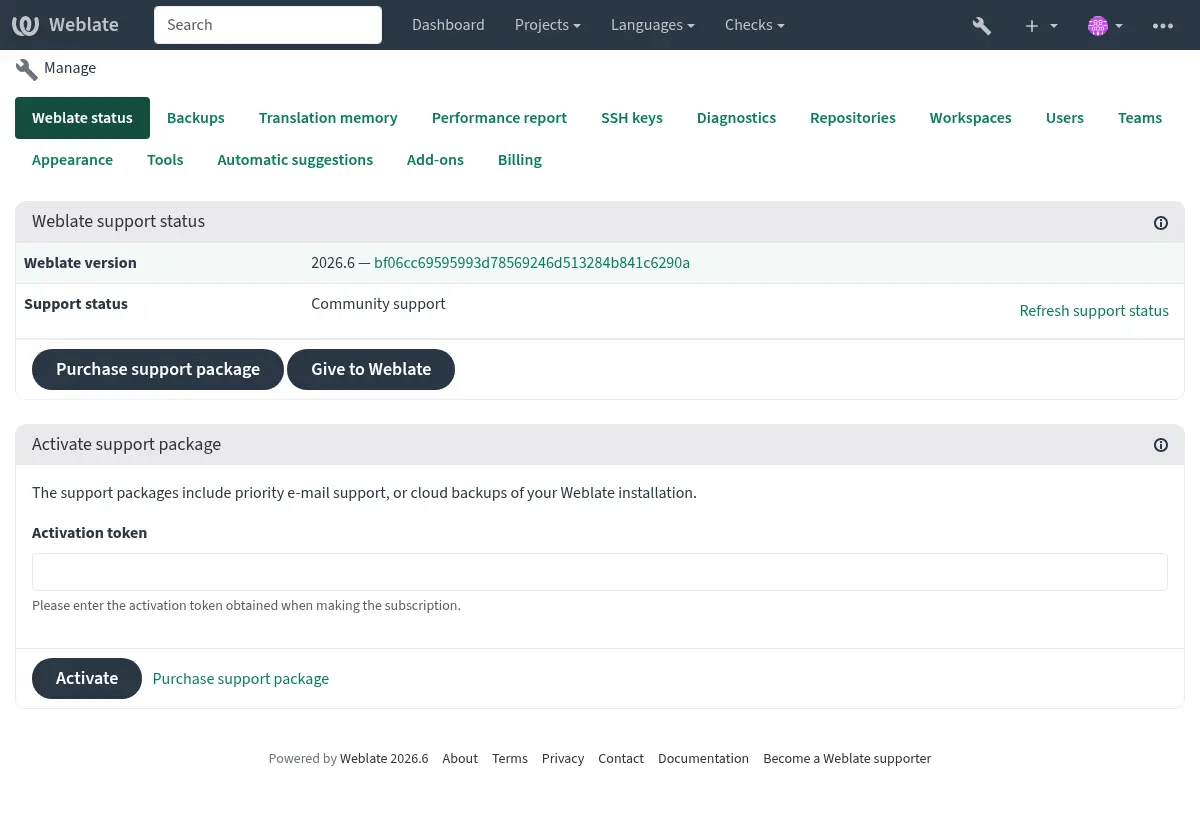
A Weblate részére küldött információk
A Weblate-példány URL-je
Az oldal címe
A futtatott verzió
A projektek, összetevők, nyelvek, forrásszövegek és felhasználók száma
A példány nyilvános SSH-kulcsa
Monthly activity summaries from the instance statistics for the last 24 completed months, used to monitor subscription activity and rank servers in Discover Weblate. Months without stored metrics are reported as zero.
Monthly activity uses the same cached summaries as the instance statistics page
at /stats/. These are trend indicators grouped by metric collection
month. Each daily metric counts the preceding day’s changes, so the September
summary covers changes from August 31 through September 29. This keeps completed
monthly summaries independent of the collection job on the first day of the
following month. Use Fordítási előrehaladás jelentése for reports over exact date ranges.
Továbbá, ha bekapcsolja a Weblate-felfedezés funkciót:
List of public and protected projects (name, URL, and website).
Tipp
Ellenőrizheti, hogy mit jelenít meg a Felfedezés nyilvánosan a Weblate-felfedezés leírásában.
Más adat nem kerül továbbításra.
Integrációs szolgáltatások
Ellenőrizze, hogy támogatási csomagja érvényes-e
Tipp
A megvásárolt támogatási csomagok automatikusan aktiválásra kerülnek a vásárláskor, és integráció nélkül is használhatók.
For installations without integrated support, the management page offers professional support for setup, maintenance, and troubleshooting. If you have already purchased support, link your package there so the installation can recognize it.
Superusers also receive a support reminder after login, at most once every
180 days per account. Use Continue to Weblate to return to the page
you were opening. The reminder does not apply to ordinary translators. Set
SUPPORT_STATUS_CHECK to False to disable this redirect, including
on community installations that do not need professional support. Docker
installations can use WEBLATE_SUPPORT_STATUS_CHECK.
Contacting customer care
Tipp
If you do not have a support package yet, please refer to the Hibák jelentése a Weblate-ben section for available community resources.
Subscribers can reach Weblate Care directly through the following channels:
Email support at care@weblate.org.
The support form is available in the Weblate management interface after Támogatás integrálása.
A subscription ensures timely and reliable help with setup, maintenance, and troubleshooting.
Megjegyzés
Sending encrypted content
If you want to send an encrypted content, please use the public key for
care@weblate.org with ID 0961 62CE 141D 7FE4 B15D A9FA 73D9 298A CB26
03F0.
This public key is available on the most commonly used key servers, using WKD or directly from weblate.org.
Weblate-felfedezés
Added in version 4.5.2.
A Felfedezés egy opcionális szolgáltatás, amely megkönnyíti a fordítók számára más Weblate példányok és közösségek megtalálását. A felhasználók böngészhetik a regisztrált oldalakat és projekteket a https://weblate.org/discover/ címen.
Felvétel a listába
A 2026.7.1 verzióban változott: Discover Weblate registration can be started directly from the management interface without manually copying the activation token.
Megjegyzés
Make sure you are OK with publishing your instance name, URL, tally of projects, components, and users, together with names of public and protected projects for use on Discover.
Use the Discover Weblate panel in the management interface to manage the listing. If you have an activated support package, list your server by clicking Enable discovery. If the instance is not connected to weblate.org yet, start the registration by clicking Enable Discover Weblate:
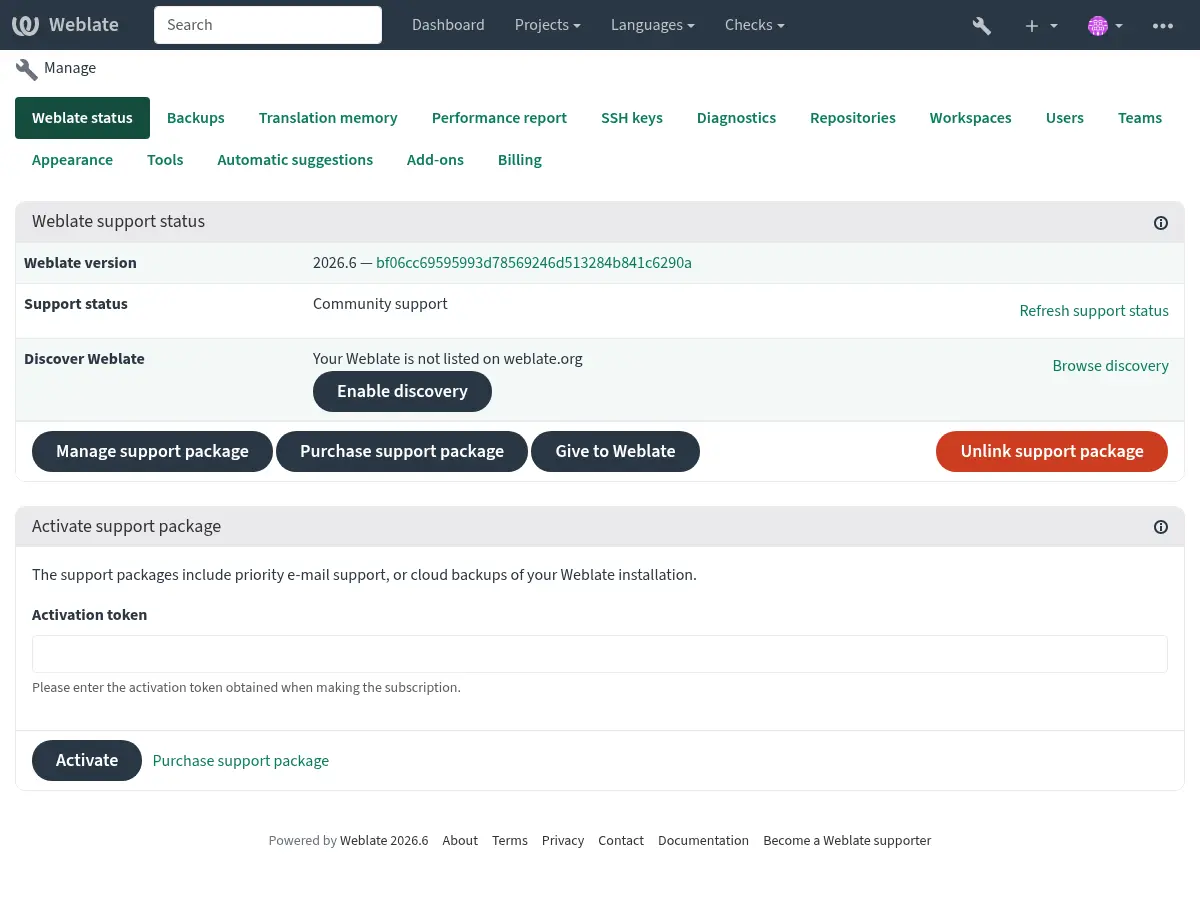
This opens the registration form on weblate.org and returns to your Weblate management interface to complete activation with discovery already enabled. The registration flow can be used from an account that has a support subscription, but it registers the Discover Weblate listing; activating a purchased support package is handled by Támogatás integrálása. Unlinking the support package disables the Discover Weblate listing.
All steps for listing a server manually, for example from older Weblate versions:
Regisztráljon a https://weblate.org/user/ oldalon
Regisztrálja Weblate-példányát a https://weblate.org/subscription/discovery/ oldalon
Copy the activation token into your Weblate management interface.
Confirm you want your Weblate listed by clicking Enable discovery from the Discover Weblate panel:
Listázás testreszabása
Javasolt egy kép (570 × 260 pixel) és egy leírás megadása a https://weblate.org/user/ oldalon a példány láthatóságának növelése érdekében.