Translation component diagnostics
Shows errors in the Weblate configuration or the translation project for any given translation component. Guidance on how to address found issues is also offered.
Currently the following is covered:
Duplicated source strings in translation files
Duplicated languages within translations
Merge, update, or push failures in the repository
Parse errors in the translation files
Billing limits (see Billing)
Repository containing too many outgoing or missing commits
Missing licenses
Errors when running add-on (see Add-ons)
Unavailable AI evaluation services and recommendations to configure AI quality evaluation when an LLM service is available
Misconfigured monolingual or bilingual translation.
Broken Component configuration
Broken URLs
Unused screenshots
Ambiguous language code
Unused new base in component settings
Duplicate file mask used for linked components
Conflicting merge request repository setup
Component seems unused (configurable by
UNUSED_ALERT_DAYS)Unused glossary languages
Disabled string management in local glossaries or glossaries containing terminology
The alerts are updated daily, or on related change (for example when Component configuration is changed or when repository is updated).
Project website availability checks can be disabled using
WEBSITE_ALERTS_ENABLED, in which case Weblate will no longer
generate alerts for unreachable project websites.
Alerts are listed on each respective component page as Diagnostics.
Add-on error diagnostics link to the responsible installation’s Configuration page for users who can manage it, including add-ons inherited from a category, project, or site configuration. For AI quality evaluation, an unavailable service produces an error diagnostic; provider request failures remain in the add-on activity log.
Project and workspace diagnostics overviews
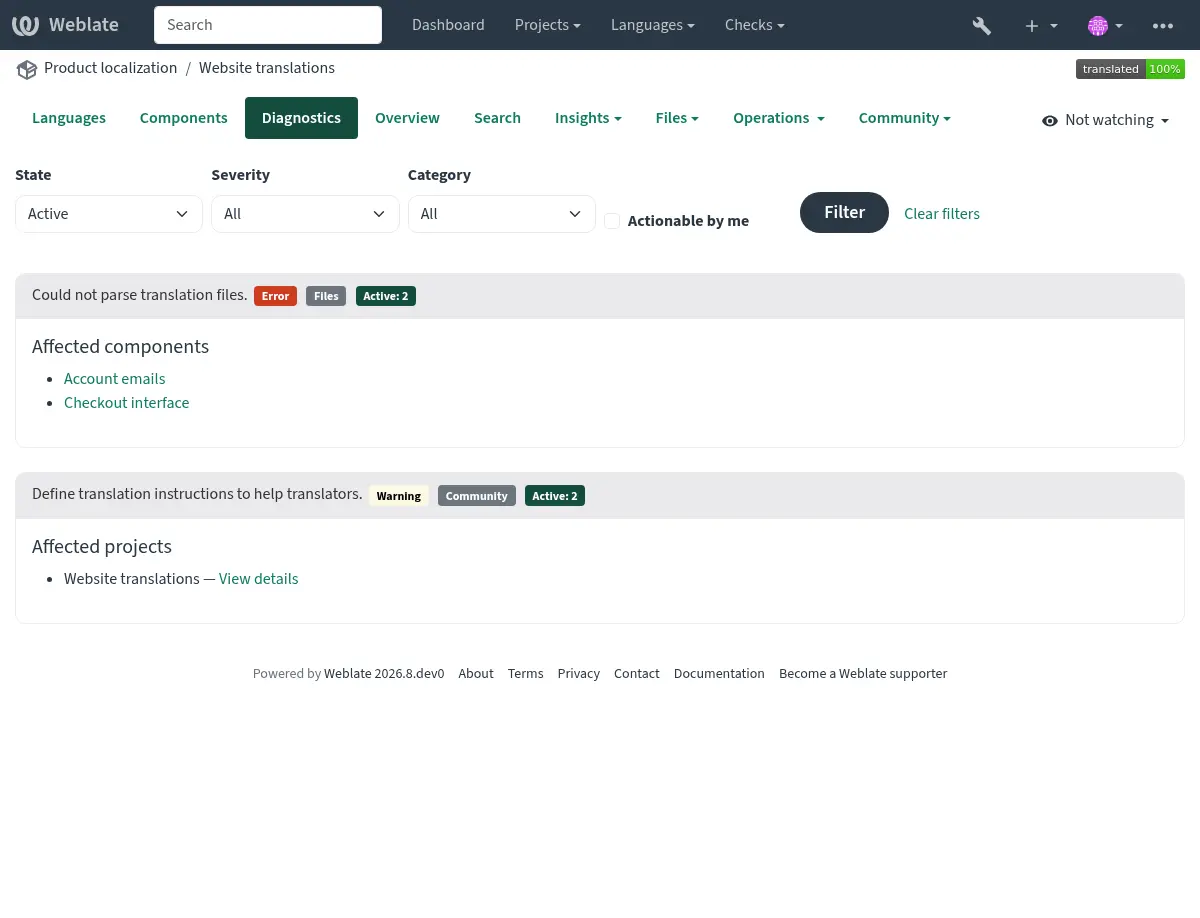
Signed-in users can open the Diagnostics tab on project and workspace pages. The overview is loaded when opened and groups alerts of the same type instead of repeating them for every component.
The project overview shows project-wide findings once and lists the components affected by component-specific findings:
The workspace overview groups project-wide findings by project and identifies components using both the project and component name:
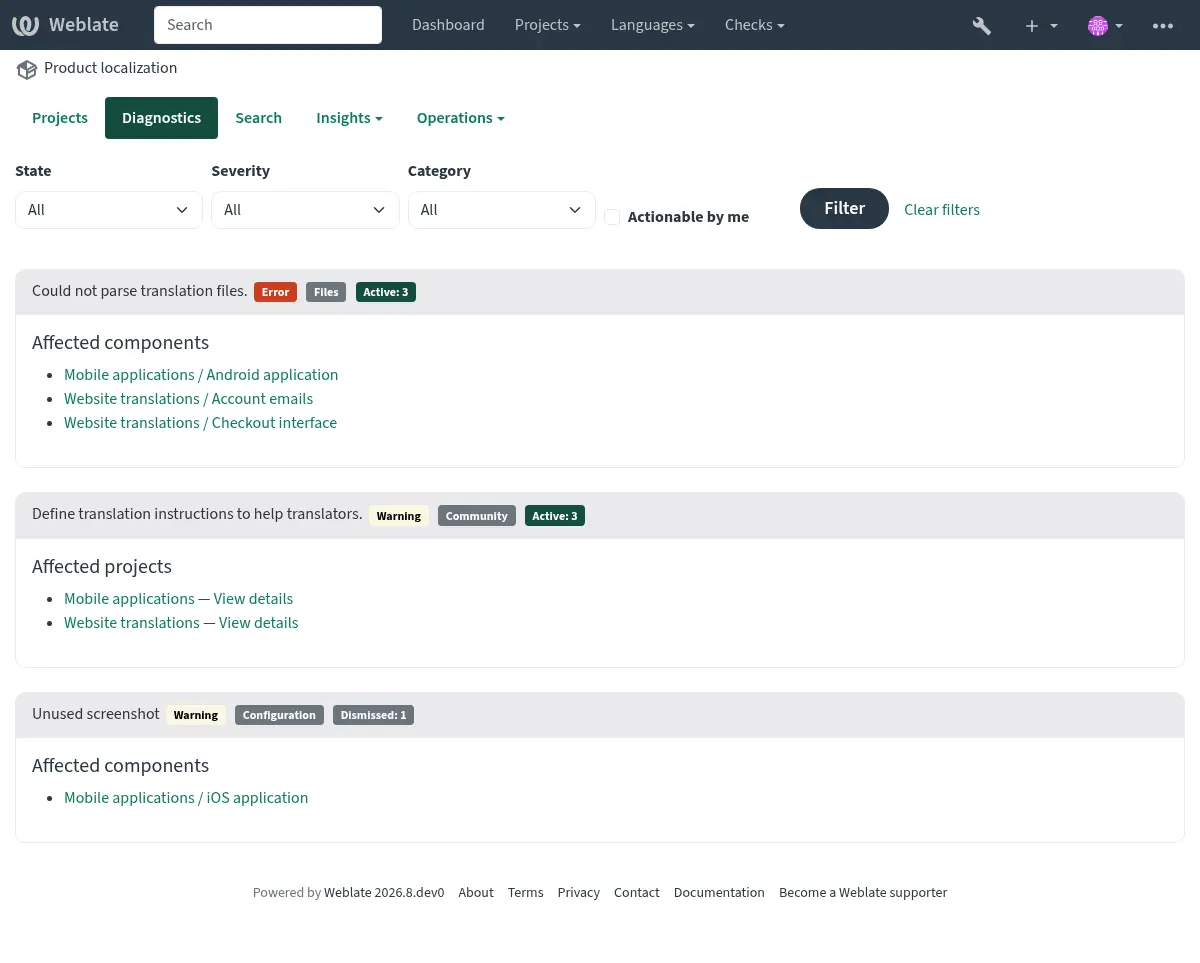
Each finding lists up to 20 affected projects or components. Additional affected objects are shown as a count. Follow a component link to see the complete diagnostic details or dismiss a diagnostic on the component page.
The summary can be filtered by active or dismissed state, severity, category, or whether the signed-in user can act on the diagnostic. Components shared into a project are listed only in the diagnostics of their owning project.
If it is missing, the component clears all current checks. Problem alerts cannot be ignored, but will disappear once the underlying problem has been fixed.
Information and warning alerts are used for guidance on improving community localization. These can be dismissed and make the Diagnostics tab visible, but they do not indicate a component problem in listings.
Dismissed diagnostics record who dismissed them, when they were dismissed, and an optional reason. A dismissal is automatically reopened when the diagnostic details or the configuration relevant to that diagnostic changes. Dismissal and reopening are both recorded in the component change history.
Warning and error notifications are sent only to subscribed project maintainers who have permission to act on the diagnostic. Informational recommendations do not send unsolicited notifications.
Custom alerts can override
BaseAlert.get_dismissal_context(component, details) to include stable,
JSON-serializable configuration or diagnostic inputs. Changing the returned
context reopens a dismissed alert. Incidental values such as evaluation time
should not be included.
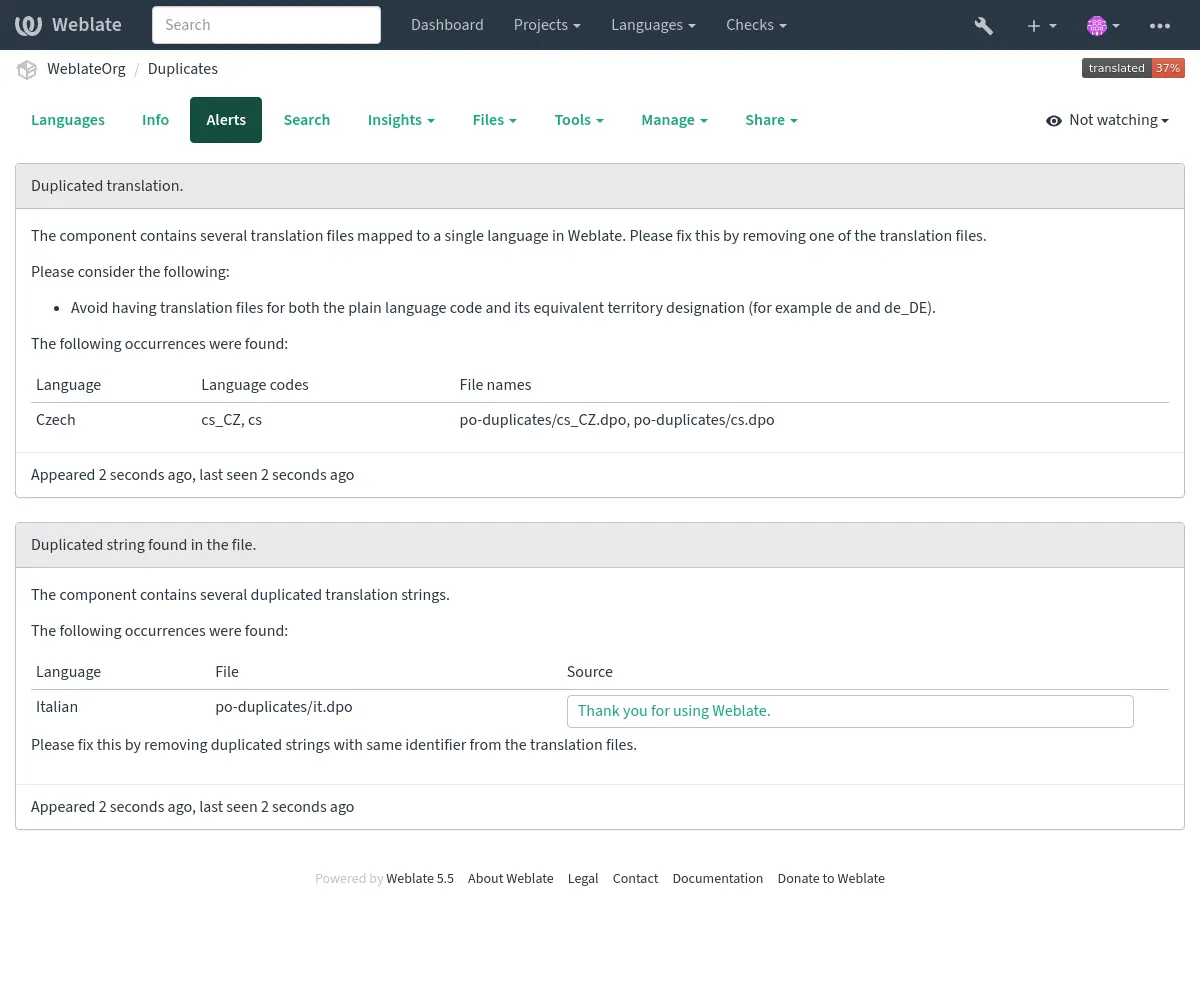
A component with both duplicated strings and languages looks like this:
Conflicting repository setup
This alert is shown when multiple Git components are configured to push to the same repository and push branch without all of them pulling from that branch. This includes pull or merge request workflows, and direct pushes to a separate push branch. Such a setup can overwrite the shared branch.
To resolve this, either configure a different Push branch for each
component or share the repository between components using a
weblate://project/component repository URL.
See also