மேலாண்மை இடைமுகம்
The management interface offer administration settings under the
/manage/ URL. It is available for users signed in with admin
privileges, accessible by using the wrench icon top right:
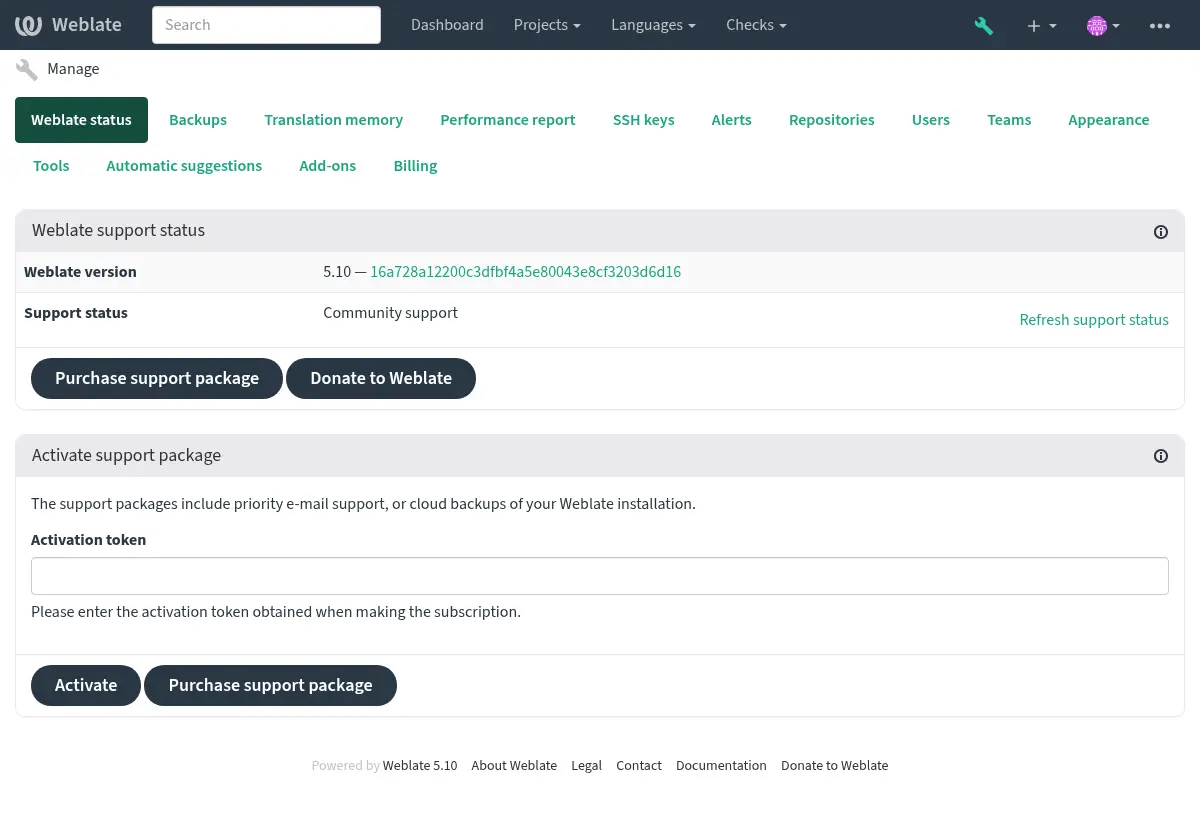
இது உங்கள் வலைப்பதிவின் அடிப்படை கண்ணோட்டத்தை உள்ளடக்கியது:
Support status, see வலைபெயர்ப்புடுக்கு ஆதரவைப் பெறுதல்.
Backups, see காப்புப்பிரதி மற்றும் வலைபெயர்ப்பு நகரும்.
Shared translation memory, see மொழிபெயர்ப்பு நினைவகம்.
செயல்திறன் அறிக்கை to review Weblate health and length of Celery queues.
SSH keys management, see பாஓடு களஞ்சியங்கள்.
Alerts overview for all components, see மொழிபெயர்ப்பு கூறு எச்சரிக்கைகள்.
Users and teams, see வலைதளம்-முழுதும் அணுகல் கட்டுப்பாடு.
Configure தானியங்கி பரிந்துரைகள்.
Configure site-wide addons, see துணை நிரல்கள்.
செயல்திறன் அறிக்கை
இந்தப் பக்கம் வலைபெயர்ப்பு கட்டமைப்பு மற்றும் செயல்திறன் நிலைபற்றிய கண்ணோட்டத்தை வழங்குகிறது.
Configuration errors indicate issues present in your environment. It covers missing optional dependencies (see பைதான் சார்புநிலைகள்), configuration issues or delayed processing of background tasks (see செலரியைப் பயன்படுத்தி பின்னணி பணிகள்).
System checks lists possible configuration issues. These can be
silenced using SILENCED_SYSTEM_CHECKS, see also
Deployment checklist.
Celery queues provides overview of Celery queues. These typically
should be close to zero. The same can be obtained on the command line using
celery_queues.
System encoding should list UTF-8 encoding in all processes.
This needs to be configured in your system, see கணினி இடங்கள் மற்றும் குறியாக்கம்.
Connectivity shows latencies to the database, cache, and Celery. This might be useful to diagnose connectivity issues.
தோற்றம் தனிப்பயனாக்கம்
Added in version 4.4.
Note
வண்ணங்கள் தற்போது இருண்ட மற்றும் ஒளி கருப்பொருள் இரண்டிலும் பயன்படுத்தப்படுகின்றன, எனவே அவற்றைத் தேர்ந்தெடுக்கும்போது கவனமாக இருங்கள்.
வண்ணங்கள், எழுத்துருக்கள் மற்றும் பக்கத் தோற்றத்தை இங்கே தனிப்பயனாக்கலாம்.
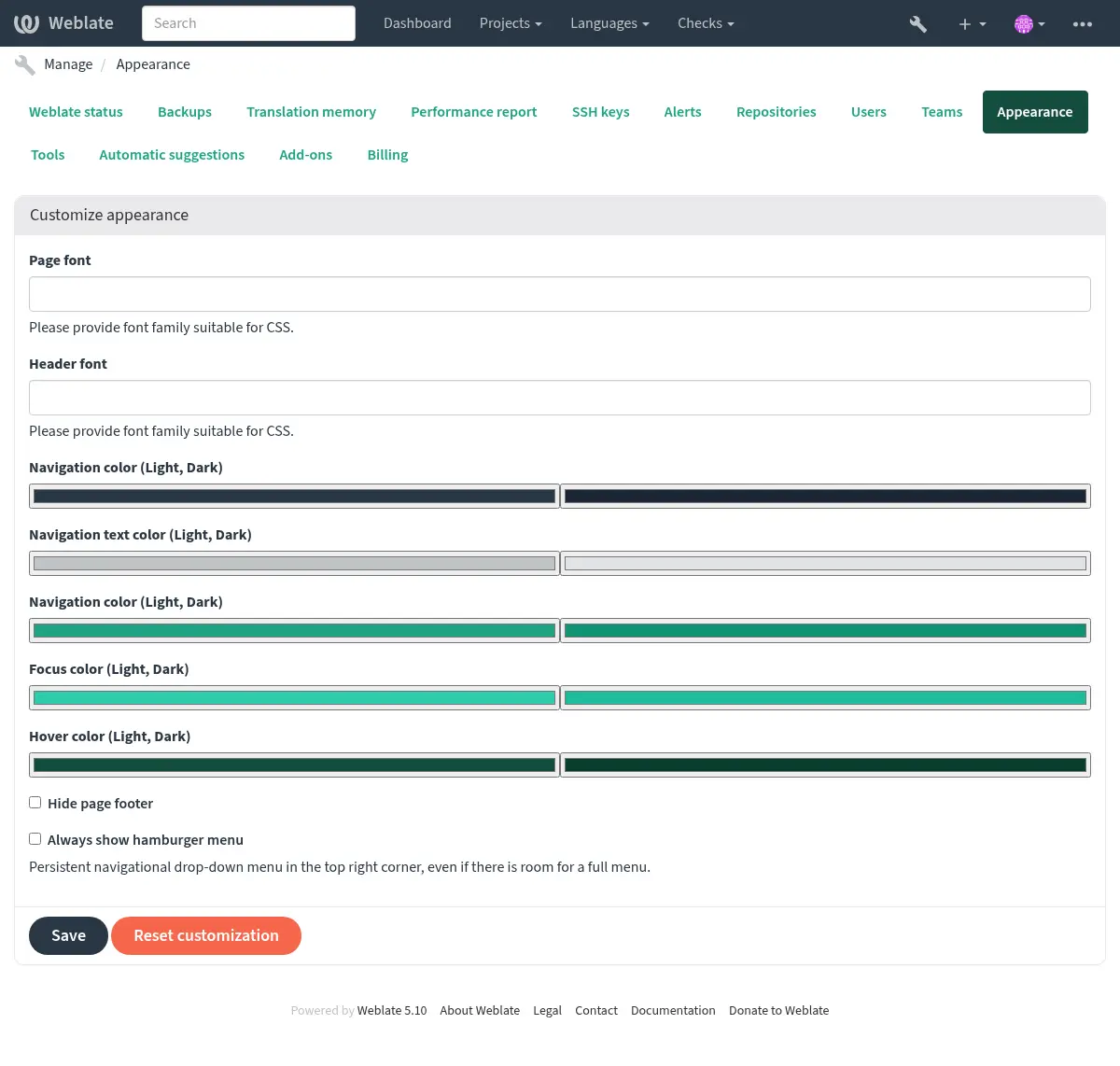
நீங்கள் மேலும் தனிப்பயனாக்கத்தைத் தேடுகிறீர்களானால், வலைபெயர்ப்பு தனிப்பயனாக்குதல் என்பதைப் பார்.
சாங்கோ நிர்வாக இடைமுகம்
Warning
இது குறைந்த அளவிலான இடைமுகம் என்பதால் எச்சரிக்கையுடன் பயன்படுத்து. வலைபெயர்ப்பு இடைமுகம் அல்லது பநிஇ மூலம் பெரும்பாலான விசயங்கள் வசதியாக அணுகக்கூடியதால் பெரும்பாலான சந்தர்ப்பங்களில் உங்களுக்கு இது தேவையில்லை.
பயனர்கள், மொழிபெயர்ப்புகள் மற்றும் பிற அமைப்புகள் போன்ற தரவுத்தளத்தில் சேமிக்கப்பட்ட பொருட்களை இங்கே நிர்வகிக்கலாம்:
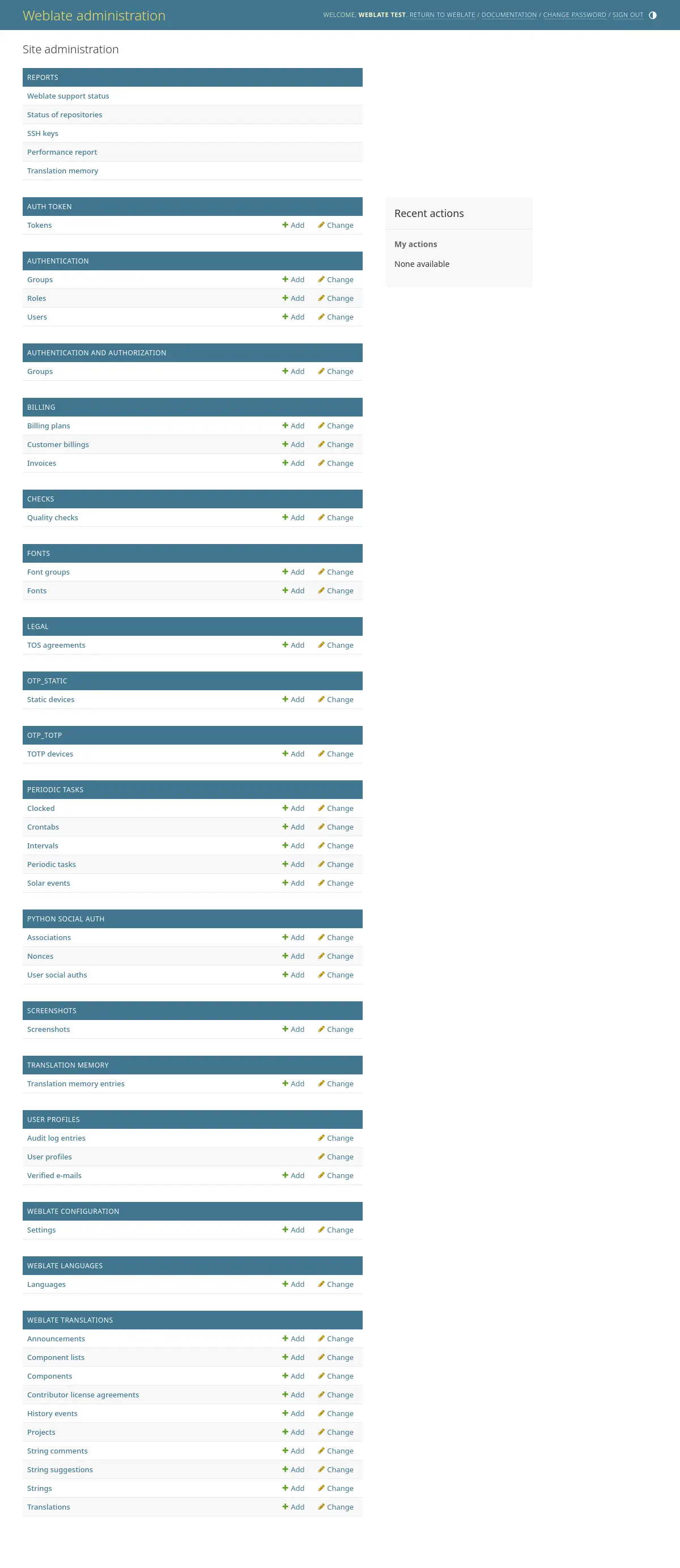
In the Reports section, you can check the status of your site, tweak it for விளைவாக்கம் அமைப்பு, or manage SSH keys used to access களஞ்சியங்களை அணுகும்.
Manage database objects under any of the sections. The most interesting one is probably Weblate translations, where you can manage translatable projects, see திட்ட உள்ளமைவு and கூறு உள்ளமைவு.
weblate languages holds language definitions, explained further in மொழி வரையறைகள்.
ஒரு திட்டத்தைச் சேர்ப்பது
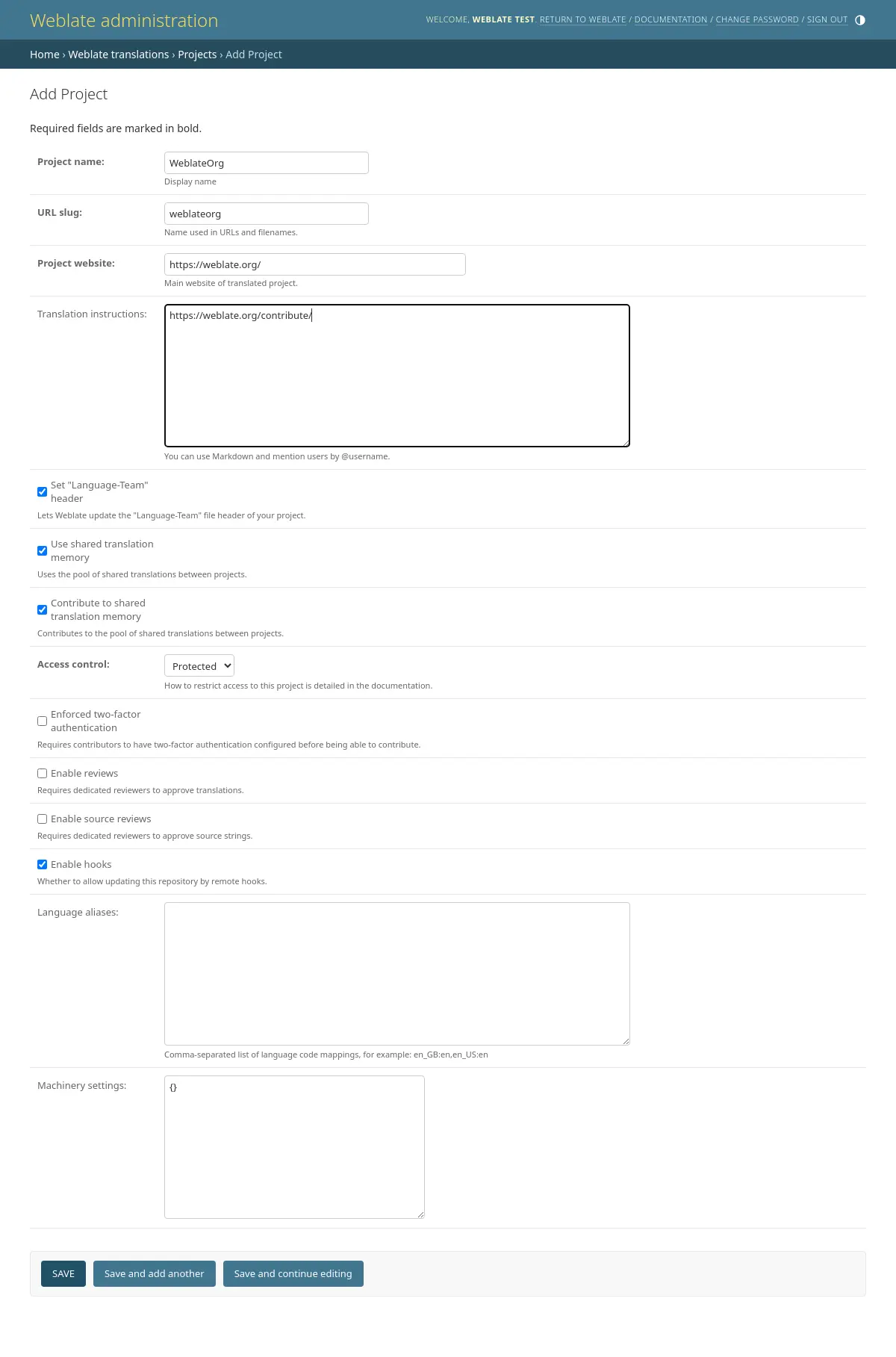
Adding a project serves as container for all components. Usually you create one project for one piece of software, or book (See திட்ட உள்ளமைவு for info on individual parameters):
See also
இருமொழி கூறுகள்
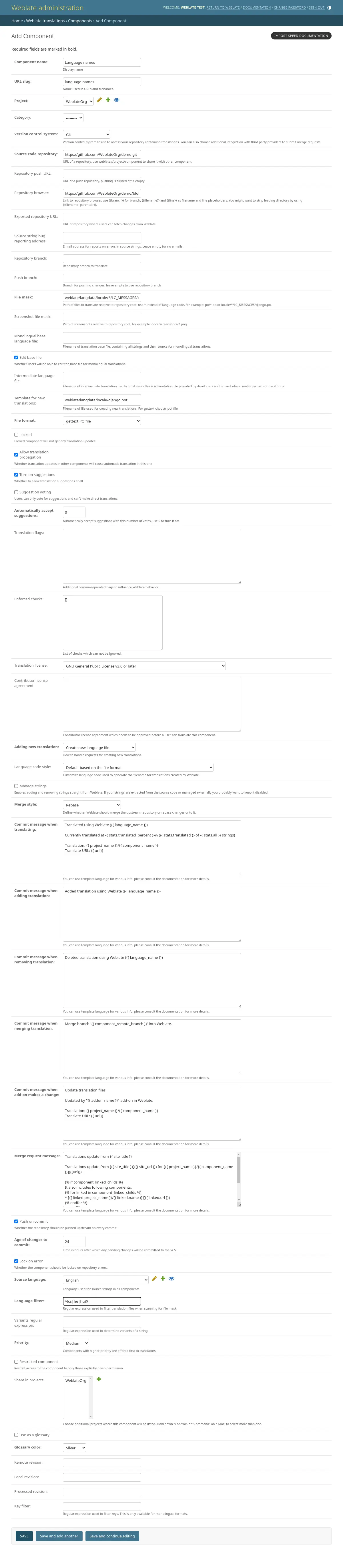
Once you have added a project, translation components can be added to it. (See கூறு உள்ளமைவு for info regarding individual parameters):
ஒருமொழி கூறுகள்
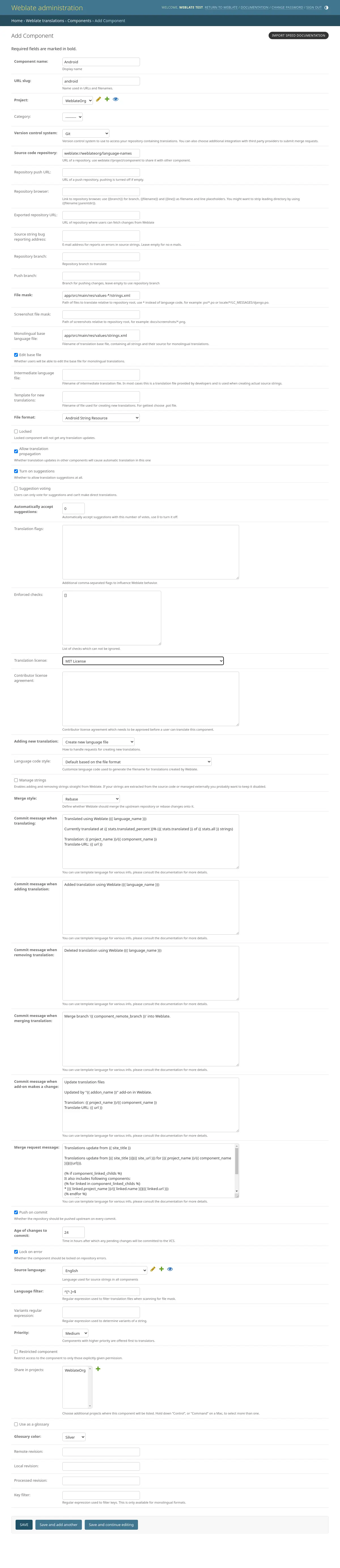
For easier translation of these, provide a template file containing the mapping of message IDs to its respective source language (usually English). (See கூறு உள்ளமைவு for info regarding individual parameters):