சொற்களஞ்சியம்
ஒவ்வொரு திட்டத்திலும் ஒன்று அல்லது அதற்கு மேற்பட்ட சொற்களஞ்சியங்கள் சொற்களஞ்சியத்தை சேமிப்பதற்கான சுருக்கெழுத்து என சேர்க்கலாம். மொழிபெயர்ப்பின் நிலைத்தன்மையை பராமரிப்பதை சொற்களஞ்சியம் எளிதாக்குகிறது.
ஒவ்வொரு மொழிக்கும் ஒரு சொற்களஞ்சியத்தை அதன் சொந்தமாக நிர்வகிக்க முடியும், ஆனால் அவை ஒற்றை கூறுகளாக ஒன்றாக சேமிக்கப்படுகின்றன, இது திட்ட நிர்வாகிகள் மற்றும் பன்மொழி மொழிபெயர்ப்பாளர்களுக்கு சில குறுக்கு மொழி நிலைத்தன்மையையும் பராமரிக்க உதவுகிறது. தற்போது மொழிபெயர்க்கப்பட்ட சரத்திலிருந்து சொற்களைக் கொண்ட சொற்களஞ்சியத்தின் விதிமுறைகள் மொழிபெயர்ப்பு எடிட்டரின் பக்கப்பட்டியில் காட்டப்படும்.
Hint
The glossary terms are not used in quality checks unless you enable that, see சொற்களஞ்சியத்தைப் பின்பற்றாது for more information.
மேலாத் சொற்களஞ்சியம்
Changed in version 4.5: சொற்களஞ்சியங்கள் இப்போது வழக்கமான மொழிபெயர்ப்பு கூறுகள் மற்றும் அவற்றில் உள்ள அனைத்து வலைபெயர்ப்பு அம்சங்களையும் நீங்கள் பயன்படுத்தலாம் - கருத்து தெரிவித்தல், தொலை களஞ்சியத்தில் சேமித்தல் அல்லது விளக்கங்களைச் சேர்ப்பது.
Use any component as a glossary by turning on சொற்களஞ்சியமாக பயன்படுத்து. You can create multiple glossaries for one project.
An empty glossary for a given project is automatically created with the project. Glossaries are shared among all components of the same project, and optionally with other projects using திட்டங்களில் பங்கு from the respective glossary component.
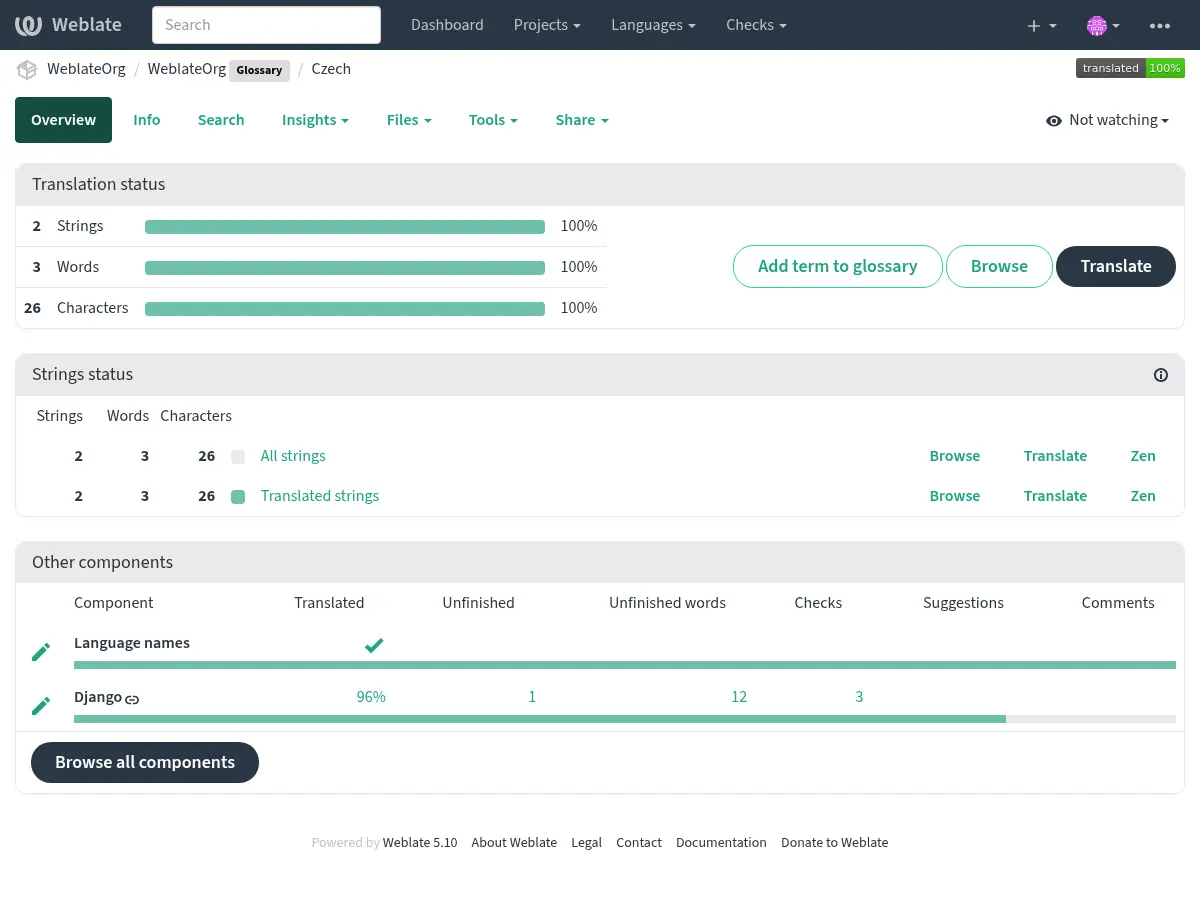
கூடுதல் வண்ண லேபிளுடன் வலைபெயர்ப்பில் உள்ள வேறு எந்த கூறுகளும் சொற்களஞ்சிய கூறு போல் தெரிகிறது:
நீங்கள் அனைத்து சொற்களஞ்சிய சொற்களையும் உலாவலாம்:
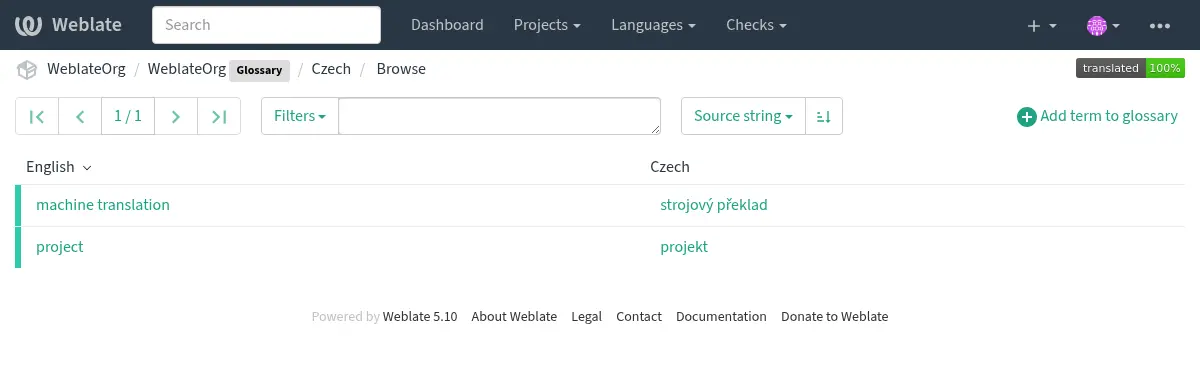
அல்லது அவற்றை எந்த மொழிபெயர்ப்புகளாகவும் திருத்தவும்.
சொற்களஞ்சியம் சொற்கள்
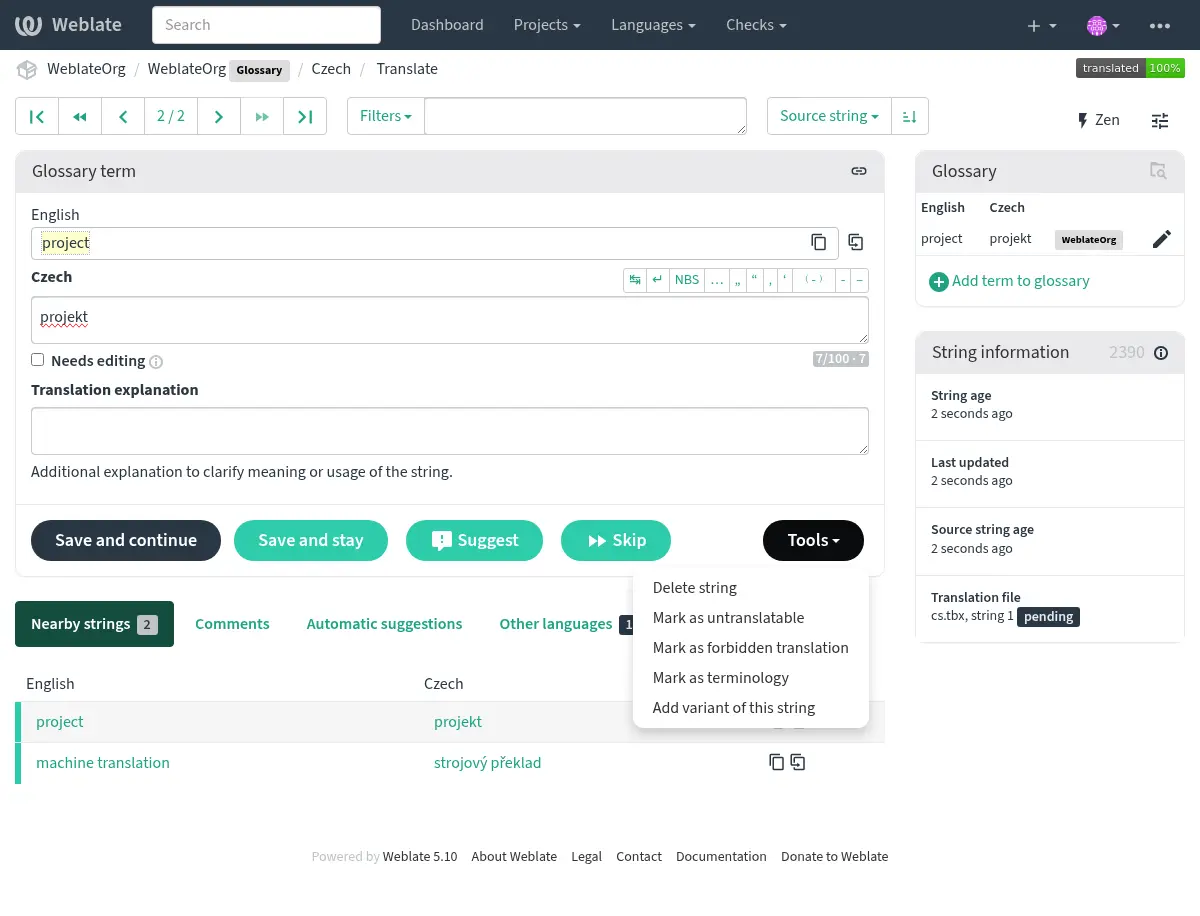
Glossary terms are translated the same way regular strings are. You can toggle additional features using the Tools menu for each term.
See also
மொழிபெயர்க்க முடியாத விதிமுறைகள்
Added in version 4.5.
Flagging certain glossary term translations read-only by bulk-editing, typing in the flag, or
by using Tools ↓ Mark as untranslatable means they can not
be translated. Use this for brand names or other terms that should not be changed in other languages.
Such terms are visually highlighted in the glossary sidebar.
தடைசெய்யப்பட்ட மொழிபெயர்ப்புகள்
Added in version 4.5.
Flagging certain glossary term translations as forbidden by bulk-editing,
typing in the flag, or by using Tools ↓ Mark as forbidden translation
means they are not to be used. Use this to clarify translation when some words are
ambiguous or could have unexpected meanings.
சொல்
Added in version 4.5.
Flagging certain glossary terms as terminology by bulk-editing, typing in the flag,
or by using Tools ↓ Mark as terminology adds entries for them
to all languages in the glossary. Use this for important terms that should
be well thought out, and retain a consistent meaning across all languages.
மாறுபாடுகள்
மாறுபாடுகள் குழு சரங்களுக்கு ஒன்றாக ஒரு பொதுவான வழியாகும். மொழிபெயர்க்கும்போது அனைத்து கால மாறுபாடுகளும் சொற்களஞ்சிய பக்கப்பட்டியில் பட்டியலிடப்பட்டுள்ளன.
Hint
ஒரு காலத்திற்கு சுருக்கங்கள் அல்லது குறுகிய வெளிப்பாடுகளைச் சேர்க்க இதைப் பயன்படுத்தலாம்.
See also
தானியங்கி ஆலோசனையில் சொற்களஞ்சியம்
Added in version 5.3.
பின்வரும் தானியங்கி பரிந்துரை சேவைகள் மொழிபெயர்ப்பின் போது சொற்களஞ்சியங்களைப் பயன்படுத்துகின்றன:
சேவையை வெளிப்படுத்துவதற்கு முன்பு சொற்களஞ்சியம் செயலாக்கப்படுகிறது:
நகல் மூல உள்ளீடுகள் அனுமதிக்கப்படவில்லை, அதே மூலத்துடன் கூடிய கூடுதல் உள்ளீடுகள் தவிர்க்கப்படுகின்றன.
எந்தவொரு கட்டுப்பாட்டு எழுத்துக்களும், முன்னணி மற்றும் பின்தங்கிய இடைவெளிகளும் அகற்றப்படுகின்றன.
தடைசெய்யப்பட்ட மொழிபெயர்ப்புகள் are skipped.
Note
பல சேவைகள் சொற்களஞ்சியங்களை சேவையக பக்கமாக சேமித்து, சேமித்த சொற்களஞ்சியங்களின் எண்ணிக்கையில் வரம்பை அமல்படுத்துகின்றன. வலைபெயர்ப்பு எப்போதும் மிகப் பழமையான சொற்களஞ்சியம் விண்வெளியில் இருந்து வெளியேறினால் அதை நீக்குகிறது.