வலைபெயர்ப்புடுடன் ஒருங்கிணைத்தல்
வலைபெயர்ப்பு அடிப்படைகள்
கருத்திட்டம் மற்றும் கூறு கட்டமைப்பு
In Weblate translations are organized into projects and components. Each project can contain number of components and those contain translations into individual languages. The component corresponds to one translatable file (for example குனு கெட்டெக்ச்ட் போ (சிறிய பொருள்) or ஆண்ட்ராய்டு string resources). The projects are there to help you organize component into logical sets (for example to group all translations used within one application).
கூடுதலாக, திட்டங்களுக்குள் உள்ள கூறுகளை வகைகளைப் பயன்படுத்தி கட்டமைக்க முடியும். கூறுகள் ஒரு வகையைச் சேர்ந்தவை, மேலும் வகைகள் கூடு கட்டப்படலாம்.
Internally, each project has translations to common strings propagated across other components within it by default. This lightens the burden of repetitive and multi version translation. The translation propagation can be disabled per கூறு உள்ளமைவு using மொழிபெயர்ப்பு பரப்புதலை அனுமதிக்கவும் in case the translations should diverge.
களஞ்சிய ஒருங்கிணைப்பு
வலைபெயர்ப்பு is built பெறுநர் integrate with upstream version control repository, தொடர்ச்சியான உள்ளூராக்கல் describes building தொகுதிகள் and how the changes பாய்வு between them.
See also
கட்டிடக்கலை கண்ணோட்டம் describes how Weblate works internally.
பயனர் பண்புக்கூறு
பெயர் மற்றும் மின்னஞ்சலைப் பயன்படுத்தி மொழிபெயர்ப்பாளர்களால் முறையாக எழுதப்பட்ட மொழிபெயர்ப்புகளை பதிப்பு கட்டுப்பாட்டு களஞ்சியத்தில் வலைபெயர்ப்பு வைத்திருக்கிறது. உறுதிமொழியுடன் ஒரு உண்மையான மின்னஞ்சலை இணைப்பது விநியோகிக்கப்பட்ட பதிப்பு கட்டுப்பாட்டு ஆவிகளைப் பின்பற்றுகிறது மற்றும் வலைபெயர்ப்பில் செய்த உங்கள் பங்களிப்புகளை உங்கள் அறிவிலிமையம் சுயவிவரத்துடன் இணைக்க அறிவிலிமையம் போன்ற சேவைகளை அனுமதிக்கிறது.
This feature also brings in risk of misusing e-mail published in the version control commits. Moreover, once such a commit is published on public hosting (such as GitHub), there is effectively no way to redact it. Weblate allows choosing a private commit e-mail in கணக்கு to avoid this.
எனவே, வலைபெயர்ப்பை உள்ளமைக்கும் போது நிர்வாகிகள் இதைக் கருத்தில் கொள்ள வேண்டும்:
அத்தகைய ஆவணம் தேவைப்பட்டால், அத்தகைய மின்னஞ்சலின் பயன்பாடு பணி அடிப்படையில் தெளிவாக விவரிக்கப்பட வேண்டும். சட்ட தொகுதி அதற்கு உதவ முடியும்.
PRIVATE_COMMIT_EMAIL_OPT_INcan make e-mails private by default.
ஒரு உள்ளூர்மயமாக்கல் திட்டத்தை வெப்லேட்டில் இறக்குமதி செய்தல்
வலைபெயர்ப்பு வி.சி.எச் ஒருங்கிணைப்பை மனதில் கொண்டு உருவாக்கப்பட்டுள்ளது, இது முக்கிய அம்சமாக இருப்பதால், உங்கள் களஞ்சியத்திற்கான அணுகலை வலைபெயர்ப்பு செய்வதே எளிதான வழி. உங்கள் மொழிபெயர்ப்புகளை வலைபெயர்ப்பு கூறுகளாக உள்ளமைப்பதன் மூலம் இறக்குமதி செயல்முறை உங்களுக்கு வழிகாட்டும்.
மாற்றாக, நீங்கள் அனைத்து மொழிபெயர்ப்புகளையும் கொண்ட உள்ளக மட்டும் களஞ்சியத்தை ஒருங்கிணைப்பு இல்லாமல் அமைக்க அனுமதிக்கலாம்.
வலைபெயர்ப்புடிலிருந்து புதுப்பிக்கப்பட்ட மொழிபெயர்ப்புகளைப் பெறுதல்
Weblate stores updated strings in a database and commits them to a local version-control repository. You can add a Weblate repository (when அறிவிலி ஏற்றுமதியாளர் is turned on) as an additional remote repository and fetch translation updates from it.
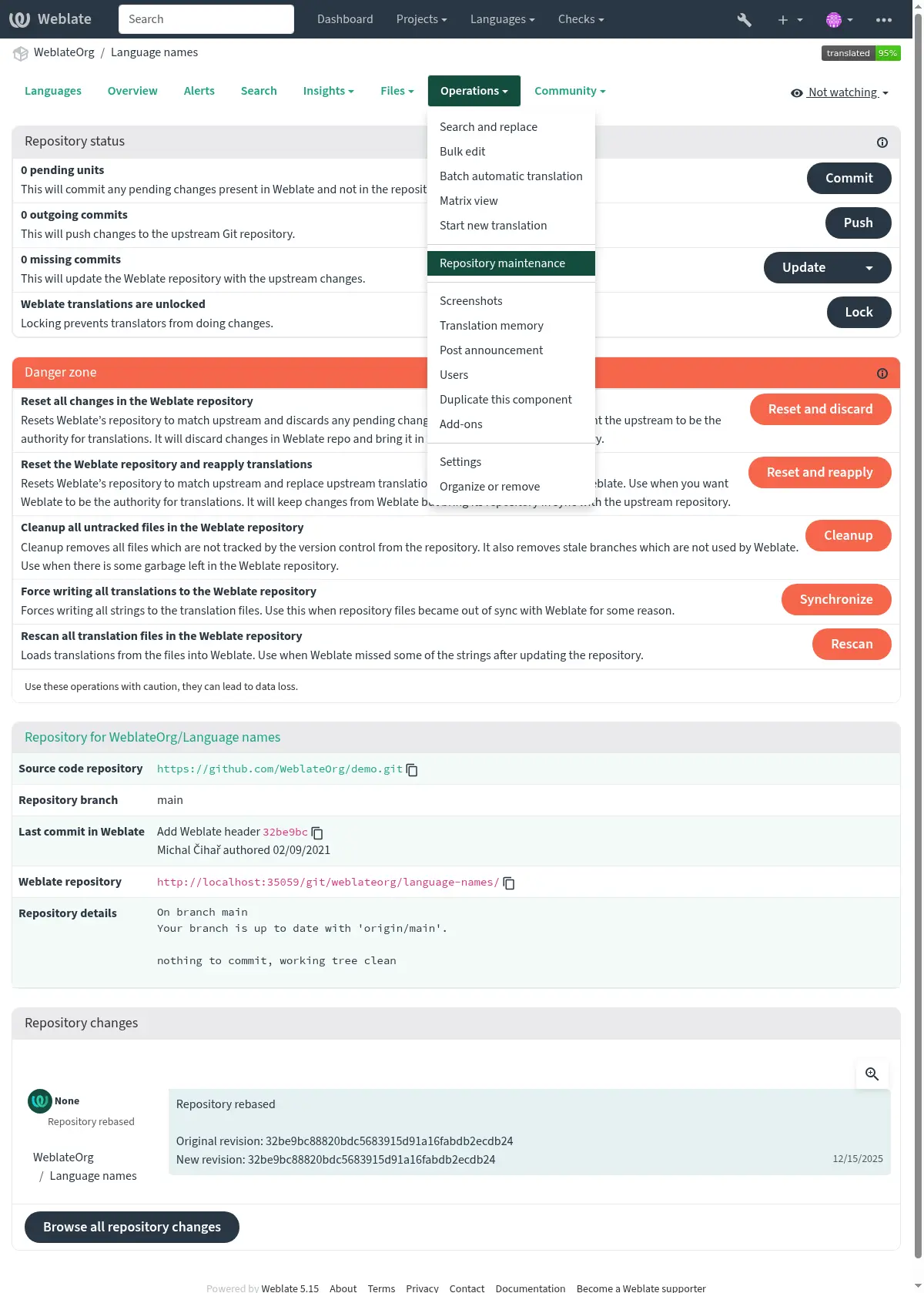
Prior to this, you might want to commit any pending local changes made in Weblate (see சோம்பேறி கம்யூச்). This can be done from the user interface (in the Repository maintenance), or from the command-line using வலைபெயர்ப்பு கிளையன்ட்.
Pushing changes can be automated if you grant Weblate push access to your repository and configure களஞ்சியம் புச் முகவரி in the கூறு உள்ளமைவு, see வலைபெயர்ப்புடிலிருந்து மாற்றங்களைத் தள்ளுகிறது.
Alternatively, use வலைபெயர்ப்பு ரெச்ட் பநிஇ to update translations so that they match the latest version from the upstream in your remote VCS repository.
ரிமோட் மாற்றங்களை வலைபெயர்ப்பில் பெறுதல்
To fetch any strings recently updated in your remote VCS repository into Weblate, allow Weblate to pull from the upstream repository. This can be achieved in the user interface (in the Repository maintenance), or from the command-line using வலைபெயர்ப்பு கிளையன்ட்.
This can be automated by setting a webhook in your repository to trigger Weblate whenever there is a new commit. See களஞ்சியங்களை புதுப்பித்தல் for more details.
வி.சி.எச் ஒருங்கிணைப்பைப் பயன்படுத்தாவிட்டால், மொழிபெயர்ப்புகளைப் புதுப்பிக்க நீங்கள் இடைமுகம் அல்லது வலைபெயர்ப்பு ரெச்ட் பநிஇ ஐப் பயன்படுத்தலாம், இதனால் அவை உங்கள் கோட்பேசுடன் பொருந்துகின்றன.
புதிய சரங்களைச் சேர்ப்பது
If your translation files are stored in a remote VCS together with the code, you most likely have an existing workflow for developers to introduce new strings. Any way of adding strings will be picked up, but consider using மூல சரங்களுக்கான தரமான நுழைவாயில் to avoid introducing errors.
மொழிபெயர்ப்பு கோப்புகள் குறியீட்டிலிருந்து பிரிக்கப்படும்போது, பின்வரும் வழிகள் புதிய சரங்களை வலைபெயர்ப்பில் அறிமுகப்படுத்தலாம்.
Manually, using Add new translation string from Operations menu in the source language. You can choose between the radio buttons Singular and Plural inside the form. Select the appropriate form of the new translation string to be added.
Programmatically, using the API
POST /api/translations/(string:project)/(string:component)/(string:language)/units/.By uploading source file as Replace existing translation file (this overwrites existing strings, so please ensure the file includes both old and new strings) or Add new strings, see இறக்குமதி முறைகள்.
Note
The ability to add strings in Weblate requires சரங்களை நிர்வகி.
இலக்கு மொழி கோப்புகளைப் புதுப்பித்தல்
For monolingual files (see உள்ளூராக்கல் கோப்பு வடிவங்கள்), Weblate might add new translation strings present in the ஒருமொழி அடிப்படை மொழி கோப்பு, and not in actual translations. It does not however perform any automatic cleanup of stale strings, as that might have unexpected results. If you still want to do this, please install the தூய்மைப்படுத்தும் மொழிபெயர்ப்பு கோப்புகள் add-on, which handles cleanup according to your requirements.
Weblate will also not try to update bilingual files when the source changes,
so if you need po files to be updated from pot, you have two options:
Automatically with an add-on (recommended for continuous updates): Install the பானையுடன் பொருந்தக்கூடிய po கோப்புகளைப் புதுப்பிக்கவும் (msgmerge) add-on, which automatically runs msgmerge to update all PO files whenever the POT file changes.
Manually via upload: Use the Update source strings இறக்குமதி முறைகள் to upload your POT file, which will merge it with existing translations.
Hint
Source string extraction tools, such as xgettext or lupdate, need to be executed outside of Weblate.
புதிய சரங்களை அறிமுகப்படுத்துதல்
You can add new strings in Weblate with சரங்களை நிர்வகி turned on, but it is usually better to introduce new strings together with the code changes that introduced them.
Monolingual formats need to be configured so that new strings are added to ஒருமொழி அடிப்படை மொழி கோப்பு. This is typically done by developers, as they write the code. You might want to use a review process of those strings using மூல சரங்களுக்கான தரமான நுழைவாயில்.
Bilingual formats typically extract strings from the source code using some tooling (like xgettext or intltool-update). Follow your localization framework documentation for instructions how to do that. Once the strings are extracted, there might be an additional step needed to update existing translations, see இலக்கு மொழி கோப்புகளைப் புதுப்பித்தல்.
Hint
தானியக்க சரம் பிரித்தெடுத்தல் தற்போது வலைபெயர்ப்புடுக்கு வெளியே உள்ளது. இது பொதுவாக நம்பகமற்ற குறியீட்டை செயல்படுத்துவதை உள்ளடக்குகிறது, இது உள்ளூர்மயமாக்கல்-குறிப்பிட்ட தளத்தை விட பொதுவான தொடர்ச்சியான ஒருங்கிணைப்புக்கு மிகவும் பொருத்தமானது.
You might want to integrate this into your continuous integration pipelines to make new strings automatically appear for translation. Such pipeline should also cover ஒன்றிணைக்கும் மோதல்களைத் தவிர்ப்பது.
உள்ளக வி.சி.எச் களஞ்சியத்தை நிர்வகித்தல்
Weblate stores all translations in its underlying version control repository. It is suggested to be connected to a remote one, but internal-only setup is also possible. The Repository maintenance allows controlling this repository.
Hint
With தொடர்ச்சியான உள்ளூராக்கல், any changes are automatically pushed from the repository, so there is usually no need to manage it manually.