Fordítási folyamat
Javaslatok szavazása
Everyone can add suggestions by default, to be accepted by signed in users. Suggestion voting can be used to make use of a string when more than one signed-in user agrees, by setting up the Összetevőkonfiguráció with Suggestion voting to turn on voting, and Automatically accept suggestions to set a threshold for accepted suggestions (this includes a vote from the user making the suggestion if it is cast).
Megjegyzés
Ha az automatikus elfogadás be van állítva, a normál felhasználók elveszítik a jogosultságot a fordítások közvetlen mentésére vagy a javaslatok elfogadására. Ez felülírható a Szöveg szerkesztése kötelező javaslatkezelés esetén jogosultsággal.
Ezeket kombinálhatja a hozzáférés-vezérléssel az alábbi beállítások egyikeként:
Users suggest and vote for suggestions and a limited group controls what is accepted.
Turn on voting.
Turn off automatic acceptance.
Don’t let users save translations.
Users suggest and vote for suggestions with automatic acceptance once the defined number of them agree.
Turn on voting.
Set the desired number of votes for automatic acceptance.
Optional voting for suggestions. (Can optionally be used by users when they are unsure about a translation by making multiple suggestions.)
Only turn on voting.
További információk a forrásszövegekről
A fordítási folyamatot kiegészítő információk hozzáadásával lehet fejleszteni, például magyarázatokkal, szövegprioritásokkal, ellenőrzési jelzőkkel és vizuális környezettel. Ezek egy része a fordítási fájlokból származtatható, más része manuálisan is szerkeszthető:
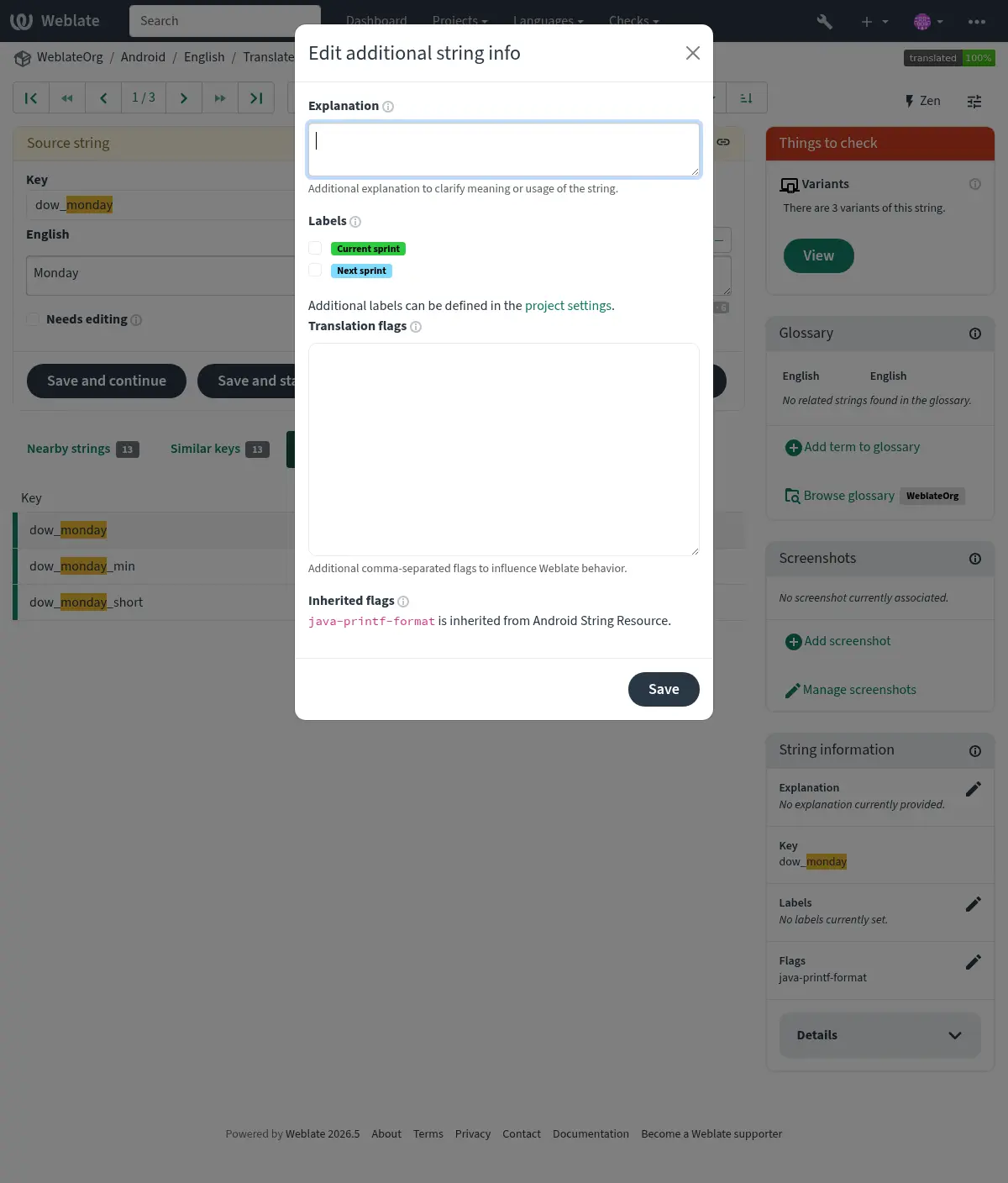
Közvetlenül a fordítási felületen érhető el a Képernyőkép-környezet vagy a Jelzők melletti „Szerkesztés” ikonra kattintva.
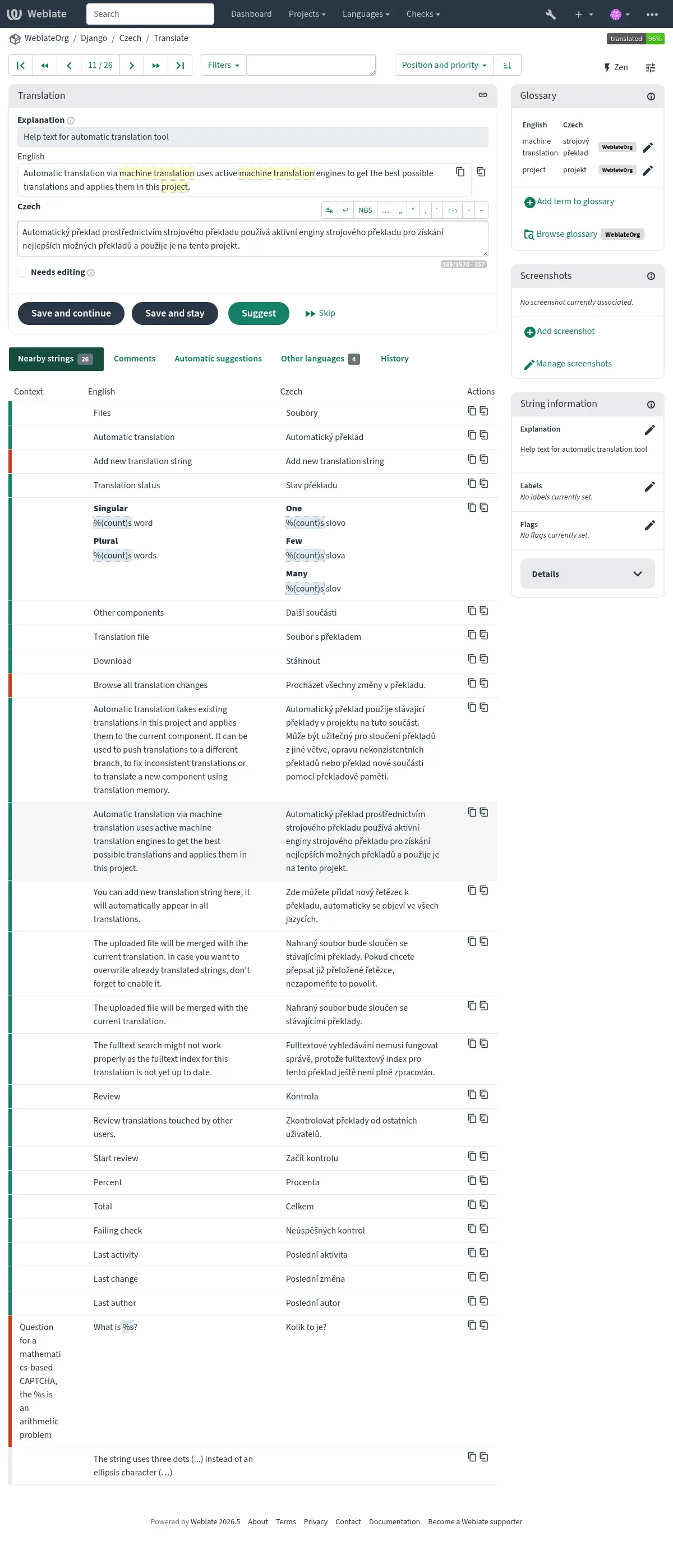
Szövegek prioritásának kezelése
A priority jelző segítségével a szövegek prioritása módosítható, így a magasabb prioritású szövegek előbb jelennek meg fordításra.
Tipp
Ez logikusabb fordítási sorrendet tesz lehetővé.
Lásd még
Fordítási jelzők
A minőség-ellenőrzések és más Weblate viselkedések testreszabása, lásd: Viselkedés testreszabása jelzők használatával.
A szövegjelzők öröklődnek az összetevő szintjén található Fordítási jelzők beállításból, valamint a fordítási fájl jelzőiből is (lásd: Fordítási fájlformátumok).
Magyarázat
A 4.1 verzióban változott: A korábbi verziókban ez Extra kontextus néven szerepelt.
A 4.18 verzióban változott: Bevezetésre került a magyarázat fájllal való szinkronizálásának támogatása is.
A magyarázatban tisztázni lehet a fordítás környezetét vagy használatát. Markdown használható linkek és egyéb formázás beillesztésére.
Néhány fájlformátum támogatja a magyarázat tárolását a fájlban is, lásd: Magyarázat.
Tipp
A Weblate bizonyos formátumok esetén meg tudja jeleníteni a fordítási fájlban található leírást is, lásd: Forrásszöveg leírása.
Screenshots and visual context
Feltölthet egy képernyőképet, amely megmutatja az adott forrásszöveg használatát a programban. Ez segíti a fordítókat annak megértésében, hogy hol és hogyan használatos a szöveg.
A feltöltött képernyőkép a fordítási környezet oldalsávjában jelenik meg:
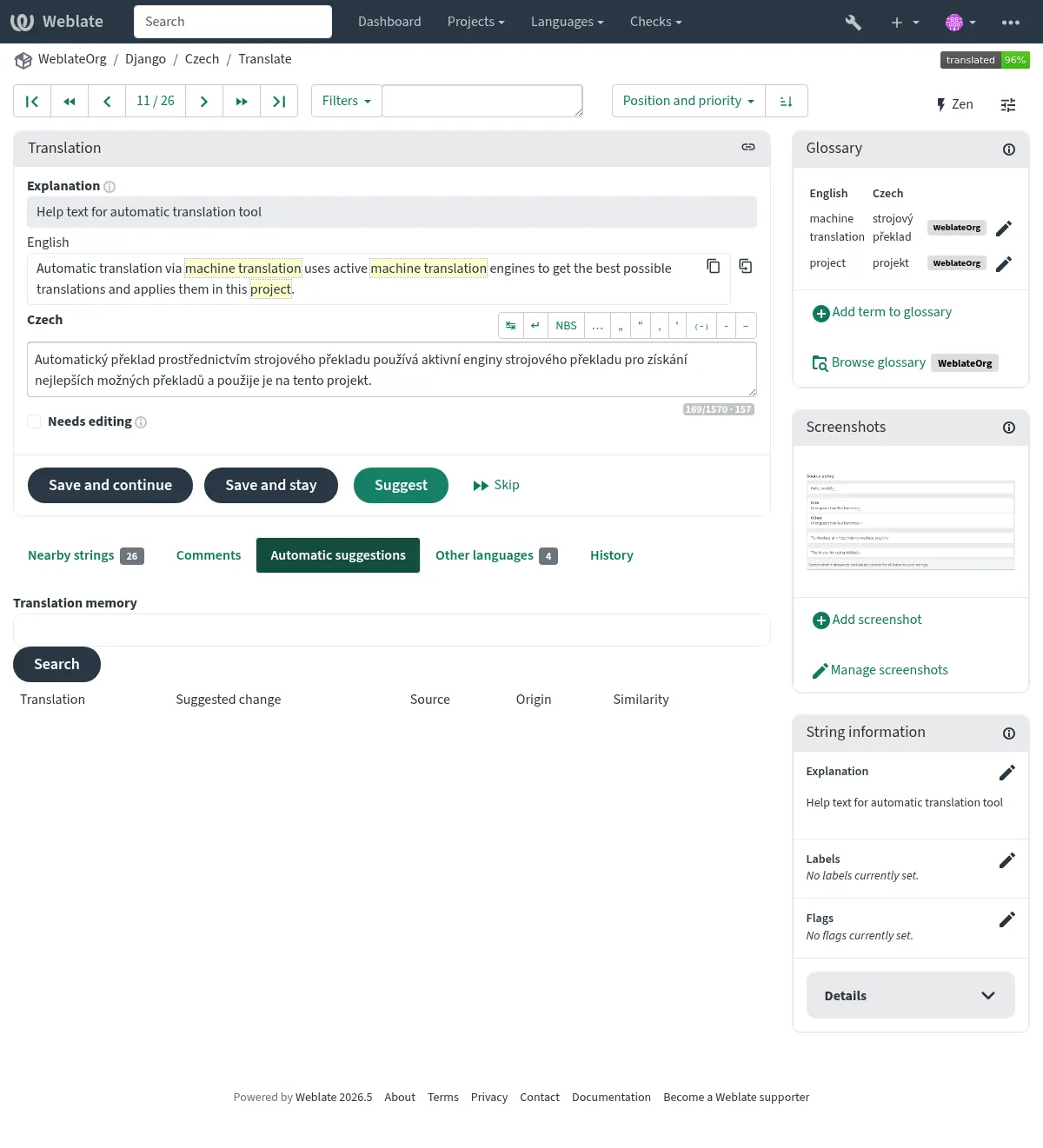
In addition to További információk a forrásszövegekről, screenshots can be managed in the Weblate UI, kept in sync from the repository, or handled through the Weblate REST API.
Managing screenshots in the UI
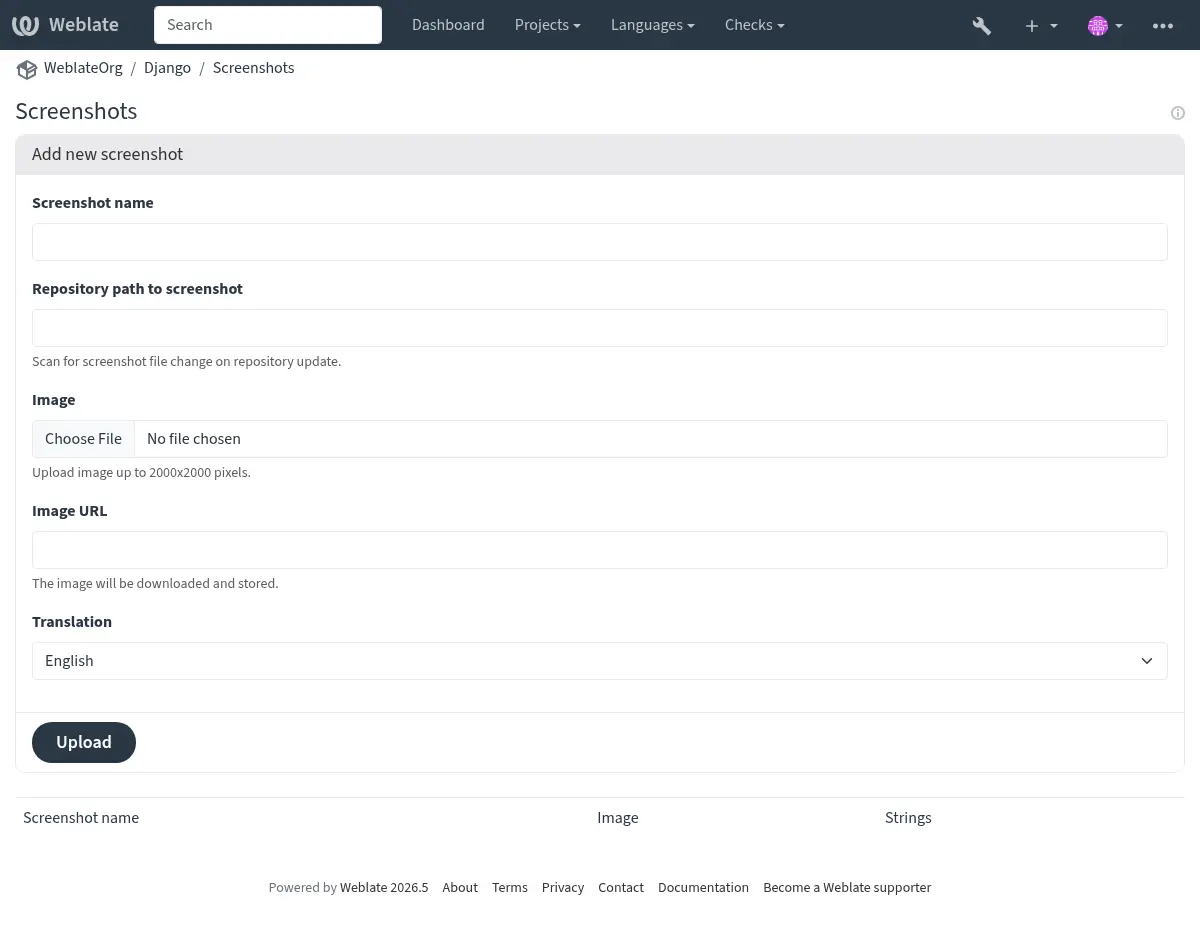
Each screenshot is stored for a specific translation language. In the translate page, screenshots attached to the source language are shown for every translation of the string, while screenshots attached to any other language are shown only for that language. You can add a screenshot directly from the translate page using Add screenshot in the Screenshot context panel, or open the separate management interface under the Operations menu. There you can upload screenshots, assign them to source strings manually, or use optical character recognition (OCR) by pressing the Automatically recognize button.
A képernyőkép feltöltése után ezen a felületen kezelheti és társíthatja a forrásszövegeket:
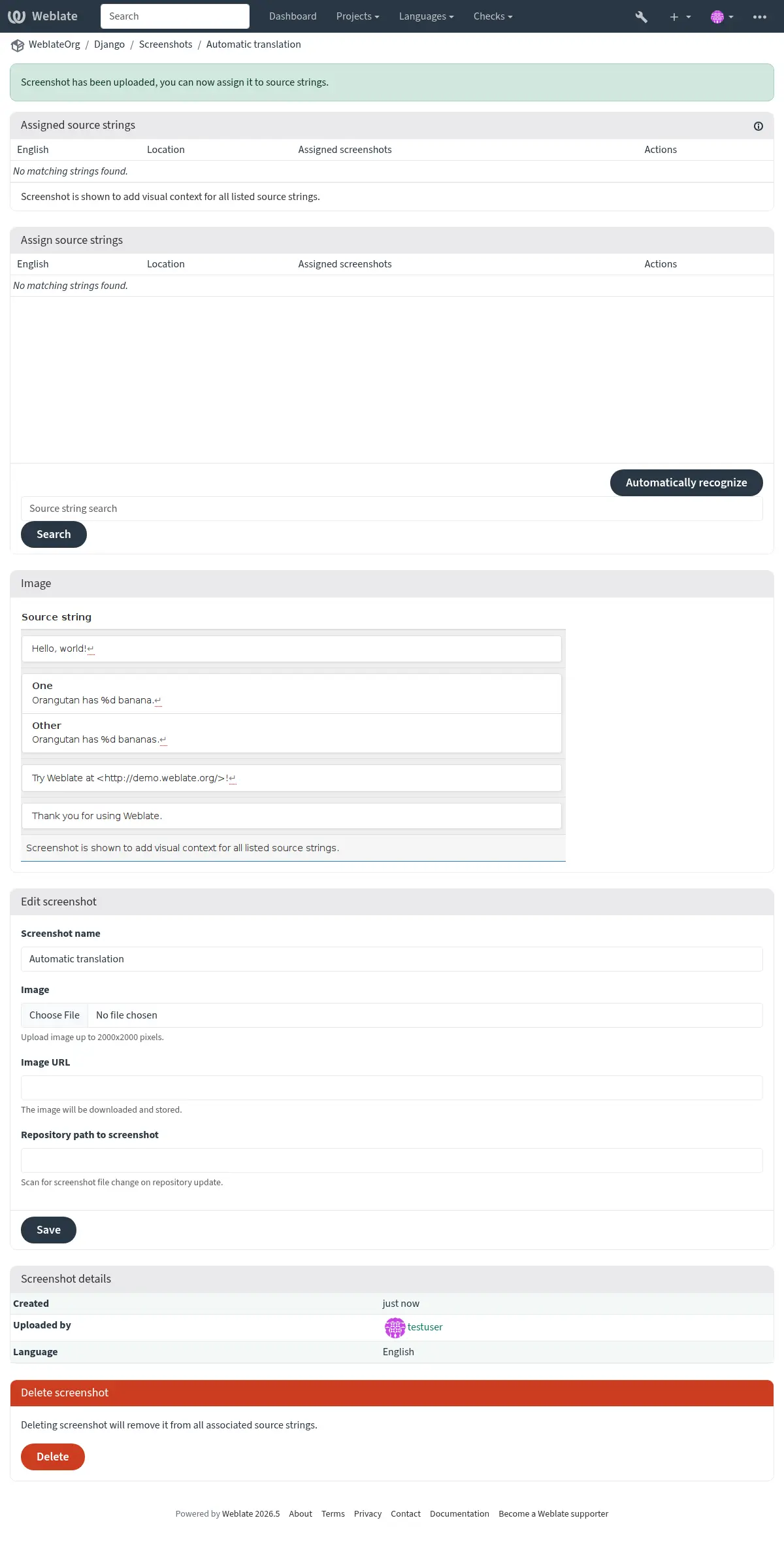
You can upload a screenshot from a local file, paste it from the clipboard, or
provide a URL to download an image from an external source. URL-based uploads
may be restricted based on the ALLOWED_ASSET_DOMAINS setting, which
controls which domains are trusted for downloading external assets, including
any redirects followed while fetching the image, and
ASSET_RESTRICT_PRIVATE, which rejects internal or non-public targets
unless they are included in ASSET_PRIVATE_ALLOWLIST. The
ALLOWED_ASSET_SIZE setting limits maximal size for the asset.
Managing screenshots from the repository
Közvetlenül a verziókezelő rendszer (VCS) tárolójából is hozzáadhat vagy frissíthet képernyőképeket.
A funkció bekapcsolásához beállíthat képernyőkép fájlmaszkot az összetevő létrehozásakor, így a Weblate figyelni fogja a tárolóban bekövetkező frissítéseket. Alternatívaként manuális feltöltéskor is hozzáadhat vagy frissíthet képernyőképeket.
To connect a manually uploaded screenshot with later repository updates, fill in Repository path to screenshot with the path tracked in the repository.
A tároló frissítésekor a rendszer automatikusan megkeresi a változásokat. A meglévő képernyőképek frissülnek, az új, a megadott fájlmaszknak megfelelő képek pedig hozzáadódnak az összetevőhöz.
Lásd még
Managing screenshots through the API
Screenshot workflows are also available through the REST API. Use
GET /api/components/(string:project)/(string:component)/screenshots/
to list screenshots for one component, POST /api/screenshots/ to
create screenshots,
POST /api/screenshots/(int:id)/file/ to replace the image,
POST /api/screenshots/(int:id)/units/ and
DELETE /api/screenshots/(int:id)/units/(int:unit_id) to manage source
string associations, and DELETE /api/screenshots/(int:id)/ to delete
screenshots. Screenshot API objects include the related translation and the
optional repository path used for repository-based updates.