検査と修正
自動修正のカスタマイズ
標準の自動修正に、独自の修正も追加できます。AUTOFIX_LIST 内に記述します。
自動修正は強力ですが、翻訳を破壊することもあります; 記述するときには注意が必要です。
翻訳内のすべての文字列 foo を bar に置き換える自動修正の例:
from django.utils.translation import gettext_lazy

from weblate.trans.autofixes.base import AutoFix


class ReplaceFooWithBar(AutoFix):
    """Replace foo with bar."""

    name = gettext_lazy("Foobar")

    def fix_single_target(self, target, source, unit):
        if "foo" in target:
            return target.replace("foo", "bar"), True
        return target, False
独自の自動修正を組み込むには、AUTOFIX_LIST 内で Python クラスへの完全修飾パスを指定します。参照: Custom quality checks, add-ons, automatic suggestions and auto-fixes。
フラグを使用した動作の設定
フラグを使用して、Weblate の動作を詳細に設定できます。フラグは翻訳者に視覚的なフィードバックを提供し、翻訳の改善を支援します。フラグは以下の情報から集めます。
Source string additional flags:
ファイル形式から抽出された文字列ごとのフラグについては、Localization file formats を参照してください。
翻訳フラグ(現在のところ、バイリンガルの原文の
read-onlyフラグのみ)。ファイル形式固有のフラグ。
フラグはコンマで区切られます。パラメータを持つ場合はコロンで区切られます。文字列内にスペースや特殊文字を含める場合は、引用符を使用することができます。例:
placeholders:"special:value":"other value", regex:.*
一重引用符と二重引用符の両方を使用でき、特殊文字はバックスラッシュを使用してエスケープされます。
placeholders:"quoted \"string\"":'single \'quoted\''
placeholders:r"^#*"
To verify that translators do not change the heading of a Markdown document.
A failing check will be triggered if the string ### Index is translated as # Indice.
placeholders:r"\]\([^h].*?\)"
内部リンクが翻訳されていないことを確認する(例: [test](../checks) が [test](../chequeos) とならないようにする)。
The flags defined on a higher level can be discarded using the
discard:NAME syntax. For example, if a component is configured to
safe-html, you can add discard:safe-html to the string flags to skip it
for this particular string.
現在、使用可能なフラグ一覧:
rst-textTreat a text as an reStructuredText document, affects 未翻訳の翻訳文. Turns on reStructuredText 構文エラー and reStructuredText の不整合.
bbcode-textTreat a text as an Bulletin Board Code (BBCode) document, affects 未翻訳の翻訳文.
dos-eolUNIX の代わりに DOS の改行コードを使用する(
\nの代わりに\r\n)。read-only文字列は翻訳禁止であり Weblate で編集させない。参照: 翻訳禁止の文字列。
terminology用語集 で使用します。文字列を用語集のすべての言語にコピーし、すべての翻訳で一貫して使用できるようにします。また、
read-onlyとの組み合わせでも有用であり、製品名などにも使用できます。priority:N文字列の優先度。優先度の高い文字列が翻訳のために先に表示されます。デフォルトの優先度は 100 で、文字列の優先度が高いほど、翻訳のために早く提示されます。
max-length:N文字列の最大長を N 文字に制限する。参照: 翻訳の最大文字数。
xml-textテキストを XML ドキュメントとして扱う、関連項目: XML 構文 および XML マークアップ。
font-family:NAMEレンダリングの検査に使用するフォントファミリーを定義する。参照: フォントの管理。
font-weight:WEIGHTレンダリングの検査に使用するフォントの太さを定義する。参照: フォントの管理。
font-size:SIZEレンダリングの検査に使用するフォントサイズを定義する。参照: フォントの管理。
font-spacing:SPACINGレンダリングの検査に使用する文字間隔を定義する。参照: フォントの管理。
icu-flags:FLAGSICU MessageFormat の品質検査の動作をカスタマイズするためのフラグを定義します。
icu-tag-prefix:PREFIXICU MessageFormat の品質検査用の XML タグに必要な接頭辞を設定します。
placeholders:NAME:NAME2:...翻訳にはプレースホルダー文字列が必要です。参照: プレースホルダー。
replacements:FROM:TO:FROM2:TO2...テキストがパラメータとなる検査(例 翻訳の文字の最大サイズ または 翻訳の最大文字数)をするときに行う置換。一般的な使用方法は、プレースホルダーに長いテキストが入ってもスペースに収まるか確認することです。例:
replacements:%s:"John Doe"。variants:SOURCEこの文字列を、原文と一致する文字列の別表記としてマークします。参照: 文字列の別表記。
regex:REGEX翻訳文が一致するべき正規表現。参照: 正規表現。
discard:NAMEDiscards flag defined on a higher level.
forbidden用語集で、使ってはいけない訳語を示します。参照: 使用を禁止する訳語。
strict-sameMake the 未翻訳の翻訳文 avoid using the built-in words exceptions.
strict-format複数形が単一の値の場合でも、フォーマットの検査を強制します。参照: 書式指定文字列。
check-glossary用語集に従っていない の品質検査を有効にする。
angularjs-formatAngularJS 補間文字列 の品質検査を有効にする。
c-formatC 言語書式 の品質検査を有効にする。
c-sharp-formatC# 形式 の品質検査を有効にする。
es-formatECMAScript テンプレート リテラル の品質検査を有効にする。
i18next-interpolationi18next 補間 の品質検査を有効にする。
icu-message-formatICU MessageFormat の品質検査を有効にする。
java-printf-formatJava 形式 の品質検査を有効にする。
java-formatJava MessageFormat の品質検査を有効にする。
javascript-formatJavaScript 形式 の品質検査を有効にする。
lua-formatLua 形式 の品質検査を有効にする。
object-pascal-formatObject Pascal 形式 の品質検査を有効にする。
percent-placeholdersパーセントのプレースホルダー の品質検査を有効にする。
perl-brace-formatPerl ブレース形式 の品質検査を有効にする。
perl-formatPerl 形式 の品質検査を有効にする。
php-formatPHP 形式 の品質検査を有効にする。
python-brace-formatPython ブレース形式 の品質検査を有効にする。
python-formatPython 形式 の品質検査を有効にする。
qt-formatQt 形式 の品質検査を有効にする。
qt-plural-formatQt 複数形式 の品質検査を有効にする。
ruby-formatRuby 形式 の品質検査を有効にする。
scheme-formatScheme 形式 の品質検査を有効にする。
vue-formatVue I18n 書式 の品質検査を有効にする。
md-textテキストを Markdown ドキュメントとして扱い、翻訳テキスト エリアで Markdown 構文ハイライトを提供します。Markdown のリンク、Markdown の参照 および Markdown 構文 の品質検査を有効にする。
case-insensitive検査において、大文字と小文字を区別しないように設定します。現在は、プレースホルダー 品質検査のみに影響します。
safe-html安全でない HTML の品質検査を有効にする。
url文字列は URL のみでなければならない。URL の品質検査を有効にする。
ignore-all-checksすべての品質検査を除外する。
fluent-source-inner-htmlEnable the Fluent ソース内部の HTML quality check.
fluent-source-syntaxEnable the Fluent ソース構文 quality check.
icu-message-formatEnable the ICU MessageFormat 構文 quality check.
ignore-bbcodeBBCode マークアップ の品質検査を除外する。
ignore-duplicate重複単語の連続 の品質検査を除外する。
ignore-check-glossary用語集に従っていない の品質検査を除外する。
ignore-double-space連続スペース の品質検査を除外する。
ignore-fluent-partsSkip the Fluent パーツ quality check.
ignore-fluent-referencesSkip the Fluent 参照 quality check.
ignore-fluent-target-inner-htmlSkip the Fluent 翻訳内部の HTML quality check.
ignore-fluent-target-syntaxSkip the Fluent 翻訳構文 quality check.
ignore-angularjs-formatAngularJS 補間文字列 の品質検査を除外する。
ignore-automattic-components-formatSkip the Automattic components formatting quality check.
ignore-c-formatC 言語書式 の品質検査を除外する。
ignore-c-sharp-formatC# 形式 の品質検査を除外する。
ignore-es-formatECMAScript テンプレート リテラル の品質検査を除外する。
ignore-i18next-interpolationi18next 補間 の品質検査を除外する。
ignore-icu-message-formatICU MessageFormat の品質検査を除外する。
ignore-java-printf-formatJava 形式 の品質検査を除外する。
ignore-java-formatJava MessageFormat の品質検査を除外する。
ignore-javascript-formatJavaScript 形式 の品質検査を除外する。
ignore-lua-formatLua 形式 の品質検査を除外する。
ignore-object-pascal-formatObject Pascal 形式 の品質検査を除外する。
ignore-percent-placeholdersパーセントのプレースホルダー の品質検査を除外する。
ignore-perl-brace-formatPerl ブレース形式 の品質検査を除外する。
ignore-perl-formatPerl 形式 の品質検査を除外する。
ignore-php-formatPHP 形式 の品質検査を除外する。
ignore-python-brace-formatPython ブレース形式 の品質検査を除外する。
ignore-python-formatPython 形式 の品質検査を除外する。
ignore-qt-formatQt 形式 の品質検査を除外する。
ignore-qt-plural-formatQt 複数形式 の品質検査を除外する。
ignore-ruby-formatRuby 形式 の品質検査を除外する。
ignore-scheme-formatScheme 形式 の品質検査を除外する。
ignore-vue-formatVue I18n 書式 の品質検査を除外する。
ignore-translated過去に翻訳済み の品質検査を除外する。
ignore-inconsistent一貫性の欠如 の品質検査を除外する。
ignore-rst-referencesSkip the reStructuredText の不整合 quality check.
ignore-kashidaKashida 文字の使用 の品質検査を除外する。
ignore-md-linkMarkdown のリンク の品質検査を除外する。
ignore-md-reflinkMarkdown の参照 の品質検査を除外する。
ignore-md-syntaxMarkdown 構文 の品質検査を除外する。
ignore-max-length翻訳の最大文字数 の品質検査を除外する。
ignore-max-size翻訳の文字の最大サイズ の品質検査を除外する。
ignore-escaped-newline\n の不一致 の品質検査を除外する。
ignore-end-colonコロンの不一致 の品質検査を除外する。
ignore-end-ellipsis省略記号の不一致 の品質検査を除外する。
ignore-end-exclamation感嘆符の不一致 の品質検査を除外する。
ignore-end-stop終止符の不一致 の品質検査を除外する。
ignore-end-interrobangSkip the 感嘆符疑問符の不一致 quality check.
ignore-end-question疑問符の不一致 の品質検査を除外する。
ignore-end-semicolonセミコロンの不一致 の品質検査を除外する。
ignore-newline-count改行数の不一致 の品質検査を除外する。
ignore-plurals複数形の不足 の品質検査を除外する。
ignore-kabyle-charactersSkip the Non‑standard characters in Kabyle quality check.
ignore-placeholdersプレースホルダー の品質検査を除外する。
ignore-prohibited-initial-character禁止されている頭文字 の品質検査を除外する。
ignore-punctuation-spacing句読点のスペース の品質検査を除外する。
ignore-regex正規表現 の品質検査を除外する。
ignore-rst-syntaxSkip the reStructuredText 構文エラー quality check.
ignore-reused他で使用された翻訳 の品質検査を除外する。
ignore-same-plurals同一の複数形 の品質検査を除外する。
ignore-begin-newline文頭の改行 の品質検査を除外する。
ignore-begin-space先頭の空白 の品質検査を除外する。
ignore-end-newline文末の改行 の品質検査を除外する。
ignore-end-space文末の空白 の品質検査を除外する。
ignore-same未翻訳の翻訳文 の品質検査を除外する。
ignore-safe-html安全でない HTML の品質検査を除外する。
ignore-urlURL の品質検査を除外する。
ignore-xml-tagsXML マークアップ の品質検査を除外する。
ignore-xml-invalidXML 構文 の品質検査を除外する。
ignore-zero-width-spaceゼロ幅スペース の品質検査を除外する。
ignore-ellipsis省略記号 の品質検査を除外する。
ignore-fluent-source-inner-htmlSkip the Fluent ソース内部の HTML quality check.
ignore-fluent-source-syntaxSkip the Fluent ソース構文 quality check.
ignore-icu-message-formatICU MessageFormat 構文 の品質検査を除外する。
ignore-long-untranslated長期間未翻訳 の品質検査を除外する。
ignore-multiple-failures複数言語での検査不合格 の品質検査を除外する。
ignore-unnamed-format複数の無名変数 の品質検査を除外する。
ignore-optional-plural複数形の書式になっていない の品質検査を除外する。
注釈
基本的に、規則は名前に ignore-* という識別子がすべての検査に対して付いているため、独自の検査項目にも使用できます。
このフラグは、コンポーネント構成 、原文ごとの設定、および翻訳ファイル自体(例: GNU gettext)の両方で認識されます。
Location-based flags
Some flags are added to strings by default, based on their locations. This means that certain checks will be automatically enabled depending on where the string is used.
rst-text: This flag is automatically added to strings in reStructuredText files, if location extension is.rst.md-text: This flag is automatically added to strings in Markdown files, if location extension is.mdor.markdown.
検査の強制
The enforced checks cannot be dismissed and mark string as Needs editing (see 翻訳文の状態). This prevents translators from hiding such checks.
ヒント
Turning on check enforcing doesn't enable it automatically. Some checks have to be turned on by adding the corresponding flag to the string or component flags.
This is best used with checks that can cause serious issues when used like checks for 書式指定文字列. Using for style checks like 未翻訳の翻訳文 is not recommended because dismissal is sometimes a reasonable approach in these.
The Commit Policy can then be used to exclude strings needing editing from being committed to the version control.
フォントの管理
ヒント
Weblate にアップロードしたフォントは、 翻訳の文字の最大サイズ 検査のためだけに使用します。Weblate のユーザーインターフェイスには影響しません。
表示したテキストのサイズの計算に使用する 翻訳の文字の最大サイズ 検査は、フォントを Weblate に読み込み、翻訳フラグ(参照: フラグを使用した動作の設定)を使用して選択することが必要です。
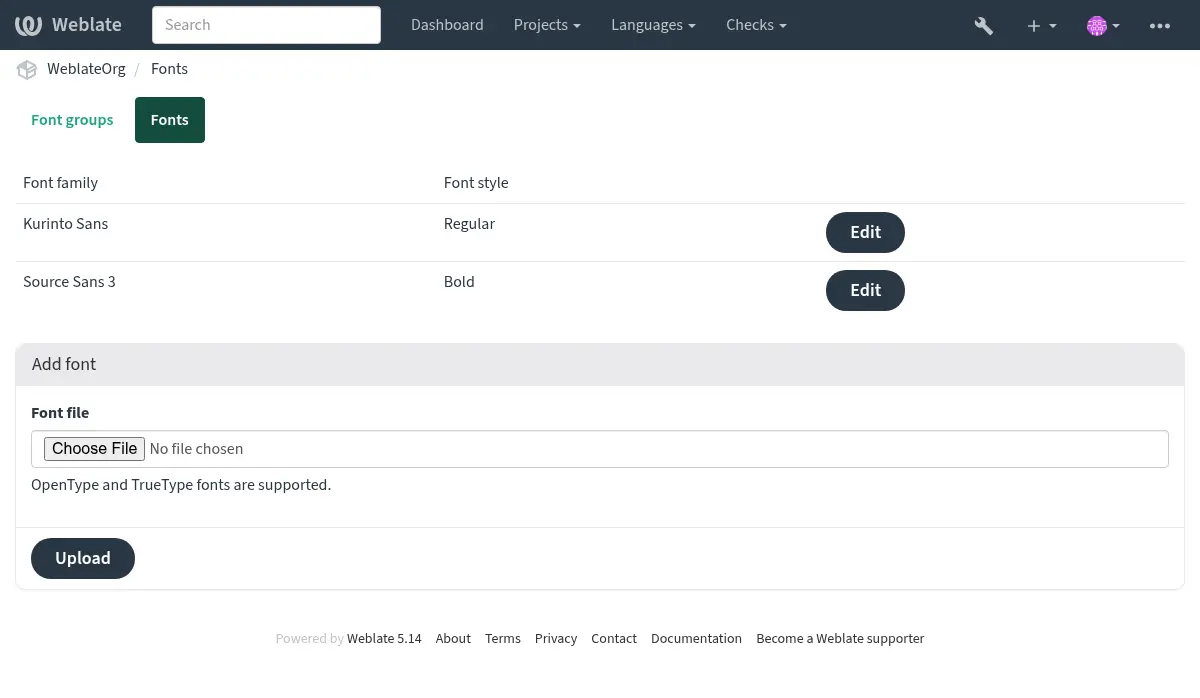
Weblate font management tool in Fonts under the Operations menu of your translation project provides interface to upload and manage fonts. TrueType or OpenType fonts can be uploaded, set up font-groups and use those in the check.
フォントグループを使用すると、言語ごとに異なるフォントを定義できます。通常、ラテン言語以外で必要です:
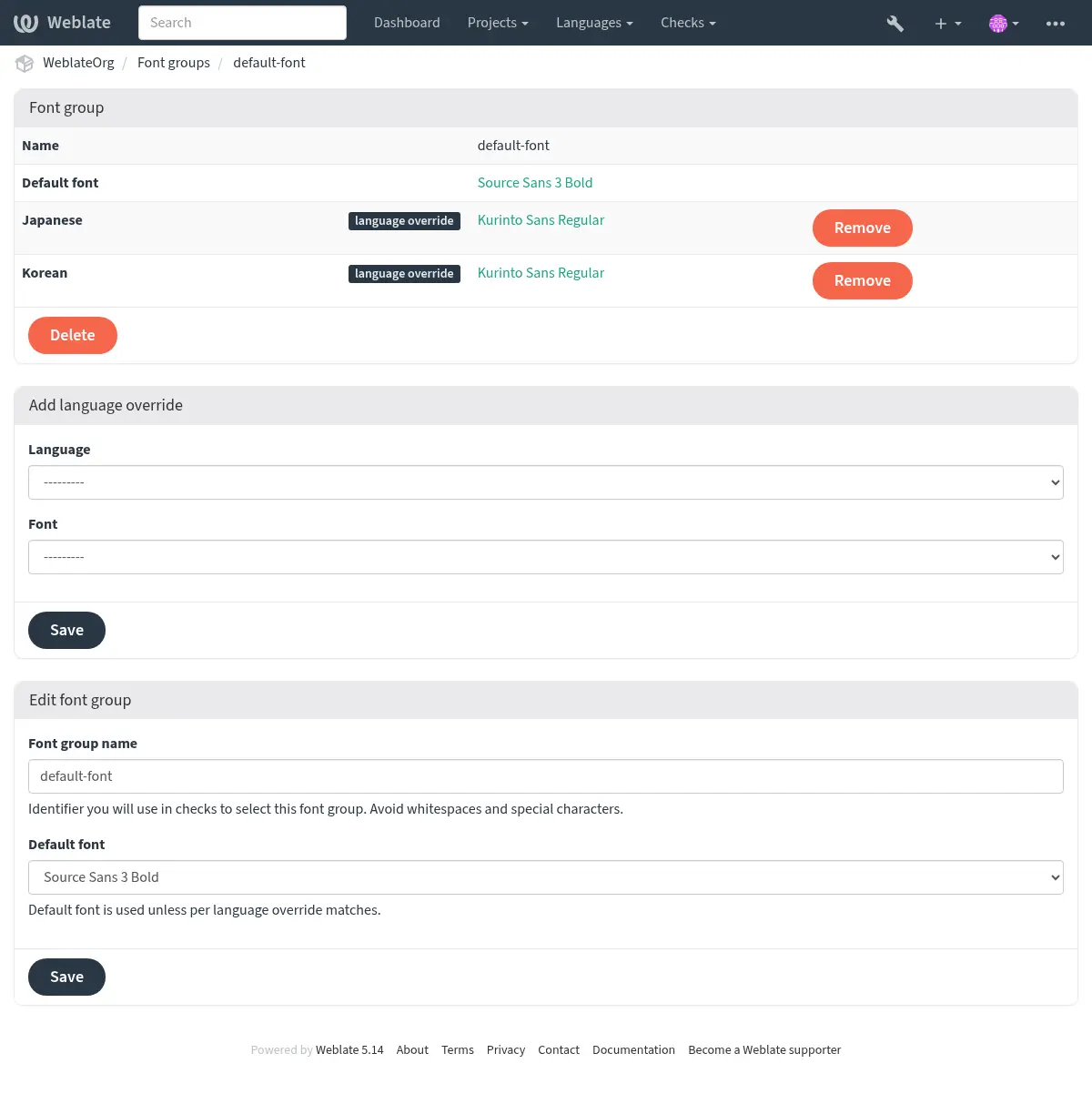
フォントグループは名前で識別されます。検査の定義で簡単に使用できるように、名前には空白文字や特殊文字を含めることはできません。
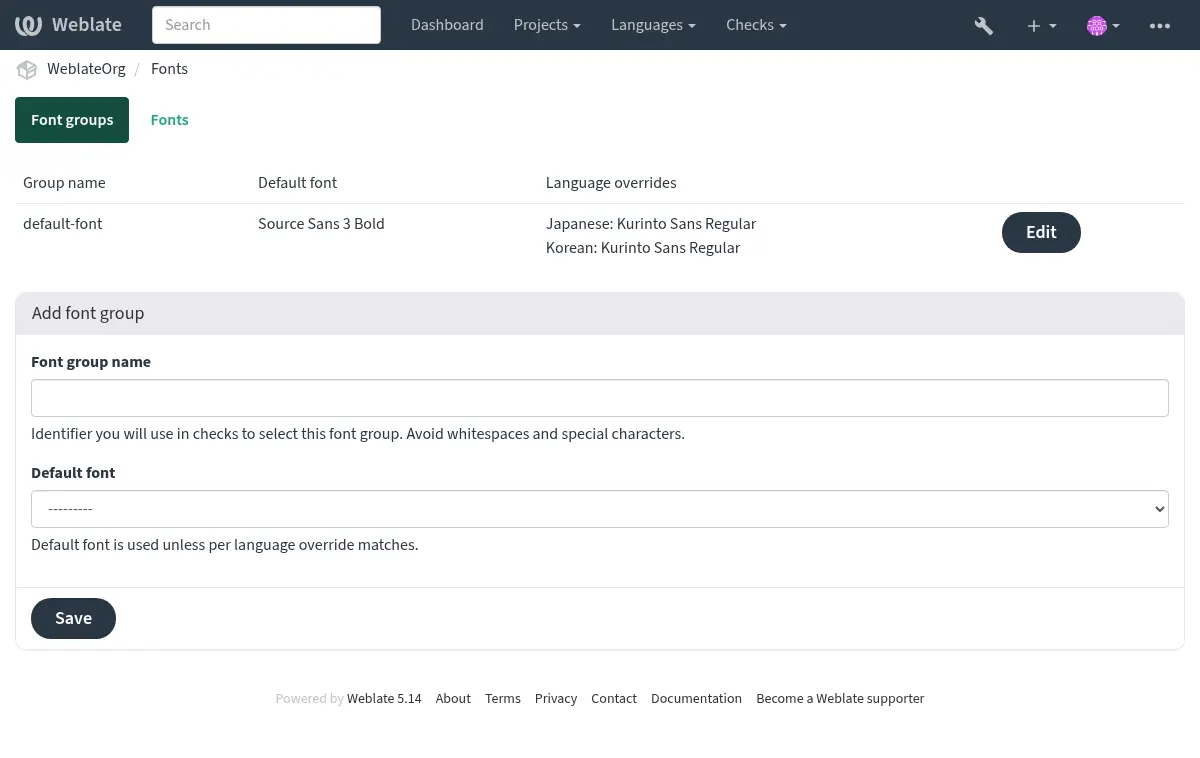
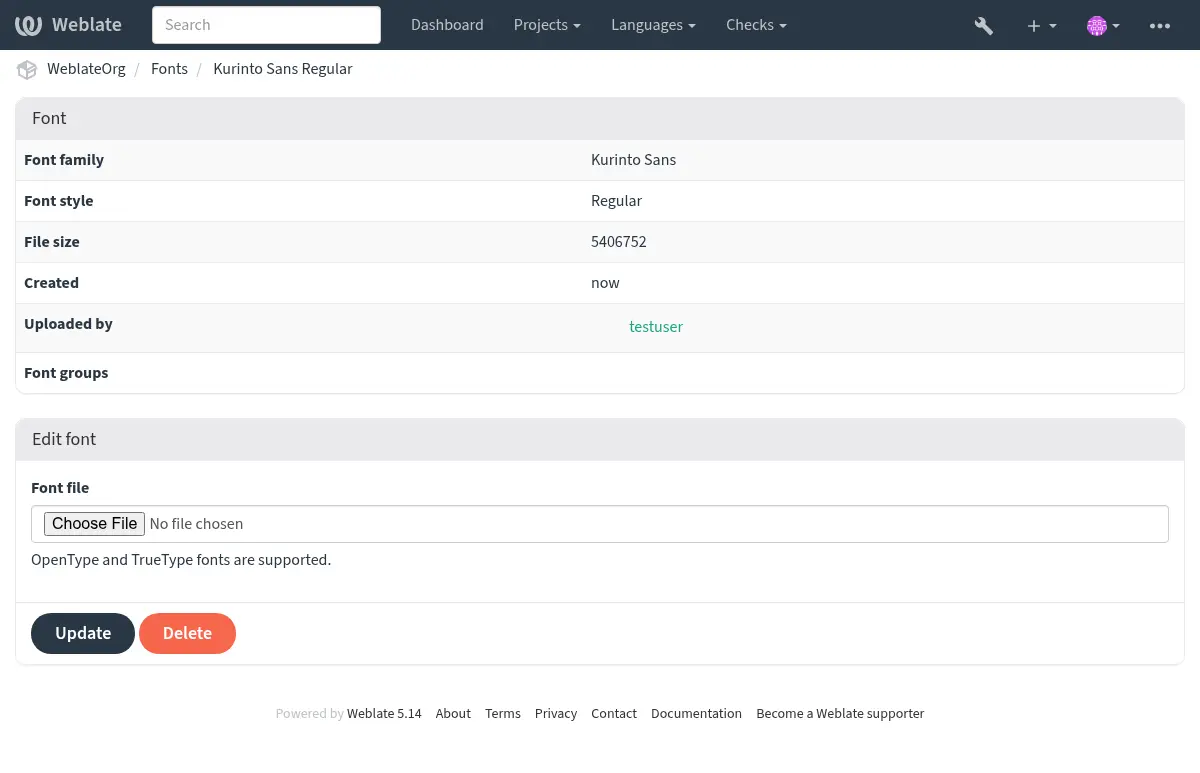
フォントファミリーとスタイルは、アップロード後に自動的に認識:
Weblate に登録できる複数のフォントの設定:
文字列の長さを確認するためにフォントを使用するには、適切なフラグ(参照 フラグを使用した動作の設定)を渡します。設定が必要な項目:
max-size:500/max-size:300:5最大幅をピクセル単位で設定し、オプションで最大行数を設定します(単語の折り返しが適用されます)。
font-family:ubuntu使用するフォントグループの識別子の設定。
font-size:22フォントサイズをピクセル単位で設定。
独自の検査項目の作成
幅広い品質検査を搭載していますが(参照: 品質検査)、検査したい項目をすべて網羅しているとは限りません。実行する検査の内容は、CHECK_LIST で設定できます。また、独自の検査も追加できます。
weblate.checks.Check をサブクラス化する
複数の属性を設定する。
check(コードで複数形を扱う場合)またはcheck_singleメソッド(これはあなたに代わって実行)を実装する。
複数の例:
独自の検査項目を組み込むには、CHECK_LIST に Python クラスへの完全修飾パスを指定します。参照: Custom quality checks, add-ons, automatic suggestions and auto-fixes。
翻訳テキストに「foo」が含まれていないかの確認
これは非常に単純な検査であり、翻訳に文字列「foo」を含まないかの検査をするだけです。
"""Simple quality check example."""

from django.utils.translation import gettext_lazy

from weblate.checks.base import TargetCheck


class FooCheck(TargetCheck):
    # Used as identifier for check, should be unique
    # Has to be shorter than 50 characters
    check_id = "foo"

    # Short name used to display failing check
    name = gettext_lazy("Foo check")

    # Description for failing check
    description = gettext_lazy("Your translation is foo")

    # Real check code
    def check_single(self, source, target, unit):
        return "foo" in target
チェコ語の翻訳文の複数形が異なっているかの確認
言語情報を使用して、チェコ語の 2 つの複数形が同じでないことを検査します。
"""Quality check example for Czech plurals."""

from django.utils.translation import gettext_lazy

from weblate.checks.base import TargetCheck


class PluralCzechCheck(TargetCheck):
    # Used as identifier for check, should be unique
    # Has to be shorter than 50 characters
    check_id = "foo"

    # Short name used to display failing check
    name = gettext_lazy("Foo check")

    # Description for failing check
    description = gettext_lazy("Your translation is foo")

    # Real check code
    def check_target_unit(self, sources, targets, unit):
        if unit.translation.language.is_base({"cs"}):
            return targets[1] == targets[2]
        return False

    def check_single(self, source, target, unit) -> bool:
        """We don't check target strings here."""
        return False