Weblate によるサポートを受ける方法
Weblate is copylefted libre software with community support. Hosting subscribers receive priority support at no extra charge. Prepaid help packages are available for everyone, including self-hosting users. Find info about current support offerings at https://weblate.org/support.
サポートの統合
購入したサポート パッケージは、オプションとして Weblate サブスクリプションの管理 画面にあるリンクを使用して連携できます。インストールした基本インスタンスの詳細も、この方法で Weblate へ報告が送信されます。
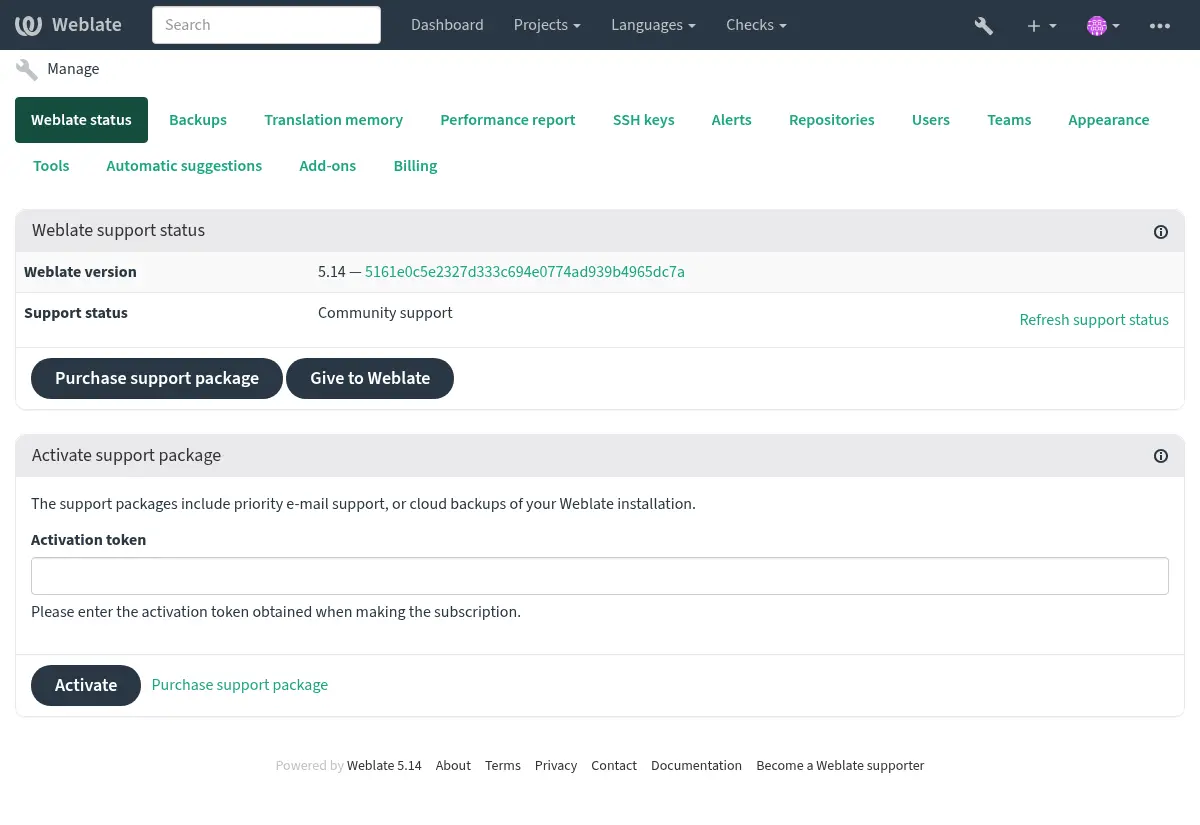
Weblate に送信された情報
Weblate インスタンス URL
サイトのタイトル
実行中のバージョン
プロジェクト、コンポーネント、言語、原文、ユーザーの集計
インスタンスの SSH 公開鍵
さらに、Weblate プロジェクトの探索 を有効した場合:
公開プロジェクトのリスト(プロジェクト名、URL および Web サイト)。
ヒント
Weblate プロジェクトの探索 の説明で Discover が公開している内容を確認してください。
他のデータは送信されません。
連携サービス
サポート パッケージが、現在有効かどうかの確認
ヒント
購入したサポート パッケージは、購入時にすでに有効になっているので、連携しなくてもご利用いただけます。
Contacting customer care
ヒント
If you do not have a support package yet, please refer to the Weblate の問題の報告 section for available community resources.
Subscribers can reach Weblate Care directly through the following channels:
Email support at care@weblate.org.
The support form is available in the Weblate management interface after サポートの統合.
A subscription ensures timely and reliable help with setup, maintenance, and troubleshooting.
注釈
Sending encrypted content
If you want to send an encrypted content, please use the public key for
care@weblate.org with ID 0961 62CE 141D 7FE4 B15D A9FA 73D9 298A CB26
03F0.
This public key is available on the most commonly used key servers, using WKD or directly from weblate.org.
Weblate プロジェクトの探索
Added in version 4.5.2.
Discover は、翻訳者が他の Weblate インスタンスやコミュニティを見つけやすくするためのオプション機能です。ユーザーは、https://weblate.org/discover/ で登録されたサイトを閲覧し、貢献できるプロジェクトを見つけることができます。
リストに掲載する
注釈
Make sure you are OK with publishing your instance name, URL, tally of projects, components, and users, together with names of public projects and components for use on Discover.
サポート サブスクリプションに加入している場合、管理パネルからサーバーをリストに掲載させる方法(サポートの統合):
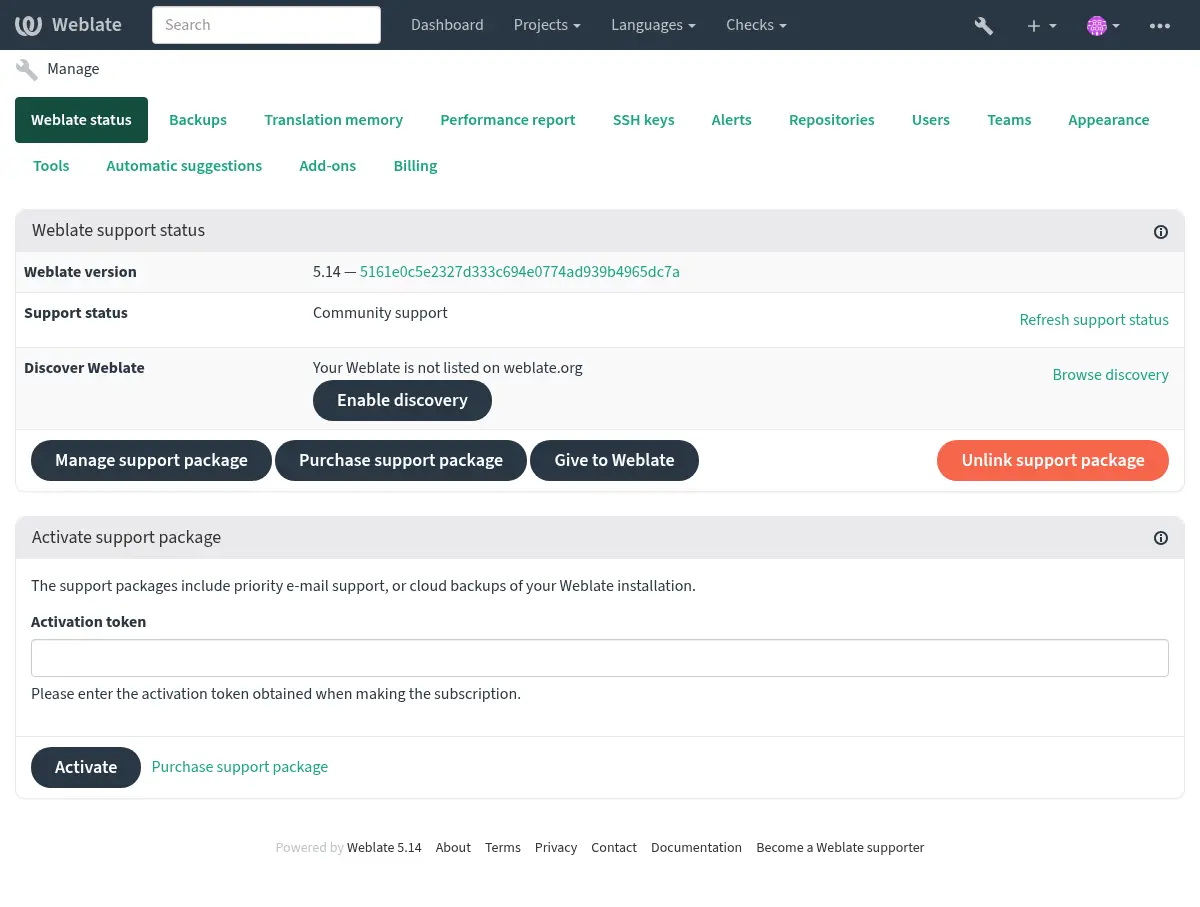
サポート契約なしでサーバーを掲載するすべての方法:
お客様自身で、https://weblate.org/user/ から登録する
Weblate サイトを、https://weblate.org/subscription/discovery/ に登録する
Weblate の管理ページから Discovery に掲載 をクリックして、Weblate がリストに掲載されているか確認する:
リストのカスタマイズ
https://weblate.org/user/ に、Weblate サイトの画像(570 x 260 ピクセル)と説明を追加することを推奨します。 これにより、Weblate インスタンスのリスト内で理解してもらえやすくなります。