検索
文字列の検索
ブール演算、かっこ、またはフィールド指定を使った高度な検索式で文字列を検索できます。入力欄の左横のリストから選択した式を使うこともできます。
フィールドが指定されていない場合は、原文、翻訳文およびコンテキスト文字列を検索します。
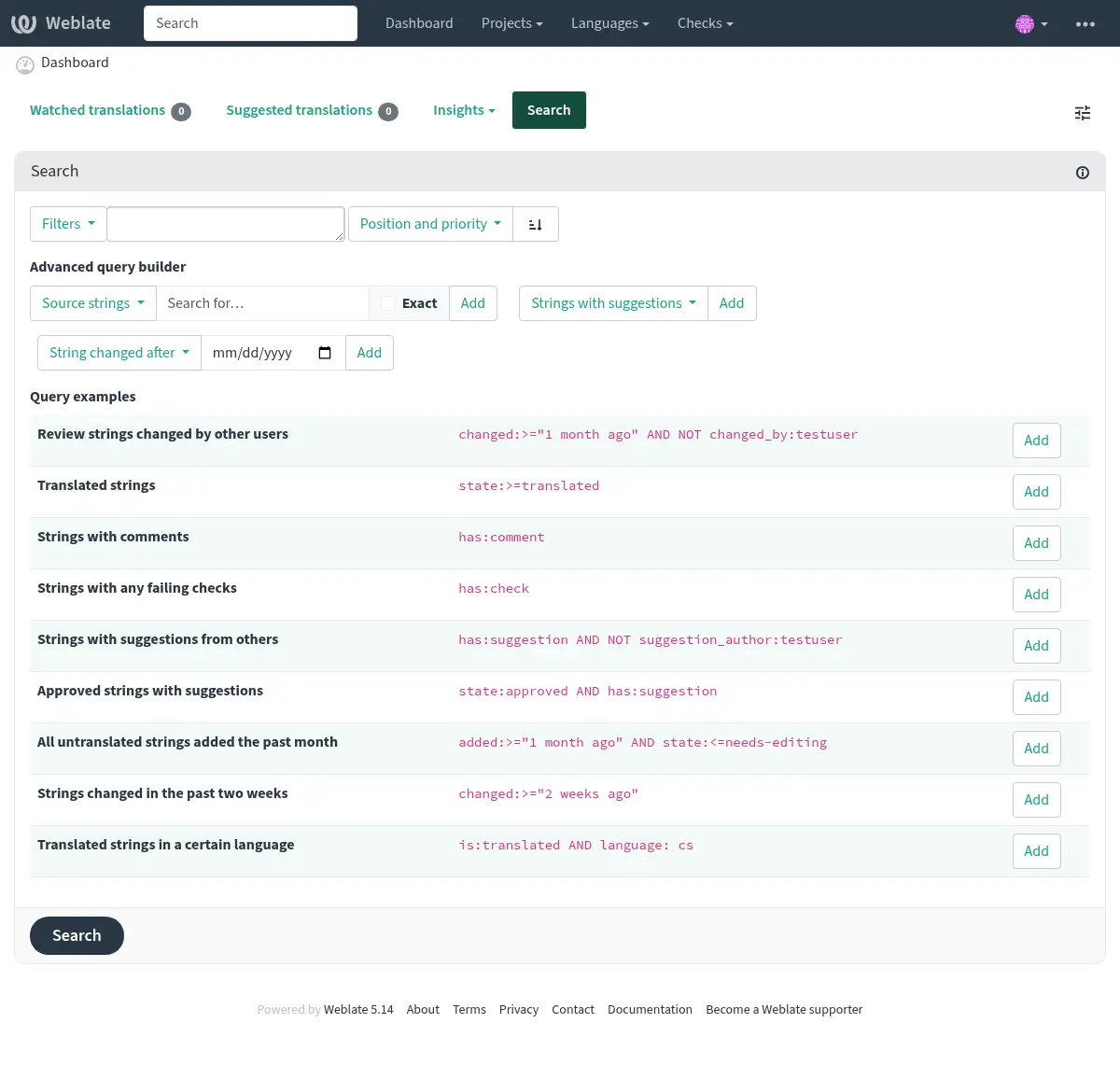
単純な検索
検索ボックスに入力した語句を単語に分割します。全ての単語を含んだ文字列が表示されます。完全に一致する語句を検索するには、「検索語句」を引用符(一重引用符 (') および二重引用符 (") に対応)で囲みます。使用例: "this is a quoted string" または 'another quoted string'。
フィールド
source:TEXT原文の大文字と小文字を区別しない検索。
target:TEXT翻訳文の大文字と小文字を区別しない検索。
context:TEXTコンテキスト文字列の大文字と小文字を区別しない検索。
key:TEXTキー文字列の大文字と小文字を区別しない検索。
note:TEXT原文の説明を大文字と小文字を区別しないで検索。
location:TEXT原文の記載位置の文字列の大文字と小文字を区別しない検索。
priority:NUMBER文字列の優先度。
id:NUMBER文字列固有の識別子。
position:NUMBER翻訳ファイル内での文字列の位置。
added:DATETIME文字列が Weblate に追加されたときのタイムスタンプ。
state:TEXT文字列の状態を検索(
approved,translated,needs-editing,empty,read-only)。このフィールドは、フィールド演算子 にも対応しているため、翻訳済みの文字列を検索するには
state:>=translated、要編集の文字列を検索するにはstate:<translatedと検索します。source_state:TEXTSearch for source string states, see above for more info.
pending:BOOLEANVCS へのフラッシュのために保留中の文字列。
has:TEXTSearch for string having attributes -
plural,context,suggestion,comment,check,dismissed-check,translation,variant,screenshot,flags,explanation,glossary,note,label,location.is:TEXT条件に基づいた文字列のフィルタリング:
read-onlyまたはreadonly翻訳禁止文字列、
state:read-onlyと同じ。approved承認済みの文字列。
state:approvedと同じです。needs-editingまたはfuzzy要編集な文字列。
state:needs-editingと同じです。translated翻訳済みの文字列、
state:>translatedと同じ。untranslated未翻訳の文字列、
state:<translatedと同じ。pendingまだファイルに保存されていない翻訳待ちの文字列(参照: 遅延コミット)。
language:TEXT翻訳対象の言語。
component:TEXTコンポーネントのスラッグまたは、大文字と小文字を区別しないコンポーネント名の検索。 コンポーネント スラッグ、 コンポーネント名 を参照。
project:TEXTプロジェクトのスラッグ。参照: URL スラッグ。
path:TEXTコンポーネント、カテゴリ、プロジェクト、または翻訳内の検索を制限するオブジェクトへのパス。
changed_by:TEXT指定したユーザー名の翻訳者が変更した翻訳文。
changed:DATETIMEString content was changed on date, supports フィールド演算子 and Searching for DATETIME fields.
change_time:DATETIMEString was changed on date, supports フィールド演算子 and Searching for DATETIME fields.
Unlike
changedthis includes event which don't change content and you can apply custom action filtering usingchange_action.change_action:TEXT変更をした操作を指定する絞り込み。
change_timeとセットで使用すると便利です。 変更をした操作の英語表記を、スペースで区切って引用符で囲む、もしくは小文字に置き換えスペースをハイフンに置換した形式、に変換して指定します。例は、変更の検索 を確認してください。source_changed:DATETIMESource string was last changed on date, supports フィールド演算子 and Searching for DATETIME fields.
last_changed:DATETIMEThe string was last changed on date, supports フィールド演算子 and Searching for DATETIME fields.
check:TEXT文字列の検査に失敗しました。検査項目については 検査と修正 を確認してください。
dismissed_check:TEXT文字列の検査が除外されました。検査項目については 検査と修正 を確認してください。
comment:TEXTユーザー コメントの検索。
resolved_comment:TEXT解決済みのコメントの検索。
comment_author:TEXTコメントした翻訳者を指定した絞り込み。
suggestion:TEXT提案の検索。
suggestion_author:TEXT提案した翻訳者を指定した絞り込み。
explanation:TEXT説明の検索。
label:TEXTラベルの検索。
screenshot:TEXTスクリーンショットの検索。
labels_count:NUMBERFilter by count of labels
ブール演算子
You can combine lookups using AND, OR, NOT and parentheses to
form complex queries.
The NOT operator has higher precedence than the AND operator; the
AND operator has higher precedence than the OR operator. You can add
parenthesis to define a precedence of your own.
Omitting the operator will make the query behave like the AND operator was
used.
|
Parenthesized expression to clearly show the precedence. |
|
The |
|
Query using an implicit |
フィールド演算子
日付と数値の検索には演算子、範囲または部分参照を指定できます。使用例:
state:>=translated状態は
translatedか、より良い(approved)。changed:[2019-03-01 to 2019-04-01]Changed between two given dates (inclusive).
position:[10 to 100]位置が 10 から 100 の文字列(両端を含む)。
Searching for DATETIME fields
Timestamp searching supports multiple ways to specify the value. It supports wide range of ways to specify date and time.
ISO 8601 formatted like
2025-09-08T12:16:55.336146+00:00.English written date and time like
July 4, 2013 PST.English adverbs of time like
yesterday,last month, and2 days ago.
Whenever only the date is specified, it is always used as inclusive and covers that date. Specify the exact timestamp if you need to override this behavior.
例:
changed:>=2019-03-01Changed 2019-03-01 and later (inclusive).
changed:>="2 weeks ago"Changed 2 weeks ago from the current date and time.
changed:>=yesterdayChanged starting yesterday.
changed:2019Changed in the year 2019.
changed:[2019-03-01 to 2019-04-01]Changed between two given dates (inclusive).
changed:[20_days_ago to yesterday]Changed between two relative dates (inclusive).
完全一致の演算子
= 演算子を使用して、特定のフィールドに対して完全一致するものを検索できます。例えば、hello world と完全に一致する語句をすべての原文から検索するには、source:="hello world" を使用します。単語 1 つを検索する場合は、引用符を省略できます。例えば、hello に一致するすべての原文を検索するには、source:=hello と入力します。
変更の検索
Added in version 4.4.
履歴イベントの検索は、change_action および change_time 演算子を使用して実行できます。
例えば、2018 年に要編集とマークされた文字列を検索するには、change_time:2018 AND change_action:marked-for-edit または change_time:2018 AND change_action:"Marked for edit" と入力します。
正規表現
テキストを入力できる場合は、r"regexp" として正規表現を指定できます。
例えば、2 ~ 5 の数字を含むすべての原文を検索するには、source:r"[2-5]" と記述します。
ヒント
The regular expressions are evaluated by the database backend and might use different extensions, please consult the database documentation below for more details.
PostgreSQL Regular Expressions Details (this is the default database engine for Weblate)
設定済みの検索式
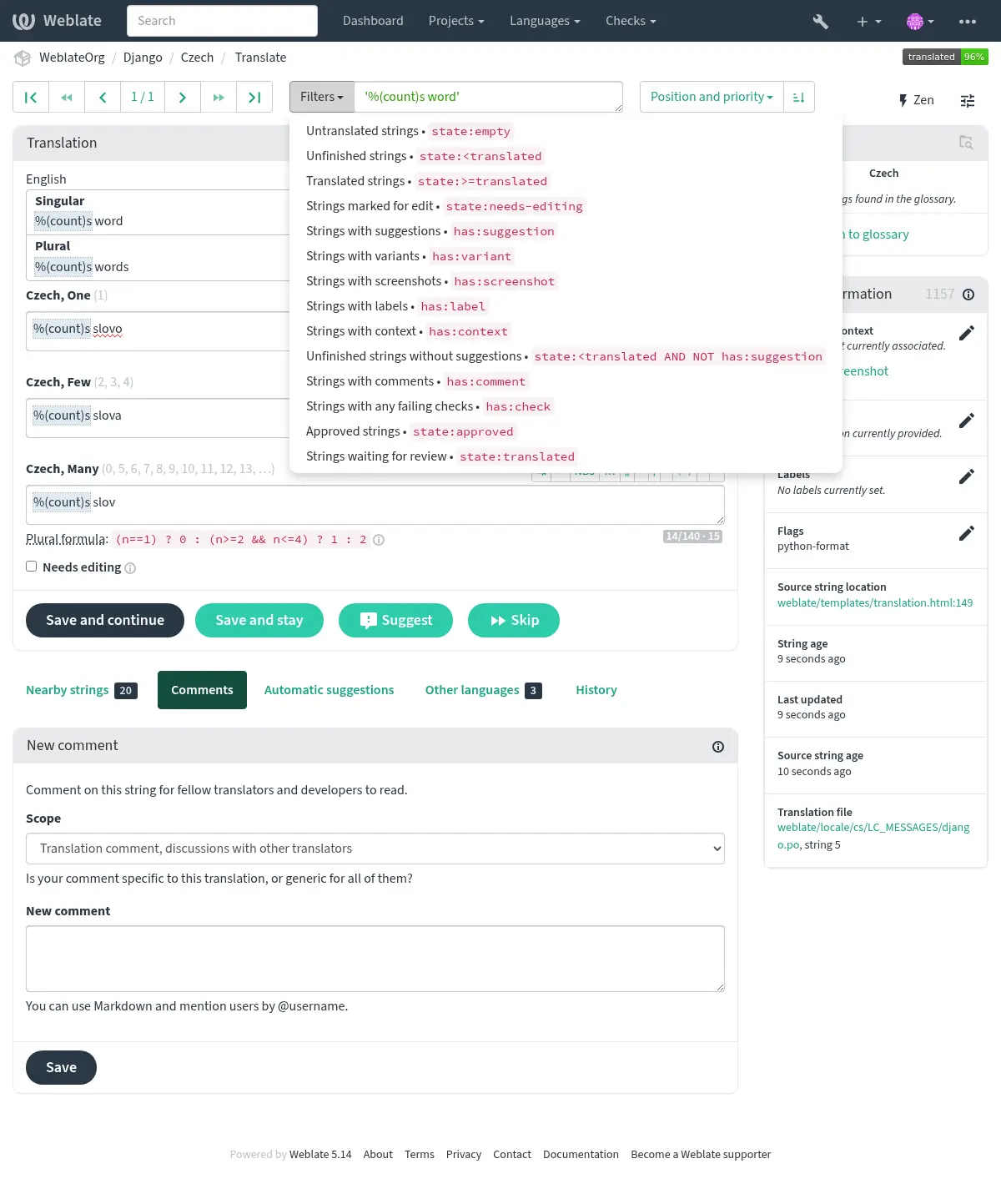
検索ページで設定済みの検索式を選択できます。よく使用される検索を素早く実行する方法:
結果の並び替え
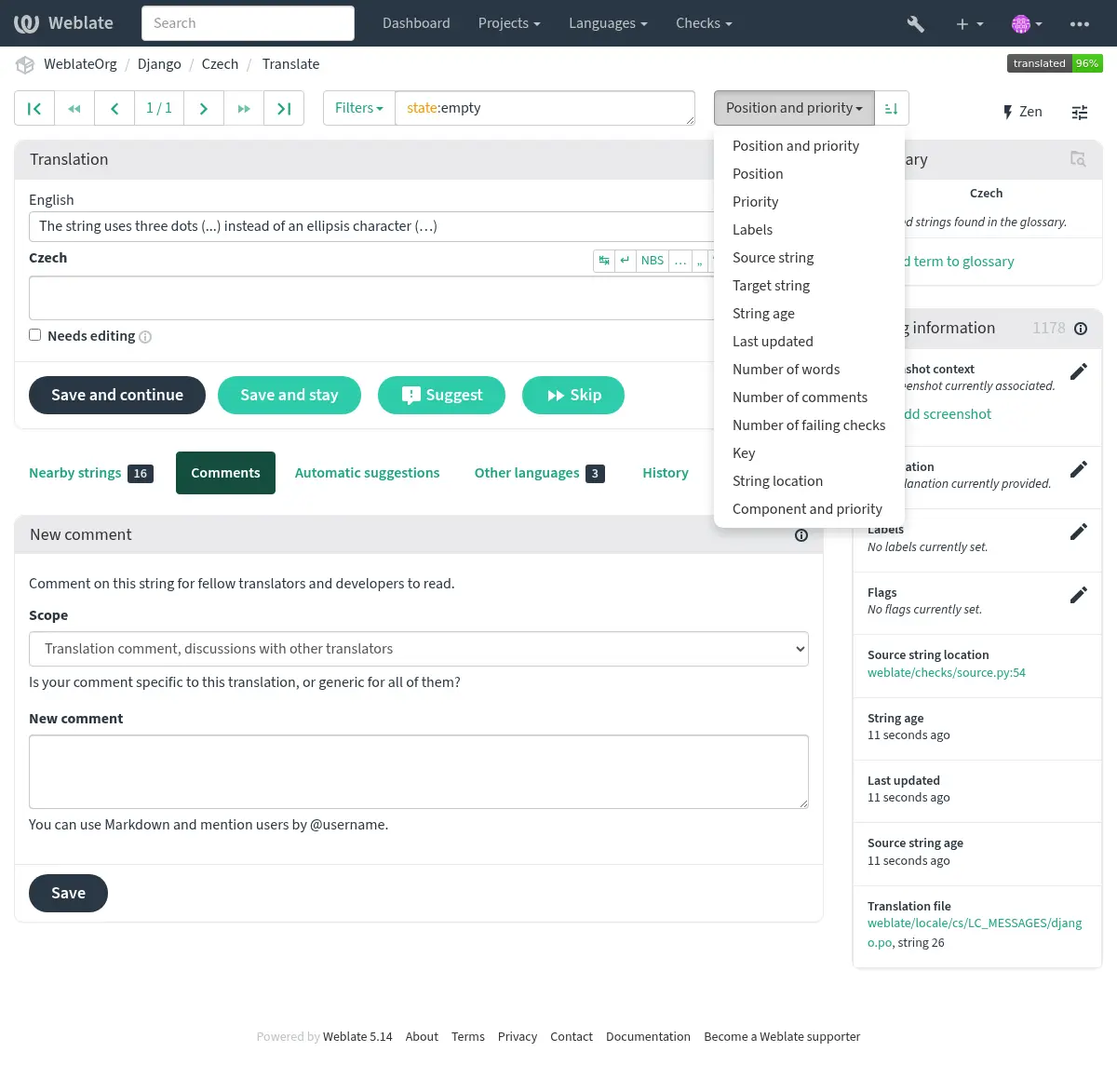
文字列を並べ替える基準は多くの中から選べます。
ユーザーの検索
Added in version 4.18.
ユーザーの閲覧にも同様の検索機能があります。
username:TEXTユーザー名で検索。
full_name:TEXTフルネームで検索。
language:TEXTユーザーが設定した翻訳言語(参照: 翻訳する言語)。
joined:DATETIME文字列の内容が変更された日付。フィールド演算子 に対応。
translates:TEXTUser has contributed to a given language.
You might want to limit contribution time by
change_time, for examplechange_time:>"90 days ago".contributes:TEXTUser has contributed to a given project or component.
You might want to limit contribution time by
change_time, for examplechange_time:>"90 days ago".change_time:DATETIMESame as in 文字列の検索.
change_action:TEXTSame as in 文字列の検索.
追加の検索機能は、管理画面 から使用できます。
is:botボットを検索する(プロジェクト スコープのトークンに使用される)。
is:active熱心なユーザーを検索する。
email:TEXTメールアドレスで検索する。