번역 구성요소 진단
주어진 번역 구성요소에 대한 Weblate 구성 또는 번역 프로젝트의 오류를 표시합니다. 발견된 문제를 해결하는 방법에 대한 안내도 제공됩니다.
현재 다음이 포함됨:
번역 파일에서 중복된 원문 문자열
번역 내에서 중복된 언어
저장소에서 병합, 업데이트 또는 푸시 실패
번역 파일의 파싱 오류
청구 제한 ( 결제 참조)
나가는 커밋 또는 누락된 커밋이 너무 많은 저장소
라이선스 누락
애드온 실행 시 오류 ( 애드온 참조)
Misconfigured monolingual or bilingual translation.
손상된 구성요소 설정
손상된 URL
사용되지 않는 스크린샷
모호한 언어 코드
구성요소 설정에서 사용되지 않는 새 기본 파일
연결된 구성요소에 사용된 중복 파일 마스크
충돌하는 병합 요청 저장소 설정
구성요소가 사용되지 않는 것으로 보임 (
UNUSED_ALERT_DAYS로 구성 가능)Unused glossary languages
경보는 매일 또는 관련 변경 시 (예: 구성요소 설정 가 변경되거나 저장소가 업데이트될 때) 업데이트됩니다.
프로젝트 웹사이트 가용성 검사는 WEBSITE_ALERTS_ENABLED 를 사용하여 비활성화할 수 있습니다. 이 경우 Weblate는 접근할 수 없는 프로젝트 웹사이트에 대한 경보를 더 이상 생성하지 않습니다.
Alerts are listed on each respective component page as Diagnostics.
Project and workspace diagnostics overviews
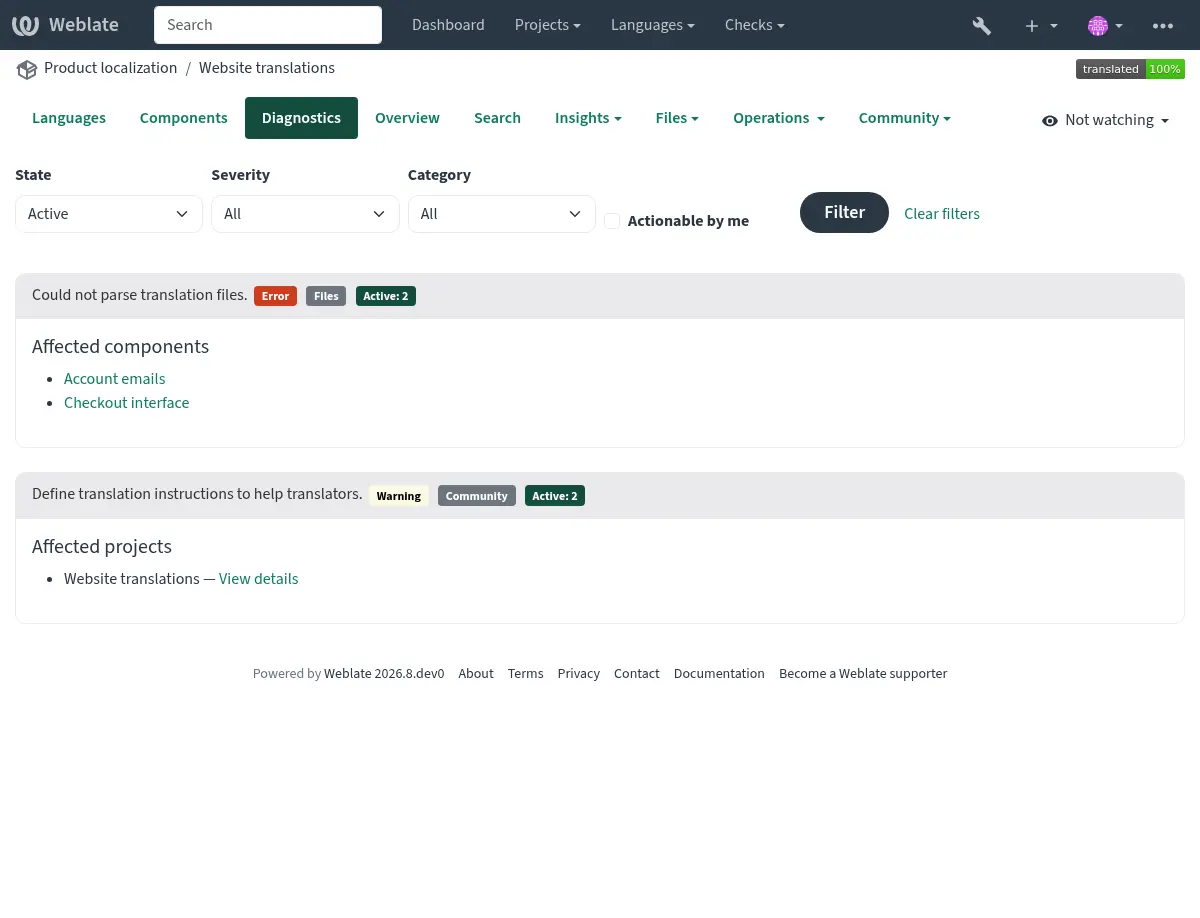
Signed-in users can open the Diagnostics tab on project and workspace pages. The overview is loaded when opened and groups alerts of the same type instead of repeating them for every component.
The project overview shows project-wide findings once and lists the components affected by component-specific findings:
The workspace overview groups project-wide findings by project and identifies components using both the project and component name:
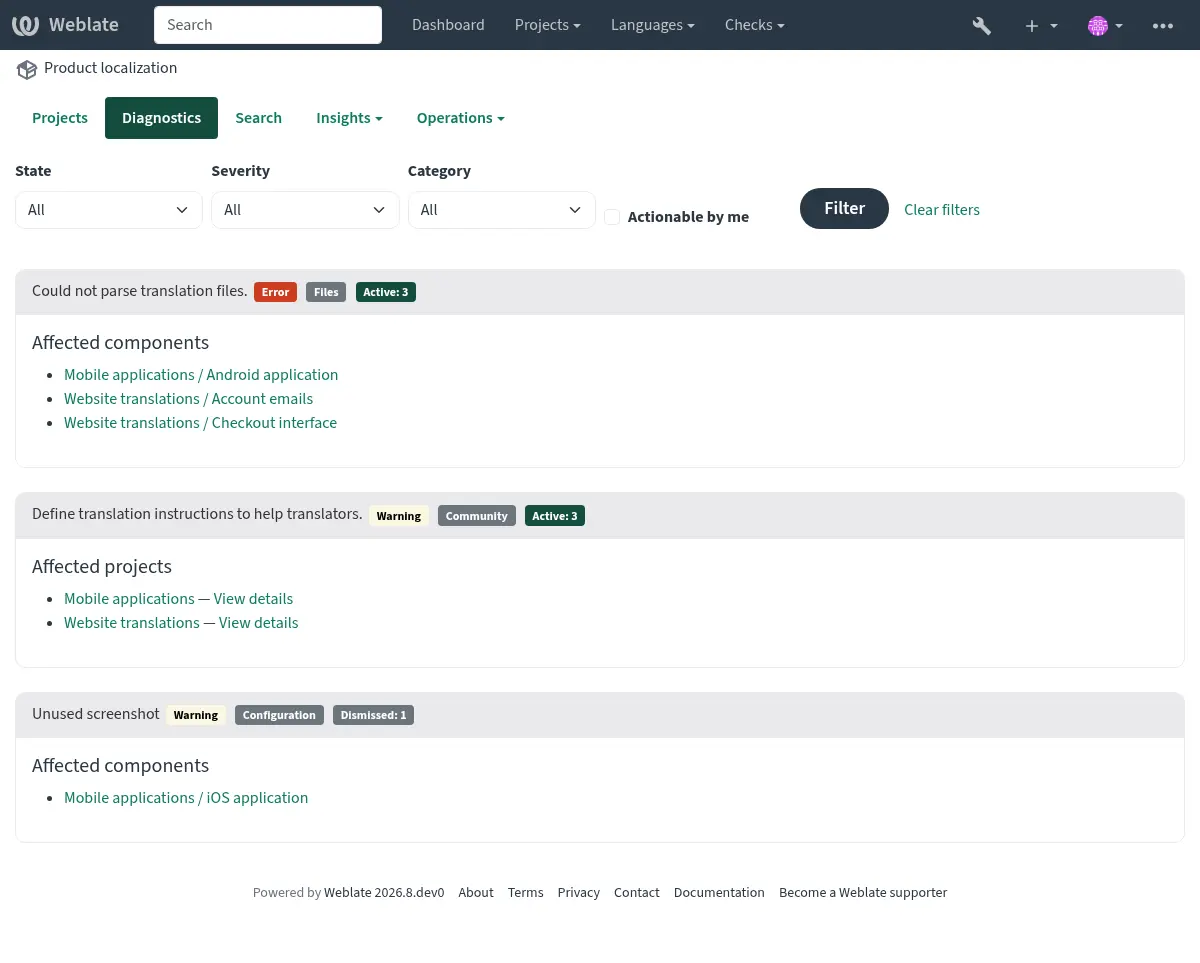
Each finding lists up to 20 affected projects or components. Additional affected objects are shown as a count. Follow a component link to see the complete diagnostic details or dismiss a diagnostic on the component page.
The summary can be filtered by active or dismissed state, severity, category, or whether the signed-in user can act on the diagnostic. Components shared into a project are listed only in the diagnostics of their owning project.
If it is missing, the component clears all current checks. Problem alerts cannot be ignored, but will disappear once the underlying problem has been fixed.
정보 및 경고 알림은 커뮤니티 현지화 개선을 위한 안내에 사용됩니다. 이들은 해제할 수 있고 진단 탭을 보이게 하지만, 목록에서 구성요소 문제를 나타내지는 않습니다.
Dismissed diagnostics record who dismissed them, when they were dismissed, and an optional reason. A dismissal is automatically reopened when the diagnostic details or the configuration relevant to that diagnostic changes. Dismissal and reopening are both recorded in the component change history.
Warning and error notifications are sent only to subscribed project maintainers who have permission to act on the diagnostic. Informational recommendations do not send unsolicited notifications.
Custom alerts can override
BaseAlert.get_dismissal_context(component, details) to include stable,
JSON-serializable configuration or diagnostic inputs. Changing the returned
context reopens a dismissed alert. Incidental values such as evaluation time
should not be included.
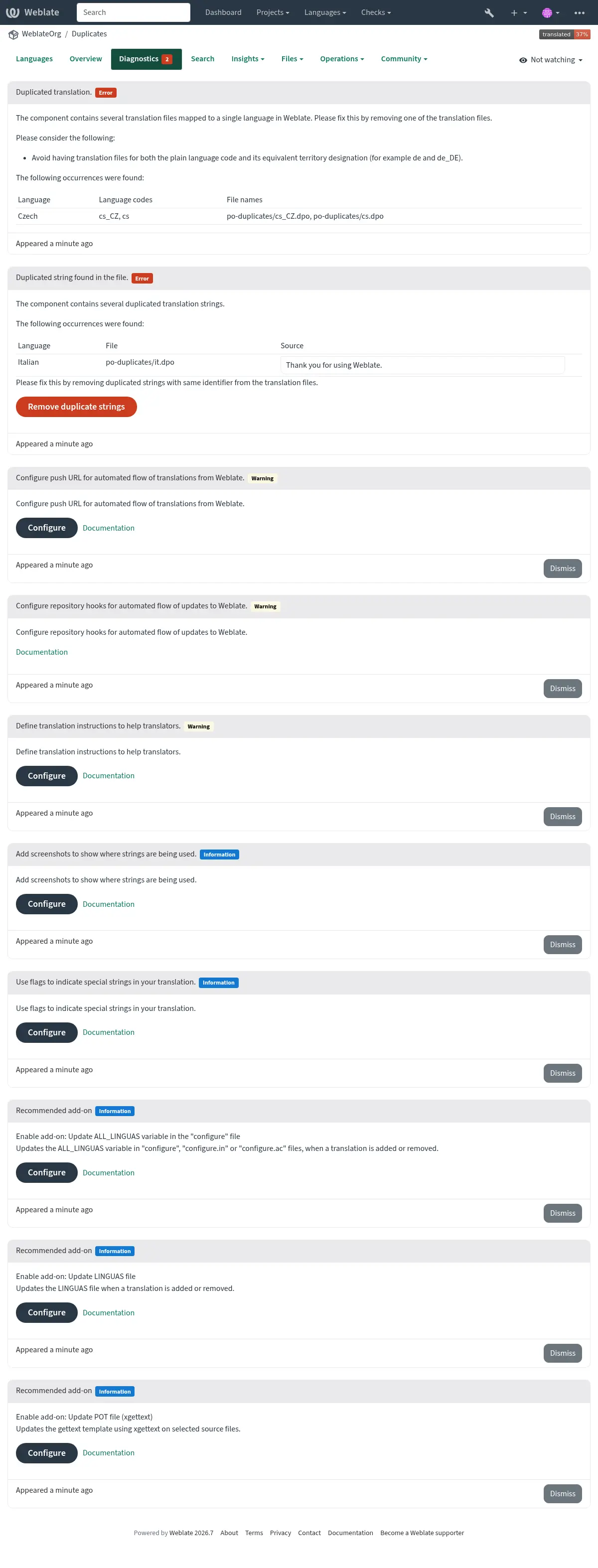
중복 문자열과 언어가 모두 있는 구성요소는 다음과 같음:
충돌하는 저장소 설정
이 경고는 여러 Git 구성요소가 모두 해당 브랜치에서 가져오지 않으면서 같은 저장소와 푸시 브랜치로 푸시하도록 구성된 경우 표시됩니다. 여기에는 풀 또는 병합 요청 워크플로와 별도 푸시 브랜치로의 직접 푸시가 포함됩니다. 이러한 설정은 공유 브랜치를 덮어쓸 수 있습니다.
이를 해결하려면 각 구성요소에 대해 다른 Push branch 를 구성하거나 weblate://project/component 저장소 URL을 사용하여 구성요소 간에 저장소를 공유하세요.
더 보기