Obtendo suporte para o Weblate
O Weblate é um software livre protegido por copyleft com suporte da comunidade. Os assinantes de hospedagem recebem suporte prioritário sem custo adicional. Pacotes de ajuda pré-pagos estão disponíveis para todos, inclusive para usuários de hospedagem própria. Encontre informações sobre as ofertas de suporte atuais em https://weblate.org/support.
Integrando suporte
Os pacotes de suporte adquiridos podem ser integrados opcionalmente ao seu gerenciamento de assinatura do Weblate, de onde você encontrará um link para ele. Detalhes básicos da instância sobre sua instalação também são relatados de volta ao Weblate desta forma.
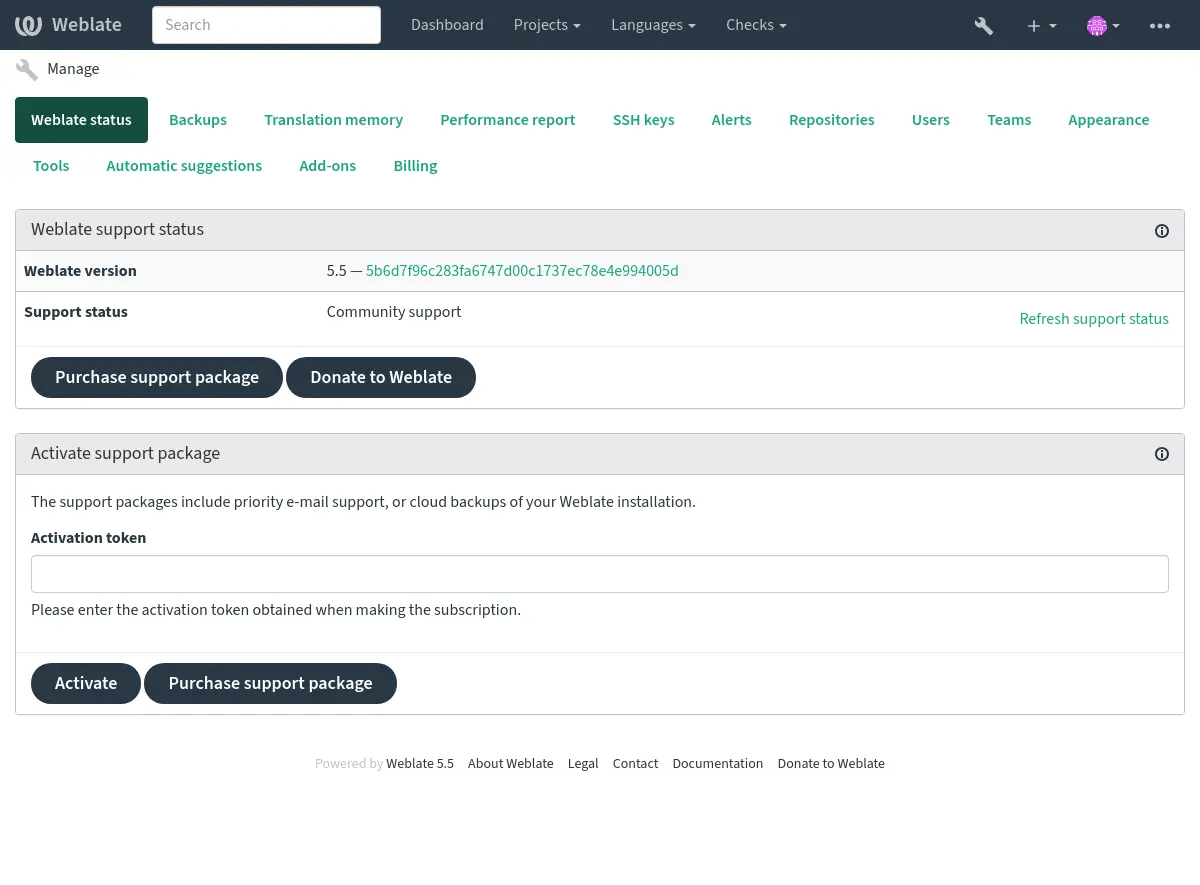
Informações enviadas para o Weblate
URL da instância do Weblate
O título do site
A versão que você está executando
Quantidade total de projetos, componentes, idiomas, textos fonte e usuários
A chave pública SSH da sua instância
Além disso, se você ativar Discover do Weblate:
List of public and protected projects (name, URL, and website).
Dica
Verifique o que o Discover mostra publicamente na descrição em Discover do Weblate.
Nenhum outro dado é enviado.
Serviços de integração
Veja se o seu pacote de suporte ainda é válido
Dica
Os pacotes de suporte adquiridos já estão ativados no momento da compra e podem ser usados sem integrá-los.
Contacting customer care
Dica
If you do not have a support package yet, please refer to the Relatando problemas no Weblate section for available community resources.
Subscribers can reach Weblate Care directly through the following channels:
Email support at care@weblate.org.
The support form is available in the Weblate management interface after Integrando suporte.
A subscription ensures timely and reliable help with setup, maintenance, and troubleshooting.
Nota
Sending encrypted content
If you want to send an encrypted content, please use the public key for
care@weblate.org with ID 0961 62CE 141D 7FE4 B15D A9FA 73D9 298A CB26
03F0.
This public key is available on the most commonly used key servers, using WKD or directly from weblate.org.
Discover do Weblate
Adicionado na versão 4.5.2.
Discover é um serviço opcional que facilita para os tradutores encontrarem outras instâncias e comunidades do Weblate. Os usuários podem navegar pelos sites cadastrados e encontrar projetos com os quais possam contribuir em https://weblate.org/discover/.
Como fazer para ser listado
Alterado na versão 2026.7.1: Discover Weblate registration can be started directly from the management interface without manually copying the activation token.
Nota
Make sure you are OK with publishing your instance name, URL, tally of projects, components, and users, together with names of public and protected projects for use on Discover.
Use the Discover Weblate panel in the management interface to manage the listing. If you have an activated support package, list your server by clicking Enable discovery. If the instance is not connected to weblate.org yet, start the registration by clicking Enable Discover Weblate:
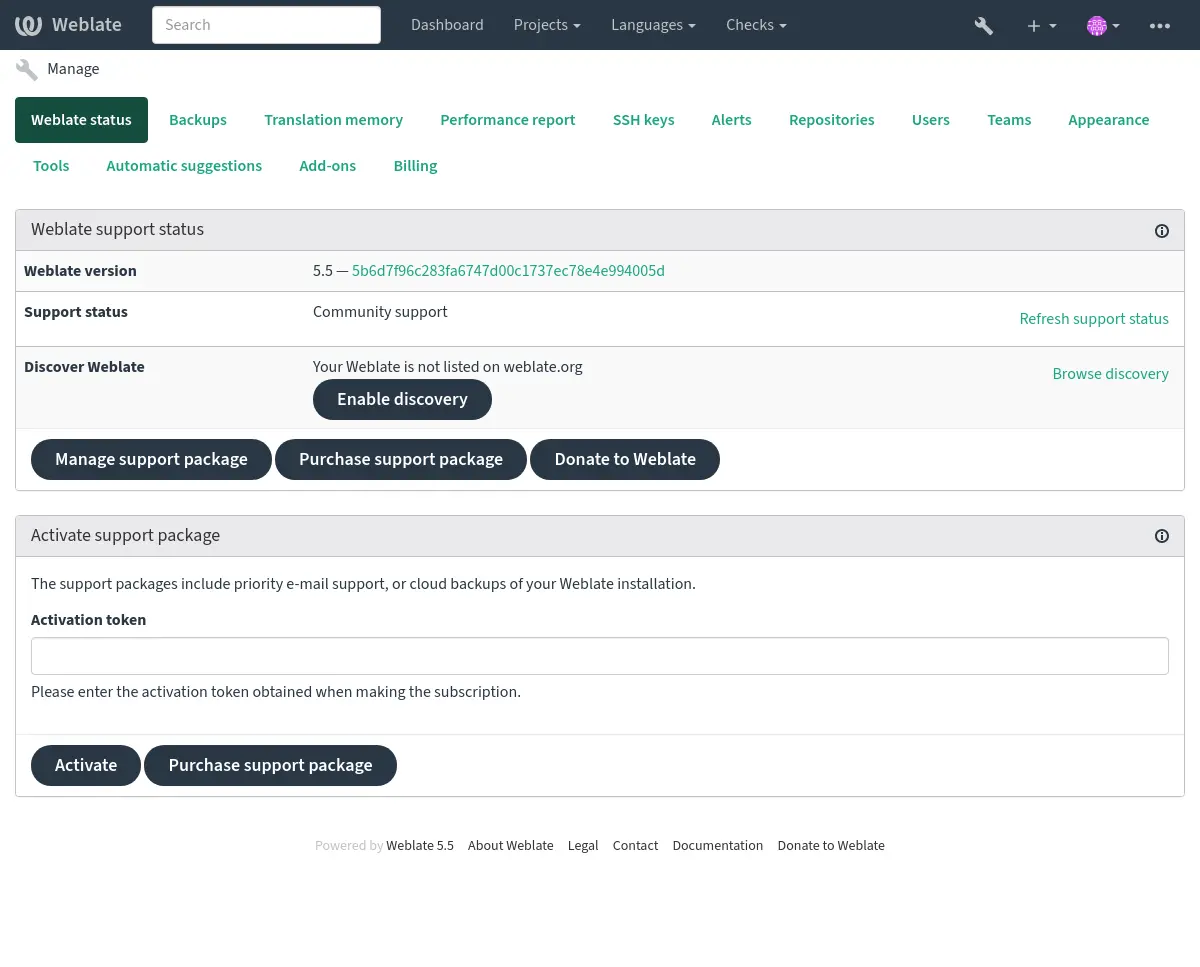
This opens the registration form on weblate.org and returns to your Weblate management interface to complete activation with discovery already enabled. The registration flow can be used from an account that has a support subscription, but it registers the Discover Weblate listing; activating a purchased support package is handled by Integrando suporte. Unlinking the support package disables the Discover Weblate listing.
All steps for listing a server manually, for example from older Weblate versions:
Registre-se em https://weblate.org/user/
Registre seu site Weblate em https://weblate.org/subscription/discovery/
Copy the activation token into your Weblate management interface.
Confirm you want your Weblate listed by clicking Enable discovery from the Discover Weblate panel:
Listando a personalização
Recomendamos que você forneça uma imagem (570x260 pixels) e uma descrição do seu site Weblate em https://weblate.org/user/. Isso melhora a visibilidade de sua instância na lista.