Buscas
Search query syntax
Advanced searches support boolean operations, parentheses, field-specific lookup, field operators, exact match, date values, and regular expressions. The available fields depend on what kind of object is being searched.
Operadores booleanos
You can combine lookups using AND, OR, NOT and parentheses to
form complex queries. Boolean operators are case-insensitive, so and,
And and AND are equivalent.
O operador NOT tem maior precedência que o operador AND; o operador AND tem maior precedência que o operador OR. Você pode adicionar parênteses para definir sua própria precedência.
A omissão do operador fará com que a consulta se comporte como o operador AND foi usado.
|
Expressão entre parênteses para mostrar claramente a precedência. |
|
O operador |
|
Consulta usando um operador |
Operações de campo
Você pode especificar operadores, intervalos ou buscas parciais para buscas de data ou numéricas:
state:>=translatedStatus é
translatedou melhor (approved).changed:[2019-03-01 to 2019-04-01]Changed between two given dates (inclusive).
position:[10 to 100]Textos com posição entre 10 e 100 (inclusive).
Searching for DATETIME fields
Timestamp searching supports multiple ways to specify the value. It supports wide range of ways to specify date and time.
ISO 8601 formatted like
2025-09-08T12:16:55.336146+00:00.English written date and time like
July 4, 2013 PST.English adverbs of time like
yesterday,last month, and2 days ago.
Whenever only the date is specified, it is always used as inclusive and covers that date. Specify the exact timestamp if you need to override this behavior.
Exemplos:
changed:>=2019-03-01Changed on 1st March 2019 and later (inclusive).
changed:>="2 weeks ago"Changed 2 weeks ago from the current date and time.
changed:>=yesterdayA mudança começou ontem.
changed:2019Changed in the year 2019.
changed:[2019-03-01 to 2019-04-01]Changed between two given dates (inclusive).
changed:[20_days_ago to yesterday]Changed between two relative dates (inclusive).
Operadores exatos
Você pode fazer uma consulta de correspondência exata em diferentes campos de texto usando o operador =. Por exemplo, para buscar por todos os textos fonte que correspondem exatamente a hello world, use: source:="hello world". Para buscar por expressões de uma única palavra, você não precisa de aspas. Por exemplo, para buscar por todos os textos fonte que correspondam a hello, você pode utilizar: source:=hello.
Expressões regulares
Em qualquer lugar que o texto seja aceito, você também pode especificar uma expressão regular como r "regexp".
Por exemplo, para buscar por todos os textos que contenham qualquer dígito entre 2 e 5, utilize source:r"[2-5]".
Dica
The regular expressions are evaluated by the database backend and might use different extensions, please consult the database documentation for more details:
Buscando textos
String search supports the shared query syntax above.
Quando nenhum campo é definido, a busca acontece em textos fonte, destino e de contexto.
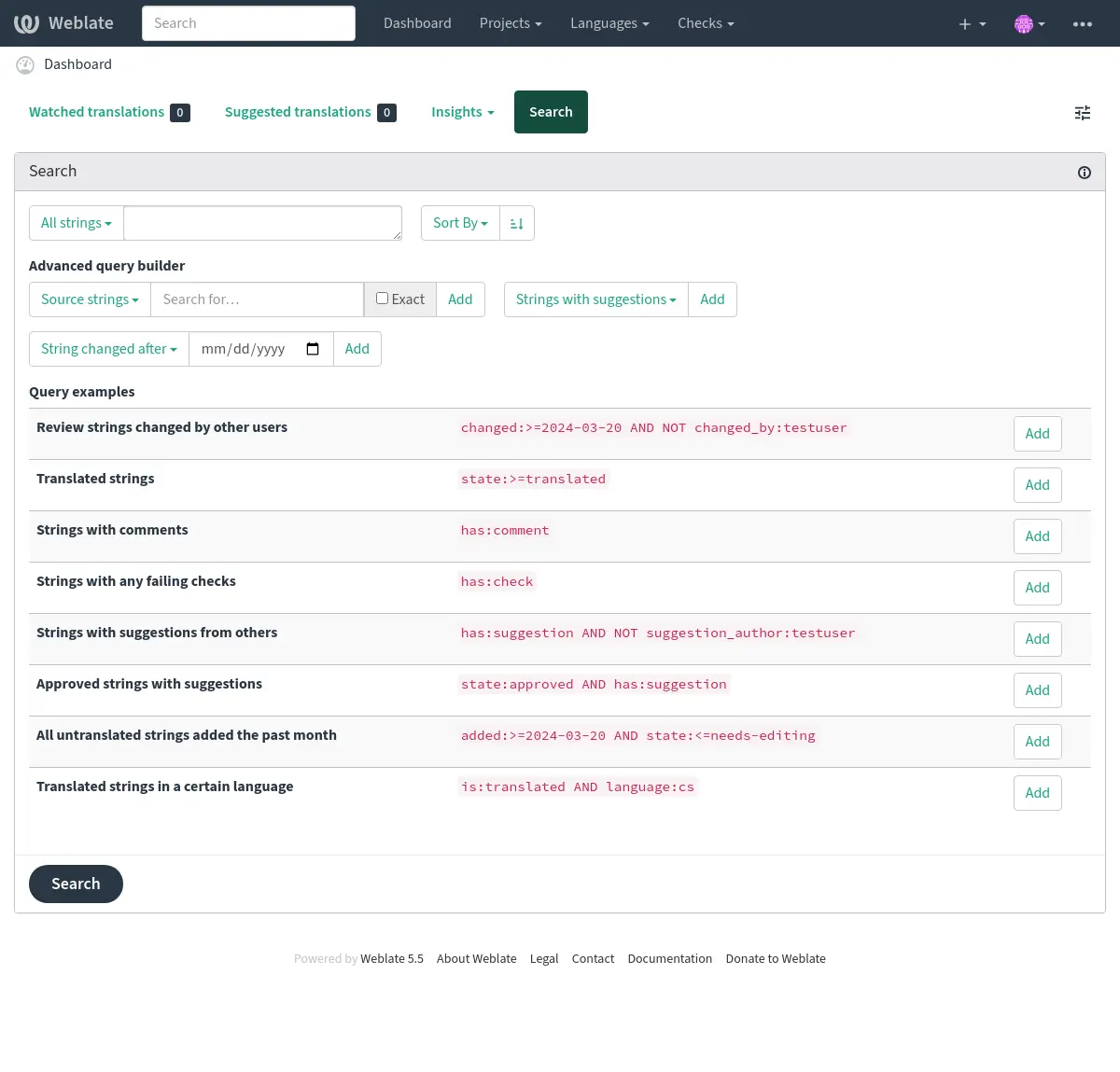
Busca simples
Qualquer frase digitada na caixa de busca é dividida em palavras. Os textos que contêm todas elas são mostrados. Para buscar uma frase exata, coloque “a frase de busca” entre aspas (ambas aspas simples (') e duplas (") funcionarão: "este é um texto entre aspas" ou 'outro texto entre aspas'.
Campos
source:TEXTBusca por texto fonte sem diferenciar maiúscula de minúscula.
target:TEXTBusca por texto de destino sem diferenciar maiúscula de minúscula.
context:TEXTBusca por texto de contexto sem diferenciar maiúscula de minúscula.
key:TEXTBusca por texto chave sem diferenciar maiúscula de minúscula.
note:TEXTBusca por descrição de texto fonte sem diferenciar maiúscula de minúscula.
location:TEXTBusca por texto de localização sem diferenciar maiúscula de minúscula.
priority:NUMBERPrioridade do texto.
id:NUMBERIdentificador exclusivo de textos.
position:NUMBERPosição dos textos no arquivo de tradução.
added:DATETIMEData e hora de quando o texto foi adicionado ao Weblate.
state:TEXTSearch for string states (
approved,translated,needs-editing,needs-rewriting,needs-checking,empty,read-only).Este campo também suporta Operações de campo, então a busca por textos completos pode ser realizada como
state:>=translated, e a busca por textos que precisam de tradução pode ser realizada comostate:<translated.source_state:TEXTBusca por status de textos fonte, veja acima para mais informações.
pending:BOOLEANTexto pendente para descarga para o VCS.
has:TEXTSearch for string having attributes -
plural,context,suggestion,comment,source-comment,check,dismissed-check,translation,variant,screenshot,flags,explanation,glossary,note,label,location.is:TEXTFiltra texto com base em uma condição:
read-onlyoureadonlyTextos somente leitura, o mesmo que
state:read-only.approvedTextos aprovados, iguais a
state:approved.needs-editingoufuzzyNeeding editing/checking/rewriting strings, same as
state:needs-editing OR state:needs-rewriting OR state:needs-checking.translatedTextos traduzidos, iguais a
state:>translated.untranslatedTextos não traduzidos, o mesmo que
state:<translated.pendingTextos pendentes ainda não confirmados no arquivo (consulte Commits adiados).
automatically-translatedStrings that were translated automatically (see Tradução automática).
language:TEXTIdioma de destino do texto.
component:TEXTSlug da URL de componente ou busca que não diferencia maiúsculas de minúsculas, consulte Slug do componente e Nome do componente.
project:TEXTSlug do projeto, consulte Slug da URL.
path:TEXTCaminho para o objeto para limitar a busca dentro do componente, categoria, projeto ou tradução.
changed_by:TEXTString was changed by author with given username. Use
changed_by:""to search for strings with at least one content change without a recorded author.changed:DATETIMEString content was changed on date, supports Operações de campo and Searching for DATETIME fields.
change_time:DATETIMEString was changed on date, supports Operações de campo and Searching for DATETIME fields.
Unlike
changedthis includes event which don’t change content and you can apply custom action filtering usingchange_action.change_action:TEXTFiltros em ação de alteração, útil juntamente com
change_time. Aceita o nome em inglês da ação de alteração, seja entre aspas e com espaços ou letras minúsculas e espaços substituídos por um hífen. Consulte Buscando por alterações para exemplos.When combining
changed_by,changed,change_time, andchange_actionfilters, the filters apply to the same change event.source_changed:DATETIMESource string was last changed on date, supports Operações de campo and Searching for DATETIME fields.
last_changed:DATETIMEThe string was last changed on date, supports Operações de campo and Searching for DATETIME fields.
check:TEXTO texto falhou na verificação, consulte Verificações e correções para identificadores de verificação.
dismissed_check:TEXTO texto dispensou a verificação, consulte Verificações e correções para identificadores de verificação.
comment:TEXTSearch in unresolved user comments on the string.
resolved_comment:TEXTBusca nos comentários resolvidos.
comment_author:TEXTFiltra por autor do comentário.
source_comment:TEXTSearch in unresolved source string comments.
resolved_source_comment:TEXTSearch in resolved source string comments.
source_comment_author:TEXTFilter by source string comment author.
Source string comment filters match comments attached to the source string. When searching across languages, matching target strings sharing that source string can be included in the results.
suggestion:TEXTBuscar nas sugestões.
suggestion_author:TEXTFiltra por autor da sugestão.
explanation:TEXTBuscar nas explicações.
label:TEXTBuscar nas etiquetas.
screenshot:TEXTBuscar nas capturas de tela.
labels_count:NUMBERFiltrar por número de etiquetas
Buscando por alterações
Adicionado na versão 4.4.
A busca por eventos do histórico pode ser feita utilizando os operadores change_action e change_time.
Por exemplo, uma busca por textos marcados para edição em 2018 pode ser inserida como change_time:2018 AND change_action:marked-for-edit ou change_time:2018 AND change_action:"Marked for edit".
Consultas predefinidas
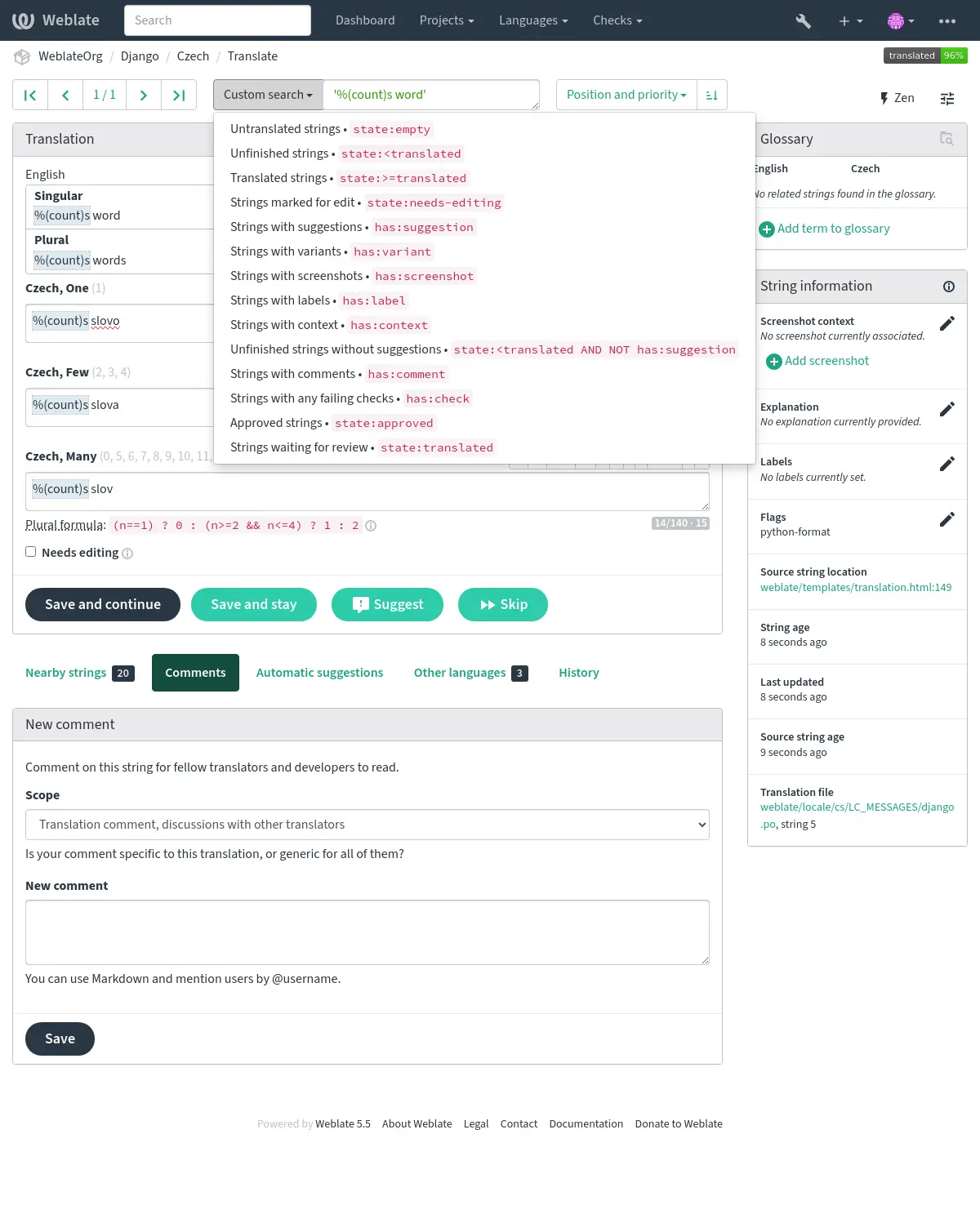
Pode selecionar entre as consultas predefinidas na página de busca, o que lhe permite acessar rapidamente as buscas mais frequentes:
Ordenando os resultados
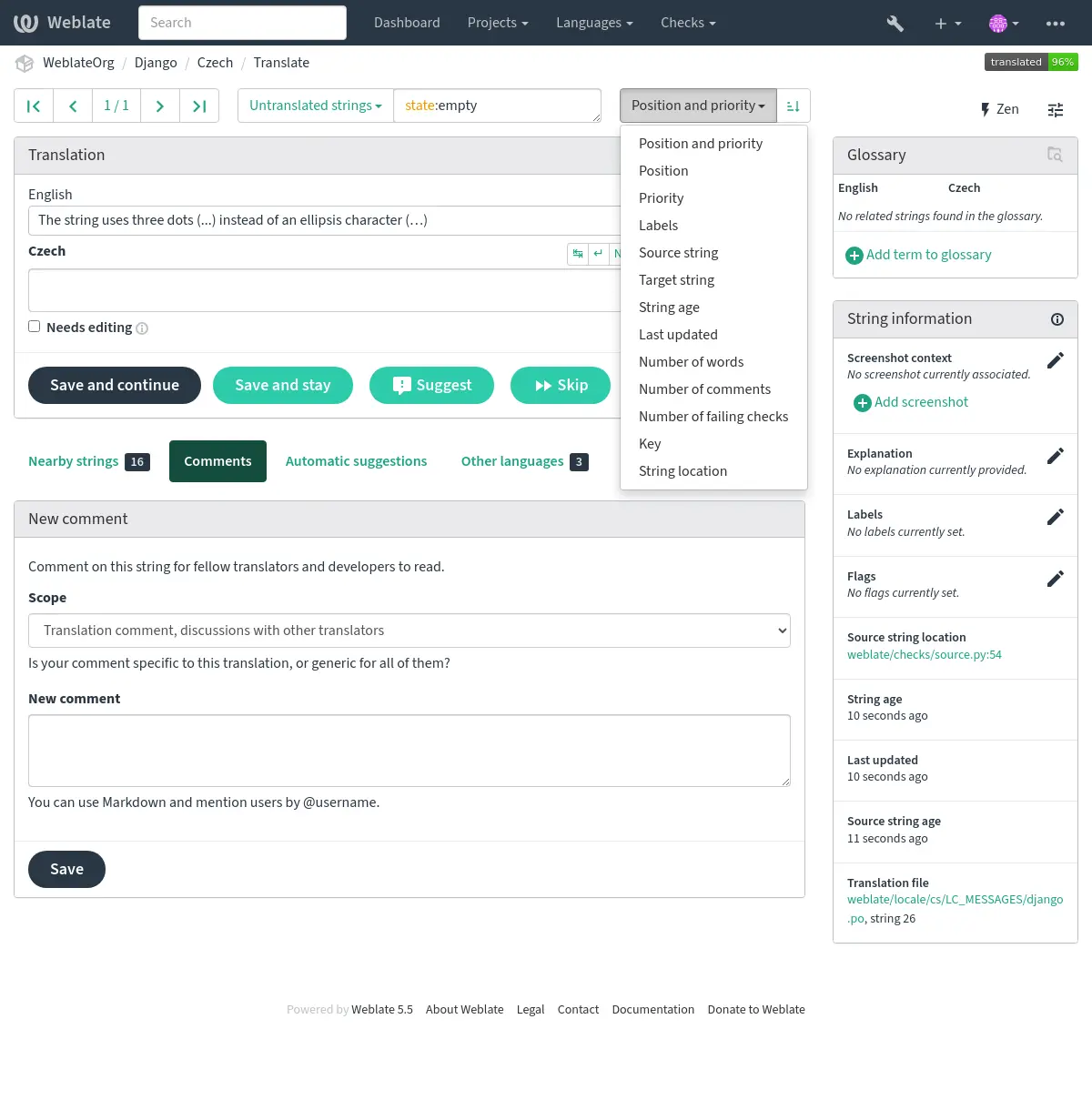
Há muitas opções para ordenar os textos de acordo com as suas necessidades:
Searching for screenshots
The screenshot listing in a component accepts advanced queries using boolean operations, parentheses, or field specific lookup.
When no field is defined, the lookup happens on the screenshot name. Use field-specific lookups to search repository paths, screenshot languages, or assigned source strings.
Screenshot fields
name:TEXTScreenshot name case-insensitive search.
path:TEXTRepository path to screenshot case-insensitive search.
repository:TEXTRepository path to screenshot case-insensitive search, same as
path:TEXT.language:TEXTScreenshot language code or language name case-insensitive search.
string:TEXTAssigned source string case-insensitive search.
context:TEXTAssigned source string context case-insensitive search.
location:TEXTAssigned source string location case-insensitive search.
id:NUMBERScreenshot unique identifier.
timestamp:DATETIMETimestamp for when the screenshot was added to Weblate.
strings:NUMBERNumber of assigned source strings.
has:TEXTSearch for screenshots having attributes:
stringScreenshot assigned to at least one source string.
repositoryScreenshot with a repository path.
pathScreenshot with a repository path, same as
repository.
Screenshot search examples
loginSearch for screenshots matching
loginin the screenshot name.name:loginSearch for screenshots with
loginin the screenshot name.language:csSearch for screenshots in languages matching
cs.string:"Save changes"Search for screenshots assigned to source strings matching
Save changes.has:stringSearch for screenshots assigned to at least one source string.
NOT has:stringSearch for screenshots not assigned to any source string.
repository:fastlaneSearch for screenshots with
fastlanein the repository path.strings:>2Search for screenshots assigned to more than two source strings.
has:repository AND NOT has:stringSearch for screenshots imported from the repository that still need source string assignment.
Screenshot search supports the same Operadores booleanos, Operações de campo, Searching for DATETIME fields, exact match, and regular expression syntax as string search.
Buscando por usuários
Adicionado na versão 4.18.
A navegação por usuário tem recursos de busca semelhantes:
username:TEXTBusca por nomes de usuários.
full_name:TEXTBusca por nomes completos.
language:TEXTIdioma de tradução configurado pelo usuário (consulte Idiomas traduzidos).
joined:DATETIMEO conteúdo do texto foi alterado na data, tem suporte a Operações de campo.
translates:TEXTO usuário contribuiu para um determinado idioma.
Talvez você queira limitar o tempo de contribuição por
change_time, por exemplochange_time:>"90 days ago".contributes:TEXTO usuário contribuiu para um determinado projeto ou componente.
Talvez você queira limitar o tempo de contribuição por
change_time, por exemplochange_time:>"90 days ago".change_time:DATETIMEO mesmo que em Buscando textos.
change_action:TEXTO mesmo que em Buscando textos.
Buscas adicionais estão disponíveis em Interface de gerenciamento:
is:botBuscar por bots (usado para tokens no escopo de projeto).
is:activeBusca por usuários ativos.
email:TEXTBusca por e-mail.
ip:TEXTSearch by audit log IP address.