管理界面
管理界面在 /manage/ 下面提供管理设置。它对于具有管理特权的登录用户是可用的,通过使用右上角的扳手图标来访问:
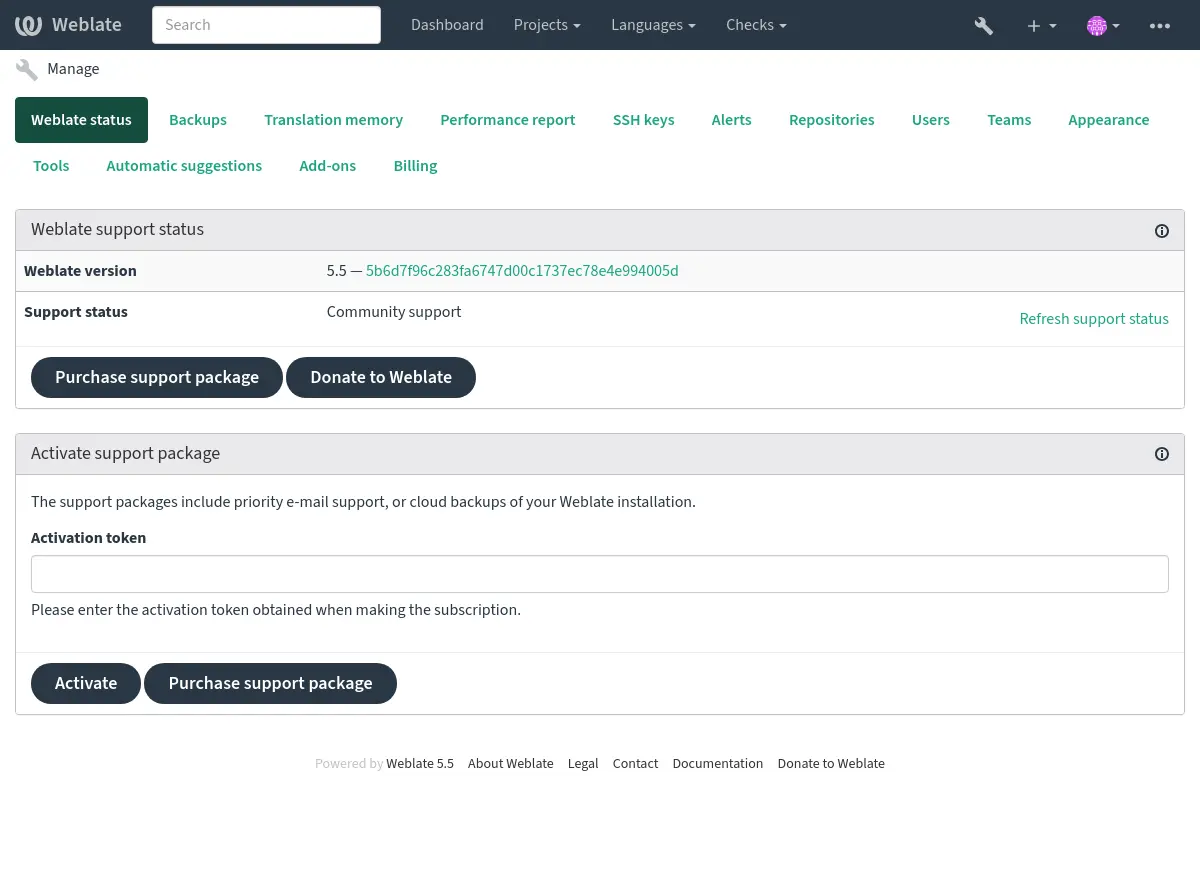
它包括您的 Weblate 的基本概况:
支持状态,请参见 从 Weblate 获取支持。
备份,请参见 备份和迁移 Weblate。
共享的翻译记忆库,见 翻译记忆库。
性能报告 查看 Weblate 健康度和 Celery 队列长度。
SSH 密钥管理,见 SSH 仓库。
所有部件的警报概述,见 翻译部件诊断。
Users and teams, see 全站访问控制; site administrators can also clean up user contributions.
配置 自动建议。
配置全站作用域的附加组件,见 附加组件。
性能报告
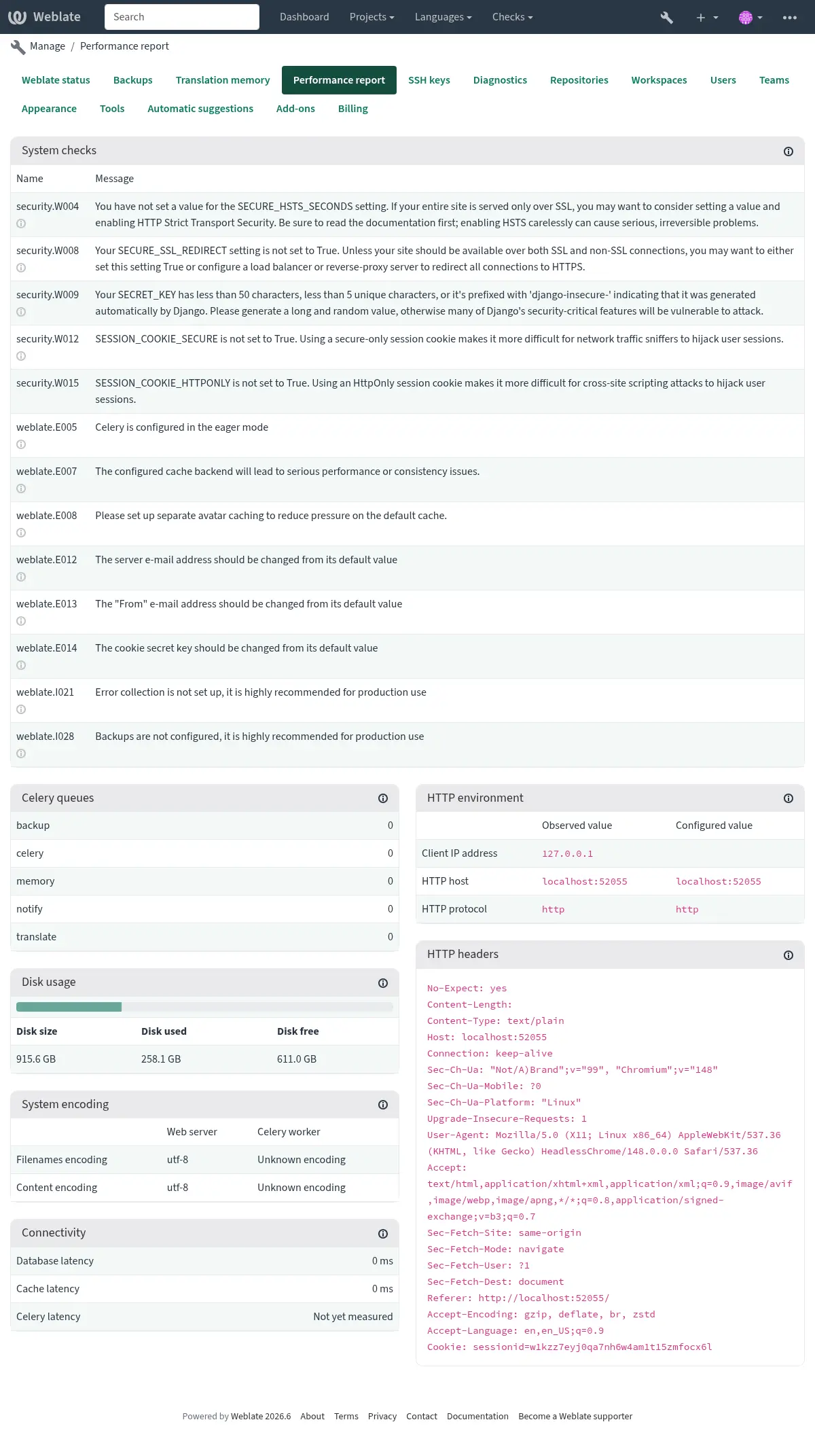
此页面提供 Weblate 配置和性能状态的概览。
配置错误 表明你的环境中存在问题。它覆盖缺少可选的依赖项 (见 Python 依赖项)、配置问题或延迟处理后台任务 (见 使用 Celery 的后台任务)。
系统检查 列出了可能的配置问题。可以用 SILENCED_SYSTEM_CHECKS 将这些问题“静音”,另见 部署清单。
Celery 队列 提供 Celery 队列的概览。这些通常应该接近于零。可用 celery_queues 在命令行上获取相同信息。
HTTP environment 允许你查看 Weblate 观察到的 HTTP 环境。这在调试反向代理配置时有用,见 在反向代理之后运行。HTTP headers 显示完整 HTTP 请求头来提供额外信息。
系统编码 应在所有进程中列出 UTF-8 编码。这需要在你的系统中进行配置,见 系统的地区与编码。
连接性 显示到数据库、缓存和 Celery 的延迟。这对诊断连接问题或许有用。
外观自定义
Added in version 4.4.
备注
颜色当前被同时用在深色和浅色主题中,所以请小心选择它们。
颜色、字体和页面外观可在此处进行自定义。

如果你在寻找更多自定义,参见 定制 Weblate。
Django 管理界面
警告
请小心使用,因为这是一个底层接口。多数情况下你不应该使用它,因为通过 Weblate 用户界面或 API 你可以舒服地访问多数设置项。
可以在这里管理数据库中存储的对象,如用户、翻译和其他设置。
在 报告 部分,可以检查网站的状态,为 生产设置 进行调整,或者管理用于访问的 SSH 密钥 访问仓库。
Use the Weblate UI or API for normal operations such as creating projects, creating components, managing users, or posting announcements.
项目和部件创建
Projects and components are created from the regular Weblate UI. Projects serve as containers for translation components, and components can use bilingual or monolingual translation files. See 项目配置 and 部件配置 for the available settings, and 双语和单语格式 for how bilingual and monolingual formats differ.