工作区
Workspaces group related translation projects. They sit above projects and provide a shared place for project listings, workspace-scoped access control, and billing details when the billing module is enabled.
Workspace membership does not grant access to translate or manage projects in the workspace. Project access is still controlled by the project access control settings and project teams, see 项目访问控制.
工作区页面列举了您可以访问的那个工作区的项目。
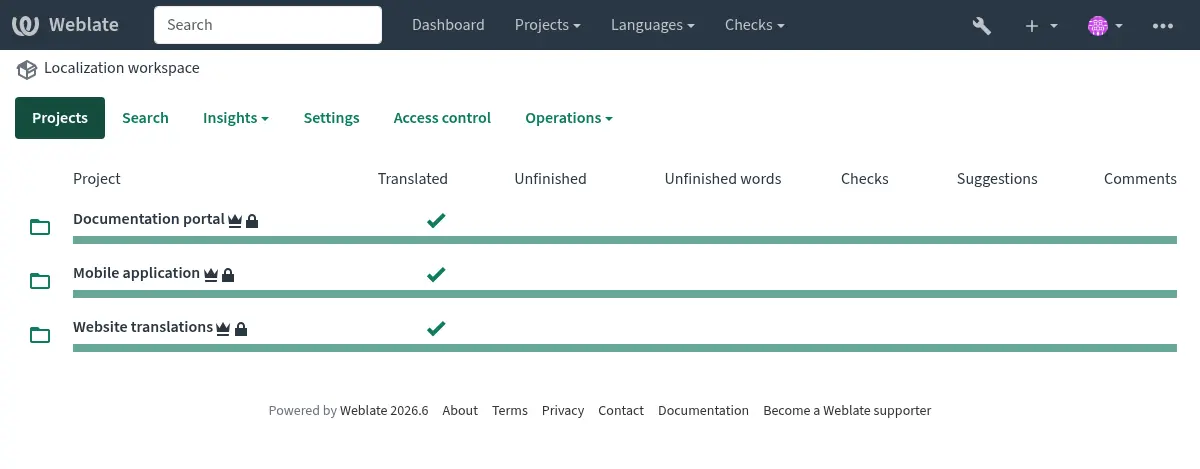
Signed-in users can also review grouped project and component findings on the workspace Diagnostics tab. See Project and workspace diagnostics overviews.
Signed-in users can open Projects ↓ My workspaces to list workspaces where they have an explicit workspace-team assignment. This list does not include workspaces merely because the user has site-wide management access.
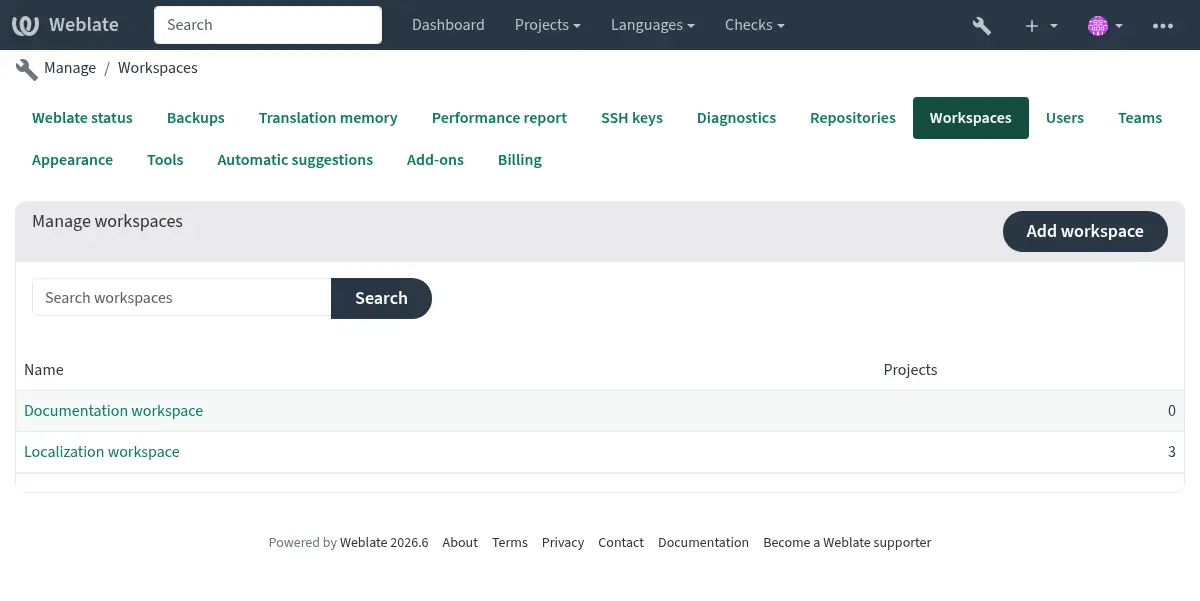
Site managers can list all workspaces in the management interface at Manage ↓ Workspaces.
Workspace statistics aggregate all owned and shared content, including projects and restricted components that you cannot access. Project listings and actions remain permission-filtered. See statistics access filtering.
The workspace Files menu downloads a ZIP archive of owned components that you can access and have permission to download. Workspace membership does not bypass project access control or component restrictions. The menu also provides Upload translation guidance. Uploading at workspace level is not supported; select a project and open an individual translation to upload a file.
Users who can edit translations in an accessible project can choose Operations ↓ Search and replace to replace text across permission-filtered owned project content in the workspace. The existing 搜索并替换 preview and confirmation workflow applies.
工作区删除
Users with the Edit workspace settings permission can remove a workspace from Operations ↓ Organize or remove.
Only empty workspaces can be removed. Move or remove all projects in the workspace first. Workspaces associated with billing cannot be removed.
项目创建和移动
有没有工作区均可创建项目:
Creating a project in a workspace requires the Add projects to workspace permission for that workspace.
Creating a project without a workspace requires the site-wide Add new projects permission.
When creating a project with the Weblate 的 REST API, pass the workspace UUID in the
workspace field.
Existing projects can be moved between workspaces from the project
Organize tab or by changing the workspace field with the
Weblate 的 REST API. Moving a project requires permission to edit the project and the
Edit workspace settings permission for the source and target
workspace. The target workspace also requires the
Add projects to workspace permission. Moving a project out of a
workspace also requires the site-wide Add new projects permission.
工作区设置
Workspace settings define workspace identity and defaults inherited by projects and components.
工作区名
详细的工作区名称,用于工作区列举和项目组织中。
使用工作区的翻译记忆库
Whether projects in this workspace can use translation memory shared within the workspace. Individual projects also have to enable workspace translation memory.
给工作区翻译记忆库作贡献
Whether projects in this workspace can contribute translations to the workspace translation memory. Individual projects also have to enable contribution.
Users with permission to edit the workspace can open Operations ↓ Translation memory to browse, download, delete, or rebuild automatically created workspace translation-memory entries. See 用户界面.
翻译许可证
此工作区中项目和部件的默认翻译许可证。
贡献者许可协议
此工作区中项目和部件的默认贡献者许可协议。可用 Markdown 调整文本格式或插入链接。
添加新语种
Default behavior for requests to create new translations in projects and components in this workspace.
语言代码风格
Weblate 在此工作区的项目和部件中创建的翻译的默认语言代码样式。
第二语言
翻译此工作区中项目和部件时和源语言一同显示的默认第二语言。
翻译标记
Workspace-level translation flags. These are merged with project, component, and translation flags instead of being inherited as a replacement.
提交、添加、删除、合并、附加组件及合并请求说明
Default commit and merge request message templates for projects and components in this workspace. These templates use the same markup as component message settings.
The built-in defaults follow Conventional Commits and include Weblate links where available. Use Restore site default next to a message editor to restore the current installation default for that message.
设置继承
Settings inheritance lets common defaults be configured once and reused in lower scopes:
工作区定义工作区中项目的默认值。
项目定义项目中类别和部件的默认值。
Categories define defaults for nested categories and components in the category.
Components use the effective value from the nearest inherited scope unless inheritance is disabled for that setting.
This is available for translation license, contributor license agreement, adding new translations, language code style, secondary language, and commit message templates.
Project, category, and component settings expose Inherit from workspace, Inherit from project, or Inherit from category checkboxes for these values. When inheritance is enabled, the inherited value is shown in the settings form; disable inheritance and save to edit the stored override value.
Translation flags are handled differently. Workspace, project, category, component, and translation flags are merged, so each level can add flags without replacing the lower levels.
When a workspace is created, these defaults are copied from the current installation defaults. Later changes to installation defaults do not update existing workspaces.
Workspace-less projects also store their own defaults when created and do not inherit from a workspace unless moved into one and configured to inherit.
When upgrading existing installations, Weblate consolidates matching settings: if all components in a project use the same value, the value is moved to the project and those components inherit it. The same consolidation is then applied from projects to workspaces. Category settings are initialized to inherit from their parent and matching explicit child overrides can be consolidated to the category. Differing values remain configured directly on the lower scope.
工作区访问控制
Workspaces have workspace-scoped teams. These teams control workspace-level actions only; they do not grant translation access to the projects in the workspace.
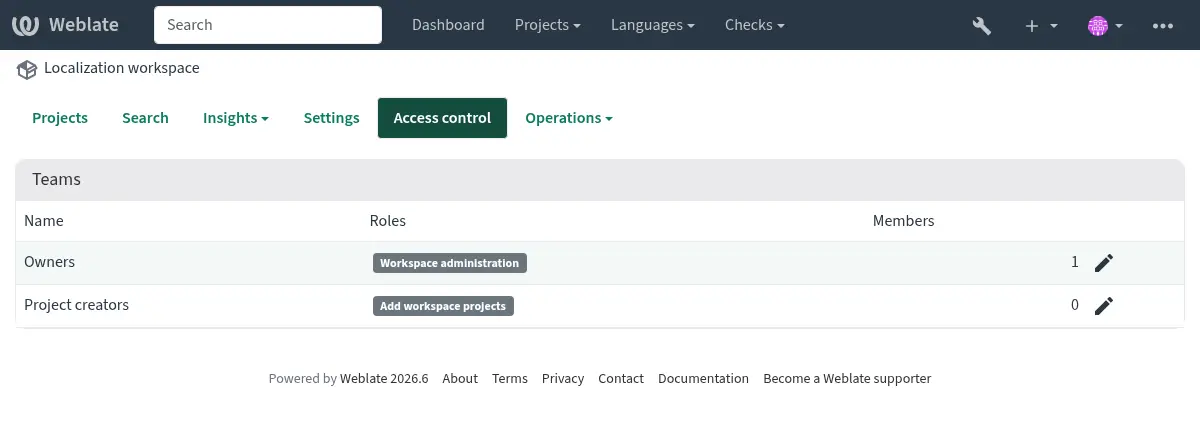
默认工作区团队为:
- 所有者
Can edit workspace settings, add projects to the workspace, manage workspace access, and view or pay billing plans assigned to the workspace.
- 项目创建者
Can add projects to the workspace.
Users can still view a workspace page when they can access at least one project in that workspace. This does not grant billing access or permission to add more projects.
账单
When 账单 is enabled, a billing plan is assigned to a workspace. Projects in that workspace count against the workspace billing plan.
Users with Edit workspace settings permission can view and pay the billing plan. Billing notification e-mails are sent to these users.
Billing is optional. Workspaces are still available when the billing module is not installed.
Upgrading from billing owners
Older Weblate versions stored billing owners directly on billing plans. These users are migrated to the workspace Owners team for the workspace covered by the billing plan.