构建译者社区

Make it easy for people to start translating, ask questions, and see their work reach users. Link contributors to 做出首个翻译 and provide project-specific instructions alongside it.

欢迎译者

Set 翻译说明 to explain where to begin, which components have priority, and how to contact the language team. Include a short style guide with examples of the tone and terminology you expect. Explain any contribution agreement and how to request access or a missing language.

Describe your 翻译工作流: whether contributors save translations or submit suggestions, who reviews their work, and when translations reach users. Keep the requirements realistic for small language teams. Welcome useful partial contributions rather than requiring a complete language translation.

Tell translators about release dates and translation deadlines early. Use 公告 for timely notices, and keep the translation instructions up to date. Let contributors know when their work has shipped and acknowledge their contributions. See 持续本地化 for repository integration and automation.

部件诊断

指引显示在每个部件的 诊断 选项卡中。这些警报可忽略并指向让你的本地化流程对社区译员更加简单所需的配置或文档。
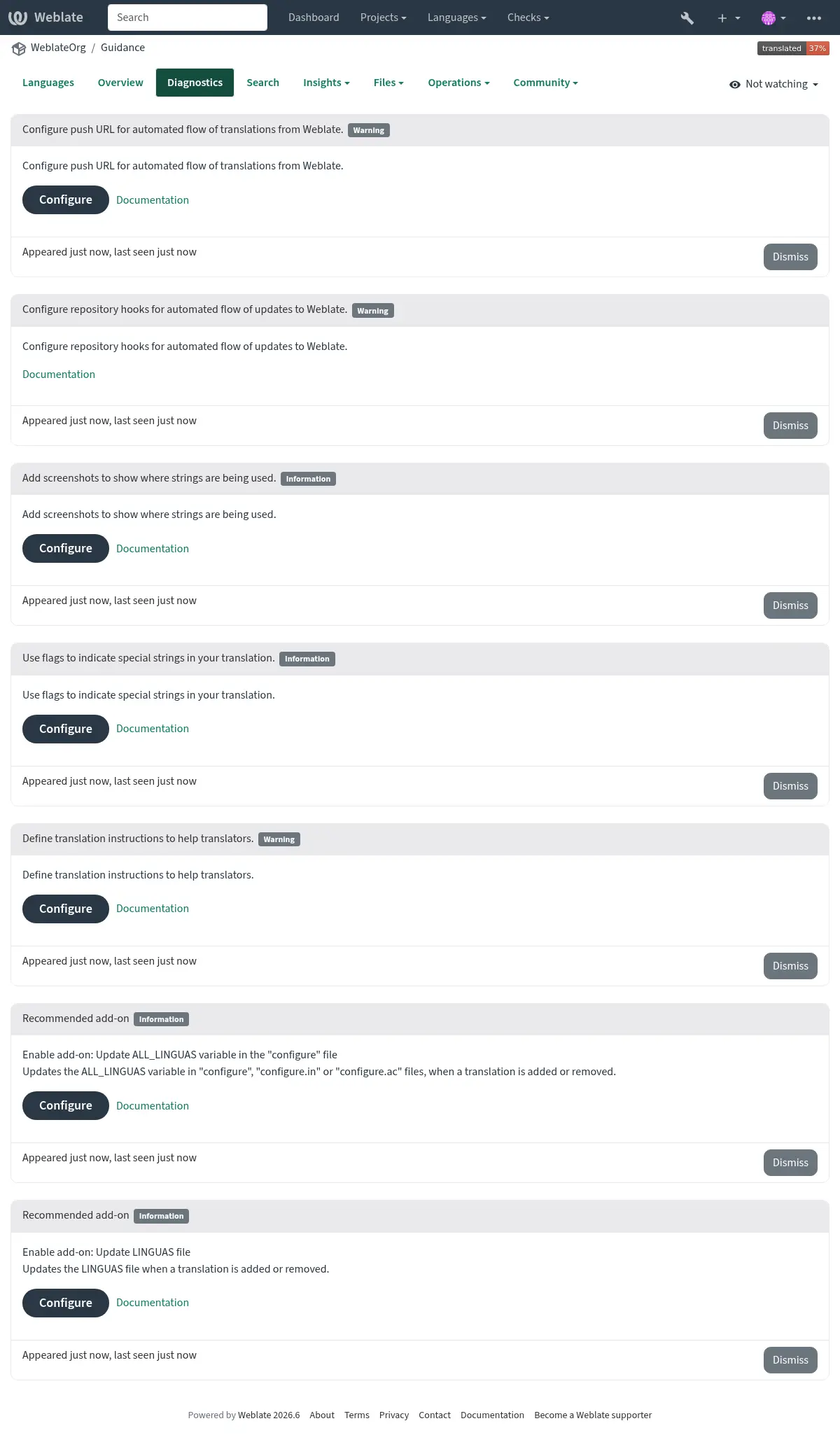
../_images/component-diagnostics.webp

Diagnostics cannot tell whether your instructions are clear or questions get answered. Regularly try the contribution process with a translator account and ask newcomers where they got stuck.

专有名词管理

Provide a 术语表 for recurring terms, with explanations where a word has a project-specific meaning. Agree on terminology with each language team and keep it consistent across components. Record decisions so new contributors do not need to repeat earlier discussions.

Existing 翻译记忆库 can help reuse past translations. Review matches in their new context: identical source wording does not always have the same meaning.

机器翻译

Explain whether machine translation is allowed and how contributors should review its output. Choose services suited to the languages and subject matter of your project, and evaluate their output with the language teams. Do not assume that fluent wording preserves the source meaning or your terminology.

Weblate supports both service suggestions and automatic translation with human review. Choose a 机器翻译和 LLM 工作流 configuration that matches your quality expectations and available reviewers.

复查翻译

When possible, have another speaker review translations for meaning, tone, and consistency. Explain how to become a reviewer and who handles pending suggestions. Respond constructively and explain corrections so contributors can learn from them.

Provide 屏幕截图和可视化上下文, 解释, and access to a preview or test release so people can check translations in context. A translation that reads well in isolation can still be wrong for a button or too long for its layout. See 从国际化开始 for writing source strings that work across languages.

结构化的反馈

Weblate's 检查和修正 help identify technical mistakes while translating. Explain how to resolve recurring failures, and investigate false positives instead of encouraging translators to ignore checks indiscriminately.

Translators also find problems in source strings. Monitor 评论 and your advertised contact channel, answer questions, and report back when a problem is fixed. Configure 仓库浏览器 so contributors can find the source code, and 源字符串错误报告地址 for reporting source problems. See 源字符串审核 for reviewing source strings in Weblate.

Avoid unnecessary source-string changes that create repeated translation work. Communicate changes to the workflow and let teams know when a component is no longer maintained. For broader developer practices, see 从国际化开始.