Translation component diagnostics
Menampilkan galat dalam konfigurasi Weblate atau proyek terjemahan untuk setiap komponen terjemahan. Panduan tentang cara mengatasi isu yang ditemukan juga tersedia.
Saat ini yang tercakup adalah:
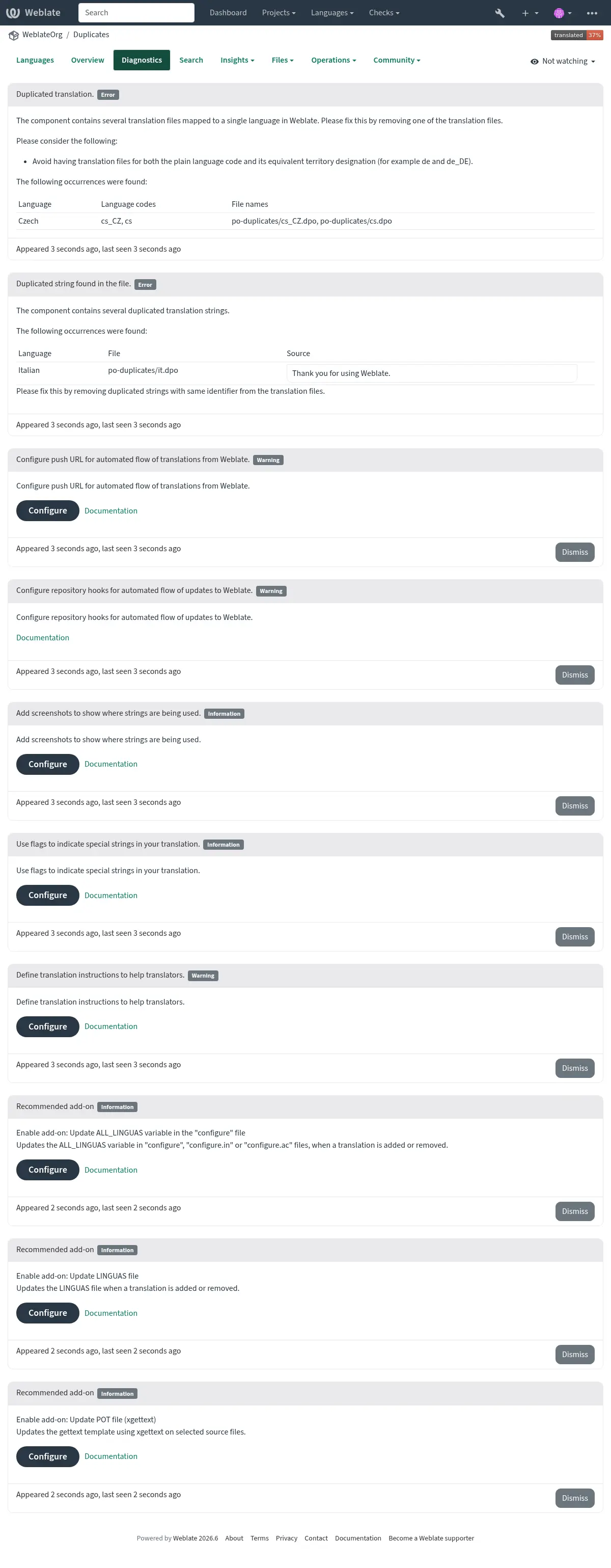
String sumber yang digandakan dalam berkas terjemahan
Bahasa yang digandakan dalam terjemahan
Gabungkan, perbarui, atau dorong kegagalan dalam repositori
Mengurai galat dalam berkas terjemahan
Batasan tagihan (lihat Penagihan)
Repositori berisi terlalu banyak komit keluar atau hilang
Lisensi tidak ada
Galat saat menjalankan pengaya (lihat Pengaya)
Misconfigured monolingual or bilingual translation.
Rusak Konfigurasi komponen
URL yang rusak
Tangkapan layar yang tidak digunakan
Kode bahasa yang ambigu
Dasar baru yang tidak digunakan dalam pengaturan komponen
Mask berkas ganda digunakan untuk komponen yang ditautkan
Conflicting merge request repository setup
Komponen sepertinya tidak digunakan (dapat dikonfigurasikan oleh
UNUSED_ALERT_DAYS)Unused glossary languages
Peringatan diperbarui setiap hari, atau berdasarkan perubahan terkait (misalnya saat Konfigurasi komponen diubah atau saat repositori diperbarui).
Project website availability checks can be disabled using
WEBSITE_ALERTS_ENABLED, in which case Weblate will no longer
generate alerts for unreachable project websites.
Alerts are listed on each respective component page as Diagnostics.
Project and workspace diagnostics overviews
Signed-in users can open the Diagnostics tab on project and workspace pages. The overview is loaded when opened and groups alerts of the same type instead of repeating them for every component.
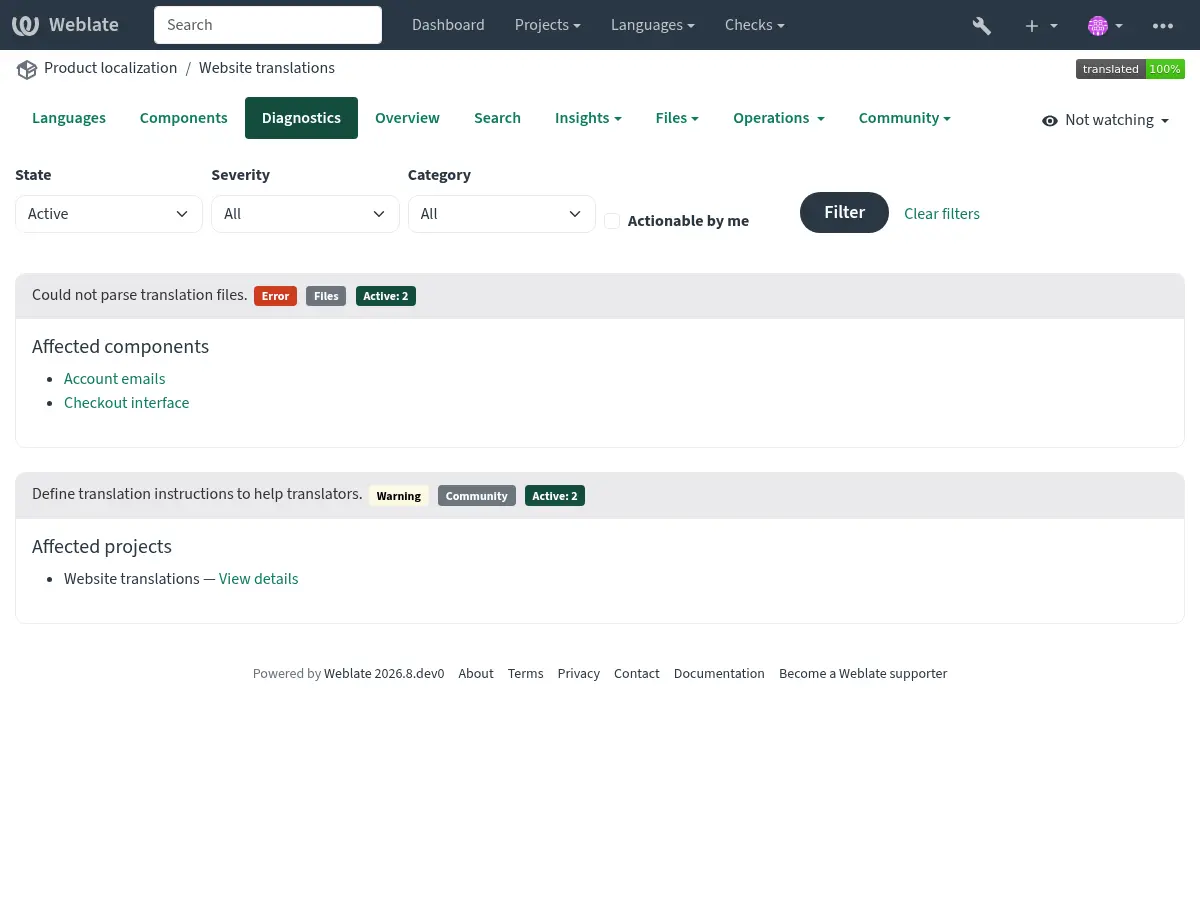
The project overview shows project-wide findings once and lists the components affected by component-specific findings:
The workspace overview groups project-wide findings by project and identifies components using both the project and component name:
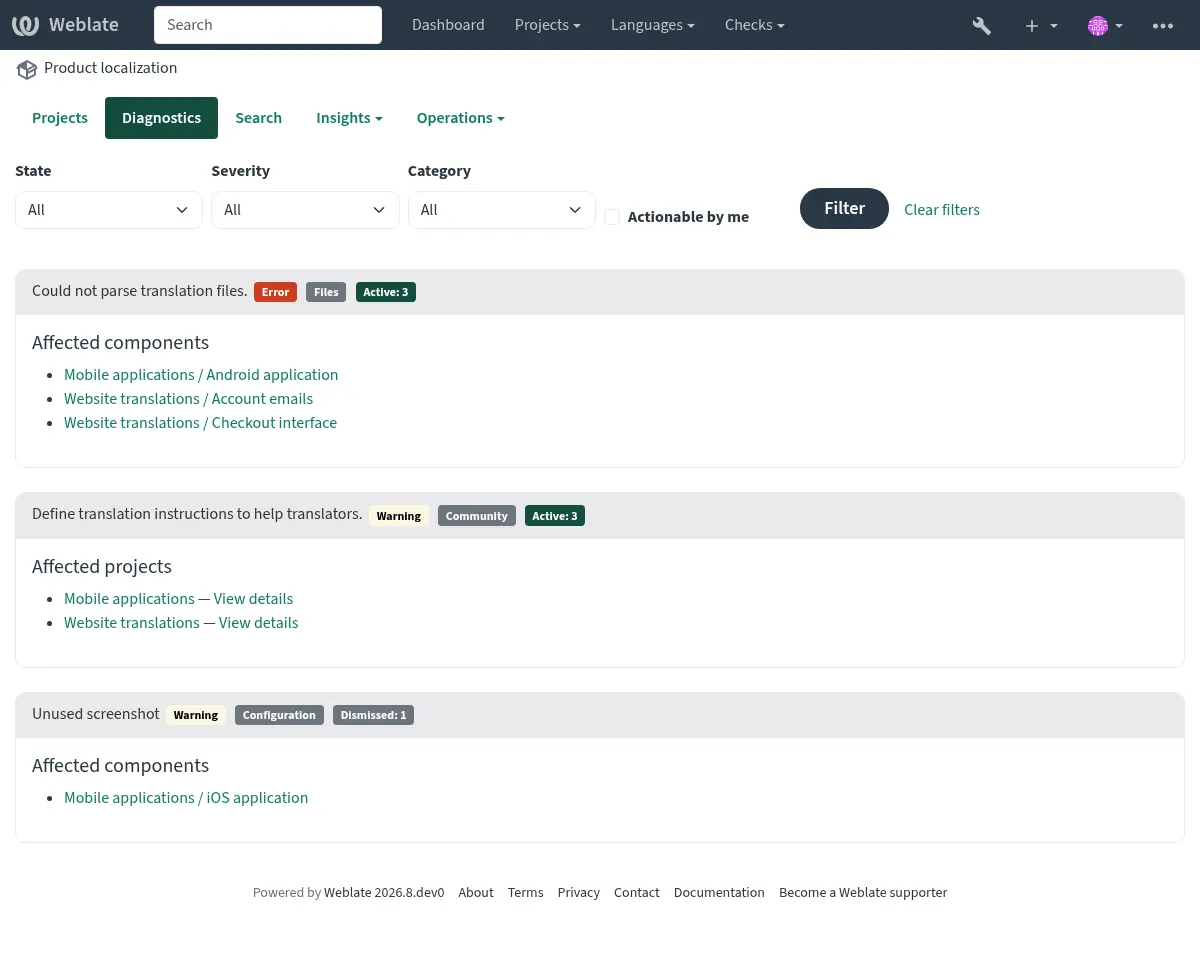
Each finding lists up to 20 affected projects or components. Additional affected objects are shown as a count. Follow a component link to see the complete diagnostic details or dismiss a diagnostic on the component page.
The summary can be filtered by active or dismissed state, severity, category, or whether the signed-in user can act on the diagnostic. Components shared into a project are listed only in the diagnostics of their owning project.
If it is missing, the component clears all current checks. Problem alerts cannot be ignored, but will disappear once the underlying problem has been fixed.
Information and warning alerts are used for guidance on improving community localization. These can be dismissed and make the Diagnostics tab visible, but they do not indicate a component problem in listings.
Dismissed diagnostics record who dismissed them, when they were dismissed, and an optional reason. A dismissal is automatically reopened when the diagnostic details or the configuration relevant to that diagnostic changes. Dismissal and reopening are both recorded in the component change history.
Warning and error notifications are sent only to subscribed project maintainers who have permission to act on the diagnostic. Informational recommendations do not send unsolicited notifications.
Custom alerts can override
BaseAlert.get_dismissal_context(component, details) to include stable,
JSON-serializable configuration or diagnostic inputs. Changing the returned
context reopens a dismissed alert. Incidental values such as evaluation time
should not be included.
Komponen dengan string dan bahasa yang digandakan terlihat seperti ini:
Mengonflik pengaturan repositori
This alert is shown when multiple Git components are configured to push to the same repository and push branch without all of them pulling from that branch. This includes pull or merge request workflows, and direct pushes to a separate push branch. Such a setup can overwrite the shared branch.
To resolve this, either configure a different Push branch for each
component or share the repository between components using a
weblate://project/component repository URL.
Lihat juga