Glosarium
Each project can include one or more glossaries for storing terms and their preferred translations. Glossaries help keep translations consistent by showing matching terms in the translation editor.
Glossaries are regular translation components with special behavior. The source language stores the terms Weblate searches for in source strings. Each glossary translation stores the preferred term, forbidden term, or untranslatable entry for one target language.
Terms from the glossary containing words from the currently translated source string are displayed in the sidebar of the translation editor.
Petunjuk
Istilah glosarium tidak digunakan dalam pemeriksaan kualitas kecuali Anda mengaktifkannya, lihat Tidak mengikuti glosarium untuk informasi lebih lanjut.
How glossary matching works
When you translate a regular component, Weblate searches the source string for terms from the source language of the project glossaries. When a term matches, Weblate looks up the corresponding glossary entry for the language currently being translated and shows it in the editor.
This means glossary entries need to exist in the target glossary language to be shown while translating that target language. A source-language-only glossary can still store definitions and context, but it will not provide target-language matches for languages that do not have glossary entries.
If you want a term to be present in every glossary language, mark the source entry as Terminologi. If the term should stay unchanged in every language, use Istilah yang tidak dapat diterjemahkan; combine it with terminology only when you want Weblate to create and maintain entries for all glossary languages.
Mengelola glosarium
Berubah pada versi 4.5: Glosarium sekarang menjadi komponen terjemahan reguler dan Anda dapat menggunakan semua fitur Weblate di dalamnya — memberikan komentar, menyimpan dalam repositori jarak jauh, atau menambahkan penjelasan.
Gunakan komponen apa pun sebagai glosarium dengan menyalakan Gunakan sebagai glosarium. Anda dapat membuat beberapa glosarium untuk satu proyek.
Glosarium kosong untuk proyek tertentu akan otomatis dibuat bersama proyek tersebut. Glosarium dibagikan di antara semua komponen dalam proyek yang sama, dan secara opsional dengan proyek lain menggunakan Bagikan proyek dari komponen glosarium masing-masing.
Komponen glosarium tampak seperti komponen lain di Weblate dengan tambahan label berwarna:
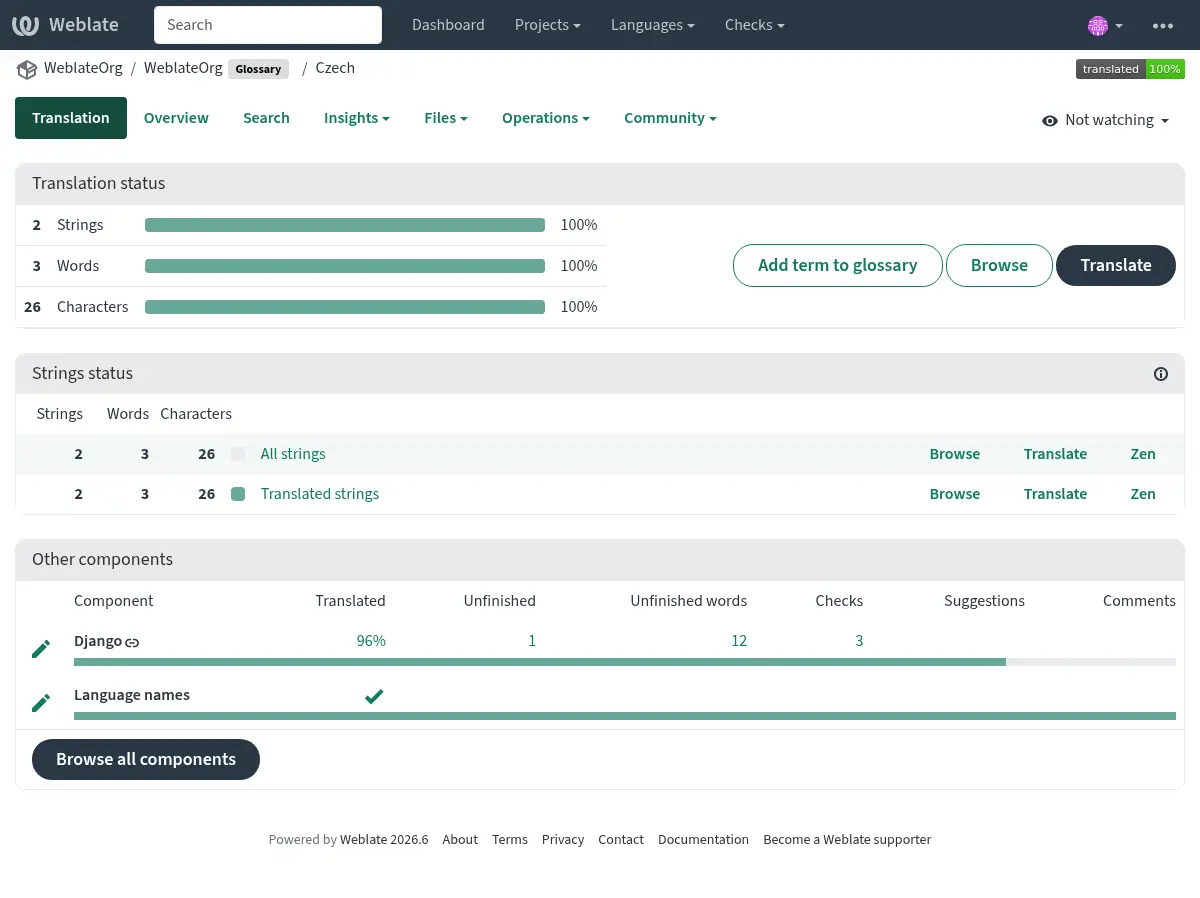
Anda dapat menelusuri semua istilah di glosarium:
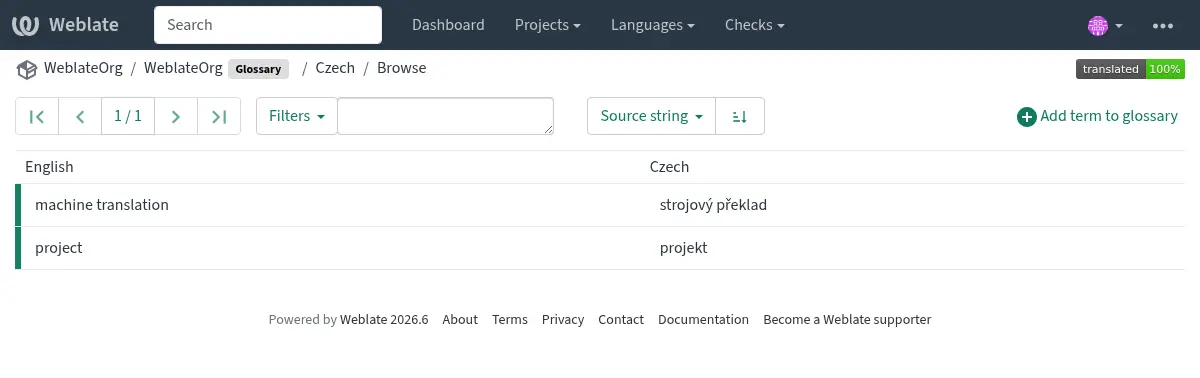
atau menyuntingnya sebagai terjemahan apa pun.
Istilah glosarium
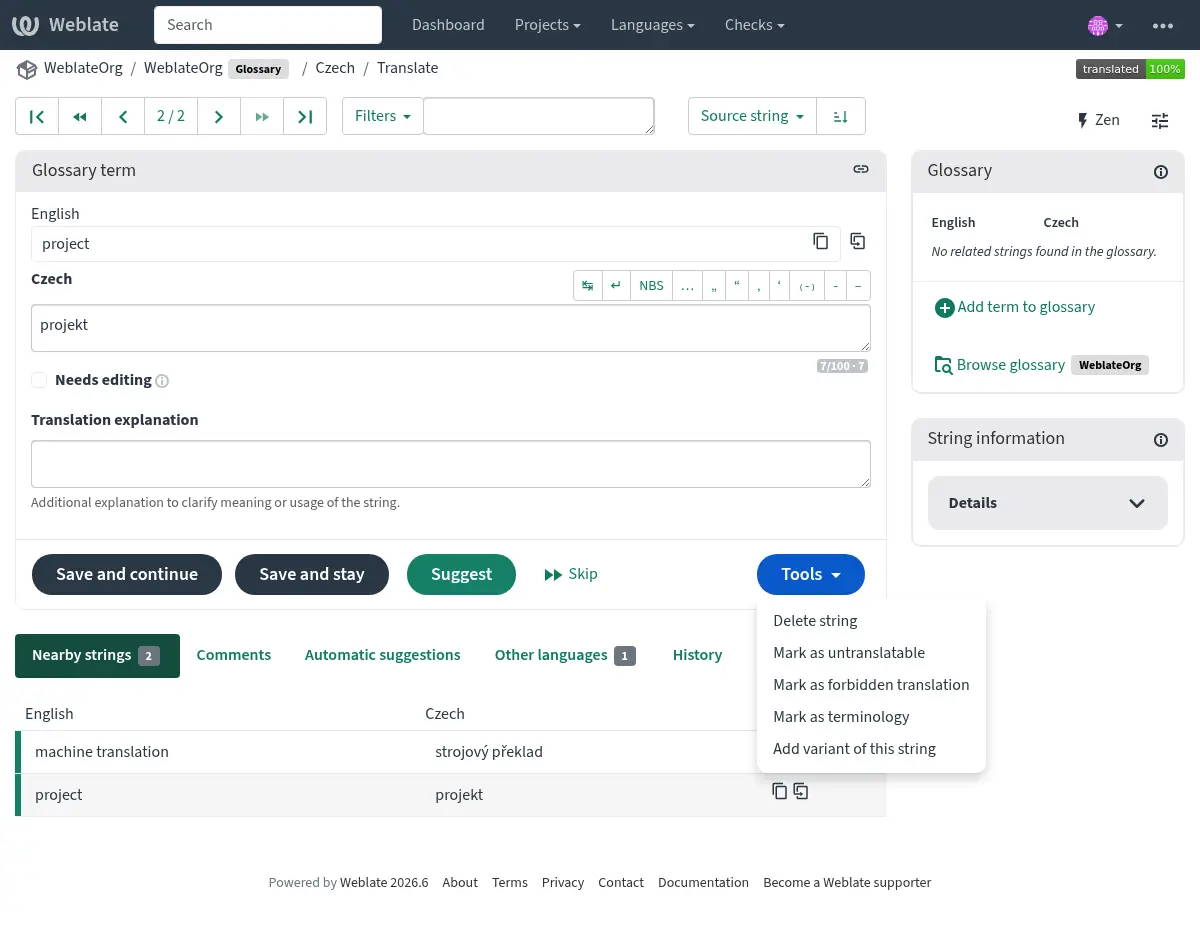
Istilah glosarium diterjemahkan dengan cara yang sama seperti string reguler. Anda dapat mengubah fitur tambahan menggunakan menu Alat untuk setiap istilah.
Lihat juga
Jenis |
Purpose |
|---|---|
Regular glossary term |
Preferred translation or explanation for a term in one or more languages. |
Source term Weblate keeps present in every glossary language so missing translations can be tracked and filled. |
|
Term that should stay unchanged or should not be translated. |
|
Translation that should not be used for the source term. |
|
Alternative wording, abbreviation, or shorter form grouped with another glossary term. |
Choosing glossary terms
Choose glossary terms for meaning and audience, not only for literal word shape. If a source term is ambiguous, add an explanation so translators know which meaning applies in the project.
Glossary entries are especially useful for brand names, acronyms, product features, technical terms, and newly coined or transliterated words. Use variants for abbreviations or shorter wording, mark important cross-language terms as Terminologi, mark terms that should stay unchanged as Istilah yang tidak dapat diterjemahkan, and mark misleading translations as Terjemahan terlarang.
Istilah yang tidak dapat diterjemahkan
Added in version 4.5.
Flagging certain glossary term translations read-only by bulk-editing,
typing in the flag, or by using Tools ↓
Mark as untranslatable means they can not be translated. Use this
for brand names, product names, domains, technology names, or other terms that
should not be changed in other languages. Such terms are visually highlighted
in the glossary sidebar.
The read-only flag is enough when the glossary entry already exists in the
languages where it should be shown. Add the Terminologi flag as
well only when Weblate should create and maintain the untranslatable entry in
every glossary language.
Lihat juga
Terjemahan terlarang
Added in version 4.5.
Menandai terjemahan istilah glosarium tertentu sebagai forbidden dengan menyunting massal, mengetikkan penanda, atau menggunakan Alat ↓ Tandai sebagai terjemahan terlarang berarti terjemahan tersebut tidak boleh digunakan. Gunakan ini untuk memperjelas terjemahan jika beberapa kata ambigu atau mungkin memiliki makna yang tidak terduga.
Use forbidden entries for translations that should be avoided. Use regular glossary entries for preferred translations.
Lihat juga
Terminologi
Added in version 4.5.
Flagging certain source-language glossary terms as terminology by
bulk-editing, typing in the flag, or by using Tools ↓
Mark as terminology adds entries for them to all languages in the
glossary. Use this for important terms that should be well thought out, and
retain a consistent meaning across all languages.
The terminology flag is ongoing state, not just a one-time action. While the flag remains on the source term, Weblate treats it as terminology and keeps an entry for it in every glossary language. If a language entry is removed, the next glossary synchronization creates it again.
Removing the terminology flag stops this automatic maintenance, but it does
not remove or otherwise revert entries that were already created. They remain
regular glossary entries.
A regular glossary term can also have translations in every language. The difference is that Weblate does not recreate missing language entries for a regular term after they are removed.
Lihat juga
Varian
Varian adalah cara umum untuk menggrupkan string bersama. Semua varian istilah tercantum di bilah sisi glosarium saat menerjemahkan.
Petunjuk
Anda dapat menggunakan ini untuk menambahkan singkatan atau ekspresi yang lebih pendek untuk istilah.
Lihat juga
Impor glosarium
Mirip dengan komponen terjemahan biasa, Anda dapat mengunggah glosarium yang ada ke Weblate. Format seperti Berkas CSV atau Format TermBase eXchange didukung dan dapat diunggah, lihat Mengunggah terjemahan.
TBX files can include explanations, read-only metadata, and glossary flags; see Format TermBase eXchange for the exact metadata mapping.
Even though TBX can contain multiple languages, Weblate still maps component files to languages using the component file mask and language settings. For a TBX glossary component, keep the component source language as the source term language and name translation files for the target language they represent. Avoid naming a translation file with the same language as the component source language, because the source language already exists in Weblate and this can lead to duplicate language detection.
Lihat juga
Language files and synchronization
Glossary components follow the languages used by the regular components in the same project. When a language is added to a regular component, Weblate adds the missing glossary language as well so glossary matches can be shown for that language.
This automatic language synchronization is intentional. Filtering glossary language files with Filter bahasa can reduce the number of managed files, but it also means Weblate has no glossary entries to show for filtered-out target languages.
Terminology entries are also synchronized. When a source glossary term is marked as terminology, Weblate creates missing entries in all glossary languages and recreates them if they are removed while the flag is still set.
Weblate can clean up stale glossary translations only for Weblate-managed glossaries, only when no regular component in the project still uses that language, and only when the stale glossary translation has no translated terms. If the stale glossary language still contains terms, Weblate keeps it and reports it as an unused glossary language.
Common setup patterns
- English-only explanatory glossary
Add source-language glossary terms with explanations. This works as a maintained term list, but it will not show target-language glossary matches unless you also create entries in the target glossary languages.
- Required terminology
Add terms in the source glossary language, mark them as Terminologi, and let translators fill the created entries in each target language. Use explanations to document the intended meaning.
- Non-translatable terms
Mark terms as Istilah yang tidak dapat diterjemahkan when they should stay unchanged. Add Terminologi only when the term should be present in every glossary language for matching and review.
- Terjemahan terlarang
Add the misleading translation as a Terjemahan terlarang entry. Add the preferred wording as a separate regular glossary entry when translators should use a specific translation instead.
Glosarium dalam saran otomatis
Added in version 5.3.
Beberapa layanan saran otomatis menggunakan glosarium selama terjemahan, silakan lihat dokumentasinya di Saran otomatis untuk melihat dukungannya.
Glosarium diproses sebelum diekspos ke layanan:
Duplicate source entries are skipped for services that require unique source terms. LLM-based services can receive duplicates with explanations to disambiguate them.
Semua karakter kontrol dan spasi di awal dan di akhir dihapus.
Terjemahan terlarang dilewati.
Catatan
Banyak layanan menyimpan glosarium di sisi server dan memaksakan batasan jumlah glosarium yang disimpan. Weblate selalu menghapus glosarium terlama jika kehabisan ruang.