Registrasi dan profil pengguna
Pendaftaran
Semua orang dapat menelusuri proyek, melihat terjemahan, atau menyarankan terjemahan secara bawaan. Hanya pengguna terdaftar yang diizinkan untuk menyimpan perubahan, dan mendapatkan kredit untuk setiap terjemahan yang dibuat.
Anda dapat mendaftarkan dengan mengikuti beberapa langkah sederhana:
Isi formulir pendaftaran dengan kredensial Anda.
Aktifkan pendaftaran dengan mengikuti tautan di surel yang Anda terima.
Secara opsional, sesuaikan profil Anda untuk memilih bahasa yang Anda ketahui.
Dasbor
Saat Anda masuk, Anda akan melihat ikhtisar proyek dan komponen, serta perkembangan terjemahannya masing-masing.
Komponen proyek yang Anda awasi ditampilkan secara bawaan, dan dirujuk silang dengan bahasa pilihan Anda.
Petunjuk
Anda dapat beralih ke tampilan berbeda menggunakan tab navigasi.
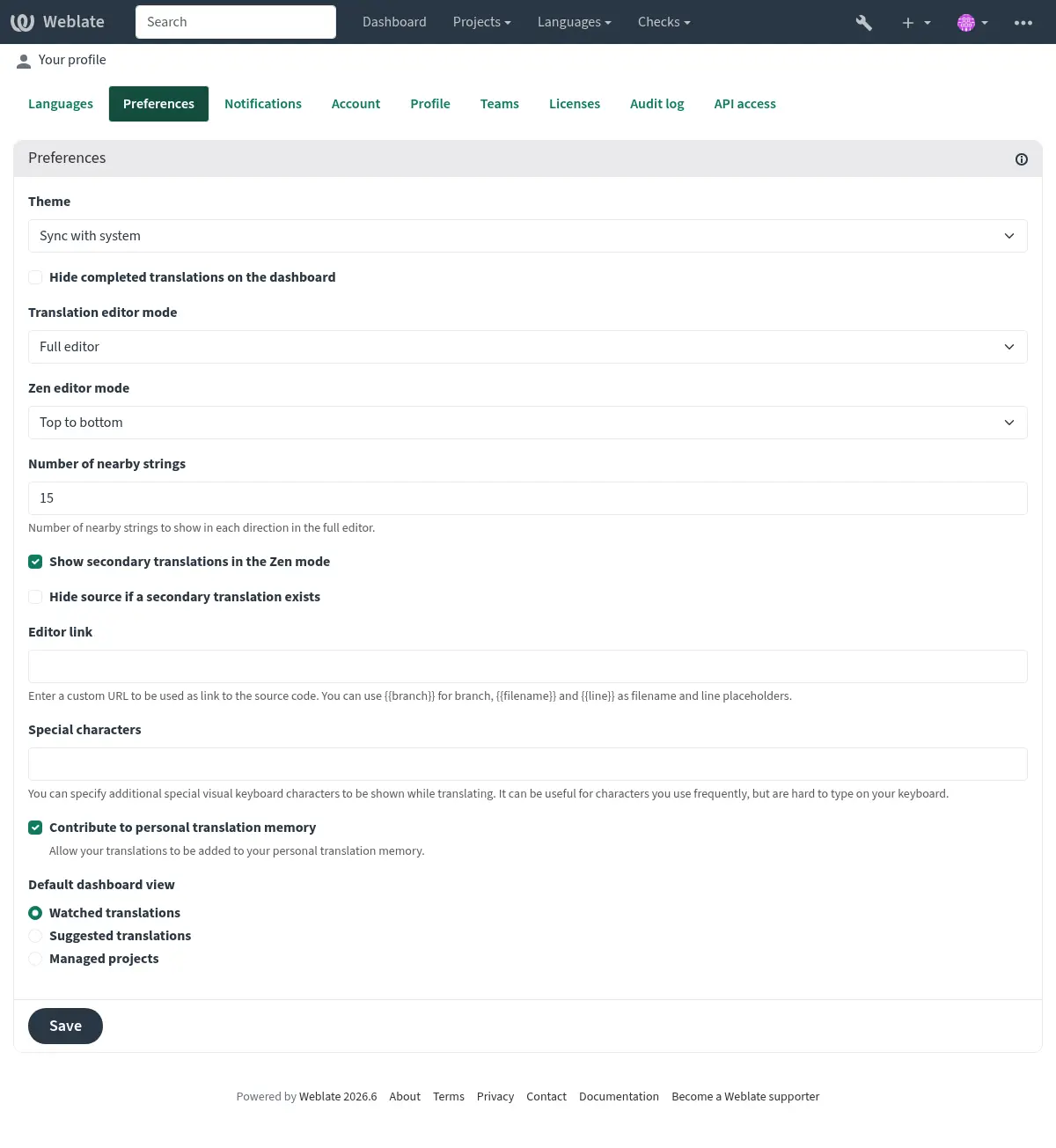
Menu memiliki opsi berikut:
Proyek > Telusuri semua proyek di menu utama yang menampilkan status terjemahan untuk setiap proyek pada instansi Weblate.
Memilih bahasa di menu utama Bahasa akan menampilkan status terjemahan semua proyek, difilter berdasarkan salah satu bahasa utama Anda.
Terjemahan yang dipantau di Dasbor akan menampilkan status terjemahan hanya dari proyek yang sedang Anda pantau, difilter menurut bahasa utama Anda.
Selain itu, menu tarik turun juga dapat menampilkan sejumlah daftar komponen, kumpulan komponen proyek yang dikonfigurasikan sebelumnya oleh administrator Weblate, lihat Daftar Komponen.
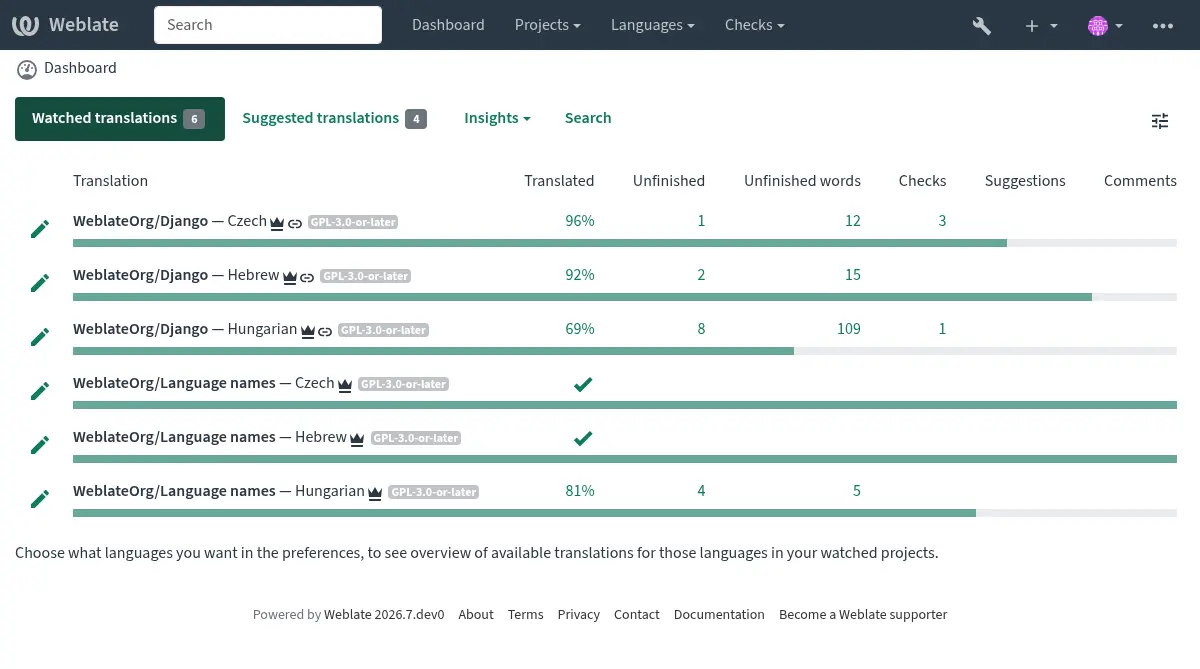
Anda dapat mengkonfigurasikan tampilan dasbor bawaan pribadi Anda di bagian Preferensi pada pengaturan profil pengguna Anda.
Catatan
Bila Weblate dikonfigurasikan untuk satu proyek menggunakan SINGLE_PROJECT dalam berkas settings.py (lihat Konfigurasi), dasbor tidak akan ditampilkan, karena pengguna akan diarahkan ke satu proyek atau komponen saja.
Profil pengguna
Profil pengguna dapat diakses dengan mengklik ikon pengguna Anda di kanan atas menu atas, lalu menu Pengaturan.
The user profile contains your preferences. Name and e-mail address are used in VCS commits, so keep this info accurate.
Catatan
Semua pilihan bahasa hanya menawarkan bahasa yang saat ini diterjemahkan.
Petunjuk
Minta atau tambahkan bahasa lain yang ingin Anda terjemahkan dengan mengklik tombol untuk menyediakannya juga.
Bahasa
Bahasa antarmuka
Pilih bahasa yang Anda inginkan untuk ditampilkan di antarmuka.
Bahasa yang diterjemahkan
Pilih bahasa mana yang Anda pilih untuk diterjemahkan, dan terjemahan tersebut akan ditawarkan di halaman utama proyek yang dipantau, sehingga Anda lebih mudah mengakses semua terjemahan dalam setiap bahasa tersebut.
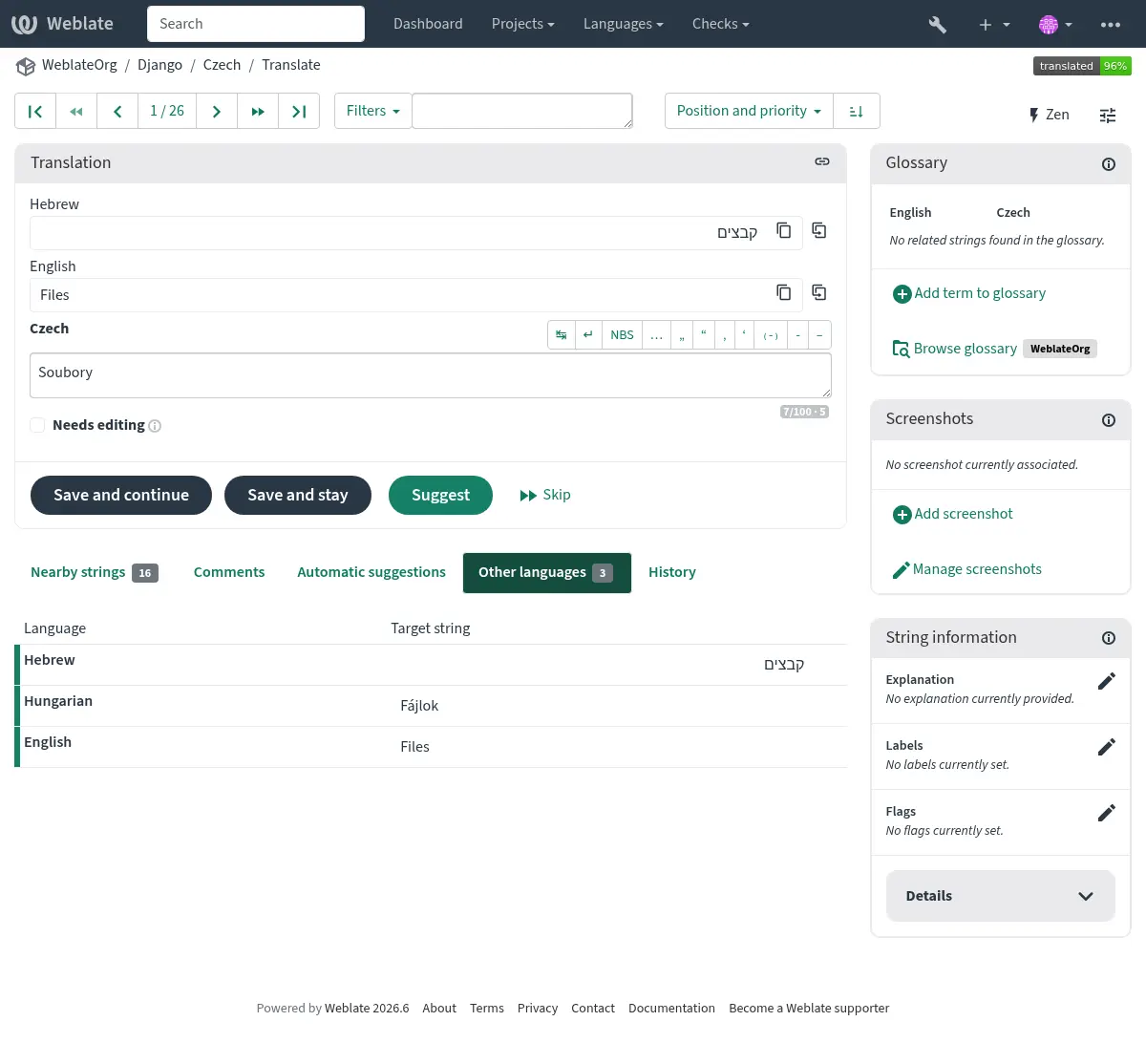
Bahasa sekunder
Anda dapat menentukan bahasa kedua mana yang ditampilkan sebagai panduan saat menerjemahkan. Contohnya dapat dilihat pada gambar berikut, di mana bahasa Ibrani ditampilkan sebagai bahasa kedua:
Petunjuk
Ini juga dapat dikonfigurasi dalam proyek (Bahasa kedua) atau komponen (Bahasa kedua). Dalam hal ini, ini dapat digunakan untuk Konsolidasi string menggunakan bahasa kedua.
Preferensi
Tema
Pilih apakah Weblate mengikuti pengaturan sistem untuk tema gelap atau terang, atau pilih salah satunya secara manual.
Tampilan dasbor bawaan
Pada tab Preferensi, Anda dapat memilih tampilan dasbor mana yang akan ditampilkan secara bawaan. Jika Anda memilih Daftar komponen Anda harus memilih daftar komponen mana yang akan ditampilkan dari menu tarik turun Daftar komponen bawaan.
Lihat juga
Tautan penyuntingan
Tautan kode sumber ditampilkan di peramban web yang dikonfigurasikan dalam Konfigurasi komponen secara bawaan.
Petunjuk
Dengan mengatur Tautan penyunting, Anda menggunakan penyunting lokal untuk membuka berkas kode sumber VCS berisi string yang diterjemahkan. Anda dapat menggunakan Markah templat.
Biasanya sesuatu seperti editor://open/?file={{filename}}&line={{line}} adalah pilihan yang bagus.
Lihat juga
Anda dapat menemukan info lebih lanjut tentang mendaftarkan protokol URL khusus untuk penyunting dalam dokumentasi Nette.
Karakter spesial
Karakter spesial tambahan untuk disertakan dalam Papan ketik visual.
Notifikasi
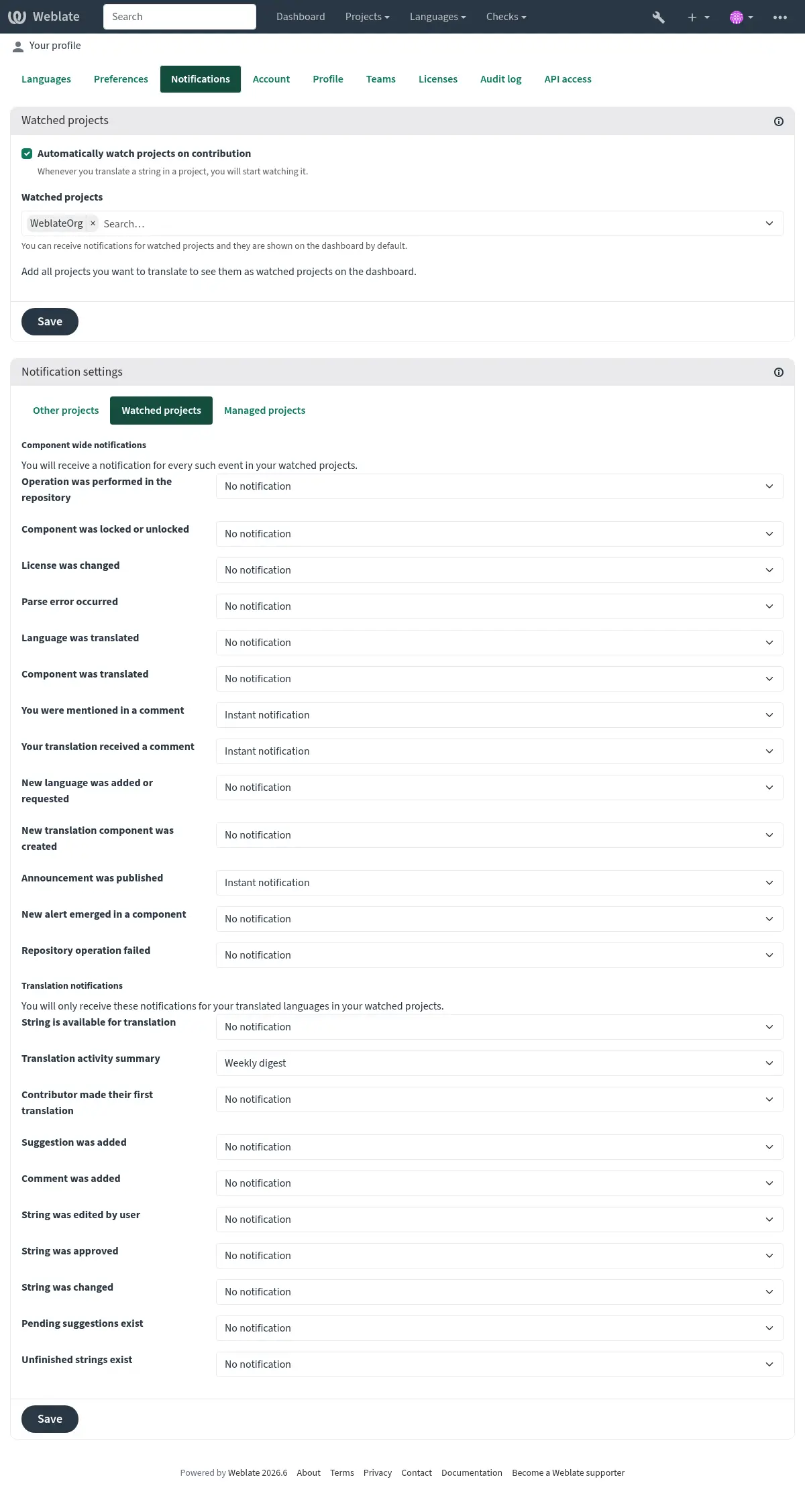
Berlangganan berbagai notifikasi dari tab Notifikasi. Notifikasi untuk acara tertentu pada proyek yang dipantau atau dikelola akan dikirimkan kepada Anda melalui surel.
Beberapa notifikasi hanya dikirim untuk peristiwa dalam bahasa Anda (misalnya tentang string baru yang akan diterjemahkan), sementara beberapa notifikasi dipicu di tingkat komponen (misalnya galat penggabungan). Kedua grup notifikasi ini dipisahkan secara visual di pengaturan.
The Translation activity summary notification is digest-only and summarizes added, updated, translated, approved, needs editing, and unfinished strings.
Anda dapat mengubah notifikasi untuk proyek yang dipantau dan proyek yang dikelola, dan dapat disesuaikan (atau dibisukan) lebih lanjut per proyek dan komponen. Kunjungi halaman ikhtisar komponen dan pilih opsi yang sesuai dari menu Memantau.
In case Automatically watch projects on contribution is enabled you
will automatically start watching projects upon contributing to them. The
default value depends on DEFAULT_AUTO_WATCH.
Catatan
Anda tidak akan menerima notifikasi atas tindakan Anda sendiri.
Petunjuk
Pengiriman notifikasi dibatasi, Anda tidak akan menerima lebih dari 1000 surel per hari. Notifikasi selanjutnya akan dihapus.
Akun
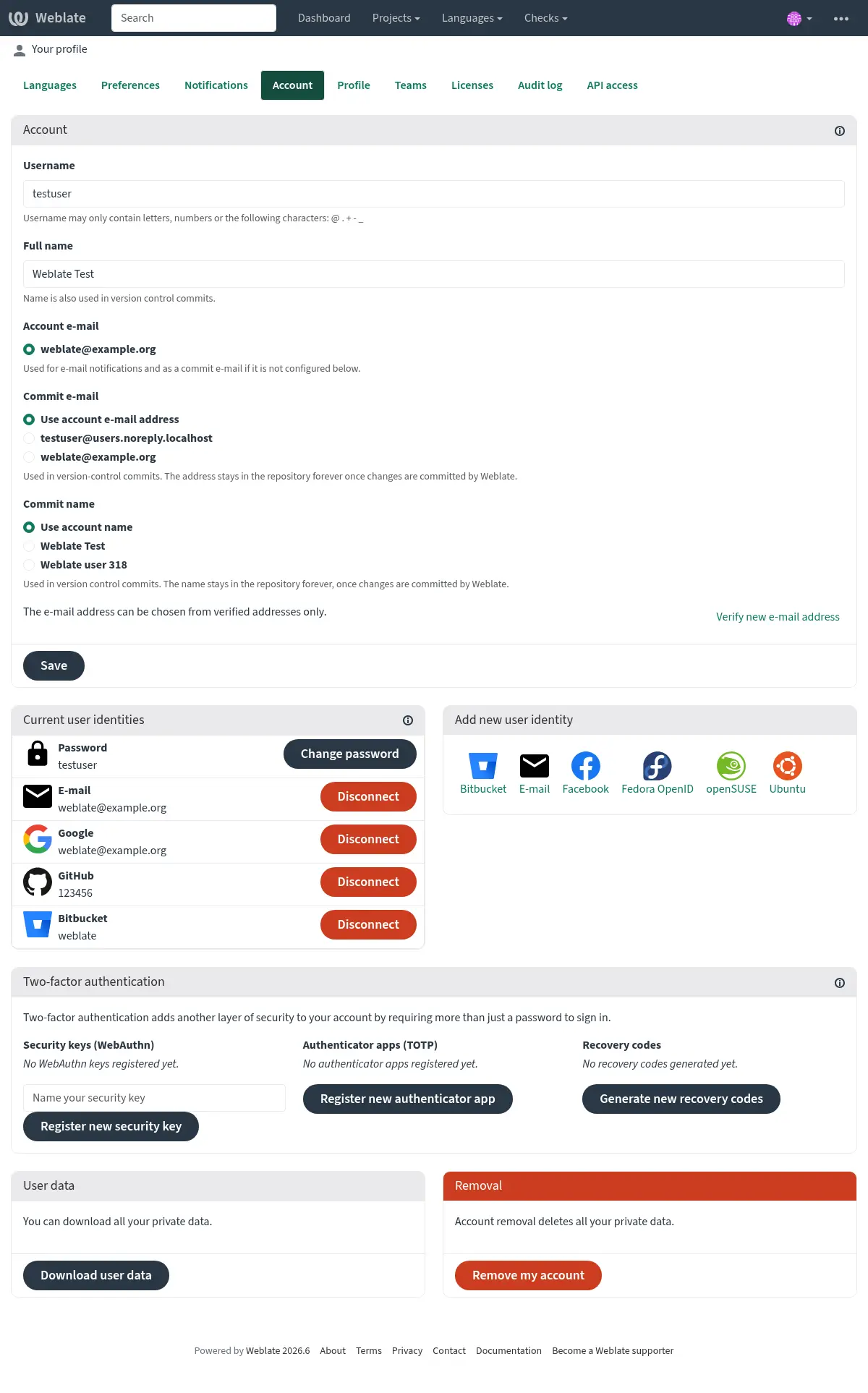
Tab Akun memungkinkan Anda mengatur rincian akun dasar, menghubungkan berbagai layanan yang dapat Anda gunakan untuk masuk ke Weblate, menghapus akun Anda sepenuhnya, atau mengunduh data pengguna Anda (lihat Weblate user data export).
Surel komit privat akan digunakan sebagai pengganti surel akun Anda dalam komit kontrol versi. Gunakan ini untuk menghindari kebocoran surel asli Anda di sana. Perlu diketahui bahwa penggunaan surel yang berbeda dapat memutuskan kontribusi Anda di server lain (misalnya, kontribusi Anda tidak akan lagi tertaut ke profil Anda di GitHub). Surel privat dapat diaktifkan di seluruh situs menggunakan PRIVATE_COMMIT_EMAIL_OPT_IN.
Catatan
Daftar layanan bergantung pada konfigurasi Weblate Anda, tetapi dapat dibuat untuk menyertakan situs populer seperti GitLab, GitHub, Google, Facebook, atau Bitbucket atau penyedia OAuth 2.0 lainnya.
Profil
Semua kolom di halaman ini bersifat opsional dan dapat dihapus kapan saja, dan dengan mengisinya, Anda memberi kami izin untuk membagikan data ini di mana pun profil pengguna Anda muncul.
Public profile URLs, such as Website URL, Contact URL, Fediverse URL, and Code site URL, should point to a website, contact, or profile page. Obvious direct file download links can be rejected, and public profile links show a warning before leaving Weblate where possible.
The Code site URL should use common code-hosting profile paths,
such as /username or /~username; existing repository-style links such
as /username/project or /group/subgroup/project are also accepted. The
Fediverse URL
should use common profile paths, such as /username, /@username,
/web/@username, /users/username, /accounts/username,
/channel/username, /profile/username, /u/username, or
/people/identifier.
Avatar dapat ditampilkan untuk setiap pengguna (tergantung pada ENABLE_AVATARS). Gambar ini diperoleh menggunakan https://gravatar.com/.
Lisensi
Akses API
Anda bisa mendapatkan atau mengatur ulang token akses API Anda di sini.
Catatan audit
Catatan audit mencatat tindakan yang dilakukan dengan akun Anda. Catatan ini mencatat alamat IP dan peramban untuk setiap tindakan penting dengan akun Anda. Tindakan penting ini juga memicu notifikasi ke alamat surel utama.
Lihat juga