Translation component diagnostics
Herhangi bir çeviri bileşeni için Weblate yapılandırmasındaki veya çeviri projesindeki hataları görüntüler. Bulunan sorunların nasıl ele alınacağı ile ilgili yol gösterir.
Şu anda şu listedeki sorunlar ele alınıyor:
Çeviri dosyalarında çift kaynak dizgeler
Çevirilerde çift diller
Depo birleştirme, güncelleme ya da itme sorunları
Çeviri dosyalarında işleme hataları
Fatura sınırları (ayrıntılı bilgi almak için: Faturalama)
Depoda çok fazla sayıda giden ya da eksik işlemeler var
Eksik lisanslar
Eklenti çalıştırılırken çıkan sorunlar (ayrıntılı bilgi almak için: Eklentiler)
Misconfigured monolingual or bilingual translation.
Bozuk Bileşen yapılandırması
Bozuk adresler
Kullanılmayan ekran görüntüleri
Dil kodu anlaşılamadı
Bileşen ayarlarında kullanılmayan yeni temel
Bağlantılı bileşenlerde çift dosya maskesi kullanılması
Birleştirme isteği depo kurulumu ile çelişiyor
Bileşen kullanılmamış gibi görünüyor (
UNUSED_ALERT_DAYSile yapılandırılabilir)Unused glossary languages
Uyarılar günlük olarak veya ilgili değişiklik yapıldığında güncellenir (Bileşen yapılandırması değiştirildiğinde veya depo güncellendiğinde gibi).
Proje sitesi kullanılabilirlik denetimleri WEBSITE_ALERTS_ENABLED kullanılarak kapatılabilir. Bu durumda Weblate artık ulaşılamayan proje siteleri için uyarılar oluşturmaz.
Alerts are listed on each respective component page as Diagnostics.
Project and workspace diagnostics overviews
Signed-in users can open the Diagnostics tab on project and workspace pages. The overview is loaded when opened and groups alerts of the same type instead of repeating them for every component.
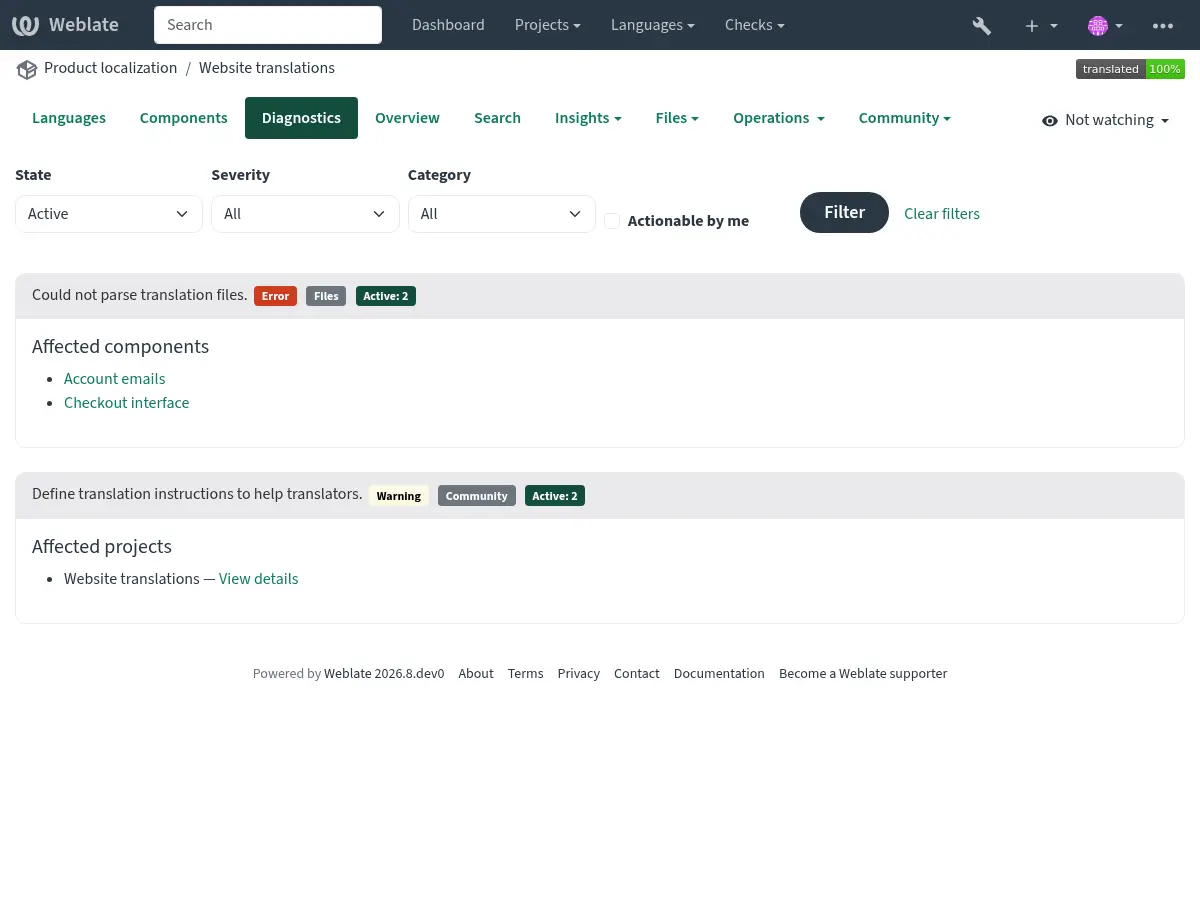
The project overview shows project-wide findings once and lists the components affected by component-specific findings:
The workspace overview groups project-wide findings by project and identifies components using both the project and component name:
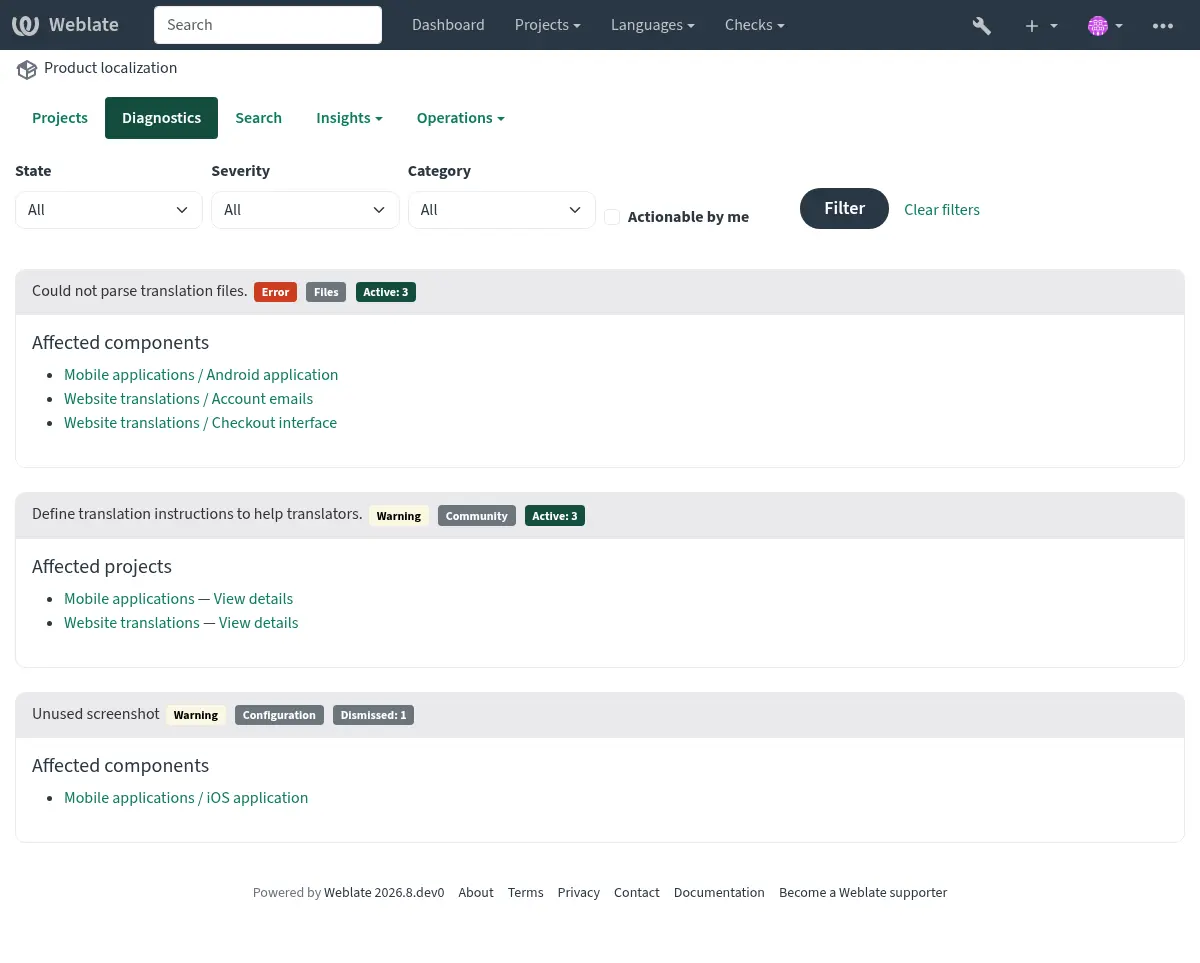
Each finding lists up to 20 affected projects or components. Additional affected objects are shown as a count. Follow a component link to see the complete diagnostic details or dismiss a diagnostic on the component page.
The summary can be filtered by active or dismissed state, severity, category, or whether the signed-in user can act on the diagnostic. Components shared into a project are listed only in the diagnostics of their owning project.
If it is missing, the component clears all current checks. Problem alerts cannot be ignored, but will disappear once the underlying problem has been fixed.
Information and warning alerts are used for guidance on improving community localization. These can be dismissed and make the Diagnostics tab visible, but they do not indicate a component problem in listings.
Dismissed diagnostics record who dismissed them, when they were dismissed, and an optional reason. A dismissal is automatically reopened when the diagnostic details or the configuration relevant to that diagnostic changes. Dismissal and reopening are both recorded in the component change history.
Warning and error notifications are sent only to subscribed project maintainers who have permission to act on the diagnostic. Informational recommendations do not send unsolicited notifications.
Custom alerts can override
BaseAlert.get_dismissal_context(component, details) to include stable,
JSON-serializable configuration or diagnostic inputs. Changing the returned
context reopens a dismissed alert. Incidental values such as evaluation time
should not be included.
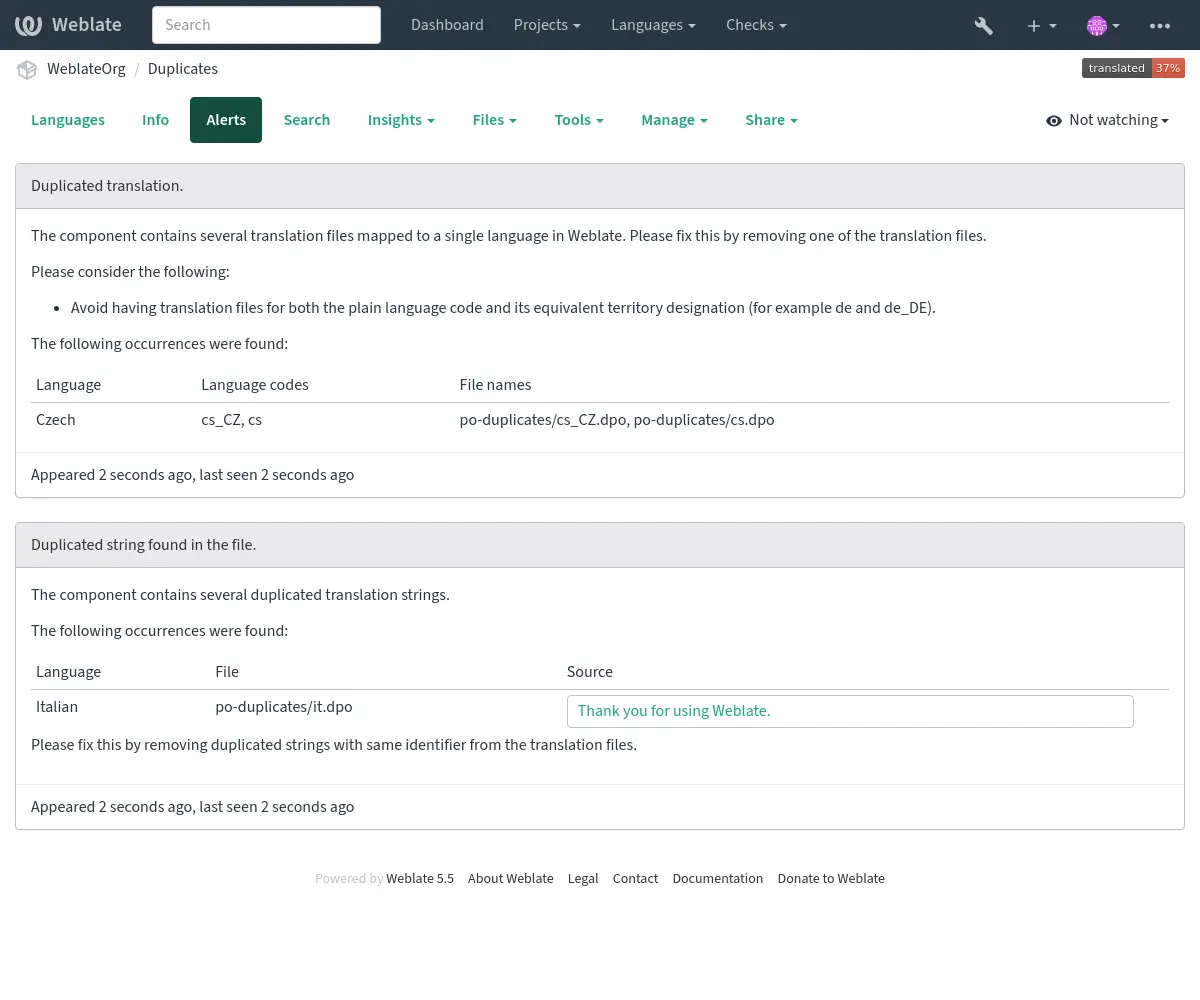
Hem kopyalanmış dizgeleri hem de dilleri olan bir bileşen şöyle görünür:
Çelişen depoları kurulumu
This alert is shown when multiple Git components are configured to push to the same repository and push branch without all of them pulling from that branch. This includes pull or merge request workflows, and direct pushes to a separate push branch. Such a setup can overwrite the shared branch.
Bu durumu çözmek için, her bileşen için farklı bir Push branch yapılandırın veya weblate://project/component depo adresini kullanarak depoyu bileşenler arasında paylaşın.
Ayrıca bakınız